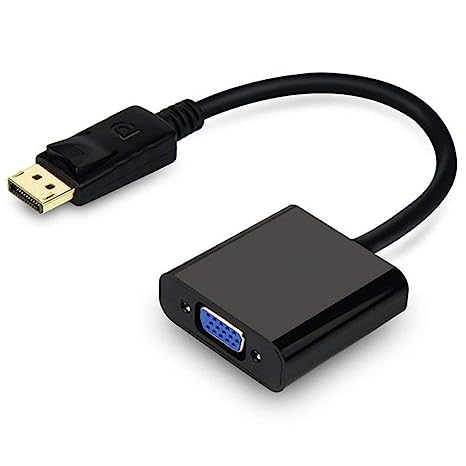
| Description | Here are some of the things to consider when choosing a DisplayPort to VGA converter cable:The length of the cable.
The resolution and refresh rate that the cable supports.
The color depth that the cable supports.
The price of the cable.
It is important to choose a DisplayPort to VGA converter cable that is compatible with your DisplayPort-equipped device and your VGA-equipped display. It is also important to choose a cable that is the appropriate length for your needs. | | Here are some of the benefits of using a VGA to HDMI with Audio Adapter:Allows you to connect VGA devices to HDMI monitors or projectors
Small and lightweight
Made of durable materials
Compatible with a variety of devices
Affordable
If you have a VGA device and a new monitor or projector that only has HDMI ports, then a VGA to HDMI with Audio Adapter is a great way to connect the two devices. | Some of the key features of the TL-SG1016D include:16 Gigabit Ethernet ports
Auto MDI/MDIX and Auto Negotiation
MAC Address self-learning
Plug and Play
Energy-efficient design
The TL-SG1016D is easy to set up and use. Just connect the switch to your router or modem and then connect your devices to the switch's ports. The switch will automatically configure itself and start working. | Here are some of the benefits of using a USB 3.0 hub:You can connect more devices to your computer.
You can transfer files faster.
You can use your devices more efficiently.
You can save space on your desk.
If you need to connect more devices to your computer, a USB 3.0 hub is a great solution. | Here are some of the features of the USB to VGA adapter:Supports resolutions up to 1920x1080
Plug and play installation
Compatible with Windows 7/8/8.1/10
Gold-plated connectors for corrosion resistance
Durable construction for long life
Here are some of the benefits of using a USB to VGA adapter: |
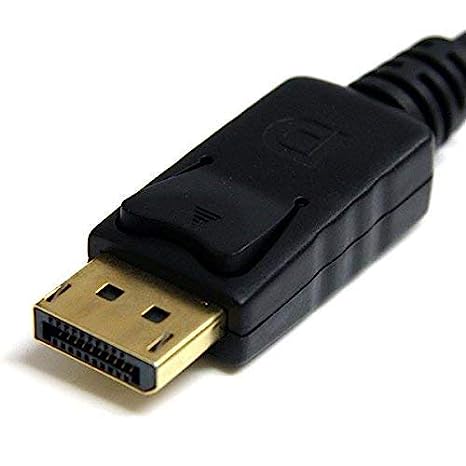
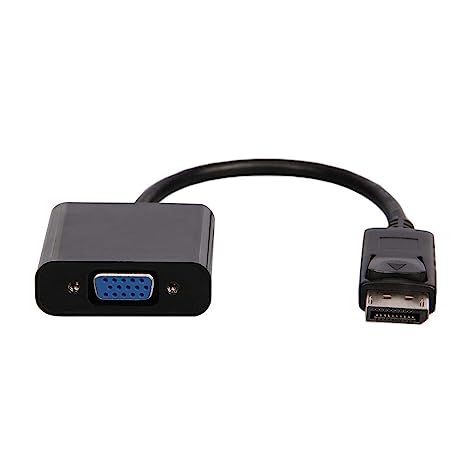
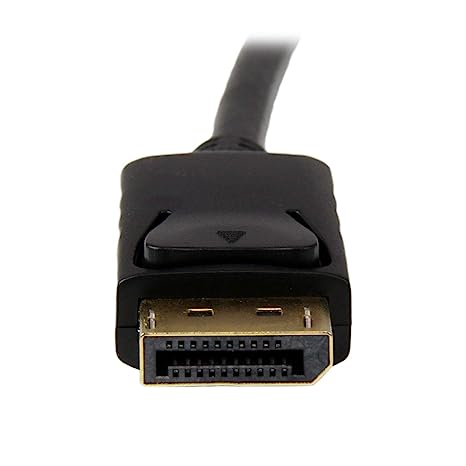
| Content | A DisplayPort to VGA converter cable is a device that allows you to connect a DisplayPort-equipped device to a VGA-equipped display. DisplayPort is a newer, more advanced video interface than VGA, and it offers a number of advantages, such as higher resolutions, refresh rates, and color depth. However, not all displays support DisplayPort, so a DisplayPort to VGA converter cable can be used to connect a DisplayPort-equipped device to a VGA-equipped display.To use a DisplayPort to VGA converter cable, simply connect one end of the cable to the DisplayPort output port on the source device and the other end of the cable to the VGA input port on the display. Once the cable is connected, the source device and display should automatically detect each other and begin transmitting video and audio signals.DisplayPort to VGA converter cables are available at a variety of prices, so you can find one that fits your budget. If you are looking for a way to connect a DisplayPort-equipped device to a VGA-equipped display, then a DisplayPort to VGA converter cable is a great option.Here are some of the benefits of using a DisplayPort to VGA converter cable:It allows you to connect a DisplayPort-equipped device to a VGA-equipped display.
It supports high-definition video resolutions.
It supports high refresh rates.
It supports high color depth.
It is a relatively inexpensive solution.
If you are looking for a way to connect a DisplayPort-equipped device to a VGA-equipped display, then a DisplayPort to VGA converter cable is a great option.Here are some of the things to consider when choosing a DisplayPort to VGA converter cable:The length of the cable.
The resolution and refresh rate that the cable supports.
The color depth that the cable supports.
The price of the cable.
It is important to choose a DisplayPort to VGA converter cable that is compatible with your DisplayPort-equipped device and your VGA-equipped display. It is also important to choose a cable that is the appropriate length for your needs. | A USB 3.0/2.0 Male to SATA Male Cable Hard Disk Drive Convert Adapter Support 4TB SATA Hard Disk Drive Converter (Black) is a device that allows you to connect a SATA hard drive to a computer using a USB port. This can be useful if you want to use an older hard drive with a newer computer, or if you want to use a hard drive as an external storage device.The adapter is very easy to use. Simply connect the SATA hard drive to the adapter, and then connect the adapter to a USB port on your computer. The hard drive will then be recognized by your computer and you will be able to access the data on it.The adapter supports hard drives up to 4TB in size. It is also compatible with both USB 3.0 and USB 2.0 ports.Here are some of the key features of a USB 3.0/2.0 Male to SATA Male Cable Hard Disk Drive Convert Adapter Support 4TB SATA Hard Disk Drive Converter (Black):Supports hard drives up to 4TB in size
Compatible with USB 3.0 and USB 2.0 ports
Easy to use
Portable and lightweight
Here are some of the benefits of using a USB 3.0/2.0 Male to SATA Male Cable Hard Disk Drive Convert Adapter Support 4TB SATA Hard Disk Drive Converter (Black):Allows you to use an older hard drive with a newer computer
Allows you to use a hard drive as an external storage device
Easy to use
Portable and lightweight
If you are looking for a way to connect a SATA hard drive to your computer, a USB 3.0/2.0 Male to SATA Male Cable Hard Disk Drive Convert Adapter Support 4TB SATA Hard Disk Drive Converter (Black) is a great option. It is easy to use, portable, and compatible with a wide range of devices | A VGA to HDMI with Audio Adapter is a device that allows you to connect a VGA device to an HDMI monitor or projector. This can be useful if you have a new monitor or projector that only has HDMI ports, but you still have an older device that uses a VGA port.The adapter is small and lightweight, making it easy to carry with you. It is also made of durable materials, so it can withstand the wear and tear of everyday use.The adapter is compatible with a variety of devices, including:Laptops
Computers
Projectors
Monitors
To use the adapter, simply plug the VGA cable into the adapter and then plug the adapter into the HDMI port.The adapter is a great way to connect your older devices to new devices that have HDMI ports. It is also a great way to avoid having to buy new cables for all of your devices.Here are some of the benefits of using a VGA to HDMI with Audio Adapter:Allows you to connect VGA devices to HDMI monitors or projectors
Small and lightweight
Made of durable materials
Compatible with a variety of devices
Affordable
If you have a VGA device and a new monitor or projector that only has HDMI ports, then a VGA to HDMI with Audio Adapter is a great way to connect the two devices.Here are some additional details about the adapter:Supports resolutions up to 1080p
Includes a 3.5mm audio lead for connecting to speakers or headphones
Requires a USB power supply (not included)
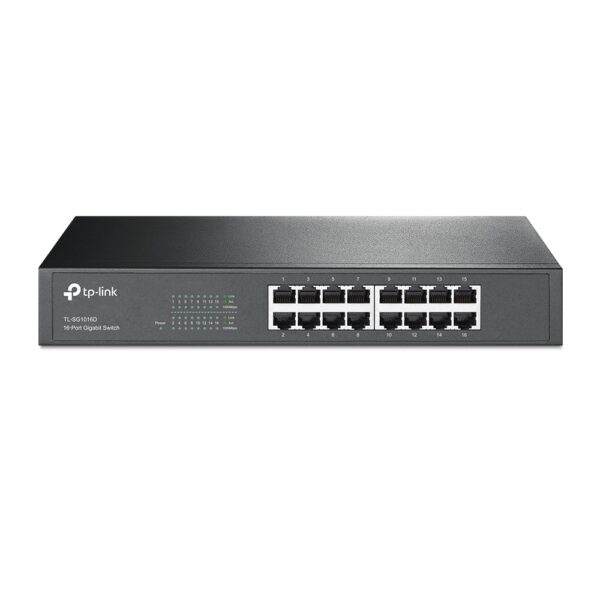
The adapter is a great way to connect your older devices to new devices that have HDMI ports. It is also a great way to avoid having to buy new cables for all of your devices. | The TP-Link TL-SG1016D is a 16-port Gigabit Ethernet switch that is designed for small to medium-sized businesses. It offers a variety of features that make it a great choice for businesses that need to expand their network capacity.Some of the key features of the TL-SG1016D include:16 Gigabit Ethernet ports
Auto MDI/MDIX and Auto Negotiation
MAC Address self-learning
Plug and Play
Energy-efficient design
The TL-SG1016D is easy to set up and use. Just connect the switch to your router or modem and then connect your devices to the switch's ports. The switch will automatically configure itself and start working.The TL-SG1016D is a great choice for businesses that need to expand their network capacity. It is easy to set up and use, and it offers a variety of features that make it a reliable and affordable solution.Here are some of the benefits of using the TP-Link TL-SG1016D:Easy to set up and use: The TL-SG1016D is easy to set up and use. Just connect the switch to your router or modem and then connect your devices to the switch's ports. The switch will automatically configure itself and start working.
Reliable: The TL-SG1016D is a reliable switch that has been designed to withstand the rigors of everyday use. It is also backed by a 3-year warranty.
Affordable: The TL-SG1016D is an affordable switch that offers great value for the price.
If you are looking for a reliable and affordable switch to expand your network capacity, the TP-Link TL-SG1016D is a great option. | The 4 Port USB HUB SuperSpeed 3.0 High-Speed Multiport Slim USB Hub 1 feet Cable Length Adapter and Led Indicator Compatible for Pendrive, Mouse, Keyboards, Mobile, Tablet ( Black ) 08 is a USB 3.0 hub that allows you to connect up to four USB devices to your computer. It has a sleek and slim design that makes it easy to take with you on the go, and it comes with a built-in LED indicator that shows which ports are in use. The hub is compatible with a wide range of devices, including external hard drives, printers, scanners, and more. It also supports data transfer speeds of up to 5Gbps, which means you can transfer large files quickly and easily.Here are some of the key features of the 4 Port USB HUB SuperSpeed 3.0 High-Speed Multiport Slim USB Hub 1 feet Cable Length Adapter and Led Indicator Compatible for Pendrive, Mouse, Keyboards, Mobile, Tablet ( Black ) 08:Supports up to four USB devices
Slim and portable design
Built-in LED indicator
Compatible with a wide range of devices
Data transfer speeds of up to 5Gbps
If you're looking for a high-speed USB 3.0 hub that is easy to use and compatible with a wide range of devices, the 4 Port USB HUB SuperSpeed 3.0 High-Speed Multiport Slim USB Hub 1 feet Cable Length Adapter and Led Indicator Compatible for Pendrive, Mouse, Keyboards, Mobile, Tablet ( Black ) 08 is a great option.Here are some of the benefits of using a USB 3.0 hub:You can connect more devices to your computer.
You can transfer files faster.
You can use your devices more efficiently.
You can save space on your desk.
If you need to connect more devices to your computer, a USB 3.0 hub is a great solution. | A USB to VGA adapter is a device that allows you to connect a VGA monitor or projector to a computer that does not have a VGA port. The adapter converts the digital signal from the computer to an analog signal that can be displayed on the VGA device.The USB to VGA adapter is a simple device that is easy to use. To use the adapter, simply connect the adapter to the USB port on your computer and then connect the VGA cable from the adapter to the VGA port on your monitor or projector. Once the adapter is connected, you should be able to see the image from your computer on the VGA device.The USB to VGA adapter is a great way to add a second monitor to your computer or to connect a projector to your computer for presentations. The adapter is also a great way to use an older VGA monitor or projector with a newer computer that does not have a VGA port.Here are some of the features of the USB to VGA adapter:Supports resolutions up to 1920x1080
Plug and play installation
Compatible with Windows 7/8/8.1/10
Gold-plated connectors for corrosion resistance
Durable construction for long life
Here are some of the benefits of using a USB to VGA adapter:Allows you to connect a VGA monitor or projector to a computer that does not have a VGA port
Easy to use
Affordable
Compatible with a wide range of computers and monitors
Durable construction
If you are looking for a way to connect a VGA monitor or projector to your computer, then the USB to VGA adapter is a great option. The adapter is easy to use, affordable, and compatible with a wide range of computers and monitors. |









Reviews
There are no reviews yet.