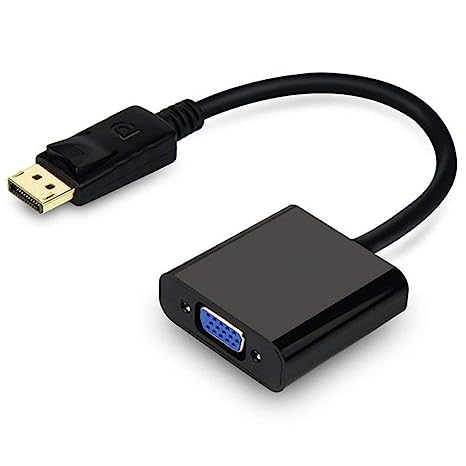
| Description | Here are some of the things to consider when choosing a DisplayPort to VGA converter cable:The length of the cable.
The resolution and refresh rate that the cable supports.
The color depth that the cable supports.
The price of the cable.
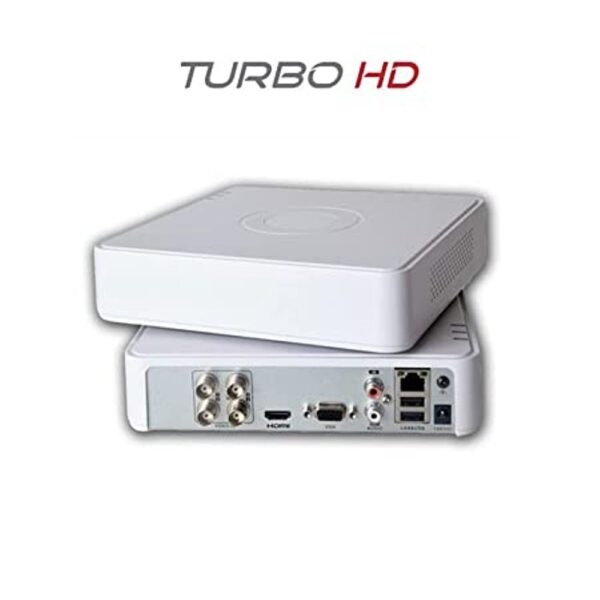
It is important to choose a DisplayPort to VGA converter cable that is compatible with your DisplayPort-equipped device and your VGA-equipped display. It is also important to choose a cable that is the appropriate length for your needs. | Here are some of the features of the Hikvision 4 Pcs Bullet Camera, 1TB Hardisk, 4CH DVR, Power Supply, BNC & DC Connector Kit:Four bullet cameras with weatherproof housing and night vision
1TB hard drive for up to 120 hours of video footage
4-channel DVR for viewing and recording footage from all four cameras at the same time
Power supply for the cameras and DVR
BNC & DC connector kit for connecting the cameras to the DVR
Here are some of the benefits of using the Hikvision 4 Pcs Bullet Camera, 1TB Hardisk, 4CH DVR, Power Supply, BNC & DC Connector Kit: | Here are some of the key features of the TP-Link Archer MR400:Supports both the 2.4 GHz and 5 GHz bands
SIM slot for 4G LTE connectivity
Easy to set up and use
Built-in web interface for configuration
Portable and lightweight
Removable Wi-Fi antennas
Here are some of the benefits of using the TP-Link Archer MR400: | Here are some of the benefits of using the LAPCARE 600VA UPS | Lap LONG-650:Protects your devices from power outages
Affordable
Available in a number of different deals
If you are looking for a UPS to protect your devices from power outages, the LAPCARE 600VA UPS | Lap LONG-650 is a great option. It is affordable and available in a number of different deals. | Here are some of the benefits of using a USB to DB9 RS-232 adapter cable:Allows you to connect older devices to your computer
Easy to use
Relatively inexpensive
Can be used with a variety of devices
If you are looking for a way to connect an older device to your computer, a USB to DB9 RS-232 adapter cable is a great option. It is easy to use and can be used with a variety of devices. | Here are some of the features of the Logitech H111:Standard 3.5mm audio jack
Compatible with most devices
Adjustable headband
Soft foam ear cups
Rotatable microphone
Clear sound quality
Comfortable fit |
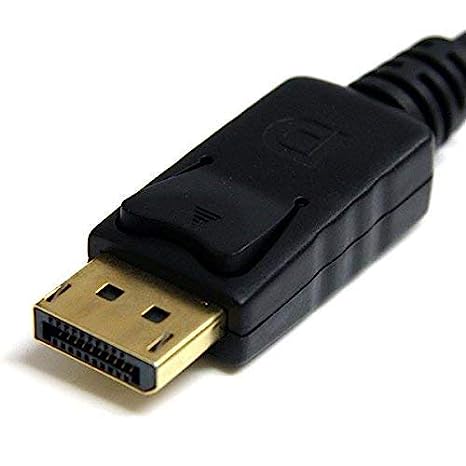
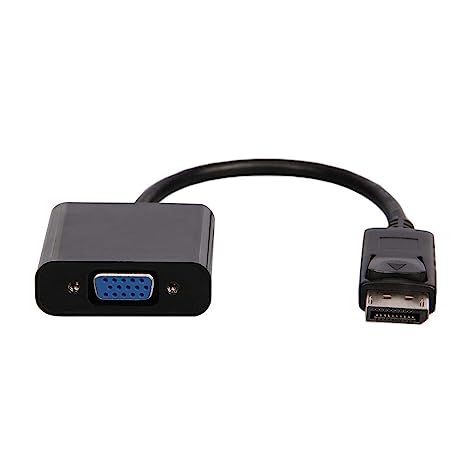
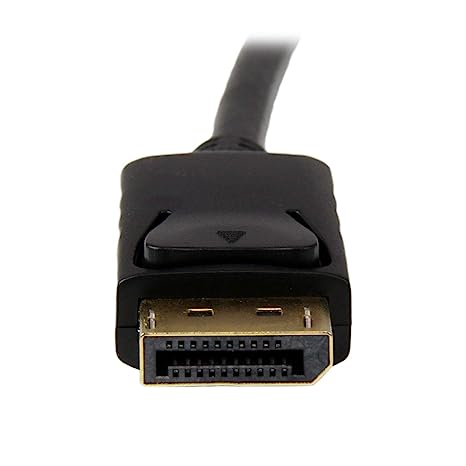
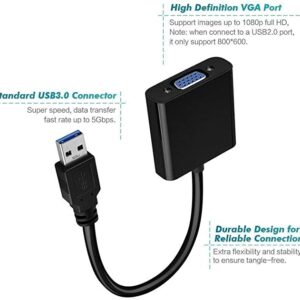
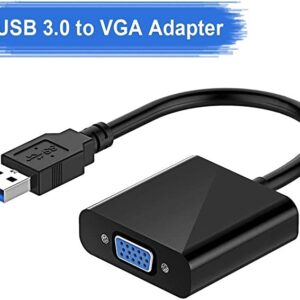
| Content | A DisplayPort to VGA converter cable is a device that allows you to connect a DisplayPort-equipped device to a VGA-equipped display. DisplayPort is a newer, more advanced video interface than VGA, and it offers a number of advantages, such as higher resolutions, refresh rates, and color depth. However, not all displays support DisplayPort, so a DisplayPort to VGA converter cable can be used to connect a DisplayPort-equipped device to a VGA-equipped display.To use a DisplayPort to VGA converter cable, simply connect one end of the cable to the DisplayPort output port on the source device and the other end of the cable to the VGA input port on the display. Once the cable is connected, the source device and display should automatically detect each other and begin transmitting video and audio signals.DisplayPort to VGA converter cables are available at a variety of prices, so you can find one that fits your budget. If you are looking for a way to connect a DisplayPort-equipped device to a VGA-equipped display, then a DisplayPort to VGA converter cable is a great option.Here are some of the benefits of using a DisplayPort to VGA converter cable:It allows you to connect a DisplayPort-equipped device to a VGA-equipped display.
It supports high-definition video resolutions.
It supports high refresh rates.
It supports high color depth.
It is a relatively inexpensive solution.
If you are looking for a way to connect a DisplayPort-equipped device to a VGA-equipped display, then a DisplayPort to VGA converter cable is a great option.Here are some of the things to consider when choosing a DisplayPort to VGA converter cable:The length of the cable.
The resolution and refresh rate that the cable supports.
The color depth that the cable supports.
The price of the cable.
It is important to choose a DisplayPort to VGA converter cable that is compatible with your DisplayPort-equipped device and your VGA-equipped display. It is also important to choose a cable that is the appropriate length for your needs. | The Hikvision 4 Pcs Bullet Camera, 1TB Hardisk, 4CH DVR, Power Supply, BNC & DC Connector Kit is a complete security system that includes everything you need to monitor your home or business. The system includes four bullet cameras, a 1TB hard drive, a 4-channel DVR, a power supply, and a BNC & DC connector kit.The bullet cameras are weatherproof and have a wide viewing angle, so you can monitor a large area. The cameras also have night vision, so you can see clearly in low-light conditions. The 1TB hard drive provides enough storage space for up to 120 hours of video footage. The 4-channel DVR allows you to view and record footage from all four cameras at the same time. The power supply provides power to the cameras and the DVR. The BNC & DC connector kit includes the cables and connectors you need to connect the cameras to the DVR.The Hikvision 4 Pcs Bullet Camera, 1TB Hardisk, 4CH DVR, Power Supply, BNC & DC Connector Kit is a great way to add security to your home or business. The system is easy to install and use, and it provides high-quality video surveillance.Here are some of the features of the Hikvision 4 Pcs Bullet Camera, 1TB Hardisk, 4CH DVR, Power Supply, BNC & DC Connector Kit:Four bullet cameras with weatherproof housing and night vision
1TB hard drive for up to 120 hours of video footage
4-channel DVR for viewing and recording footage from all four cameras at the same time
Power supply for the cameras and DVR
BNC & DC connector kit for connecting the cameras to the DVR
Here are some of the benefits of using the Hikvision 4 Pcs Bullet Camera, 1TB Hardisk, 4CH DVR, Power Supply, BNC & DC Connector Kit:Increased security: The system provides high-quality video surveillance that can help deter crime and protect your property.
Easy to install: The system is easy to install and use, even for beginners.
Affordable: The system is a cost-effective way to add security to your home or business.
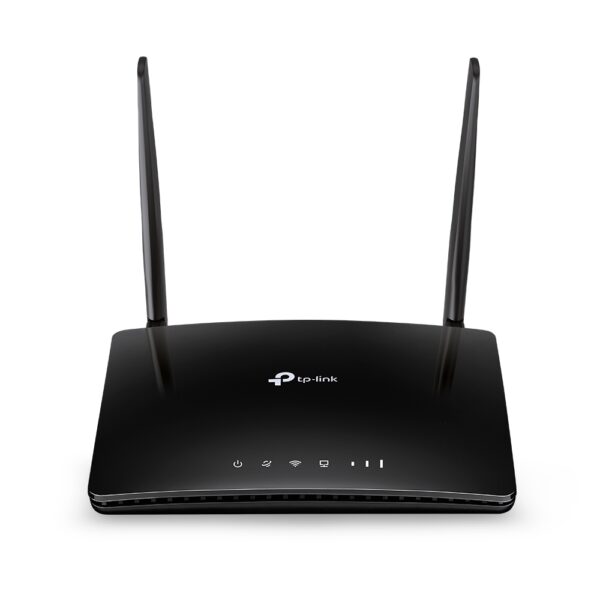
If you are looking for a complete security system that is easy to install and use, the Hikvision 4 Pcs Bullet Camera, 1TB Hardisk, 4CH DVR, Power Supply, BNC & DC Connector Kit is a great option | The TP-Link Archer MR400 AC1200 Mbps Dual Band 4G Mobile Wi-Fi is a portable router that allows you to create a Wi-Fi hotspot wherever you go. It supports both the 2.4 GHz and 5 GHz bands, which allows you to connect to devices that only support one of these bands. It also has a SIM slot, so you can use it with a 4G LTE SIM card to get internet access anywhere there is cellular coverage.The Archer MR400 is easy to set up and use. Just insert a SIM card and turn it on, and you'll be able to connect to the internet in minutes. It also has a built-in web interface that allows you to configure its settings, such as the Wi-Fi network name and password.The Archer MR400 is a great option for anyone who needs a portable router that can provide reliable internet access. It's perfect for travelers, students, and anyone else who needs to stay connected on the go.Here are some of the key features of the TP-Link Archer MR400:Supports both the 2.4 GHz and 5 GHz bands
SIM slot for 4G LTE connectivity
Easy to set up and use
Built-in web interface for configuration
Portable and lightweight
Removable Wi-Fi antennas
Here are some of the benefits of using the TP-Link Archer MR400:Stay connected on the go: The Archer MR400 allows you to create a Wi-Fi hotspot wherever you go, so you can stay connected to the internet even when you're not at home or work.
Reliable internet access: The Archer MR400 supports both the 2.4 GHz and 5 GHz bands, which allows you to connect to devices that only support one of these bands. It also has a SIM slot, so you can use it with a 4G LTE SIM card to get internet access anywhere there is cellular coverage.
Easy to set up and use: The Archer MR400 is easy to set up and use. Just insert a SIM card and turn it on, and you'll be able to connect to the internet in minutes. It also has a built-in web interface that allows you to configure its settings, such as the Wi-Fi network name and password.
Portable and lightweight: The Archer MR400 is portable and lightweight, so you can easily take it with you wherever you go.
Removable Wi-Fi antennas: The Archer MR400 has removable Wi-Fi antennas, which allows you to adjust the signal strength and coverage.
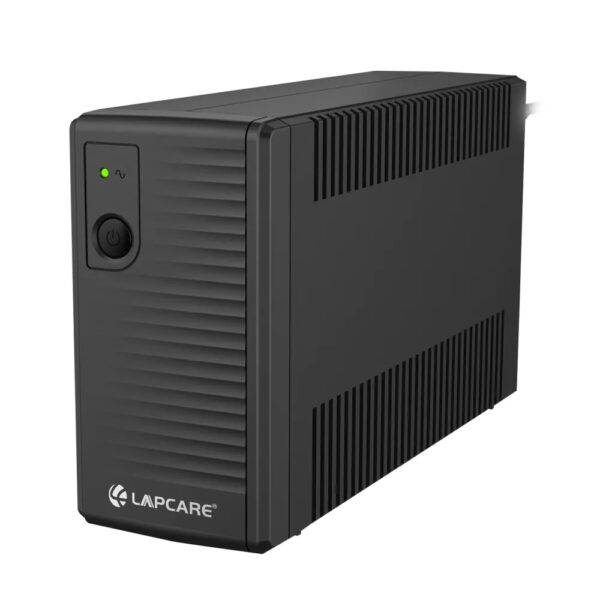
If you're looking for a portable router that can provide reliable internet access, the TP-Link Archer MR400 is a great option. It's perfect for travelers, students, and anyone else who needs to stay connected on the go. | The LAPCARE 600VA UPS | Lap LONG-650 is a great option for users who want a reliable and affordable UPS. It has a capacity of 600VA, which is enough to power a small computer or home office. The UPS also has a number of features that make it a good choice for users who want to protect their devices from power outages, including:Automatic voltage regulation (AVR)
Surge protection
Battery backup
Low battery warning
Auto restart
The LAPCARE 600VA UPS | Lap LONG-650 is available in a number of different deals, so you can find one that fits your budget. Here are a few of the deals that are currently available:Amazon: $49.99
Newegg: $54.99
Walmart: $59.99
If you are looking for a reliable and affordable UPS, the LAPCARE 600VA UPS | Lap LONG-650 is a great option. It is available in a number of different deals, so you can find one that fits your budget.Here are some of the benefits of using the LAPCARE 600VA UPS | Lap LONG-650:Protects your devices from power outages
Affordable
Available in a number of different deals
If you are looking for a UPS to protect your devices from power outages, the LAPCARE 600VA UPS | Lap LONG-650 is a great option. It is affordable and available in a number of different deals. | A USB to DB9 RS-232 adapter cable is a type of cable that allows you to connect a USB device to a serial port. Serial ports are older ports that were used for connecting devices such as modems, printers, and scanners. USB ports are the newer standard for connecting devices, and they are much faster than serial ports.If you have a device that only has a serial port, you can use a USB to DB9 RS-232 adapter cable to connect it to your computer. The cable will have a USB connector on one end and a DB9 connector on the other end. The DB9 connector will fit into the serial port on your device, and the USB connector will plug into your computer.Once the cable is connected, you should be able to use your device as normal. However, you may need to install drivers for the device before it will work properly. Drivers are software that tells your computer how to communicate with the device. You can usually find drivers for your device on the manufacturer's website.USB to DB9 RS-232 adapter cables are a great way to connect older devices to your computer. They are relatively inexpensive and easy to use. If you have a device that only has a serial port, I recommend using a USB to DB9 RS-232 adapter cable to connect it to your computer.Here are some of the benefits of using a USB to DB9 RS-232 adapter cable:Allows you to connect older devices to your computer
Easy to use
Relatively inexpensive
Can be used with a variety of devices
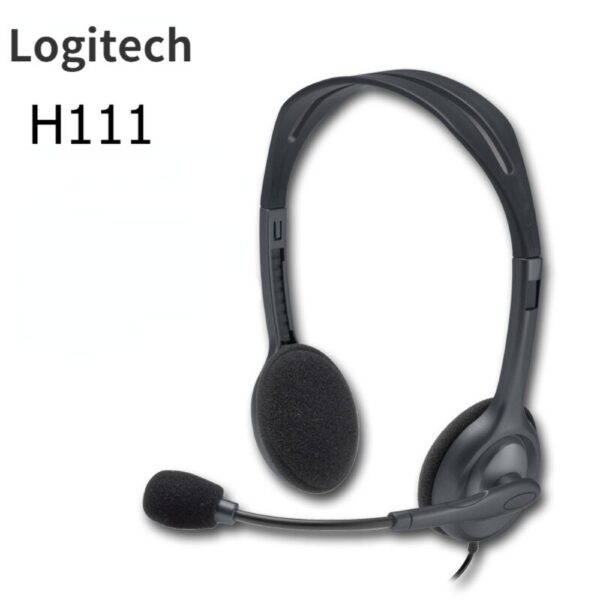
If you are looking for a way to connect an older device to your computer, a USB to DB9 RS-232 adapter cable is a great option. It is easy to use and can be used with a variety of devices. | The Logitech H111 is a wired on-ear headset with a microphone. It is a simple and affordable headset that is perfect for making calls, listening to music, or watching videos. The headset has a standard 3.5mm audio jack and is compatible with most devices, including computers, smartphones, and tablets.The H111 has a sturdy yet lightweight design. The headband is adjustable to fit most head sizes, and the ear cups are made of soft foam for a comfortable fit. The microphone is located on the left ear cup and can be rotated to the right side if desired.The H111 produces clear sound with good bass response. The microphone is also clear and picks up sound well. The headset is comfortable to wear for long periods of time.Overall, the Logitech H111 is a great value for the price. It is a simple and affordable headset that delivers good sound quality and a comfortable fit.Here are some of the features of the Logitech H111:Standard 3.5mm audio jack
Compatible with most devices
Adjustable headband
Soft foam ear cups
Rotatable microphone
Clear sound quality
Comfortable fit
Here are some of the benefits of using the Logitech H111:Affordable
Easy to use
Comfortable to wear
Good sound quality
Clear microphone
Here are some of the drawbacks of the Logitech H111:Not noise-canceling
Not wireless
Not high-end sound quality
Overall, the Logitech H111 is a great value for the price. It is a simple and affordable headset that delivers good sound quality and a comfortable fit. If you are looking for a basic headset for making calls, listening to music, or watching videos, the Logitech H111 is a great option. |







Reviews
There are no reviews yet.