| Description | Here are some of the things to consider when choosing a DisplayPort to VGA converter cable:The length of the cable.
The resolution and refresh rate that the cable supports.
The color depth that the cable supports.
The price of the cable.
It is important to choose a DisplayPort to VGA converter cable that is compatible with your DisplayPort-equipped device and your VGA-equipped display. It is also important to choose a cable that is the appropriate length for your needs. | Here are some of the features of the Lapcare LPC388A Toner Cartridge:Compatible with HP LaserJet printers
Yields up to 1700 pages
1-year warranty
Here are some of the benefits of using the Lapcare LPC388A Toner Cartridge: | Here are some of the benefits of using a USB to DB9 RS-232 adapter cable:Allows you to connect older devices to your computer
Easy to use
Relatively inexpensive
Can be used with a variety of devices
If you are looking for a way to connect an older device to your computer, a USB to DB9 RS-232 adapter cable is a great option. It is easy to use and can be used with a variety of devices. | Here are some of the features and benefits of the TP-Link Archer C50 AC1200 Dual Band Wireless Cable Router:Supports 802.11ac standard for up to 1200 Mbps wireless speeds
Simultaneous 2.4 GHz 300 Mbps and 5GHz 867 Mbps connections
2 external antennas for stable wireless connections and optimal coverage
Supports Parental Control, Guest Wi-Fi, and VPN
Easy to set up and use | Here are some of the key features of the TP-Link LS1008:8 Gigabit Ethernet ports
Auto MDI/MDIX
Energy-efficient technology
Plug and play
The TP-Link LS1008 is a great choice for anyone looking to expand their wired network. It is easy to use and reliable, and it offers a variety of features that make it a great value for the price. | Here are some of the benefits of using the AmazonBasics Mini DisplayPort (Thunderbolt) to VGA Adapter:Affordable
Easy to use
Compatible with a wide range of devices
Supports high resolutions
Here are some of the drawbacks of the AmazonBasics Mini DisplayPort (Thunderbolt) to VGA Adapter: |
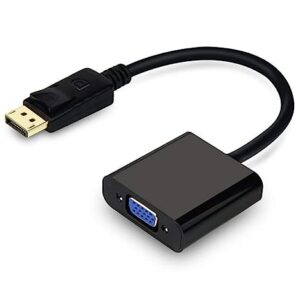
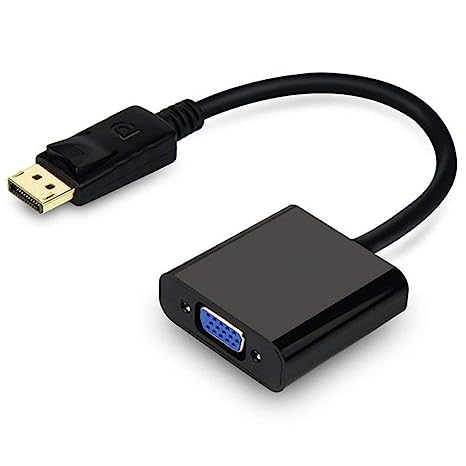
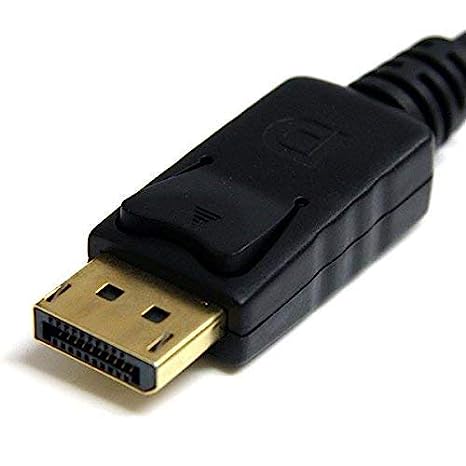
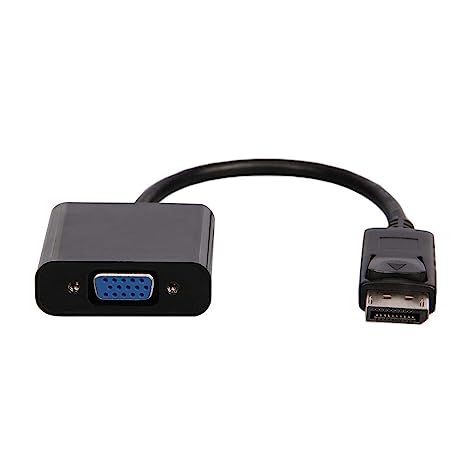
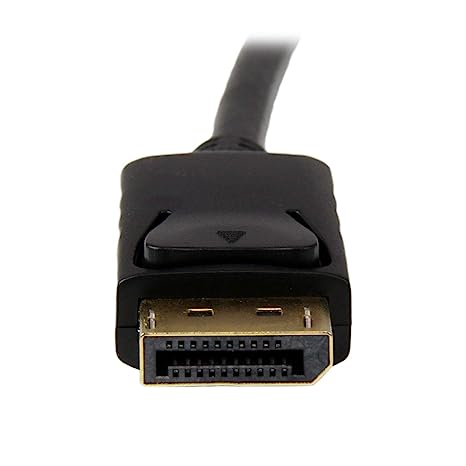
| Content | A DisplayPort to VGA converter cable is a device that allows you to connect a DisplayPort-equipped device to a VGA-equipped display. DisplayPort is a newer, more advanced video interface than VGA, and it offers a number of advantages, such as higher resolutions, refresh rates, and color depth. However, not all displays support DisplayPort, so a DisplayPort to VGA converter cable can be used to connect a DisplayPort-equipped device to a VGA-equipped display.To use a DisplayPort to VGA converter cable, simply connect one end of the cable to the DisplayPort output port on the source device and the other end of the cable to the VGA input port on the display. Once the cable is connected, the source device and display should automatically detect each other and begin transmitting video and audio signals.DisplayPort to VGA converter cables are available at a variety of prices, so you can find one that fits your budget. If you are looking for a way to connect a DisplayPort-equipped device to a VGA-equipped display, then a DisplayPort to VGA converter cable is a great option.Here are some of the benefits of using a DisplayPort to VGA converter cable:It allows you to connect a DisplayPort-equipped device to a VGA-equipped display.
It supports high-definition video resolutions.
It supports high refresh rates.
It supports high color depth.
It is a relatively inexpensive solution.
If you are looking for a way to connect a DisplayPort-equipped device to a VGA-equipped display, then a DisplayPort to VGA converter cable is a great option.Here are some of the things to consider when choosing a DisplayPort to VGA converter cable:The length of the cable.
The resolution and refresh rate that the cable supports.
The color depth that the cable supports.
The price of the cable.
It is important to choose a DisplayPort to VGA converter cable that is compatible with your DisplayPort-equipped device and your VGA-equipped display. It is also important to choose a cable that is the appropriate length for your needs. | The Lapcare LPC388A Toner Cartridge is a compatible replacement for the HP 88A toner cartridge. It is designed to work with HP LaserJet printers, including the P1002, P1003, P1005, P1006, P1009, P1007, P1008, M1136, M1213nf, M1216, and M1218. The cartridge yields up to 1700 pages, and it is backed by a 1-year warranty.Here are some of the features of the Lapcare LPC388A Toner Cartridge:Compatible with HP LaserJet printers
Yields up to 1700 pages
1-year warranty
Here are some of the benefits of using the Lapcare LPC388A Toner Cartridge:Affordable
High-quality
Easy to install
Backed by a warranty
If you are looking for a compatible replacement for the HP 88A toner cartridge, the Lapcare LPC388A Toner Cartridge is a great option. It is affordable, high-quality, and easy to install. | A USB to DB9 RS-232 adapter cable is a type of cable that allows you to connect a USB device to a serial port. Serial ports are older ports that were used for connecting devices such as modems, printers, and scanners. USB ports are the newer standard for connecting devices, and they are much faster than serial ports.If you have a device that only has a serial port, you can use a USB to DB9 RS-232 adapter cable to connect it to your computer. The cable will have a USB connector on one end and a DB9 connector on the other end. The DB9 connector will fit into the serial port on your device, and the USB connector will plug into your computer.Once the cable is connected, you should be able to use your device as normal. However, you may need to install drivers for the device before it will work properly. Drivers are software that tells your computer how to communicate with the device. You can usually find drivers for your device on the manufacturer's website.USB to DB9 RS-232 adapter cables are a great way to connect older devices to your computer. They are relatively inexpensive and easy to use. If you have a device that only has a serial port, I recommend using a USB to DB9 RS-232 adapter cable to connect it to your computer.Here are some of the benefits of using a USB to DB9 RS-232 adapter cable:Allows you to connect older devices to your computer
Easy to use
Relatively inexpensive
Can be used with a variety of devices
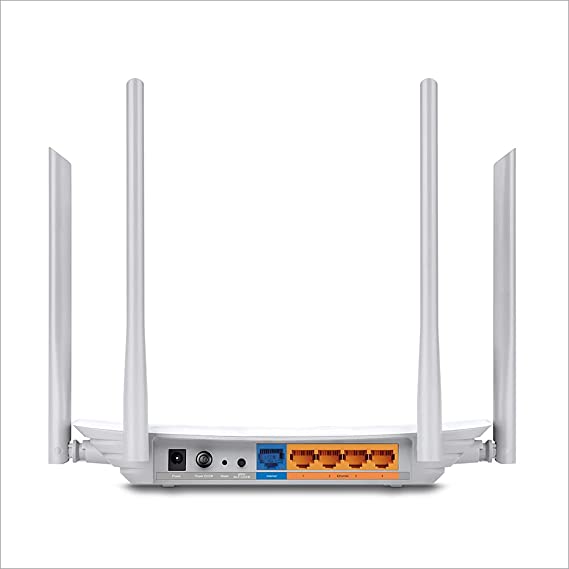
If you are looking for a way to connect an older device to your computer, a USB to DB9 RS-232 adapter cable is a great option. It is easy to use and can be used with a variety of devices. | TP-Link Archer C50 AC1200 Dual Band Wireless Cable Router, Wi-Fi Speed Up to 867 Mbps/5 GHz + 300 Mbps/2.4 GHz, Supports Parental Control, Guest Wi-Fi, VPN (White)The TP-Link Archer C50 AC1200 Dual Band Wireless Cable Router is a high-speed router that can provide you with seamless HD streaming, online gaming, and other bandwidth-intensive tasks. It supports 802.11ac standard and can simultaneously provide you with 2.4 GHz 300 Mbps and 5GHz 867 Mbps connections. It also has 2 external antennas that provide stable wireless connections and optimal coverage.The Archer C50 also supports Parental Control, Guest Wi-Fi, and VPN. Parental Control allows you to restrict access to certain websites and applications, while Guest Wi-Fi allows you to create a separate Wi-Fi network for guests. VPN allows you to securely connect to a remote network, such as a corporate network or a public Wi-Fi network.Here are some of the features and benefits of the TP-Link Archer C50 AC1200 Dual Band Wireless Cable Router:Supports 802.11ac standard for up to 1200 Mbps wireless speeds
Simultaneous 2.4 GHz 300 Mbps and 5GHz 867 Mbps connections
2 external antennas for stable wireless connections and optimal coverage
Supports Parental Control, Guest Wi-Fi, and VPN
Easy to set up and use
The TP-Link Archer C50 AC1200 Dual Band Wireless Cable Router is a great choice for anyone looking for a high-speed router that can provide seamless HD streaming, online gaming, and other bandwidth-intensive tasks. It is also a good choice for families who want to use parental controls to restrict access to certain websites and applications. |
1
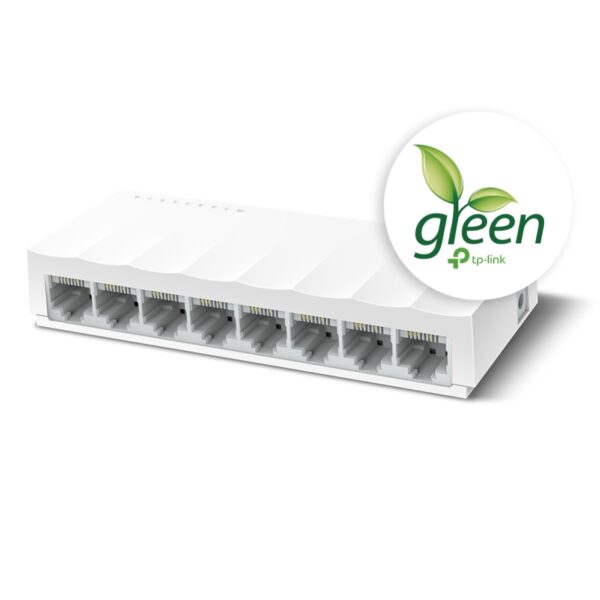
The TP-Link LS1008 is an 8-port 10/100Mbps desktop switch that offers an easy and affordable way to expand your wired network. It is easy to use and reliable, and with all ports supporting Auto-MDI/MDIX, there's no need to worry about the type of cable to use. The LiteWave Series also supports energy-efficient technology, helping you save power and money.Here are some of the key features of the TP-Link LS1008:8 Gigabit Ethernet ports
Auto MDI/MDIX
Energy-efficient technology
Plug and play
The TP-Link LS1008 is a great choice for anyone looking to expand their wired network. It is easy to use and reliable, and it offers a variety of features that make it a great value for the price.Here are some of the benefits of using the TP-Link LS1008:Easy to use: The LS1008 is a plug-and-play device, so there's no need to configure anything. Just connect your devices to the ports and you're good to go.
Reliable: The LS1008 is a reliable device that has been designed to withstand the rigors of everyday use. It is also backed by a 2-year warranty.
Affordable: The LS1008 is an affordable device that offers great value for the price.
If you are looking to expand your wired network, the TP-Link LS1008 is a great option. It is easy to use, reliable, and affordable. | The AmazonBasics Mini DisplayPort (Thunderbolt) to VGA Adapter is a simple and affordable way to connect your computer to a VGA monitor or projector. The adapter is small and lightweight, making it easy to carry with you. It also supports resolutions up to 1920x1200, so you can enjoy high-quality images on your display.The AmazonBasics Mini DisplayPort (Thunderbolt) to VGA Adapter is compatible with most computers that have a Mini DisplayPort or Thunderbolt port. It is also compatible with a wide range of VGA monitors and projectors. The adapter is easy to use. Simply connect it to your computer and your VGA display, and you will be ready to start using your computer on your display.The AmazonBasics Mini DisplayPort (Thunderbolt) to VGA Adapter is a great value for the price. It is a simple and affordable way to connect your computer to a VGA monitor or projector. The adapter is small and lightweight, making it easy to carry with you. It also supports resolutions up to 1920x1200, so you can enjoy high-quality images on your display.Here are some of the features of the AmazonBasics Mini DisplayPort (Thunderbolt) to VGA Adapter:Supports resolutions up to 1920x1200
Compatible with most computers with a Mini DisplayPort or Thunderbolt port
Compatible with a wide range of VGA monitors and projectors
Small and lightweight
Easy to use
Here are some of the benefits of using the AmazonBasics Mini DisplayPort (Thunderbolt) to VGA Adapter:Affordable
Easy to use
Compatible with a wide range of devices
Supports high resolutions
Here are some of the drawbacks of the AmazonBasics Mini DisplayPort (Thunderbolt) to VGA Adapter:Not compatible with all Mini DisplayPort or Thunderbolt ports
May not support all resolutions on all devices
Overall, the AmazonBasics Mini DisplayPort (Thunderbolt) to VGA Adapter is a great value for the price. It is a simple and affordable way to connect your computer to a VGA monitor or projector. The adapter is small and lightweight, making it easy to carry with you. It also supports resolutions up to 1920x1200, so you can enjoy high-quality images on your display. |










Reviews
There are no reviews yet.