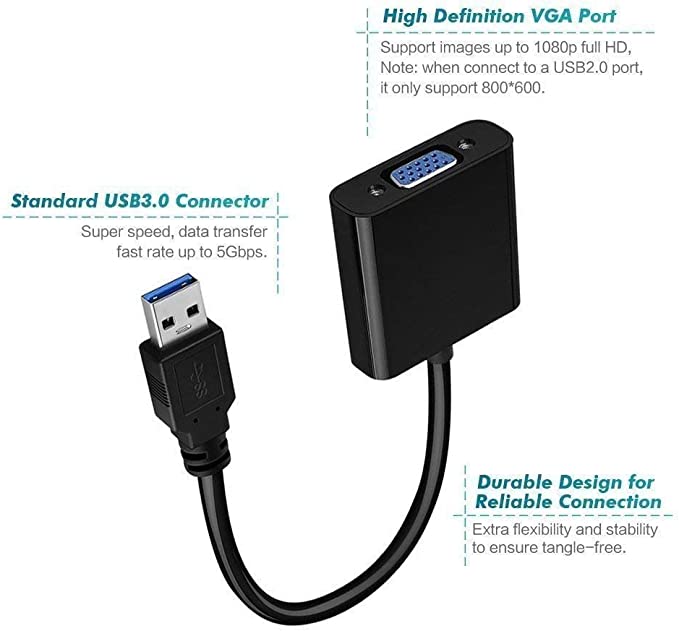
| Description | Here are some of the features of the USB to VGA adapter:Supports resolutions up to 1920x1080
Plug and play installation
Compatible with Windows 7/8/8.1/10
Gold-plated connectors for corrosion resistance
Durable construction for long life
Here are some of the benefits of using a USB to VGA adapter: | Here are some of the key features of the GOBBLER GB-9788-E:Fully automatic operation
UV, MG, and IR counterfeit detection
Batch counting function
Large LCD display
Compact and lightweight design
The GOBBLER GB-9788-E is a reliable and efficient note counting machine that is perfect for businesses of all sizes. It is easy to use and provides accurate results, making it a valuable asset for any business that handles cash. | Here are some of the benefits of using the SanDisk Extreme Portable SSD:Fast transfer speeds
Durable construction
Wide compatibility
Long warranty
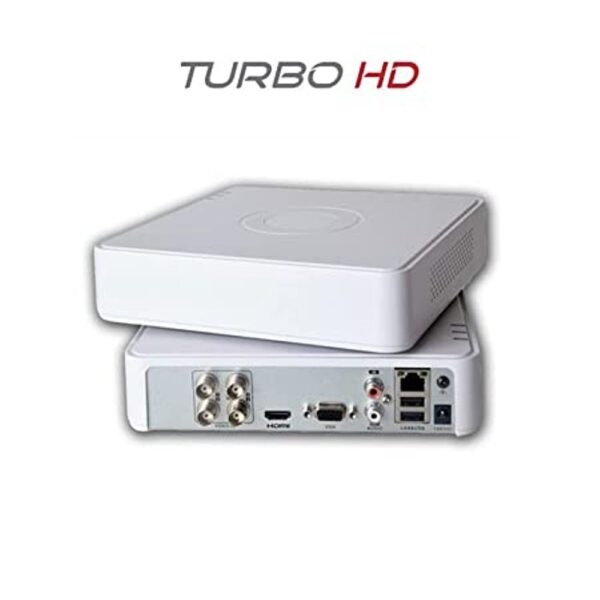
Here are some of the drawbacks of the SanDisk Extreme Portable SSD: | Here are some of the features of the Hikvision 4 Pcs Bullet Camera, 1TB Hardisk, 4CH DVR, Power Supply, BNC & DC Connector Kit:Four bullet cameras with weatherproof housing and night vision
1TB hard drive for up to 120 hours of video footage
4-channel DVR for viewing and recording footage from all four cameras at the same time
Power supply for the cameras and DVR
BNC & DC connector kit for connecting the cameras to the DVR
Here are some of the benefits of using the Hikvision 4 Pcs Bullet Camera, 1TB Hardisk, 4CH DVR, Power Supply, BNC & DC Connector Kit: | Here are some of the benefits of using a CC Pendrive 16 GB:You can easily transfer data between computers and laptops.
You can use it to store important files, such as documents, photos, and videos.
It is a great way to back up your data.
It is a small and portable device that you can take with you wherever you go.
CC Pendrives are a great way to store data and transfer it between computers and laptops. They are small, portable, and easy to use. If you are looking for a way to store your data, a CC Pendrive is a great option.
stolen. | Here are some of the key features of the TP-Link 300Mbps Wireless N Ceiling Mount Access Point:Supports the 802.11n standard for speeds up to 300Mbps
Ceiling-mounted for easy installation
Includes a free PoE injector
Secure guest network
Centralized management
The TP-Link 300Mbps Wireless N Ceiling Mount Access Point is a great choice for businesses and homes that need a reliable and secure wireless network. It is easy to install and configure, and it offers a variety of features that make it a great value for the price. |
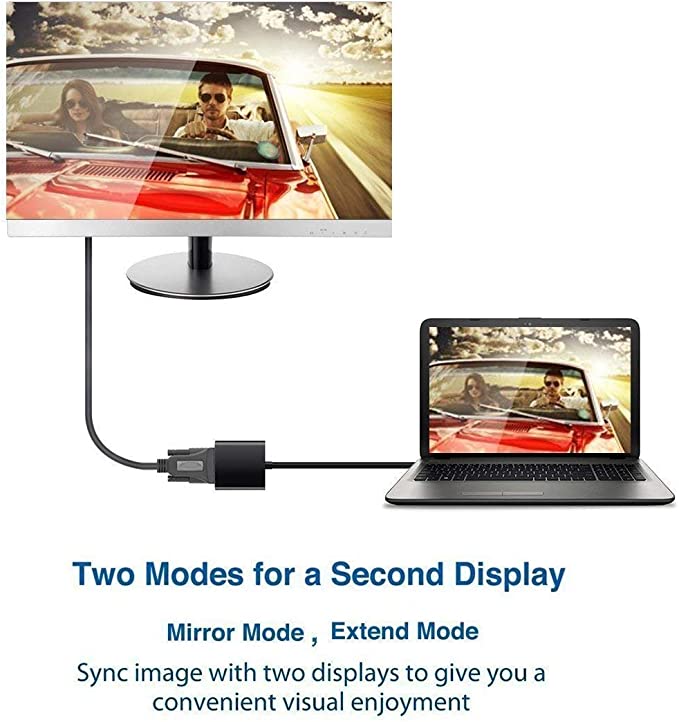
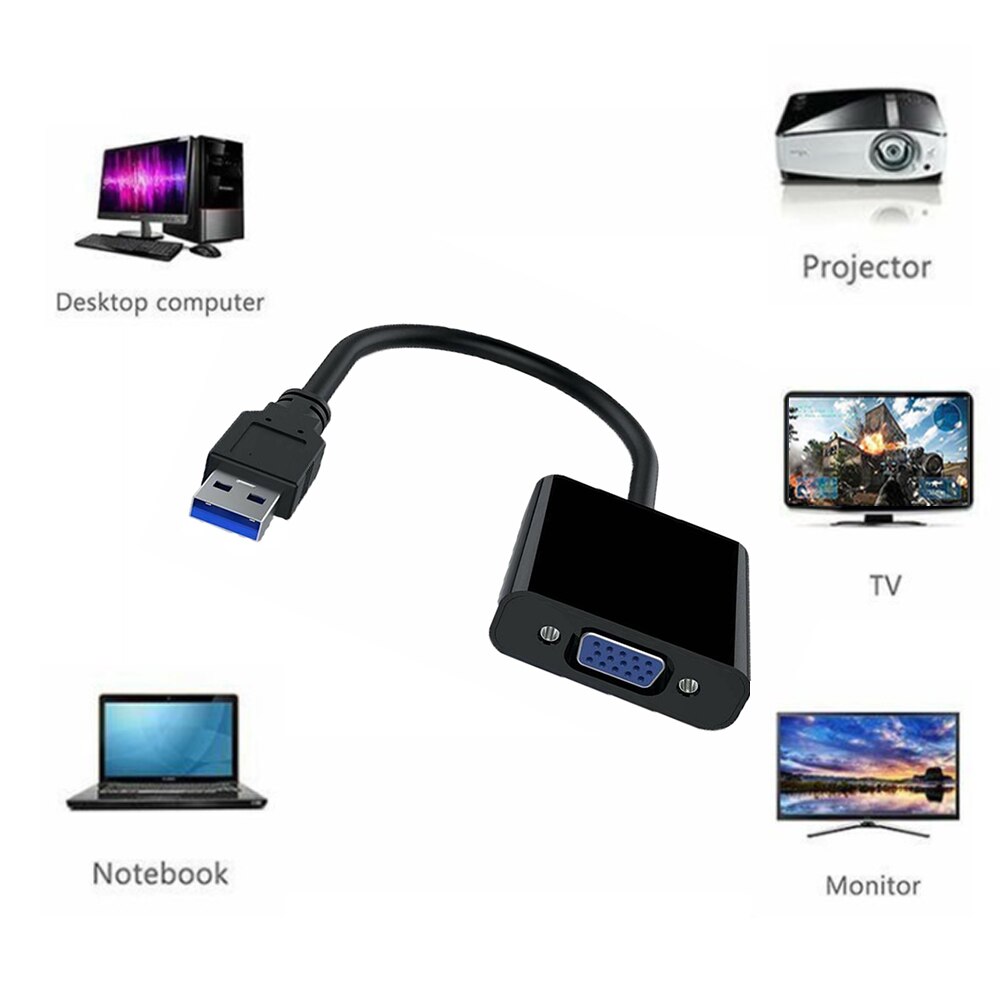
| Content | A USB to VGA adapter is a device that allows you to connect a VGA monitor or projector to a computer that does not have a VGA port. The adapter converts the digital signal from the computer to an analog signal that can be displayed on the VGA device.The USB to VGA adapter is a simple device that is easy to use. To use the adapter, simply connect the adapter to the USB port on your computer and then connect the VGA cable from the adapter to the VGA port on your monitor or projector. Once the adapter is connected, you should be able to see the image from your computer on the VGA device.The USB to VGA adapter is a great way to add a second monitor to your computer or to connect a projector to your computer for presentations. The adapter is also a great way to use an older VGA monitor or projector with a newer computer that does not have a VGA port.Here are some of the features of the USB to VGA adapter:Supports resolutions up to 1920x1080
Plug and play installation
Compatible with Windows 7/8/8.1/10
Gold-plated connectors for corrosion resistance
Durable construction for long life
Here are some of the benefits of using a USB to VGA adapter:Allows you to connect a VGA monitor or projector to a computer that does not have a VGA port
Easy to use
Affordable
Compatible with a wide range of computers and monitors
Durable construction
If you are looking for a way to connect a VGA monitor or projector to your computer, then the USB to VGA adapter is a great option. The adapter is easy to use, affordable, and compatible with a wide range of computers and monitors. | The GOBBLER GB-9788-E Mix Note Value Counting Machine Fully Automatic Cash Counter with Fake Note Detection is a high-speed, fully automatic note counting machine that can count up to 1000 notes per minute. It is equipped with a variety of features to ensure accurate counting, including UV, MG, and IR counterfeit detection, as well as a batch counting function. The machine also has a large LCD display that shows the total count, denomination, and serial number of the notes being counted.The GOBBLER GB-9788-E is a versatile machine that can be used in a variety of settings, including banks, retail stores, and casinos. It is also a great choice for businesses that need to count large amounts of cash on a regular basis.Here are some of the key features of the GOBBLER GB-9788-E:Fully automatic operation
UV, MG, and IR counterfeit detection
Batch counting function
Large LCD display
Compact and lightweight design
The GOBBLER GB-9788-E is a reliable and efficient note counting machine that is perfect for businesses of all sizes. It is easy to use and provides accurate results, making it a valuable asset for any business that handles cash.Here are some of the benefits of using the GOBBLER GB-9788-E:Increased efficiency: The GOBBLER GB-9788-E can count up to 1000 notes per minute, which can save you a significant amount of time.
Improved accuracy: The GOBBLER GB-9788-E is equipped with a variety of counterfeit detection features to ensure that your cash is accurate.
Reduced risk of fraud: The GOBBLER GB-9788-E can help to reduce the risk of fraud by detecting counterfeit notes.
Increased security: The GOBBLER GB-9788-E is a secure machine that helps to protect your cash from theft.
If you are looking for a reliable and efficient note counting machine, the GOBBLER GB-9788-E is a great option. It is easy to use, provides accurate results, and can help to improve your business operations. | The SanDisk Extreme Portable SSD is a high-performance external solid-state drive (SSD) that is designed for professionals and enthusiasts who need fast and reliable storage. It offers read speeds of up to 1050 MB/s and write speeds of up to 1000 MB/s, making it ideal for transferring large files quickly. The Extreme Portable SSD is also built to be tough, with a durable aluminum enclosure that can withstand drops of up to 2 meters and is water- and dust-resistant. It is also compatible with a wide range of devices, including PCs, Macs, and smartphones.Here are some of the features of the SanDisk Extreme Portable SSD:Up to 1050 MB/s read speeds
Up to 1000 MB/s write speeds
Durable aluminum enclosure
Water- and dust-resistant (IP55)
Compatible with PCs, Macs, and smartphones
5-year warranty
Here are some of the benefits of using the SanDisk Extreme Portable SSD:Fast transfer speeds
Durable construction
Wide compatibility
Long warranty
Here are some of the drawbacks of the SanDisk Extreme Portable SSD:Can be expensive
Not as portable as some other SSDs
Overall, the SanDisk Extreme Portable SSD is a great option for professionals and enthusiasts who need a fast, reliable, and durable external SSD. It offers excellent performance, a durable construction, and a wide compatibility, making it a great choice for a variety of uses.Here are some additional details about the SanDisk Extreme Portable SSD:The Extreme Portable SSD is powered by a USB Type-C connector, which allows it to be used with a wide range of devices.
The Extreme Portable SSD is also equipped with a built-in security feature that allows you to encrypt your data using a password. | The Hikvision 4 Pcs Bullet Camera, 1TB Hardisk, 4CH DVR, Power Supply, BNC & DC Connector Kit is a complete security system that includes everything you need to monitor your home or business. The system includes four bullet cameras, a 1TB hard drive, a 4-channel DVR, a power supply, and a BNC & DC connector kit.The bullet cameras are weatherproof and have a wide viewing angle, so you can monitor a large area. The cameras also have night vision, so you can see clearly in low-light conditions. The 1TB hard drive provides enough storage space for up to 120 hours of video footage. The 4-channel DVR allows you to view and record footage from all four cameras at the same time. The power supply provides power to the cameras and the DVR. The BNC & DC connector kit includes the cables and connectors you need to connect the cameras to the DVR.The Hikvision 4 Pcs Bullet Camera, 1TB Hardisk, 4CH DVR, Power Supply, BNC & DC Connector Kit is a great way to add security to your home or business. The system is easy to install and use, and it provides high-quality video surveillance.Here are some of the features of the Hikvision 4 Pcs Bullet Camera, 1TB Hardisk, 4CH DVR, Power Supply, BNC & DC Connector Kit:Four bullet cameras with weatherproof housing and night vision
1TB hard drive for up to 120 hours of video footage
4-channel DVR for viewing and recording footage from all four cameras at the same time
Power supply for the cameras and DVR
BNC & DC connector kit for connecting the cameras to the DVR
Here are some of the benefits of using the Hikvision 4 Pcs Bullet Camera, 1TB Hardisk, 4CH DVR, Power Supply, BNC & DC Connector Kit:Increased security: The system provides high-quality video surveillance that can help deter crime and protect your property.
Easy to install: The system is easy to install and use, even for beginners.
Affordable: The system is a cost-effective way to add security to your home or business.
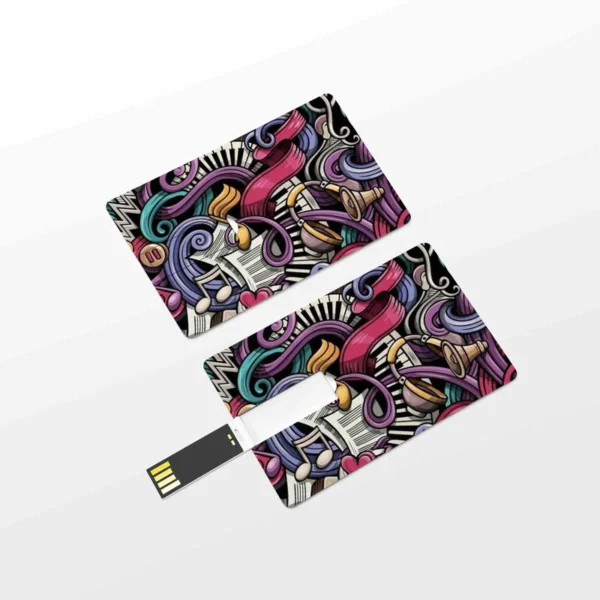
If you are looking for a complete security system that is easy to install and use, the Hikvision 4 Pcs Bullet Camera, 1TB Hardisk, 4CH DVR, Power Supply, BNC & DC Connector Kit is a great option | A CC Pendrive 16 GB is a USB flash drive that has a capacity of 16 gigabytes. It is a small, portable device that can be used to store data, such as files, music, videos, and photos. CC Pendrives are available in a variety of colors and designs, and they are compatible with most computers and laptops.Here are some of the features of a CC Pendrive 16 GB:Small and portable
High capacity
Compatible with most computers and laptops
Available in a variety of colors and designs
Durable
Easy to use
Here are some of the benefits of using a CC Pendrive 16 GB:You can easily transfer data between computers and laptops.
You can use it to store important files, such as documents, photos, and videos.
It is a great way to back up your data.
It is a small and portable device that you can take with you wherever you go.
CC Pendrives are a great way to store data and transfer it between computers and laptops. They are small, portable, and easy to use. If you are looking for a way to store your data, a CC Pendrive is a great option.
stolen.
They can be damaged if they are dropped or mishandled.
They can be infected with viruses or malware.
It is important to take precautions to protect your data from loss or damage when using a CC Pendrive. You should always back up your data regularly, and you should be careful not to drop or mishandle your pendrive. You should also scan your pendrive for viruses and malware before using it.Here are some of the drawbacks of using a CC Pendrive 16 GB:They can be easily lost or
Overall, CC Pendrives are a great way to store data and transfer it between computers and laptops. They are small, portable, and easy to use. However, it is important to take precautions to protect your data from loss or damage when using a CC Pendrive. | The TP-Link 300Mbps Wireless N Ceiling Mount Access Point is a ceiling-mounted access point that provides wireless connectivity to a wide area. It supports the 802.11n standard and offers speeds of up to 300Mbps. The EAP110 is easy to install and configure, and it comes with a free PoE injector. It also features a secure guest network and centralized management.Here are some of the key features of the TP-Link 300Mbps Wireless N Ceiling Mount Access Point:Supports the 802.11n standard for speeds up to 300Mbps
Ceiling-mounted for easy installation
Includes a free PoE injector
Secure guest network
Centralized management
The TP-Link 300Mbps Wireless N Ceiling Mount Access Point is a great choice for businesses and homes that need a reliable and secure wireless network. It is easy to install and configure, and it offers a variety of features that make it a great value for the price.Here are some of the benefits of using the TP-Link 300Mbps Wireless N Ceiling Mount Access Point:Increased coverage: The EAP110 can provide wireless coverage over a large area, making it ideal for businesses and homes with multiple rooms.
Improved security: The EAP110 includes a secure guest network, which allows you to create a separate network for guests that is isolated from your main network. This helps to protect your data from unauthorized access.
Centralized management: The EAP110 can be managed centrally using the TP-Link Omada Controller software. This software allows you to configure and monitor all of your TP-Link devices from a single location.
If you are looking for a reliable and secure wireless network, the TP-Link 300Mbps Wireless N Ceiling Mount Access Point is a great option. It is easy to install and configure, and it offers a variety of features that make it a great value for the price. |















Reviews
There are no reviews yet.