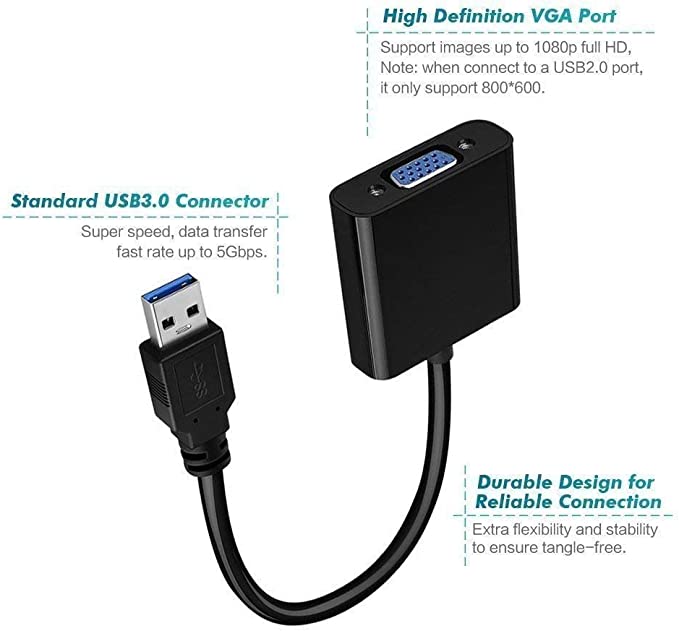
| Description | Here are some of the features of the USB to VGA adapter:Supports resolutions up to 1920x1080
Plug and play installation
Compatible with Windows 7/8/8.1/10
Gold-plated connectors for corrosion resistance
Durable construction for long life
Here are some of the benefits of using a USB to VGA adapter: | Here are some of the features of the Logitech H111:Standard 3.5mm audio jack
Compatible with most devices
Adjustable headband
Soft foam ear cups
Rotatable microphone
Clear sound quality
Comfortable fit | Here are some of the benefits of using a VGA to HDMI with Audio Adapter:Allows you to connect VGA devices to HDMI monitors or projectors
Small and lightweight
Made of durable materials
Compatible with a variety of devices
Affordable
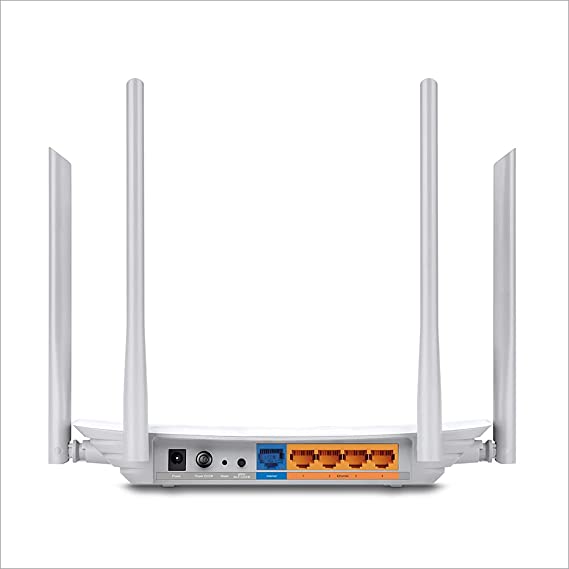
If you have a VGA device and a new monitor or projector that only has HDMI ports, then a VGA to HDMI with Audio Adapter is a great way to connect the two devices. | Here are some of the features and benefits of the TP-Link Archer C50 AC1200 Dual Band Wireless Cable Router:Supports 802.11ac standard for up to 1200 Mbps wireless speeds
Simultaneous 2.4 GHz 300 Mbps and 5GHz 867 Mbps connections
2 external antennas for stable wireless connections and optimal coverage
Supports Parental Control, Guest Wi-Fi, and VPN
Easy to set up and use | | Here are some of the benefits of using a USB to DB9 RS-232 adapter cable:Allows you to connect older devices to your computer
Easy to use
Relatively inexpensive
Can be used with a variety of devices
If you are looking for a way to connect an older device to your computer, a USB to DB9 RS-232 adapter cable is a great option. It is easy to use and can be used with a variety of devices. |
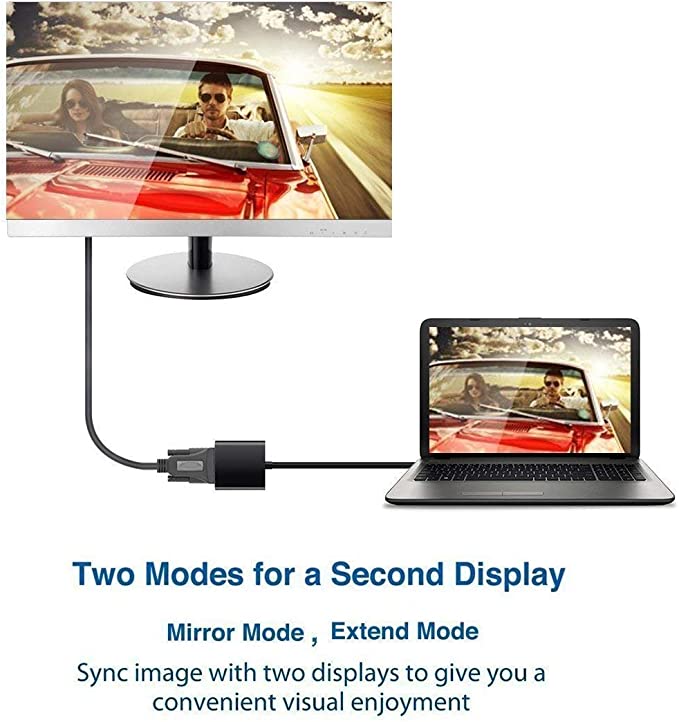
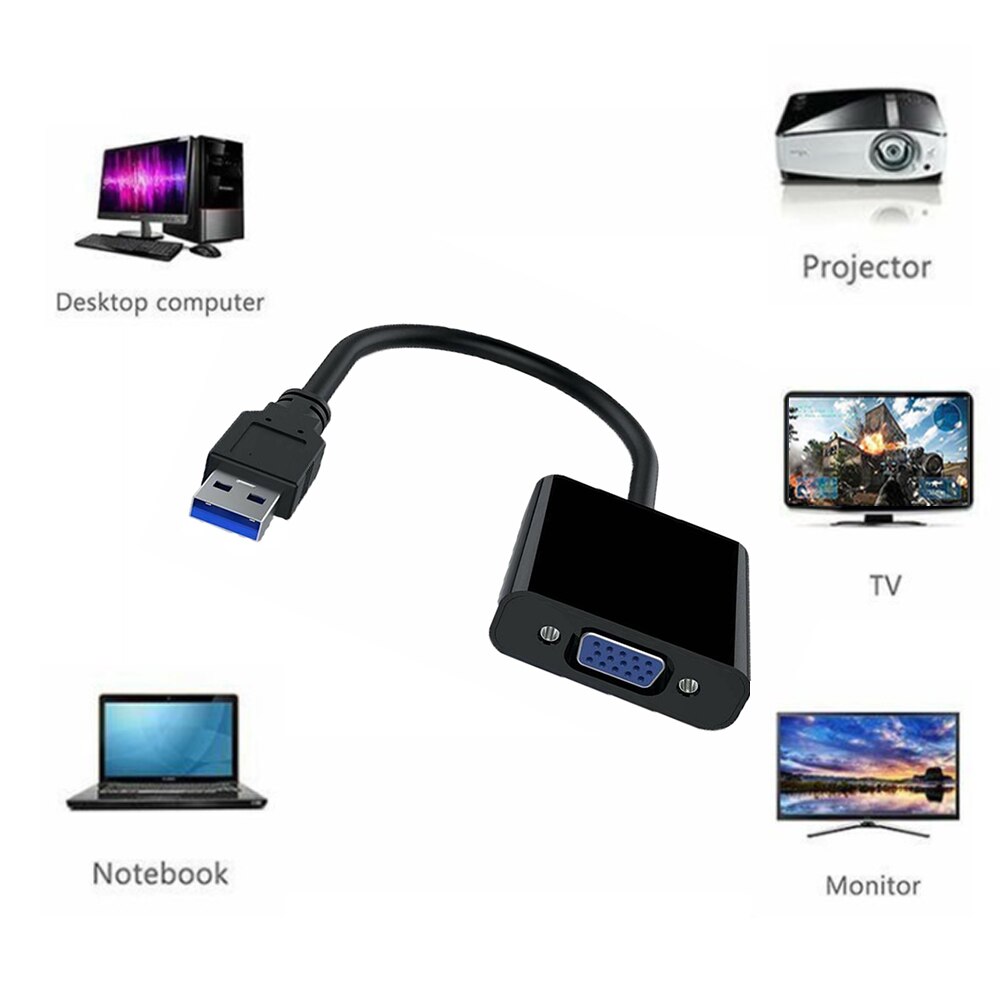
| Content | A USB to VGA adapter is a device that allows you to connect a VGA monitor or projector to a computer that does not have a VGA port. The adapter converts the digital signal from the computer to an analog signal that can be displayed on the VGA device.The USB to VGA adapter is a simple device that is easy to use. To use the adapter, simply connect the adapter to the USB port on your computer and then connect the VGA cable from the adapter to the VGA port on your monitor or projector. Once the adapter is connected, you should be able to see the image from your computer on the VGA device.The USB to VGA adapter is a great way to add a second monitor to your computer or to connect a projector to your computer for presentations. The adapter is also a great way to use an older VGA monitor or projector with a newer computer that does not have a VGA port.Here are some of the features of the USB to VGA adapter:Supports resolutions up to 1920x1080
Plug and play installation
Compatible with Windows 7/8/8.1/10
Gold-plated connectors for corrosion resistance
Durable construction for long life
Here are some of the benefits of using a USB to VGA adapter:Allows you to connect a VGA monitor or projector to a computer that does not have a VGA port
Easy to use
Affordable
Compatible with a wide range of computers and monitors
Durable construction
If you are looking for a way to connect a VGA monitor or projector to your computer, then the USB to VGA adapter is a great option. The adapter is easy to use, affordable, and compatible with a wide range of computers and monitors. | The Logitech H111 is a wired on-ear headset with a microphone. It is a simple and affordable headset that is perfect for making calls, listening to music, or watching videos. The headset has a standard 3.5mm audio jack and is compatible with most devices, including computers, smartphones, and tablets.The H111 has a sturdy yet lightweight design. The headband is adjustable to fit most head sizes, and the ear cups are made of soft foam for a comfortable fit. The microphone is located on the left ear cup and can be rotated to the right side if desired.The H111 produces clear sound with good bass response. The microphone is also clear and picks up sound well. The headset is comfortable to wear for long periods of time.Overall, the Logitech H111 is a great value for the price. It is a simple and affordable headset that delivers good sound quality and a comfortable fit.Here are some of the features of the Logitech H111:Standard 3.5mm audio jack
Compatible with most devices
Adjustable headband
Soft foam ear cups
Rotatable microphone
Clear sound quality
Comfortable fit
Here are some of the benefits of using the Logitech H111:Affordable
Easy to use
Comfortable to wear
Good sound quality
Clear microphone
Here are some of the drawbacks of the Logitech H111:Not noise-canceling
Not wireless
Not high-end sound quality
Overall, the Logitech H111 is a great value for the price. It is a simple and affordable headset that delivers good sound quality and a comfortable fit. If you are looking for a basic headset for making calls, listening to music, or watching videos, the Logitech H111 is a great option. | A VGA to HDMI with Audio Adapter is a device that allows you to connect a VGA device to an HDMI monitor or projector. This can be useful if you have a new monitor or projector that only has HDMI ports, but you still have an older device that uses a VGA port.The adapter is small and lightweight, making it easy to carry with you. It is also made of durable materials, so it can withstand the wear and tear of everyday use.The adapter is compatible with a variety of devices, including:Laptops
Computers
Projectors
Monitors
To use the adapter, simply plug the VGA cable into the adapter and then plug the adapter into the HDMI port.The adapter is a great way to connect your older devices to new devices that have HDMI ports. It is also a great way to avoid having to buy new cables for all of your devices.Here are some of the benefits of using a VGA to HDMI with Audio Adapter:Allows you to connect VGA devices to HDMI monitors or projectors
Small and lightweight
Made of durable materials
Compatible with a variety of devices
Affordable
If you have a VGA device and a new monitor or projector that only has HDMI ports, then a VGA to HDMI with Audio Adapter is a great way to connect the two devices.Here are some additional details about the adapter:Supports resolutions up to 1080p
Includes a 3.5mm audio lead for connecting to speakers or headphones
Requires a USB power supply (not included)
The adapter is a great way to connect your older devices to new devices that have HDMI ports. It is also a great way to avoid having to buy new cables for all of your devices. | TP-Link Archer C50 AC1200 Dual Band Wireless Cable Router, Wi-Fi Speed Up to 867 Mbps/5 GHz + 300 Mbps/2.4 GHz, Supports Parental Control, Guest Wi-Fi, VPN (White)The TP-Link Archer C50 AC1200 Dual Band Wireless Cable Router is a high-speed router that can provide you with seamless HD streaming, online gaming, and other bandwidth-intensive tasks. It supports 802.11ac standard and can simultaneously provide you with 2.4 GHz 300 Mbps and 5GHz 867 Mbps connections. It also has 2 external antennas that provide stable wireless connections and optimal coverage.The Archer C50 also supports Parental Control, Guest Wi-Fi, and VPN. Parental Control allows you to restrict access to certain websites and applications, while Guest Wi-Fi allows you to create a separate Wi-Fi network for guests. VPN allows you to securely connect to a remote network, such as a corporate network or a public Wi-Fi network.Here are some of the features and benefits of the TP-Link Archer C50 AC1200 Dual Band Wireless Cable Router:Supports 802.11ac standard for up to 1200 Mbps wireless speeds
Simultaneous 2.4 GHz 300 Mbps and 5GHz 867 Mbps connections
2 external antennas for stable wireless connections and optimal coverage
Supports Parental Control, Guest Wi-Fi, and VPN
Easy to set up and use
The TP-Link Archer C50 AC1200 Dual Band Wireless Cable Router is a great choice for anyone looking for a high-speed router that can provide seamless HD streaming, online gaming, and other bandwidth-intensive tasks. It is also a good choice for families who want to use parental controls to restrict access to certain websites and applications. | A USB 3.0/2.0 Male to SATA Male Cable Hard Disk Drive Convert Adapter Support 4TB SATA Hard Disk Drive Converter (Black) is a device that allows you to connect a SATA hard drive to a computer using a USB port. This can be useful if you want to use an older hard drive with a newer computer, or if you want to use a hard drive as an external storage device.The adapter is very easy to use. Simply connect the SATA hard drive to the adapter, and then connect the adapter to a USB port on your computer. The hard drive will then be recognized by your computer and you will be able to access the data on it.The adapter supports hard drives up to 4TB in size. It is also compatible with both USB 3.0 and USB 2.0 ports.Here are some of the key features of a USB 3.0/2.0 Male to SATA Male Cable Hard Disk Drive Convert Adapter Support 4TB SATA Hard Disk Drive Converter (Black):Supports hard drives up to 4TB in size
Compatible with USB 3.0 and USB 2.0 ports
Easy to use
Portable and lightweight
Here are some of the benefits of using a USB 3.0/2.0 Male to SATA Male Cable Hard Disk Drive Convert Adapter Support 4TB SATA Hard Disk Drive Converter (Black):Allows you to use an older hard drive with a newer computer
Allows you to use a hard drive as an external storage device
Easy to use
Portable and lightweight
If you are looking for a way to connect a SATA hard drive to your computer, a USB 3.0/2.0 Male to SATA Male Cable Hard Disk Drive Convert Adapter Support 4TB SATA Hard Disk Drive Converter (Black) is a great option. It is easy to use, portable, and compatible with a wide range of devices | A USB to DB9 RS-232 adapter cable is a type of cable that allows you to connect a USB device to a serial port. Serial ports are older ports that were used for connecting devices such as modems, printers, and scanners. USB ports are the newer standard for connecting devices, and they are much faster than serial ports.If you have a device that only has a serial port, you can use a USB to DB9 RS-232 adapter cable to connect it to your computer. The cable will have a USB connector on one end and a DB9 connector on the other end. The DB9 connector will fit into the serial port on your device, and the USB connector will plug into your computer.Once the cable is connected, you should be able to use your device as normal. However, you may need to install drivers for the device before it will work properly. Drivers are software that tells your computer how to communicate with the device. You can usually find drivers for your device on the manufacturer's website.USB to DB9 RS-232 adapter cables are a great way to connect older devices to your computer. They are relatively inexpensive and easy to use. If you have a device that only has a serial port, I recommend using a USB to DB9 RS-232 adapter cable to connect it to your computer.Here are some of the benefits of using a USB to DB9 RS-232 adapter cable:Allows you to connect older devices to your computer
Easy to use
Relatively inexpensive
Can be used with a variety of devices
If you are looking for a way to connect an older device to your computer, a USB to DB9 RS-232 adapter cable is a great option. It is easy to use and can be used with a variety of devices. |








Reviews
There are no reviews yet.