| Description | Here are some of the features of the USB to VGA adapter:Supports resolutions up to 1920x1080
Plug and play installation
Compatible with Windows 7/8/8.1/10
Gold-plated connectors for corrosion resistance
Durable construction for long life
Here are some of the benefits of using a USB to VGA adapter: | Here are some of the key features of the GOBBLER GB-9788-E:Fully automatic operation
UV, MG, and IR counterfeit detection
Batch counting function
Large LCD display
Compact and lightweight design
The GOBBLER GB-9788-E is a reliable and efficient note counting machine that is perfect for businesses of all sizes. It is easy to use and provides accurate results, making it a valuable asset for any business that handles cash. | The adapter is compatible with a variety of devices, including:iPhone
Samsung S20 ultra/S21/S10/S8/S9
MacBook Pro
iPad
To use the adapter, simply plug the Mini USB cable into the adapter and then plug the adapter into the USB Type C port.The adapter is a great way to connect your older devices to new devices that have USB Type C ports. It is also a great way to avoid having to buy new cables for all of your devices. | Some of the key features of the TL-SG1016D include:16 Gigabit Ethernet ports
Auto MDI/MDIX and Auto Negotiation
MAC Address self-learning
Plug and Play
Energy-efficient design
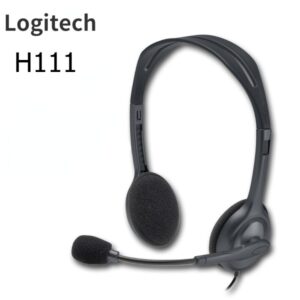
The TL-SG1016D is easy to set up and use. Just connect the switch to your router or modem and then connect your devices to the switch's ports. The switch will automatically configure itself and start working. | Here are some of the features of the Logitech H111:Standard 3.5mm audio jack
Compatible with most devices
Adjustable headband
Soft foam ear cups
Rotatable microphone
Clear sound quality
Comfortable fit | Here are some of the key features of the TP-Link LS1008:8 Gigabit Ethernet ports
Auto MDI/MDIX
Energy-efficient technology
Plug and play
The TP-Link LS1008 is a great choice for anyone looking to expand their wired network. It is easy to use and reliable, and it offers a variety of features that make it a great value for the price. |
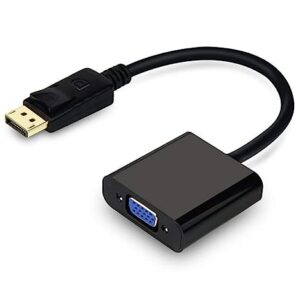
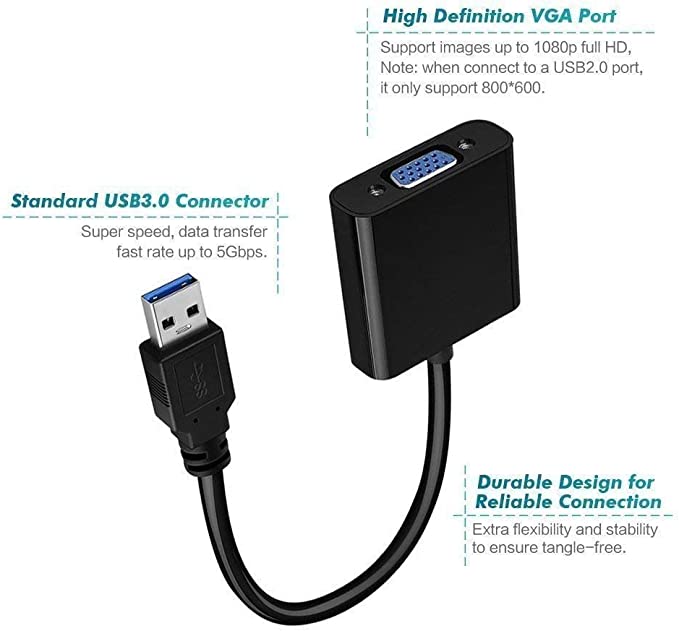
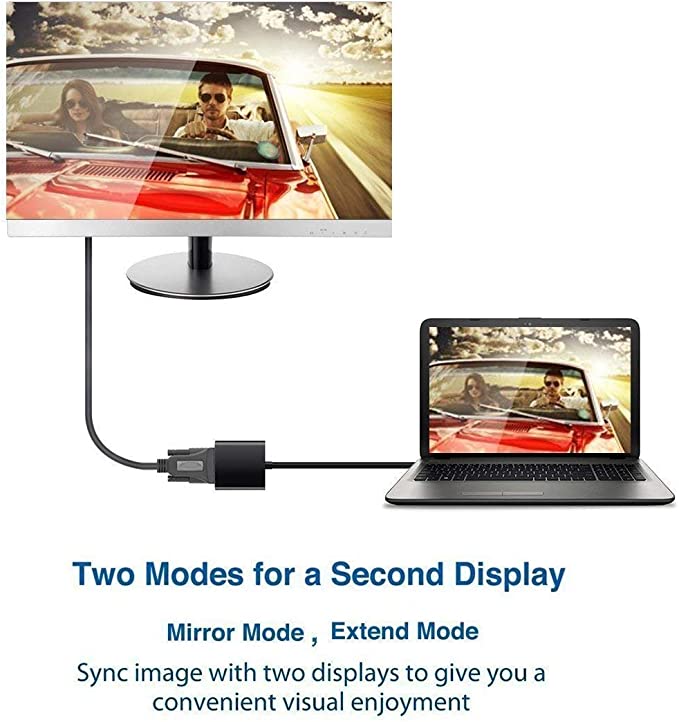
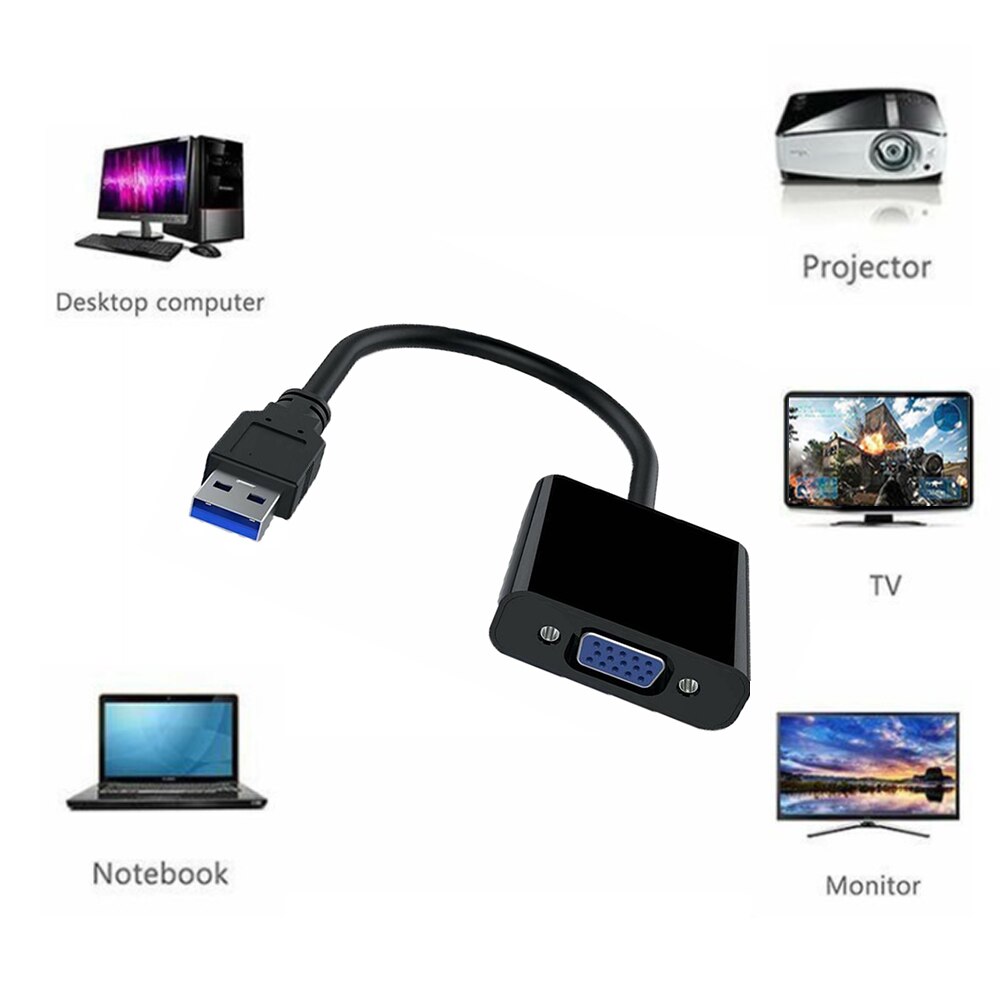
| Content | A USB to VGA adapter is a device that allows you to connect a VGA monitor or projector to a computer that does not have a VGA port. The adapter converts the digital signal from the computer to an analog signal that can be displayed on the VGA device.The USB to VGA adapter is a simple device that is easy to use. To use the adapter, simply connect the adapter to the USB port on your computer and then connect the VGA cable from the adapter to the VGA port on your monitor or projector. Once the adapter is connected, you should be able to see the image from your computer on the VGA device.The USB to VGA adapter is a great way to add a second monitor to your computer or to connect a projector to your computer for presentations. The adapter is also a great way to use an older VGA monitor or projector with a newer computer that does not have a VGA port.Here are some of the features of the USB to VGA adapter:Supports resolutions up to 1920x1080
Plug and play installation
Compatible with Windows 7/8/8.1/10
Gold-plated connectors for corrosion resistance
Durable construction for long life
Here are some of the benefits of using a USB to VGA adapter:Allows you to connect a VGA monitor or projector to a computer that does not have a VGA port
Easy to use
Affordable
Compatible with a wide range of computers and monitors
Durable construction
If you are looking for a way to connect a VGA monitor or projector to your computer, then the USB to VGA adapter is a great option. The adapter is easy to use, affordable, and compatible with a wide range of computers and monitors. | The GOBBLER GB-9788-E Mix Note Value Counting Machine Fully Automatic Cash Counter with Fake Note Detection is a high-speed, fully automatic note counting machine that can count up to 1000 notes per minute. It is equipped with a variety of features to ensure accurate counting, including UV, MG, and IR counterfeit detection, as well as a batch counting function. The machine also has a large LCD display that shows the total count, denomination, and serial number of the notes being counted.The GOBBLER GB-9788-E is a versatile machine that can be used in a variety of settings, including banks, retail stores, and casinos. It is also a great choice for businesses that need to count large amounts of cash on a regular basis.Here are some of the key features of the GOBBLER GB-9788-E:Fully automatic operation
UV, MG, and IR counterfeit detection
Batch counting function
Large LCD display
Compact and lightweight design
The GOBBLER GB-9788-E is a reliable and efficient note counting machine that is perfect for businesses of all sizes. It is easy to use and provides accurate results, making it a valuable asset for any business that handles cash.Here are some of the benefits of using the GOBBLER GB-9788-E:Increased efficiency: The GOBBLER GB-9788-E can count up to 1000 notes per minute, which can save you a significant amount of time.
Improved accuracy: The GOBBLER GB-9788-E is equipped with a variety of counterfeit detection features to ensure that your cash is accurate.
Reduced risk of fraud: The GOBBLER GB-9788-E can help to reduce the risk of fraud by detecting counterfeit notes.
Increased security: The GOBBLER GB-9788-E is a secure machine that helps to protect your cash from theft.
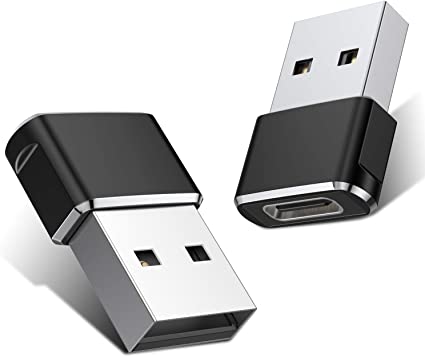
If you are looking for a reliable and efficient note counting machine, the GOBBLER GB-9788-E is a great option. It is easy to use, provides accurate results, and can help to improve your business operations. | A Mini USB C Type C Adapter Plug, Type C Female to USB A Male Charger Charging Cable Adapter Converter is a device that allows you to connect a Mini USB device to a USB Type C port. This can be useful if you have a new device that only has a USB Type C port, but you still have older devices that use Mini USB cables.The adapter is small and lightweight, making it easy to carry with you. It is also made of durable materials, so it can withstand the wear and tear of everyday use.The adapter is compatible with a variety of devices, including:iPhone
Samsung S20 ultra/S21/S10/S8/S9
MacBook Pro
iPad
To use the adapter, simply plug the Mini USB cable into the adapter and then plug the adapter into the USB Type C port.The adapter is a great way to connect your older devices to new devices that have USB Type C ports. It is also a great way to avoid having to buy new cables for all of your devices.Here are some of the benefits of using a Mini USB C Type C Adapter Plug, Type C Female to USB A Male Charger Charging Cable Adapter Converter:Allows you to connect Mini USB devices to USB Type C ports
Small and lightweight
Made of durable materials
Compatible with a variety of devices
Affordable
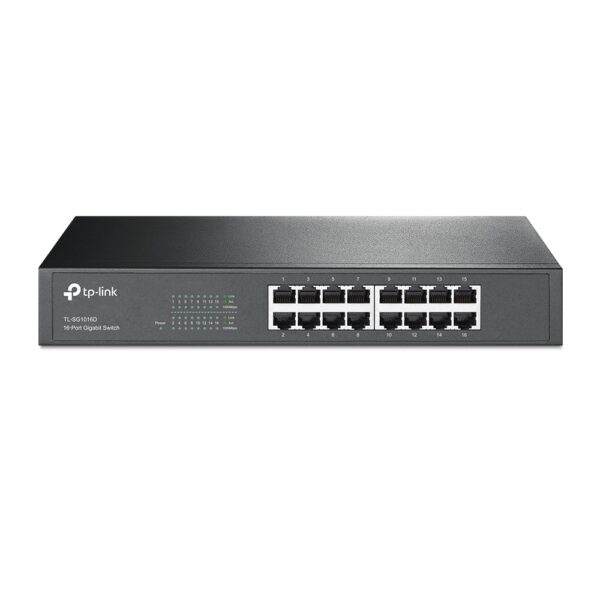
If you have a Mini USB device and a new device that only has a USB Type C port, then a Mini USB C Type C Adapter Plug, Type C Female to USB A Male Charger Charging Cable Adapter Converter is a great way to connect the two devices. | The TP-Link TL-SG1016D is a 16-port Gigabit Ethernet switch that is designed for small to medium-sized businesses. It offers a variety of features that make it a great choice for businesses that need to expand their network capacity.Some of the key features of the TL-SG1016D include:16 Gigabit Ethernet ports
Auto MDI/MDIX and Auto Negotiation
MAC Address self-learning
Plug and Play
Energy-efficient design
The TL-SG1016D is easy to set up and use. Just connect the switch to your router or modem and then connect your devices to the switch's ports. The switch will automatically configure itself and start working.The TL-SG1016D is a great choice for businesses that need to expand their network capacity. It is easy to set up and use, and it offers a variety of features that make it a reliable and affordable solution.Here are some of the benefits of using the TP-Link TL-SG1016D:Easy to set up and use: The TL-SG1016D is easy to set up and use. Just connect the switch to your router or modem and then connect your devices to the switch's ports. The switch will automatically configure itself and start working.
Reliable: The TL-SG1016D is a reliable switch that has been designed to withstand the rigors of everyday use. It is also backed by a 3-year warranty.
Affordable: The TL-SG1016D is an affordable switch that offers great value for the price.
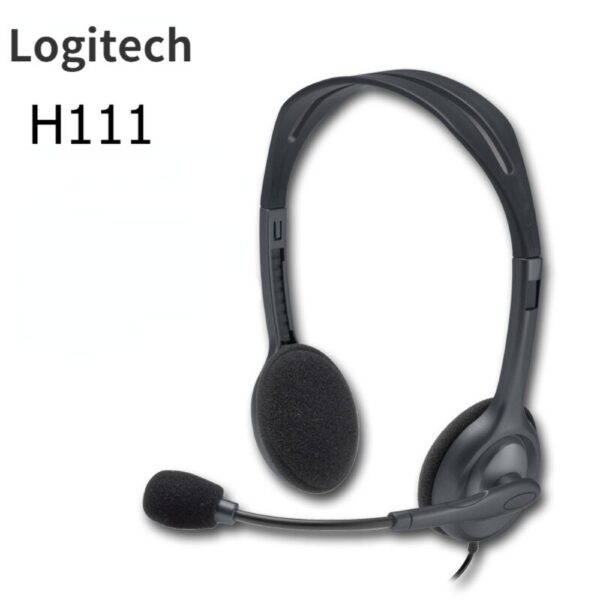
If you are looking for a reliable and affordable switch to expand your network capacity, the TP-Link TL-SG1016D is a great option. | The Logitech H111 is a wired on-ear headset with a microphone. It is a simple and affordable headset that is perfect for making calls, listening to music, or watching videos. The headset has a standard 3.5mm audio jack and is compatible with most devices, including computers, smartphones, and tablets.The H111 has a sturdy yet lightweight design. The headband is adjustable to fit most head sizes, and the ear cups are made of soft foam for a comfortable fit. The microphone is located on the left ear cup and can be rotated to the right side if desired.The H111 produces clear sound with good bass response. The microphone is also clear and picks up sound well. The headset is comfortable to wear for long periods of time.Overall, the Logitech H111 is a great value for the price. It is a simple and affordable headset that delivers good sound quality and a comfortable fit.Here are some of the features of the Logitech H111:Standard 3.5mm audio jack
Compatible with most devices
Adjustable headband
Soft foam ear cups
Rotatable microphone
Clear sound quality
Comfortable fit
Here are some of the benefits of using the Logitech H111:Affordable
Easy to use
Comfortable to wear
Good sound quality
Clear microphone
Here are some of the drawbacks of the Logitech H111:Not noise-canceling
Not wireless
Not high-end sound quality
Overall, the Logitech H111 is a great value for the price. It is a simple and affordable headset that delivers good sound quality and a comfortable fit. If you are looking for a basic headset for making calls, listening to music, or watching videos, the Logitech H111 is a great option. |
1
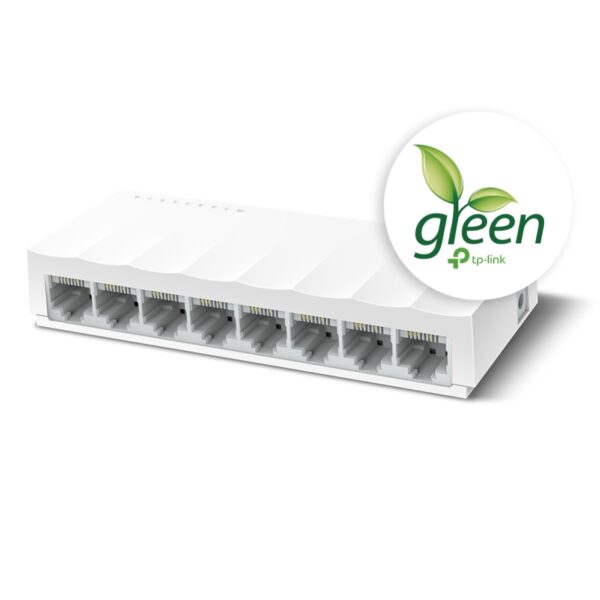
The TP-Link LS1008 is an 8-port 10/100Mbps desktop switch that offers an easy and affordable way to expand your wired network. It is easy to use and reliable, and with all ports supporting Auto-MDI/MDIX, there's no need to worry about the type of cable to use. The LiteWave Series also supports energy-efficient technology, helping you save power and money.Here are some of the key features of the TP-Link LS1008:8 Gigabit Ethernet ports
Auto MDI/MDIX
Energy-efficient technology
Plug and play
The TP-Link LS1008 is a great choice for anyone looking to expand their wired network. It is easy to use and reliable, and it offers a variety of features that make it a great value for the price.Here are some of the benefits of using the TP-Link LS1008:Easy to use: The LS1008 is a plug-and-play device, so there's no need to configure anything. Just connect your devices to the ports and you're good to go.
Reliable: The LS1008 is a reliable device that has been designed to withstand the rigors of everyday use. It is also backed by a 2-year warranty.
Affordable: The LS1008 is an affordable device that offers great value for the price.
If you are looking to expand your wired network, the TP-Link LS1008 is a great option. It is easy to use, reliable, and affordable. |











Reviews
There are no reviews yet.