| Description | Here are some of the benefits of using an RJ45-to-DB9 console cable to connect a computer to a security camera:It is a simple and easy way to connect a computer to a security camera.
It is a reliable and durable cable.
It is a cost-effective solution.
If you are looking for a way to connect a computer to a security camera, an RJ45-to-DB9 console cable is a good option | Here are some of the drawbacks of the Laptop Power Cable Cord:Not compatible with all power outlets
May not be as long as some other power cables
Overall, the Laptop Power Cable Cord is a great value for the price and is a reliable way to power your devices. It is made of high-quality materials and is built to last. It is also fully molded for maximum durability and long life. If you are looking for a power cable that is compatible with Indian power outlets and is built to last, the Laptop Power Cable Cord is a great option. | Here are some of the features of the PremiumAV HDMI Male to VGA Female Video Converter Adapter Cable (Black):Unidirectional design
Supports resolutions up to 1920x1080 60Hz (1080p Full HD)
Lightweight and portable
Perfect for business presentations, extending your desktop screen to a monitor or TV, or connecting your laptop to a projector
Save money on upgrading to an HDMI compatible display
Here are some of the benefits of using the PremiumAV HDMI Male to VGA Female Video Converter Adapter Cable (Black): | Here are some of the key features of a USB 2.0 High Speed Printer Cable Scanner Cable A Male to B Male for HP, Canon, Etc. GREY:Supports speeds of up to 480 Mbps
Backward compatible with USB 1.1 and USB 1.0 devices
Shielded to protect against interference
Easy to use
Compatible with a wide range of printers and scanners
Here are some of the benefits of using a USB 2.0 High Speed Printer Cable Scanner Cable A Male to B Male for HP, Canon, Etc. GREY: | | Here are some of the benefits of using a male to male VGA cable:It is a reliable and durable cable that can be used with a variety of devices.
It is easy to use and can be plugged in and unplugged without any tools.
It is shielded to protect against interference.
It has gold-plated connectors for corrosion resistance.
If you are looking for a reliable and durable male to male VGA cable, then this is the perfect option for you. It is easy to use and can be used with a variety of devices. The cable is also shielded to protect against interference and has gold-plated connectors for corrosion resistance. |
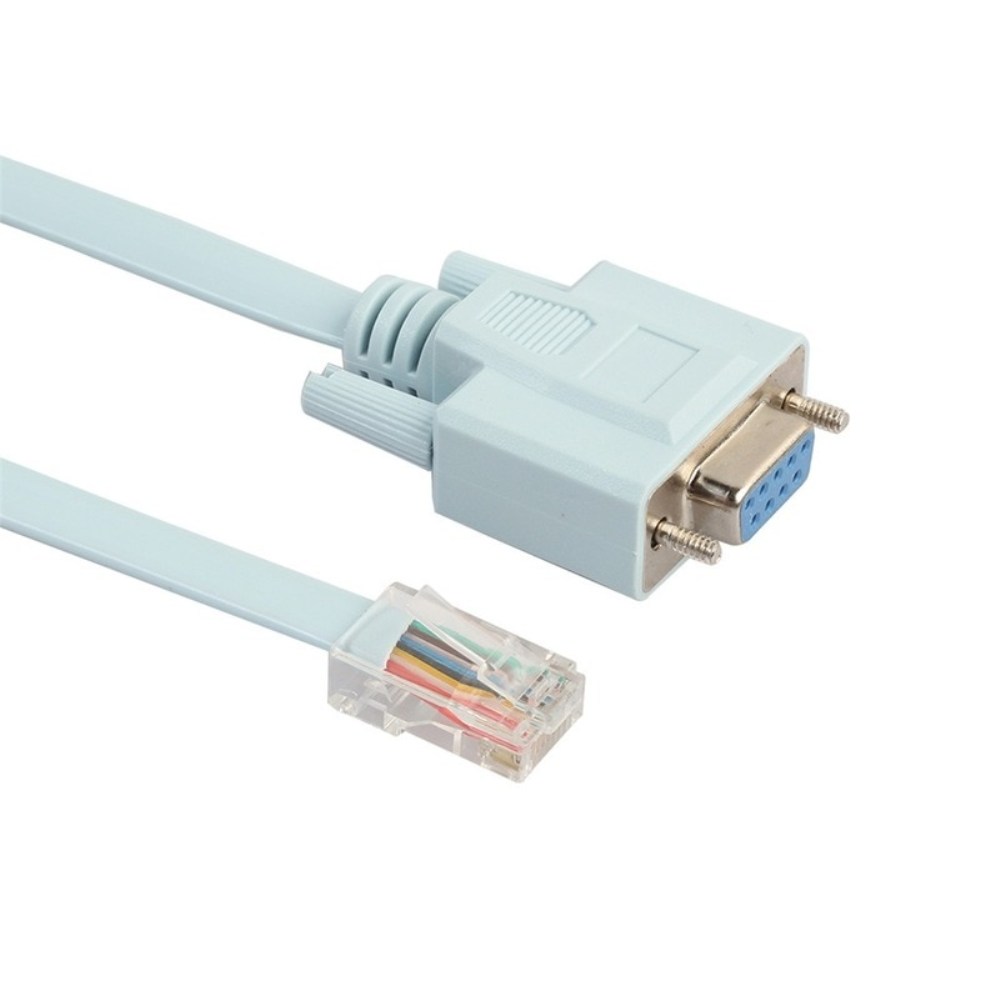
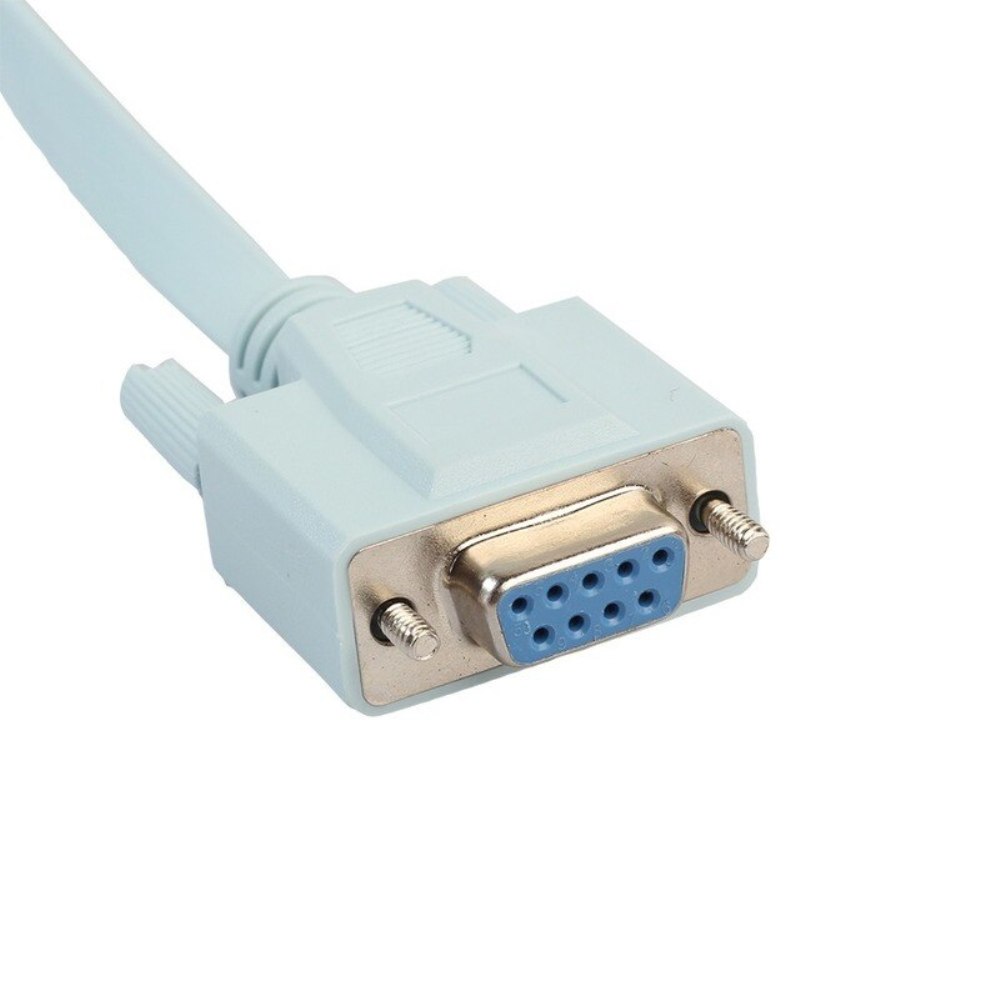
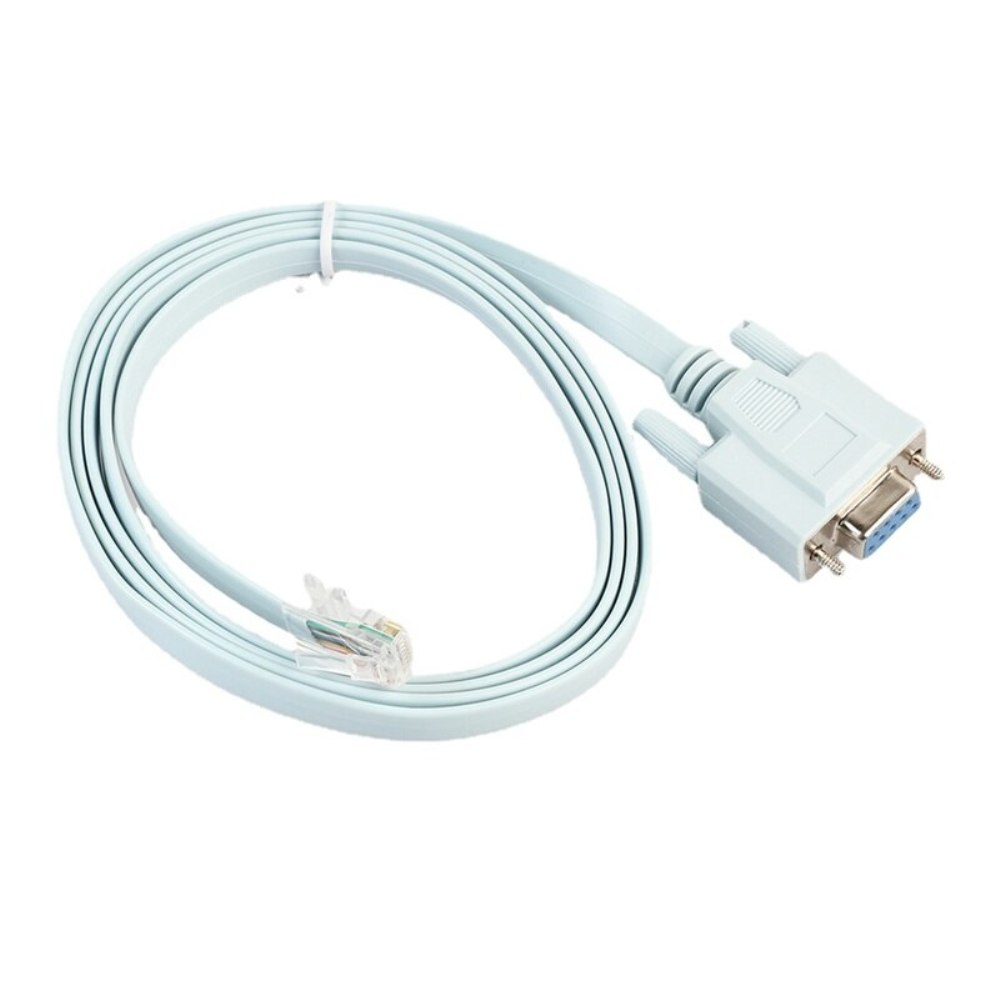
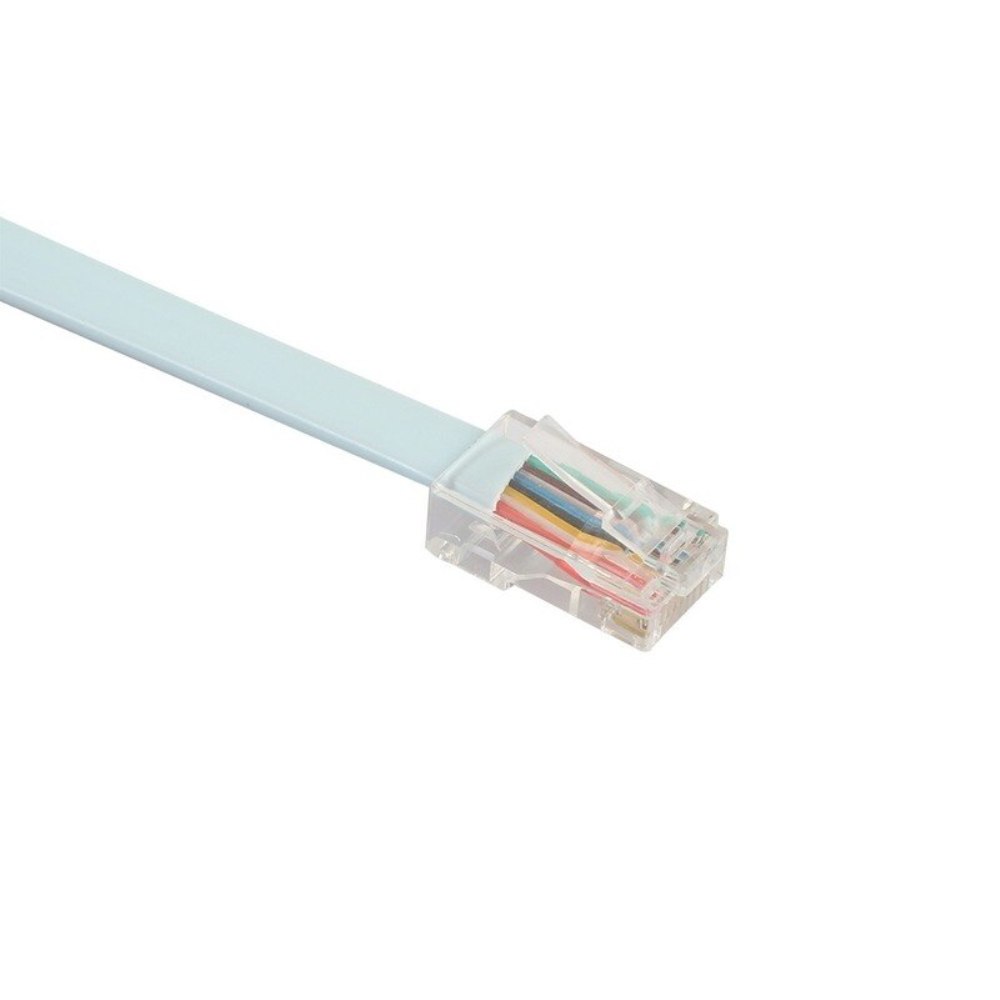
| Content | An RJ45-to-DB9 console cable is a type of cable that is used to connect a computer to a security camera. The RJ45 end of the cable connects to the computer's serial port, and the DB9 end of the cable connects to the security camera's console port. This type of cable is used to configure and manage the security camera.The RJ45 connector is a standard connector that is used for Ethernet connections. The DB9 connector is a smaller connector that is used for serial connections. The serial port on a computer is a legacy port that is used for connecting devices such as modems, routers, and security cameras.To use an RJ45-to-DB9 console cable to connect a computer to a security camera, follow these steps:Connect the RJ45 end of the cable to the computer's serial port.
Connect the DB9 end of the cable to the security camera's console port.
Power on the security camera.
Open the security camera's configuration software on the computer.
Use the configuration software to configure the security camera.
Once the security camera is configured, you can disconnect the RJ45-to-DB9 console cable from the computer and the security camera.Here are some of the benefits of using an RJ45-to-DB9 console cable to connect a computer to a security camera:It is a simple and easy way to connect a computer to a security camera.
It is a reliable and durable cable.
It is a cost-effective solution.
If you are looking for a way to connect a computer to a security camera, an RJ45-to-DB9 console cable is a good option | The Laptop Power Cable Cord- 3 Pin Adapter Isi Certified(1 Meter/3.3 Feet) is a power cable that is designed to be used with laptops and other devices that use a 3-pin plug. The cable is 1 meter long and has an ISI certified plug, which means that it meets the safety standards of the Bureau of Indian Standards. The cable is made of high-quality materials and is built to last. It is also fully molded for maximum durability and long life. The Laptop Power Cable Cord is a great value for the price and is a reliable way to power your devices.Here are some of the features of the Laptop Power Cable Cord:3-pin plug that is compatible with Indian power outlets
1 meter long
Made of high-quality materials
Fully molded for maximum durability and long life
Reliable way to power your devices
Here are some of the benefits of using the Laptop Power Cable Cord:Affordable
Easy to use
Compatible with a wide range of devices
Durable
Reliable
Here are some of the drawbacks of the Laptop Power Cable Cord:Not compatible with all power outlets
May not be as long as some other power cables
Overall, the Laptop Power Cable Cord is a great value for the price and is a reliable way to power your devices. It is made of high-quality materials and is built to last. It is also fully molded for maximum durability and long life. If you are looking for a power cable that is compatible with Indian power outlets and is built to last, the Laptop Power Cable Cord is a great option.Here are some additional details about the Laptop Power Cable Cord:The cable is made of high-quality PVC material, which is resistant to heat, cold, and moisture.
The cable is fully molded for maximum durability and long life.
The cable is 1 meter long, which makes it easy to reach power outlets that are located far away from the device.
The cable has a 3-pin plug that is compatible with Indian power outlets.
The cable is backed by a one-year warranty.
If you are looking for a reliable and affordable power cable for your laptop or other device that uses a 3-pin plug, the Laptop Power Cable Cord is a great option. It is made of high-quality materials, is built to last, and is compatible with Indian power outlets. | The PremiumAV HDMI Male to VGA Female Video Converter Adapter Cable (Black) is a simple, plug-and-play device that allows you to connect an HDMI output from your laptop, ultrabook, or desktop computer onto a VGA monitor or projector. The adapter features a unidirectional design, so it only works from HDMI to VGA. It supports resolutions up to 1920x1080 60Hz (1080p Full HD) including 720p, 1600x1200, and 1280x1024 for high definition monitors.To use the adapter, simply connect the HDMI connector of the adapter to your HDMI device. Then, connect the VGA cable of your monitor or projector to the VGA female port of the adapter. Finally, turn on the HDMI device and the display device and enjoy.The PremiumAV HDMI Male to VGA Female Video Converter Adapter Cable (Black) is a lightweight and portable device that is perfect for business presentations, extending your desktop screen to a monitor or TV, or connecting your laptop to a projector. It is also a great way to save money on upgrading to an HDMI compatible display.Here are some of the features of the PremiumAV HDMI Male to VGA Female Video Converter Adapter Cable (Black):Unidirectional design
Supports resolutions up to 1920x1080 60Hz (1080p Full HD)
Lightweight and portable
Perfect for business presentations, extending your desktop screen to a monitor or TV, or connecting your laptop to a projector
Save money on upgrading to an HDMI compatible display
Here are some of the benefits of using the PremiumAV HDMI Male to VGA Female Video Converter Adapter Cable (Black):Easy to use
Affordable
Supports high resolutions
Portable
Durable
If you are looking for a simple and affordable way to connect your HDMI device to a VGA monitor or projector, then the PremiumAV HDMI Male to VGA Female Video Converter Adapter Cable (Black) is a great option. | A USB 2.0 High Speed Printer Cable Scanner Cable A Male to B Male for HP, Canon, Etc. GREY is a type of cable that is used to connect printers and scanners to computers. It is a high-speed cable that can transfer data at speeds of up to 480 Mbps. The cable is also backward compatible with USB 1.1 and USB 1.0 devices.The cable is made of high-quality materials and is designed to last. It is also shielded to protect against interference. The cable is easy to use and can be plugged in and unplugged without any difficulty.The cable is compatible with a wide range of printers and scanners. It is also compatible with a variety of computers, including Windows, Mac, and Linux computers.The cable is a great way to connect your printer or scanner to your computer. It is a high-quality cable that is easy to use and compatible with a wide range of devices.Here are some of the key features of a USB 2.0 High Speed Printer Cable Scanner Cable A Male to B Male for HP, Canon, Etc. GREY:Supports speeds of up to 480 Mbps
Backward compatible with USB 1.1 and USB 1.0 devices
Shielded to protect against interference
Easy to use
Compatible with a wide range of printers and scanners
Here are some of the benefits of using a USB 2.0 High Speed Printer Cable Scanner Cable A Male to B Male for HP, Canon, Etc. GREY:Fast speeds: The cable supports speeds of up to 480 Mbps, which allows you to transfer data quickly and easily.
Backward compatibility: The cable is backward compatible with USB 1.1 and USB 1.0 devices, so you can use it with older devices.
Shielding: The cable is shielded to protect against interference, which can help to improve the quality of your data transfer.
Easy to use: The cable is easy to use and can be plugged in and unplugged without any difficulty.
Compatibility: The cable is compatible with a wide range of printers and scanners, so you can use it with most devices.
If you are looking for a high-quality cable to connect your printer or scanner to your computer, a USB 2.0 High Speed Printer Cable Scanner Cable A Male to B Male for HP, Canon, Etc. GREY is a great option. It is a fast, backward compatible, shielded, easy to use, and compatible cable that is perfect for most users. | A USB 3.0/2.0 Male to SATA Male Cable Hard Disk Drive Convert Adapter Support 4TB SATA Hard Disk Drive Converter (Black) is a device that allows you to connect a SATA hard drive to a computer using a USB port. This can be useful if you want to use an older hard drive with a newer computer, or if you want to use a hard drive as an external storage device.The adapter is very easy to use. Simply connect the SATA hard drive to the adapter, and then connect the adapter to a USB port on your computer. The hard drive will then be recognized by your computer and you will be able to access the data on it.The adapter supports hard drives up to 4TB in size. It is also compatible with both USB 3.0 and USB 2.0 ports.Here are some of the key features of a USB 3.0/2.0 Male to SATA Male Cable Hard Disk Drive Convert Adapter Support 4TB SATA Hard Disk Drive Converter (Black):Supports hard drives up to 4TB in size
Compatible with USB 3.0 and USB 2.0 ports
Easy to use
Portable and lightweight
Here are some of the benefits of using a USB 3.0/2.0 Male to SATA Male Cable Hard Disk Drive Convert Adapter Support 4TB SATA Hard Disk Drive Converter (Black):Allows you to use an older hard drive with a newer computer
Allows you to use a hard drive as an external storage device
Easy to use
Portable and lightweight
If you are looking for a way to connect a SATA hard drive to your computer, a USB 3.0/2.0 Male to SATA Male Cable Hard Disk Drive Convert Adapter Support 4TB SATA Hard Disk Drive Converter (Black) is a great option. It is easy to use, portable, and compatible with a wide range of devices | A male to male VGA cable is a type of video cable that is used to connect a computer or other device with a VGA output to a monitor or other device with a VGA input. The cable has a male VGA connector on each end, which plugs into the corresponding ports on the devices. The cable is typically 1.5 meters long, but longer and shorter lengths are also available.The male to male VGA cable supports a variety of devices, including PCs, laptops, monitors, LCDs, LEDs, plasmas, and projectors. It can also be used with a VGA to VGA converter adapter to connect devices with different resolutions.The cable is made of high-quality materials and is built to last. It is shielded to protect against interference and has gold-plated connectors for corrosion resistance. The cable is also easy to use and can be plugged in and unplugged without any tools.Here are some of the benefits of using a male to male VGA cable:It is a reliable and durable cable that can be used with a variety of devices.
It is easy to use and can be plugged in and unplugged without any tools.
It is shielded to protect against interference.
It has gold-plated connectors for corrosion resistance.
If you are looking for a reliable and durable male to male VGA cable, then this is the perfect option for you. It is easy to use and can be used with a variety of devices. The cable is also shielded to protect against interference and has gold-plated connectors for corrosion resistance. |






Reviews
There are no reviews yet.