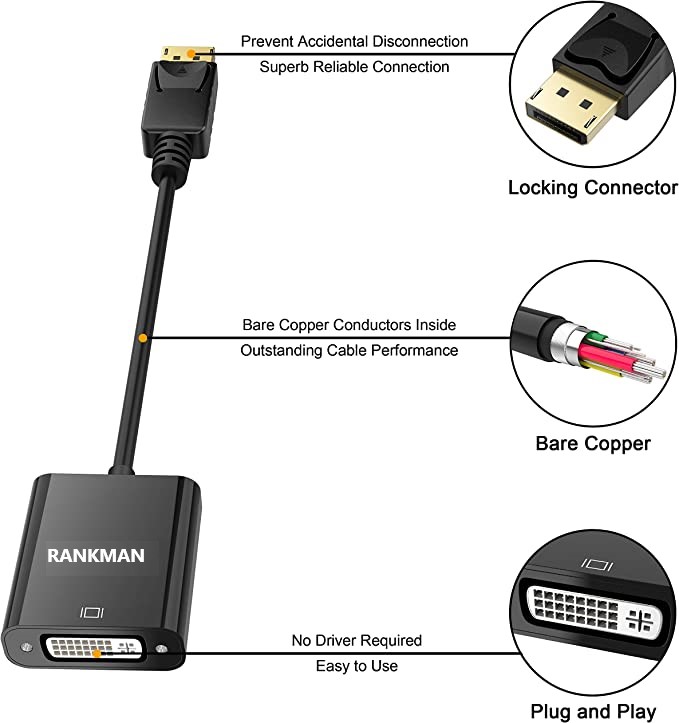
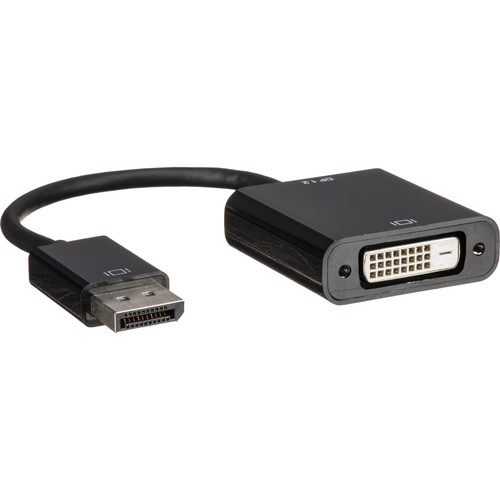
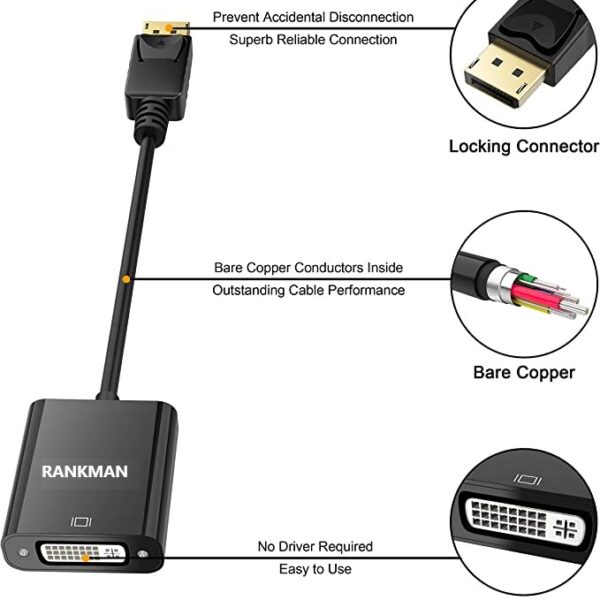
| Description | Here are some of the features of the DP DisplayPort Display Port Source to DVI Sink Monitor HDTV Converter Adapter Cable 0.2M Black:Supports resolutions up to 1920x1200 at 60Hz
Passive adapter, no drivers or software required
Short cable, measuring just 0.2 meters (8 inches)
Compatible with most DP-enabled devices
Plug-and-play
Here are some of the benefits of using the DP DisplayPort Display Port Source to DVI Sink Monitor HDTV Converter Adapter Cable 0.2M Black: | Here are some of the things to consider when choosing a DisplayPort to VGA converter cable:The length of the cable.
The resolution and refresh rate that the cable supports.
The color depth that the cable supports.
The price of the cable.
It is important to choose a DisplayPort to VGA converter cable that is compatible with your DisplayPort-equipped device and your VGA-equipped display. It is also important to choose a cable that is the appropriate length for your needs. | Here are some of the benefits of using a USB to DB9 RS-232 adapter cable:Allows you to connect older devices to your computer
Easy to use
Relatively inexpensive
Can be used with a variety of devices
If you are looking for a way to connect an older device to your computer, a USB to DB9 RS-232 adapter cable is a great option. It is easy to use and can be used with a variety of devices. | Here are some of the key features of the TP-Link Archer MR200:Supports both the 2.4 GHz and 5 GHz bands
SIM slot for 4G LTE connectivity
Easy to set up and use
Built-in web interface for configuration
Portable and lightweight
Here are some of the benefits of using the TP-Link Archer MR200: | Here are some of the features of the USB to VGA adapter:Supports resolutions up to 1920x1080
Plug and play installation
Compatible with Windows 7/8/8.1/10
Gold-plated connectors for corrosion resistance
Durable construction for long life
Here are some of the benefits of using a USB to VGA adapter: | Here are some of the key features of the TP-Link 300Mbps Wireless N Ceiling Mount Access Point:Supports the 802.11n standard for speeds up to 300Mbps
Ceiling-mounted for easy installation
Includes a free PoE injector
Secure guest network
Centralized management
The TP-Link 300Mbps Wireless N Ceiling Mount Access Point is a great choice for businesses and homes that need a reliable and secure wireless network. It is easy to install and configure, and it offers a variety of features that make it a great value for the price. |
| Content | The DP DisplayPort Display Port Source to DVI Sink Monitor HDTV Converter Adapter Cable 0.2M Black is a passive adapter that allows you to connect a DisplayPort (DP) source to a DVI-D sink. It is a short cable, measuring just 0.2 meters (8 inches), so it is ideal for connecting a laptop or tablet to a monitor or projector that is close by.The adapter supports resolutions up to 1920x1200 at 60Hz, and it is compatible with most DP-enabled devices. It is a plug-and-play device, so there is no need to install any drivers or software.Here are some of the features of the DP DisplayPort Display Port Source to DVI Sink Monitor HDTV Converter Adapter Cable 0.2M Black:Supports resolutions up to 1920x1200 at 60Hz
Passive adapter, no drivers or software required
Short cable, measuring just 0.2 meters (8 inches)
Compatible with most DP-enabled devices
Plug-and-play
Here are some of the benefits of using the DP DisplayPort Display Port Source to DVI Sink Monitor HDTV Converter Adapter Cable 0.2M Black:Allows you to connect a DP source to a DVI-D sink
Supports high resolutions up to 1920x1200 at 60Hz
Is a plug-and-play device, so there is no need to install any drivers or software
Is a short cable, measuring just 0.2 meters (8 inches), so it is ideal for connecting a laptop or tablet to a monitor or projector that is close by
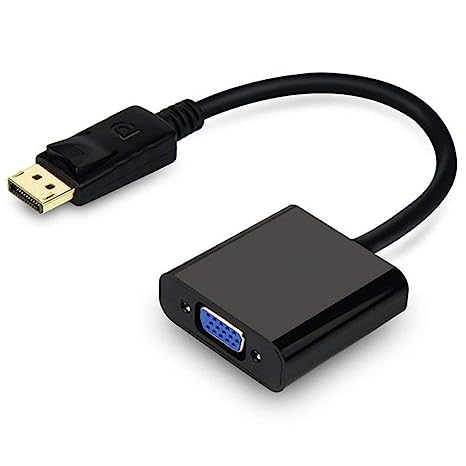
If you are looking for a way to connect a DP source to a DVI-D sink, the DP DisplayPort Display Port Source to DVI Sink Monitor HDTV Converter Adapter Cable 0.2M Black is a great option. It is a short, affordable, and easy-to-use adapter that supports high resolutions. | A DisplayPort to VGA converter cable is a device that allows you to connect a DisplayPort-equipped device to a VGA-equipped display. DisplayPort is a newer, more advanced video interface than VGA, and it offers a number of advantages, such as higher resolutions, refresh rates, and color depth. However, not all displays support DisplayPort, so a DisplayPort to VGA converter cable can be used to connect a DisplayPort-equipped device to a VGA-equipped display.To use a DisplayPort to VGA converter cable, simply connect one end of the cable to the DisplayPort output port on the source device and the other end of the cable to the VGA input port on the display. Once the cable is connected, the source device and display should automatically detect each other and begin transmitting video and audio signals.DisplayPort to VGA converter cables are available at a variety of prices, so you can find one that fits your budget. If you are looking for a way to connect a DisplayPort-equipped device to a VGA-equipped display, then a DisplayPort to VGA converter cable is a great option.Here are some of the benefits of using a DisplayPort to VGA converter cable:It allows you to connect a DisplayPort-equipped device to a VGA-equipped display.
It supports high-definition video resolutions.
It supports high refresh rates.
It supports high color depth.
It is a relatively inexpensive solution.
If you are looking for a way to connect a DisplayPort-equipped device to a VGA-equipped display, then a DisplayPort to VGA converter cable is a great option.Here are some of the things to consider when choosing a DisplayPort to VGA converter cable:The length of the cable.
The resolution and refresh rate that the cable supports.
The color depth that the cable supports.
The price of the cable.
It is important to choose a DisplayPort to VGA converter cable that is compatible with your DisplayPort-equipped device and your VGA-equipped display. It is also important to choose a cable that is the appropriate length for your needs. | A USB to DB9 RS-232 adapter cable is a type of cable that allows you to connect a USB device to a serial port. Serial ports are older ports that were used for connecting devices such as modems, printers, and scanners. USB ports are the newer standard for connecting devices, and they are much faster than serial ports.If you have a device that only has a serial port, you can use a USB to DB9 RS-232 adapter cable to connect it to your computer. The cable will have a USB connector on one end and a DB9 connector on the other end. The DB9 connector will fit into the serial port on your device, and the USB connector will plug into your computer.Once the cable is connected, you should be able to use your device as normal. However, you may need to install drivers for the device before it will work properly. Drivers are software that tells your computer how to communicate with the device. You can usually find drivers for your device on the manufacturer's website.USB to DB9 RS-232 adapter cables are a great way to connect older devices to your computer. They are relatively inexpensive and easy to use. If you have a device that only has a serial port, I recommend using a USB to DB9 RS-232 adapter cable to connect it to your computer.Here are some of the benefits of using a USB to DB9 RS-232 adapter cable:Allows you to connect older devices to your computer
Easy to use
Relatively inexpensive
Can be used with a variety of devices
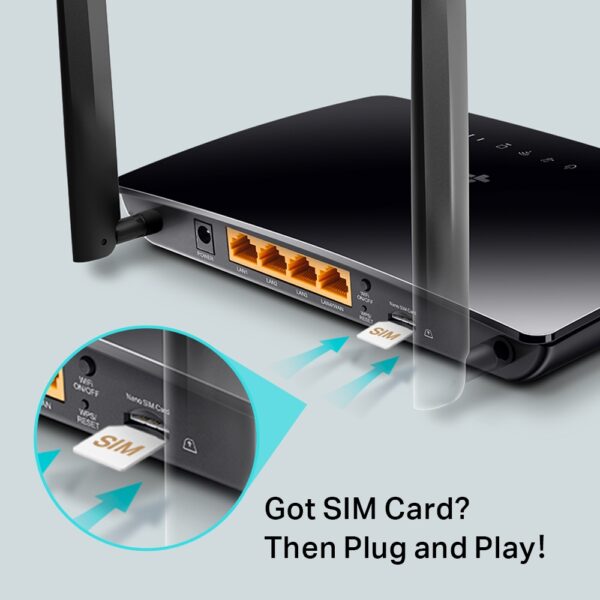
If you are looking for a way to connect an older device to your computer, a USB to DB9 RS-232 adapter cable is a great option. It is easy to use and can be used with a variety of devices. | The TP-Link Archer MR200 AC750 2.4GHz 750Mbps Dual Band 4G LTE Mobile Wi-Fi is a portable router that allows you to create a Wi-Fi hotspot wherever you go. It supports both the 2.4 GHz and 5 GHz bands, which allows you to connect to devices that only support one of these bands. It also has a SIM slot, so you can use it with a 4G LTE SIM card to get internet access anywhere there is cellular coverage.The Archer MR200 is easy to set up and use. Just insert a SIM card and turn it on, and you'll be able to connect to the internet in minutes. It also has a built-in web interface that allows you to configure its settings, such as the Wi-Fi network name and password.The Archer MR200 is a great option for anyone who needs a portable router that can provide reliable internet access. It's perfect for travelers, students, and anyone else who needs to stay connected on the go.Here are some of the key features of the TP-Link Archer MR200:Supports both the 2.4 GHz and 5 GHz bands
SIM slot for 4G LTE connectivity
Easy to set up and use
Built-in web interface for configuration
Portable and lightweight
Here are some of the benefits of using the TP-Link Archer MR200:Stay connected on the go: The Archer MR200 allows you to create a Wi-Fi hotspot wherever you go, so you can stay connected to the internet even when you're not at home or work.
Reliable internet access: The Archer MR200 supports both the 2.4 GHz and 5 GHz bands, which allows you to connect to devices that only support one of these bands. It also has a SIM slot, so you can use it with a 4G LTE SIM card to get internet access anywhere there is cellular coverage.
Easy to set up and use: The Archer MR200 is easy to set up and use. Just insert a SIM card and turn it on, and you'll be able to connect to the internet in minutes. It also has a built-in web interface that allows you to configure its settings, such as the Wi-Fi network name and password.
Portable and lightweight: The Archer MR200 is portable and lightweight, so you can easily take it with you wherever you go.
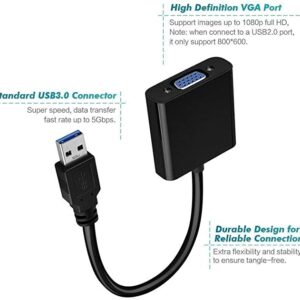
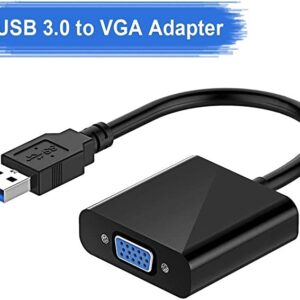
If you're looking for a portable router that can provide reliable internet access, the TP-Link Archer MR200 is a great option. It's perfect for travelers, students, and anyone else who needs to stay connected on the go. | A USB to VGA adapter is a device that allows you to connect a VGA monitor or projector to a computer that does not have a VGA port. The adapter converts the digital signal from the computer to an analog signal that can be displayed on the VGA device.The USB to VGA adapter is a simple device that is easy to use. To use the adapter, simply connect the adapter to the USB port on your computer and then connect the VGA cable from the adapter to the VGA port on your monitor or projector. Once the adapter is connected, you should be able to see the image from your computer on the VGA device.The USB to VGA adapter is a great way to add a second monitor to your computer or to connect a projector to your computer for presentations. The adapter is also a great way to use an older VGA monitor or projector with a newer computer that does not have a VGA port.Here are some of the features of the USB to VGA adapter:Supports resolutions up to 1920x1080
Plug and play installation
Compatible with Windows 7/8/8.1/10
Gold-plated connectors for corrosion resistance
Durable construction for long life
Here are some of the benefits of using a USB to VGA adapter:Allows you to connect a VGA monitor or projector to a computer that does not have a VGA port
Easy to use
Affordable
Compatible with a wide range of computers and monitors
Durable construction
If you are looking for a way to connect a VGA monitor or projector to your computer, then the USB to VGA adapter is a great option. The adapter is easy to use, affordable, and compatible with a wide range of computers and monitors. | The TP-Link 300Mbps Wireless N Ceiling Mount Access Point is a ceiling-mounted access point that provides wireless connectivity to a wide area. It supports the 802.11n standard and offers speeds of up to 300Mbps. The EAP110 is easy to install and configure, and it comes with a free PoE injector. It also features a secure guest network and centralized management.Here are some of the key features of the TP-Link 300Mbps Wireless N Ceiling Mount Access Point:Supports the 802.11n standard for speeds up to 300Mbps
Ceiling-mounted for easy installation
Includes a free PoE injector
Secure guest network
Centralized management
The TP-Link 300Mbps Wireless N Ceiling Mount Access Point is a great choice for businesses and homes that need a reliable and secure wireless network. It is easy to install and configure, and it offers a variety of features that make it a great value for the price.Here are some of the benefits of using the TP-Link 300Mbps Wireless N Ceiling Mount Access Point:Increased coverage: The EAP110 can provide wireless coverage over a large area, making it ideal for businesses and homes with multiple rooms.
Improved security: The EAP110 includes a secure guest network, which allows you to create a separate network for guests that is isolated from your main network. This helps to protect your data from unauthorized access.
Centralized management: The EAP110 can be managed centrally using the TP-Link Omada Controller software. This software allows you to configure and monitor all of your TP-Link devices from a single location.
If you are looking for a reliable and secure wireless network, the TP-Link 300Mbps Wireless N Ceiling Mount Access Point is a great option. It is easy to install and configure, and it offers a variety of features that make it a great value for the price. |








Reviews
There are no reviews yet.