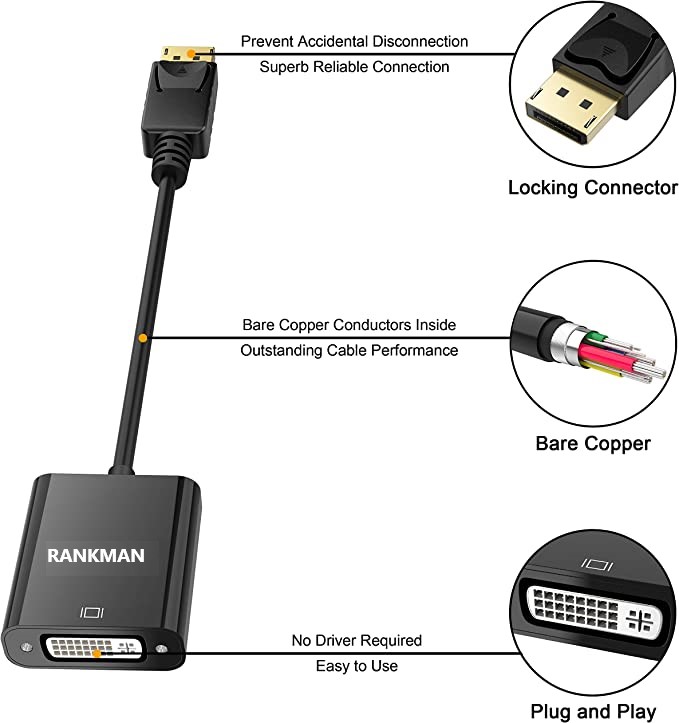
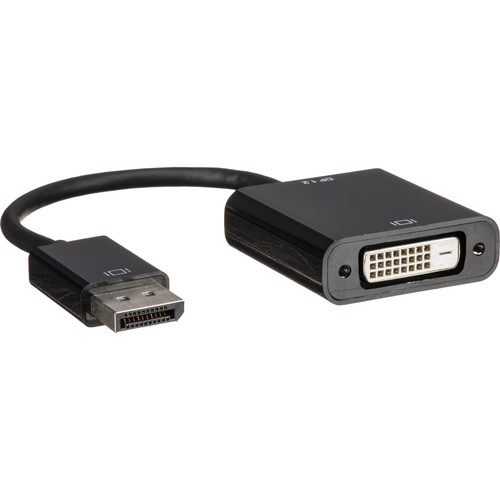
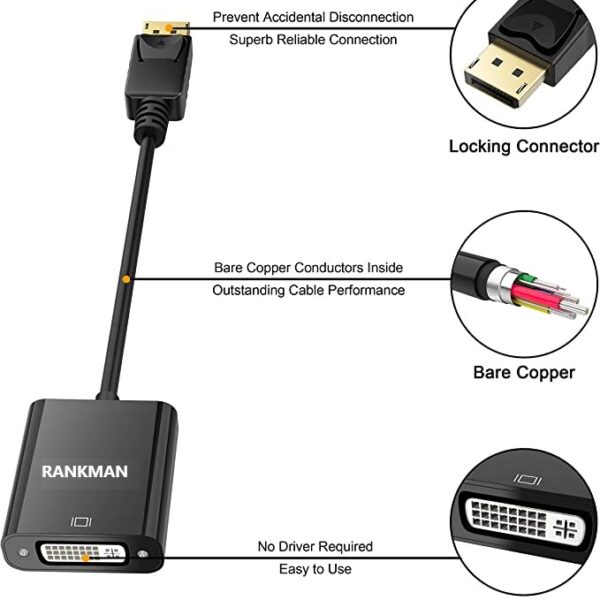
| Description | Here are some of the features of the DP DisplayPort Display Port Source to DVI Sink Monitor HDTV Converter Adapter Cable 0.2M Black:Supports resolutions up to 1920x1200 at 60Hz
Passive adapter, no drivers or software required
Short cable, measuring just 0.2 meters (8 inches)
Compatible with most DP-enabled devices
Plug-and-play
Here are some of the benefits of using the DP DisplayPort Display Port Source to DVI Sink Monitor HDTV Converter Adapter Cable 0.2M Black: | Here are some of the benefits of using the AmazonBasics Mini DisplayPort (Thunderbolt) to VGA Adapter:Affordable
Easy to use
Compatible with a wide range of devices
Supports high resolutions
Here are some of the drawbacks of the AmazonBasics Mini DisplayPort (Thunderbolt) to VGA Adapter: | Here are some of the key features of the TP-Link UE300C:Supports speeds of up to 1000Mbps
Plug and play
USB Type-C connector
Foldable and portable design
2-year warranty
Here are some of the benefits of using the TP-Link UE300C: | Here are some of the features of the USB to VGA adapter:Supports resolutions up to 1920x1080
Plug and play installation
Compatible with Windows 7/8/8.1/10
Gold-plated connectors for corrosion resistance
Durable construction for long life
Here are some of the benefits of using a USB to VGA adapter: | Here are some of the benefits of using the TP-Link Omada AC1350 Wireless Ceiling Mount Access Point:Increased coverage: The EAP225 can provide wireless coverage over a large area, making it ideal for businesses and homes with multiple rooms.
Improved security: The EAP225 includes a secure guest network, which allows you to create a separate network for guests that is isolated from your main network. This helps to protect your data from unauthorized access.
Centralized management: The EAP225 can be managed centrally using the TP-Link Omada Controller software. This software allows you to configure and monitor all of your TP-Link devices from a single location.
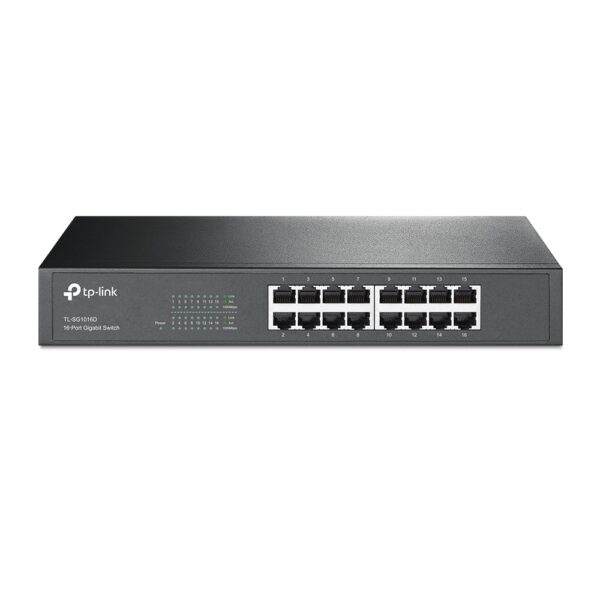
If you are looking for a reliable and secure wireless network, the TP-Link Omada AC1350 Wireless Ceiling Mount Access Point is a great option. It is easy to install and configure, and it offers a variety of features that make it a great value for the price. | Some of the key features of the TL-SG1016D include:16 Gigabit Ethernet ports
Auto MDI/MDIX and Auto Negotiation
MAC Address self-learning
Plug and Play
Energy-efficient design
The TL-SG1016D is easy to set up and use. Just connect the switch to your router or modem and then connect your devices to the switch's ports. The switch will automatically configure itself and start working. |
| Content | The DP DisplayPort Display Port Source to DVI Sink Monitor HDTV Converter Adapter Cable 0.2M Black is a passive adapter that allows you to connect a DisplayPort (DP) source to a DVI-D sink. It is a short cable, measuring just 0.2 meters (8 inches), so it is ideal for connecting a laptop or tablet to a monitor or projector that is close by.The adapter supports resolutions up to 1920x1200 at 60Hz, and it is compatible with most DP-enabled devices. It is a plug-and-play device, so there is no need to install any drivers or software.Here are some of the features of the DP DisplayPort Display Port Source to DVI Sink Monitor HDTV Converter Adapter Cable 0.2M Black:Supports resolutions up to 1920x1200 at 60Hz
Passive adapter, no drivers or software required
Short cable, measuring just 0.2 meters (8 inches)
Compatible with most DP-enabled devices
Plug-and-play
Here are some of the benefits of using the DP DisplayPort Display Port Source to DVI Sink Monitor HDTV Converter Adapter Cable 0.2M Black:Allows you to connect a DP source to a DVI-D sink
Supports high resolutions up to 1920x1200 at 60Hz
Is a plug-and-play device, so there is no need to install any drivers or software
Is a short cable, measuring just 0.2 meters (8 inches), so it is ideal for connecting a laptop or tablet to a monitor or projector that is close by
If you are looking for a way to connect a DP source to a DVI-D sink, the DP DisplayPort Display Port Source to DVI Sink Monitor HDTV Converter Adapter Cable 0.2M Black is a great option. It is a short, affordable, and easy-to-use adapter that supports high resolutions. | The AmazonBasics Mini DisplayPort (Thunderbolt) to VGA Adapter is a simple and affordable way to connect your computer to a VGA monitor or projector. The adapter is small and lightweight, making it easy to carry with you. It also supports resolutions up to 1920x1200, so you can enjoy high-quality images on your display.The AmazonBasics Mini DisplayPort (Thunderbolt) to VGA Adapter is compatible with most computers that have a Mini DisplayPort or Thunderbolt port. It is also compatible with a wide range of VGA monitors and projectors. The adapter is easy to use. Simply connect it to your computer and your VGA display, and you will be ready to start using your computer on your display.The AmazonBasics Mini DisplayPort (Thunderbolt) to VGA Adapter is a great value for the price. It is a simple and affordable way to connect your computer to a VGA monitor or projector. The adapter is small and lightweight, making it easy to carry with you. It also supports resolutions up to 1920x1200, so you can enjoy high-quality images on your display.Here are some of the features of the AmazonBasics Mini DisplayPort (Thunderbolt) to VGA Adapter:Supports resolutions up to 1920x1200
Compatible with most computers with a Mini DisplayPort or Thunderbolt port
Compatible with a wide range of VGA monitors and projectors
Small and lightweight
Easy to use
Here are some of the benefits of using the AmazonBasics Mini DisplayPort (Thunderbolt) to VGA Adapter:Affordable
Easy to use
Compatible with a wide range of devices
Supports high resolutions
Here are some of the drawbacks of the AmazonBasics Mini DisplayPort (Thunderbolt) to VGA Adapter:Not compatible with all Mini DisplayPort or Thunderbolt ports
May not support all resolutions on all devices
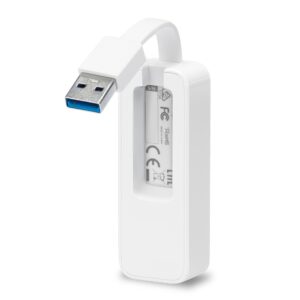
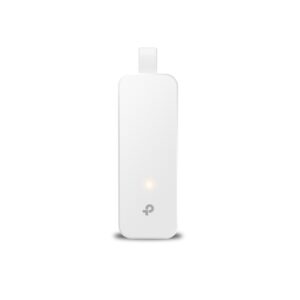
Overall, the AmazonBasics Mini DisplayPort (Thunderbolt) to VGA Adapter is a great value for the price. It is a simple and affordable way to connect your computer to a VGA monitor or projector. The adapter is small and lightweight, making it easy to carry with you. It also supports resolutions up to 1920x1200, so you can enjoy high-quality images on your display. | The TP-Link UE300C USB Type-C to RJ45 Gigabit Ethernet Network Adapter is a small, portable adapter that allows you to connect your USB Type-C devices to a wired network. It supports speeds of up to 1000Mbps, making it ideal for streaming HD video, gaming, and transferring large files.The UE300C is easy to use. Simply plug it into your USB Type-C port and connect an Ethernet cable to the other end. The adapter will automatically be detected by your computer and you will be able to connect to the internet.The UE300C is a great option for anyone who wants to add wired connectivity to their USB Type-C devices. It is small, portable, and easy to use. It is also backed by a 2-year warranty.Here are some of the key features of the TP-Link UE300C:Supports speeds of up to 1000Mbps
Plug and play
USB Type-C connector
Foldable and portable design
2-year warranty
Here are some of the benefits of using the TP-Link UE300C:Fast speeds: The UE300C supports speeds of up to 1000Mbps, making it ideal for streaming HD video, gaming, and transferring large files.
Easy to use: The UE300C is easy to use. Simply plug it into your USB Type-C port and connect an Ethernet cable to the other end. The adapter will automatically be detected by your computer and you will be able to connect to the internet.
Portable: The UE300C is small and portable, so you can easily take it with you wherever you go.
Durable: The UE300C is backed by a 2-year warranty.
If you are looking for a way to add wired connectivity to your USB Type-C devices, the TP-Link UE300C is a great option. It is small, portable, easy to use | A USB to VGA adapter is a device that allows you to connect a VGA monitor or projector to a computer that does not have a VGA port. The adapter converts the digital signal from the computer to an analog signal that can be displayed on the VGA device.The USB to VGA adapter is a simple device that is easy to use. To use the adapter, simply connect the adapter to the USB port on your computer and then connect the VGA cable from the adapter to the VGA port on your monitor or projector. Once the adapter is connected, you should be able to see the image from your computer on the VGA device.The USB to VGA adapter is a great way to add a second monitor to your computer or to connect a projector to your computer for presentations. The adapter is also a great way to use an older VGA monitor or projector with a newer computer that does not have a VGA port.Here are some of the features of the USB to VGA adapter:Supports resolutions up to 1920x1080
Plug and play installation
Compatible with Windows 7/8/8.1/10
Gold-plated connectors for corrosion resistance
Durable construction for long life
Here are some of the benefits of using a USB to VGA adapter:Allows you to connect a VGA monitor or projector to a computer that does not have a VGA port
Easy to use
Affordable
Compatible with a wide range of computers and monitors
Durable construction
If you are looking for a way to connect a VGA monitor or projector to your computer, then the USB to VGA adapter is a great option. The adapter is easy to use, affordable, and compatible with a wide range of computers and monitors. | The TP-Link Omada AC1350 Wireless Ceiling Mount Access Point is a high-performance access point that provides reliable and secure wireless connectivity for businesses and homes. It supports the 802.11ac standard and offers speeds of up to 1350Mbps. The EAP225 is easy to install and configure, and it comes with a free PoE injector. It also features a secure guest network and centralized management.Here are some of the key features of the TP-Link Omada AC1350 Wireless Ceiling Mount Access Point:Supports the 802.11ac standard for speeds up to 1350Mbps
Ceiling-mounted for easy installation
Includes a free PoE injector
Secure guest network
Centralized management
The TP-Link Omada AC1350 Wireless Ceiling Mount Access Point is a great choice for businesses and homes that need a reliable and secure wireless network. It is easy to install and configure, and it offers a variety of features that make it a great value for the price.Here are some of the benefits of using the TP-Link Omada AC1350 Wireless Ceiling Mount Access Point:Increased coverage: The EAP225 can provide wireless coverage over a large area, making it ideal for businesses and homes with multiple rooms.
Improved security: The EAP225 includes a secure guest network, which allows you to create a separate network for guests that is isolated from your main network. This helps to protect your data from unauthorized access.
Centralized management: The EAP225 can be managed centrally using the TP-Link Omada Controller software. This software allows you to configure and monitor all of your TP-Link devices from a single location.
If you are looking for a reliable and secure wireless network, the TP-Link Omada AC1350 Wireless Ceiling Mount Access Point is a great option. It is easy to install and configure, and it offers a variety of features that make it a great value for the price.Here are some additional details about the TP-Link Omada AC1350 Wireless Ceiling Mount Access Point:Dual-band: The EAP225 supports both the 2.4 GHz and 5 GHz bands, which allows you to connect to devices that only support one of these bands.
MU-MIMO: The EAP225 supports MU-MIMO technology, which allows multiple devices to transmit data at the same time, which can improve overall network performance.
Beamforming: The EAP225 supports beamforming technology, which focuses the wireless signal towards devices, which can improve range and reliability.
PoE: The EAP225 supports PoE, which allows you to power the access point using an Ethernet cable.
Guest network: The EAP225 includes a secure guest network, which allows you to create a separate network for guests that is isolated from your main network.
Centralized management: The EAP225 can be managed centrally using the TP-Link Omada Controller software. This software allows you to configure and monitor all of your TP-Link devices from a single location.
I hope this information is helpful. Please let me know if you have any other questions. | The TP-Link TL-SG1016D is a 16-port Gigabit Ethernet switch that is designed for small to medium-sized businesses. It offers a variety of features that make it a great choice for businesses that need to expand their network capacity.Some of the key features of the TL-SG1016D include:16 Gigabit Ethernet ports
Auto MDI/MDIX and Auto Negotiation
MAC Address self-learning
Plug and Play
Energy-efficient design
The TL-SG1016D is easy to set up and use. Just connect the switch to your router or modem and then connect your devices to the switch's ports. The switch will automatically configure itself and start working.The TL-SG1016D is a great choice for businesses that need to expand their network capacity. It is easy to set up and use, and it offers a variety of features that make it a reliable and affordable solution.Here are some of the benefits of using the TP-Link TL-SG1016D:Easy to set up and use: The TL-SG1016D is easy to set up and use. Just connect the switch to your router or modem and then connect your devices to the switch's ports. The switch will automatically configure itself and start working.
Reliable: The TL-SG1016D is a reliable switch that has been designed to withstand the rigors of everyday use. It is also backed by a 3-year warranty.
Affordable: The TL-SG1016D is an affordable switch that offers great value for the price.
If you are looking for a reliable and affordable switch to expand your network capacity, the TP-Link TL-SG1016D is a great option. |













Reviews
There are no reviews yet.