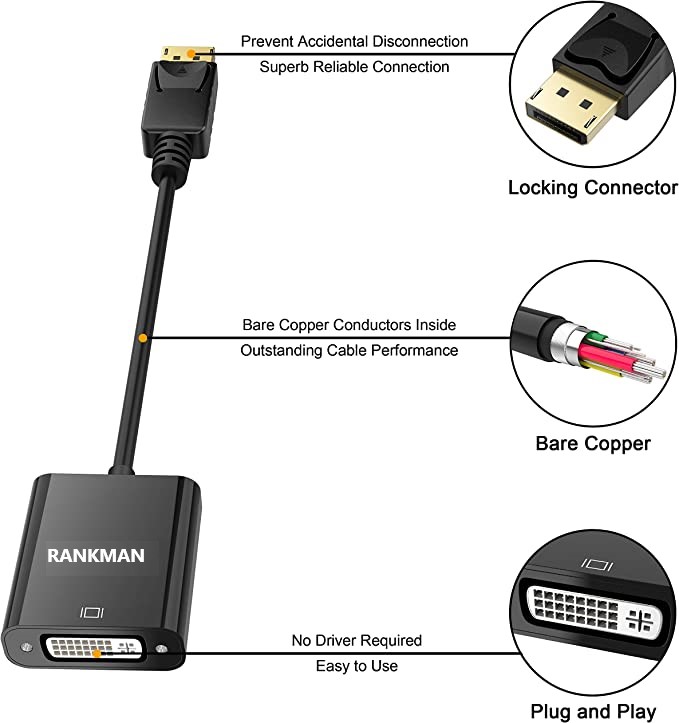
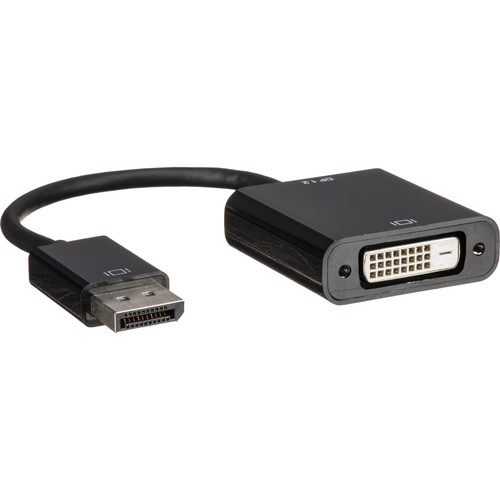
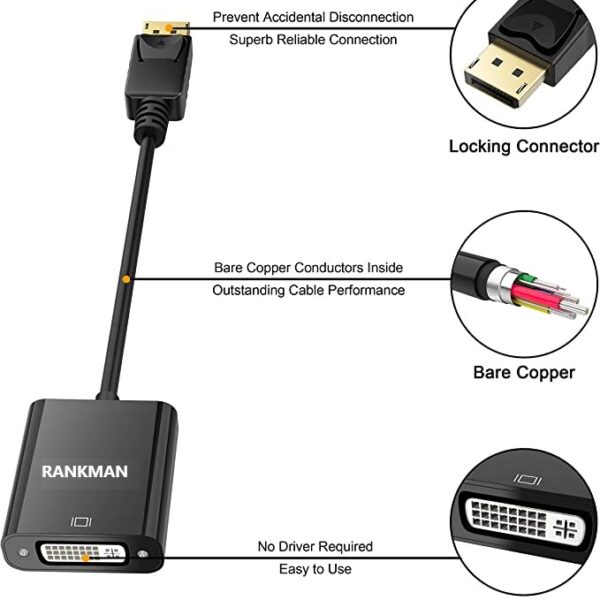
| Description | Here are some of the features of the DP DisplayPort Display Port Source to DVI Sink Monitor HDTV Converter Adapter Cable 0.2M Black:Supports resolutions up to 1920x1200 at 60Hz
Passive adapter, no drivers or software required
Short cable, measuring just 0.2 meters (8 inches)
Compatible with most DP-enabled devices
Plug-and-play
Here are some of the benefits of using the DP DisplayPort Display Port Source to DVI Sink Monitor HDTV Converter Adapter Cable 0.2M Black: | Here are some of the features of the Logitech H111:Standard 3.5mm audio jack
Compatible with most devices
Adjustable headband
Soft foam ear cups
Rotatable microphone
Clear sound quality
Comfortable fit | Here are some of the benefits of using a USB 3.0 hub:You can connect more devices to your computer.
You can transfer files faster.
You can use your devices more efficiently.
You can save space on your desk.
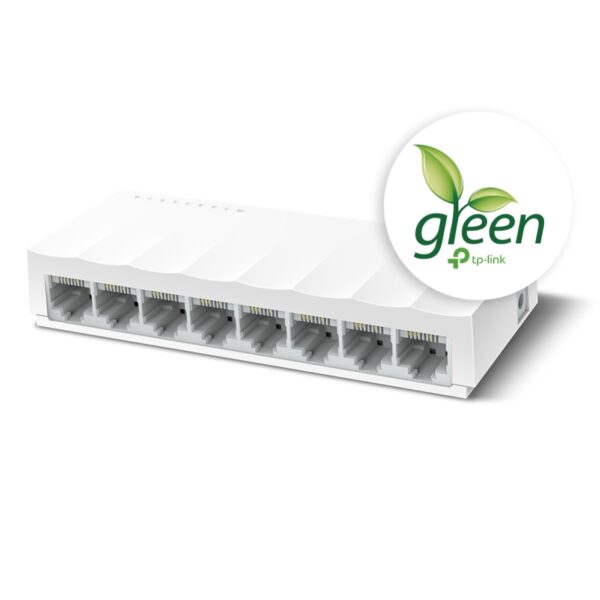
If you need to connect more devices to your computer, a USB 3.0 hub is a great solution. | Here are some of the key features of the TP-Link LS1008:8 Gigabit Ethernet ports
Auto MDI/MDIX
Energy-efficient technology
Plug and play
The TP-Link LS1008 is a great choice for anyone looking to expand their wired network. It is easy to use and reliable, and it offers a variety of features that make it a great value for the price. | Here are some of the key features of a USB 2.0 High Speed Printer Cable Scanner Cable A Male to B Male for HP, Canon, Etc. GREY:Supports speeds of up to 480 Mbps
Backward compatible with USB 1.1 and USB 1.0 devices
Shielded to protect against interference
Easy to use
Compatible with a wide range of printers and scanners
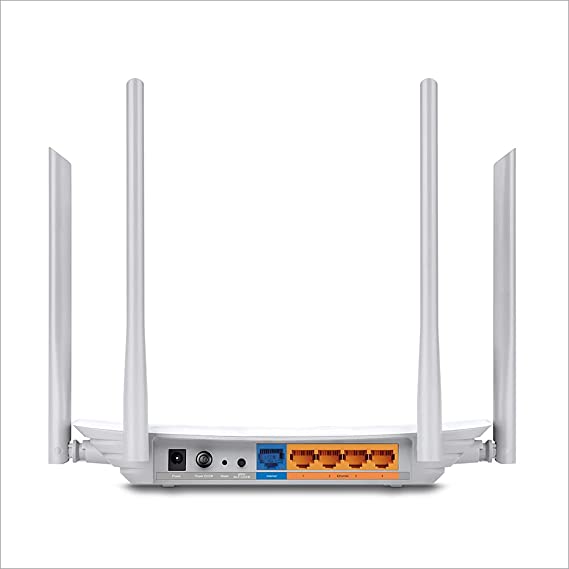
Here are some of the benefits of using a USB 2.0 High Speed Printer Cable Scanner Cable A Male to B Male for HP, Canon, Etc. GREY: | Here are some of the features and benefits of the TP-Link Archer C50 AC1200 Dual Band Wireless Cable Router:Supports 802.11ac standard for up to 1200 Mbps wireless speeds
Simultaneous 2.4 GHz 300 Mbps and 5GHz 867 Mbps connections
2 external antennas for stable wireless connections and optimal coverage
Supports Parental Control, Guest Wi-Fi, and VPN
Easy to set up and use |
| Content | The DP DisplayPort Display Port Source to DVI Sink Monitor HDTV Converter Adapter Cable 0.2M Black is a passive adapter that allows you to connect a DisplayPort (DP) source to a DVI-D sink. It is a short cable, measuring just 0.2 meters (8 inches), so it is ideal for connecting a laptop or tablet to a monitor or projector that is close by.The adapter supports resolutions up to 1920x1200 at 60Hz, and it is compatible with most DP-enabled devices. It is a plug-and-play device, so there is no need to install any drivers or software.Here are some of the features of the DP DisplayPort Display Port Source to DVI Sink Monitor HDTV Converter Adapter Cable 0.2M Black:Supports resolutions up to 1920x1200 at 60Hz
Passive adapter, no drivers or software required
Short cable, measuring just 0.2 meters (8 inches)
Compatible with most DP-enabled devices
Plug-and-play
Here are some of the benefits of using the DP DisplayPort Display Port Source to DVI Sink Monitor HDTV Converter Adapter Cable 0.2M Black:Allows you to connect a DP source to a DVI-D sink
Supports high resolutions up to 1920x1200 at 60Hz
Is a plug-and-play device, so there is no need to install any drivers or software
Is a short cable, measuring just 0.2 meters (8 inches), so it is ideal for connecting a laptop or tablet to a monitor or projector that is close by
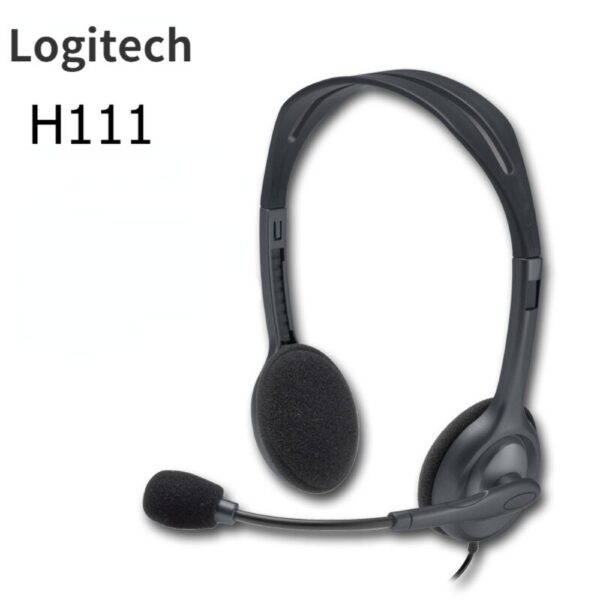
If you are looking for a way to connect a DP source to a DVI-D sink, the DP DisplayPort Display Port Source to DVI Sink Monitor HDTV Converter Adapter Cable 0.2M Black is a great option. It is a short, affordable, and easy-to-use adapter that supports high resolutions. | The Logitech H111 is a wired on-ear headset with a microphone. It is a simple and affordable headset that is perfect for making calls, listening to music, or watching videos. The headset has a standard 3.5mm audio jack and is compatible with most devices, including computers, smartphones, and tablets.The H111 has a sturdy yet lightweight design. The headband is adjustable to fit most head sizes, and the ear cups are made of soft foam for a comfortable fit. The microphone is located on the left ear cup and can be rotated to the right side if desired.The H111 produces clear sound with good bass response. The microphone is also clear and picks up sound well. The headset is comfortable to wear for long periods of time.Overall, the Logitech H111 is a great value for the price. It is a simple and affordable headset that delivers good sound quality and a comfortable fit.Here are some of the features of the Logitech H111:Standard 3.5mm audio jack
Compatible with most devices
Adjustable headband
Soft foam ear cups
Rotatable microphone
Clear sound quality
Comfortable fit
Here are some of the benefits of using the Logitech H111:Affordable
Easy to use
Comfortable to wear
Good sound quality
Clear microphone
Here are some of the drawbacks of the Logitech H111:Not noise-canceling
Not wireless
Not high-end sound quality
Overall, the Logitech H111 is a great value for the price. It is a simple and affordable headset that delivers good sound quality and a comfortable fit. If you are looking for a basic headset for making calls, listening to music, or watching videos, the Logitech H111 is a great option. | The 4 Port USB HUB SuperSpeed 3.0 High-Speed Multiport Slim USB Hub 1 feet Cable Length Adapter and Led Indicator Compatible for Pendrive, Mouse, Keyboards, Mobile, Tablet ( Black ) 08 is a USB 3.0 hub that allows you to connect up to four USB devices to your computer. It has a sleek and slim design that makes it easy to take with you on the go, and it comes with a built-in LED indicator that shows which ports are in use. The hub is compatible with a wide range of devices, including external hard drives, printers, scanners, and more. It also supports data transfer speeds of up to 5Gbps, which means you can transfer large files quickly and easily.Here are some of the key features of the 4 Port USB HUB SuperSpeed 3.0 High-Speed Multiport Slim USB Hub 1 feet Cable Length Adapter and Led Indicator Compatible for Pendrive, Mouse, Keyboards, Mobile, Tablet ( Black ) 08:Supports up to four USB devices
Slim and portable design
Built-in LED indicator
Compatible with a wide range of devices
Data transfer speeds of up to 5Gbps
If you're looking for a high-speed USB 3.0 hub that is easy to use and compatible with a wide range of devices, the 4 Port USB HUB SuperSpeed 3.0 High-Speed Multiport Slim USB Hub 1 feet Cable Length Adapter and Led Indicator Compatible for Pendrive, Mouse, Keyboards, Mobile, Tablet ( Black ) 08 is a great option.Here are some of the benefits of using a USB 3.0 hub:You can connect more devices to your computer.
You can transfer files faster.
You can use your devices more efficiently.
You can save space on your desk.
If you need to connect more devices to your computer, a USB 3.0 hub is a great solution. |
1
The TP-Link LS1008 is an 8-port 10/100Mbps desktop switch that offers an easy and affordable way to expand your wired network. It is easy to use and reliable, and with all ports supporting Auto-MDI/MDIX, there's no need to worry about the type of cable to use. The LiteWave Series also supports energy-efficient technology, helping you save power and money.Here are some of the key features of the TP-Link LS1008:8 Gigabit Ethernet ports
Auto MDI/MDIX
Energy-efficient technology
Plug and play
The TP-Link LS1008 is a great choice for anyone looking to expand their wired network. It is easy to use and reliable, and it offers a variety of features that make it a great value for the price.Here are some of the benefits of using the TP-Link LS1008:Easy to use: The LS1008 is a plug-and-play device, so there's no need to configure anything. Just connect your devices to the ports and you're good to go.
Reliable: The LS1008 is a reliable device that has been designed to withstand the rigors of everyday use. It is also backed by a 2-year warranty.
Affordable: The LS1008 is an affordable device that offers great value for the price.
If you are looking to expand your wired network, the TP-Link LS1008 is a great option. It is easy to use, reliable, and affordable. | A USB 2.0 High Speed Printer Cable Scanner Cable A Male to B Male for HP, Canon, Etc. GREY is a type of cable that is used to connect printers and scanners to computers. It is a high-speed cable that can transfer data at speeds of up to 480 Mbps. The cable is also backward compatible with USB 1.1 and USB 1.0 devices.The cable is made of high-quality materials and is designed to last. It is also shielded to protect against interference. The cable is easy to use and can be plugged in and unplugged without any difficulty.The cable is compatible with a wide range of printers and scanners. It is also compatible with a variety of computers, including Windows, Mac, and Linux computers.The cable is a great way to connect your printer or scanner to your computer. It is a high-quality cable that is easy to use and compatible with a wide range of devices.Here are some of the key features of a USB 2.0 High Speed Printer Cable Scanner Cable A Male to B Male for HP, Canon, Etc. GREY:Supports speeds of up to 480 Mbps
Backward compatible with USB 1.1 and USB 1.0 devices
Shielded to protect against interference
Easy to use
Compatible with a wide range of printers and scanners
Here are some of the benefits of using a USB 2.0 High Speed Printer Cable Scanner Cable A Male to B Male for HP, Canon, Etc. GREY:Fast speeds: The cable supports speeds of up to 480 Mbps, which allows you to transfer data quickly and easily.
Backward compatibility: The cable is backward compatible with USB 1.1 and USB 1.0 devices, so you can use it with older devices.
Shielding: The cable is shielded to protect against interference, which can help to improve the quality of your data transfer.
Easy to use: The cable is easy to use and can be plugged in and unplugged without any difficulty.
Compatibility: The cable is compatible with a wide range of printers and scanners, so you can use it with most devices.
If you are looking for a high-quality cable to connect your printer or scanner to your computer, a USB 2.0 High Speed Printer Cable Scanner Cable A Male to B Male for HP, Canon, Etc. GREY is a great option. It is a fast, backward compatible, shielded, easy to use, and compatible cable that is perfect for most users. | TP-Link Archer C50 AC1200 Dual Band Wireless Cable Router, Wi-Fi Speed Up to 867 Mbps/5 GHz + 300 Mbps/2.4 GHz, Supports Parental Control, Guest Wi-Fi, VPN (White)The TP-Link Archer C50 AC1200 Dual Band Wireless Cable Router is a high-speed router that can provide you with seamless HD streaming, online gaming, and other bandwidth-intensive tasks. It supports 802.11ac standard and can simultaneously provide you with 2.4 GHz 300 Mbps and 5GHz 867 Mbps connections. It also has 2 external antennas that provide stable wireless connections and optimal coverage.The Archer C50 also supports Parental Control, Guest Wi-Fi, and VPN. Parental Control allows you to restrict access to certain websites and applications, while Guest Wi-Fi allows you to create a separate Wi-Fi network for guests. VPN allows you to securely connect to a remote network, such as a corporate network or a public Wi-Fi network.Here are some of the features and benefits of the TP-Link Archer C50 AC1200 Dual Band Wireless Cable Router:Supports 802.11ac standard for up to 1200 Mbps wireless speeds
Simultaneous 2.4 GHz 300 Mbps and 5GHz 867 Mbps connections
2 external antennas for stable wireless connections and optimal coverage
Supports Parental Control, Guest Wi-Fi, and VPN
Easy to set up and use
The TP-Link Archer C50 AC1200 Dual Band Wireless Cable Router is a great choice for anyone looking for a high-speed router that can provide seamless HD streaming, online gaming, and other bandwidth-intensive tasks. It is also a good choice for families who want to use parental controls to restrict access to certain websites and applications. |










Reviews
There are no reviews yet.