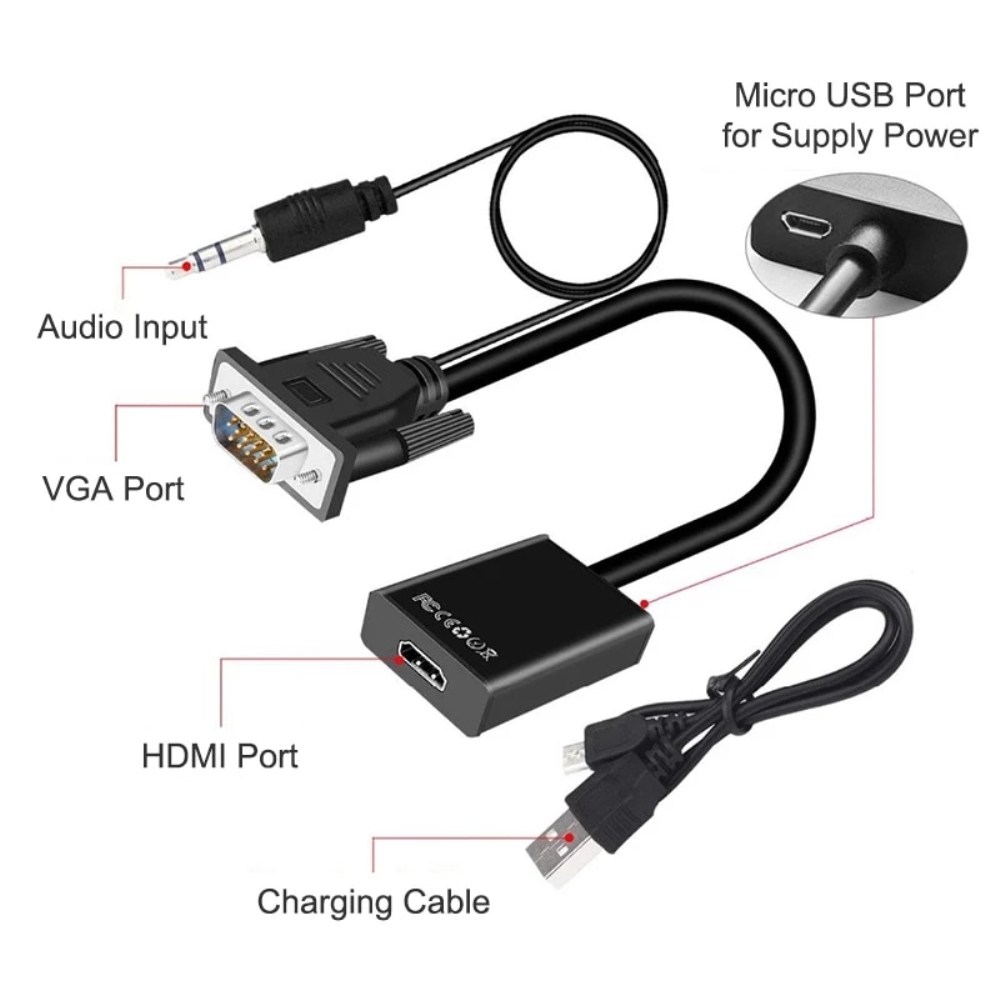
| Description | Here are some of the features of the 1080P VGA to HDMI Adapter:Supports resolutions up to 1920x1080 at 60Hz
Includes an audio cable and a USB cable
Plug and play, no drivers required
Compatible with most VGA and HDMI devices
Here are some of the benefits of using a VGA to HDMI adapter: | Here are some of the features and benefits of the TP-Link Archer C50 AC1200 Dual Band Wireless Cable Router:Supports 802.11ac standard for up to 1200 Mbps wireless speeds
Simultaneous 2.4 GHz 300 Mbps and 5GHz 867 Mbps connections
2 external antennas for stable wireless connections and optimal coverage
Supports Parental Control, Guest Wi-Fi, and VPN
Easy to set up and use | Here are some of the key features of the TP-Link UE300C:Supports speeds of up to 1000Mbps
Plug and play
USB Type-C connector
Foldable and portable design
2-year warranty
Here are some of the benefits of using the TP-Link UE300C: | Here are some of the key features of the TP-Link Archer MR400:Supports both the 2.4 GHz and 5 GHz bands
SIM slot for 4G LTE connectivity
Easy to set up and use
Built-in web interface for configuration
Portable and lightweight
Removable Wi-Fi antennas
Here are some of the benefits of using the TP-Link Archer MR400: | Here are some of the key features of the GOBBLER GB-9788-E:Fully automatic operation
UV, MG, and IR counterfeit detection
Batch counting function
Large LCD display
Compact and lightweight design
The GOBBLER GB-9788-E is a reliable and efficient note counting machine that is perfect for businesses of all sizes. It is easy to use and provides accurate results, making it a valuable asset for any business that handles cash. | The adapter is compatible with a variety of devices, including:iPhone
Samsung S20 ultra/S21/S10/S8/S9
MacBook Pro
iPad
To use the adapter, simply plug the Mini USB cable into the adapter and then plug the adapter into the USB Type C port.The adapter is a great way to connect your older devices to new devices that have USB Type C ports. It is also a great way to avoid having to buy new cables for all of your devices. |
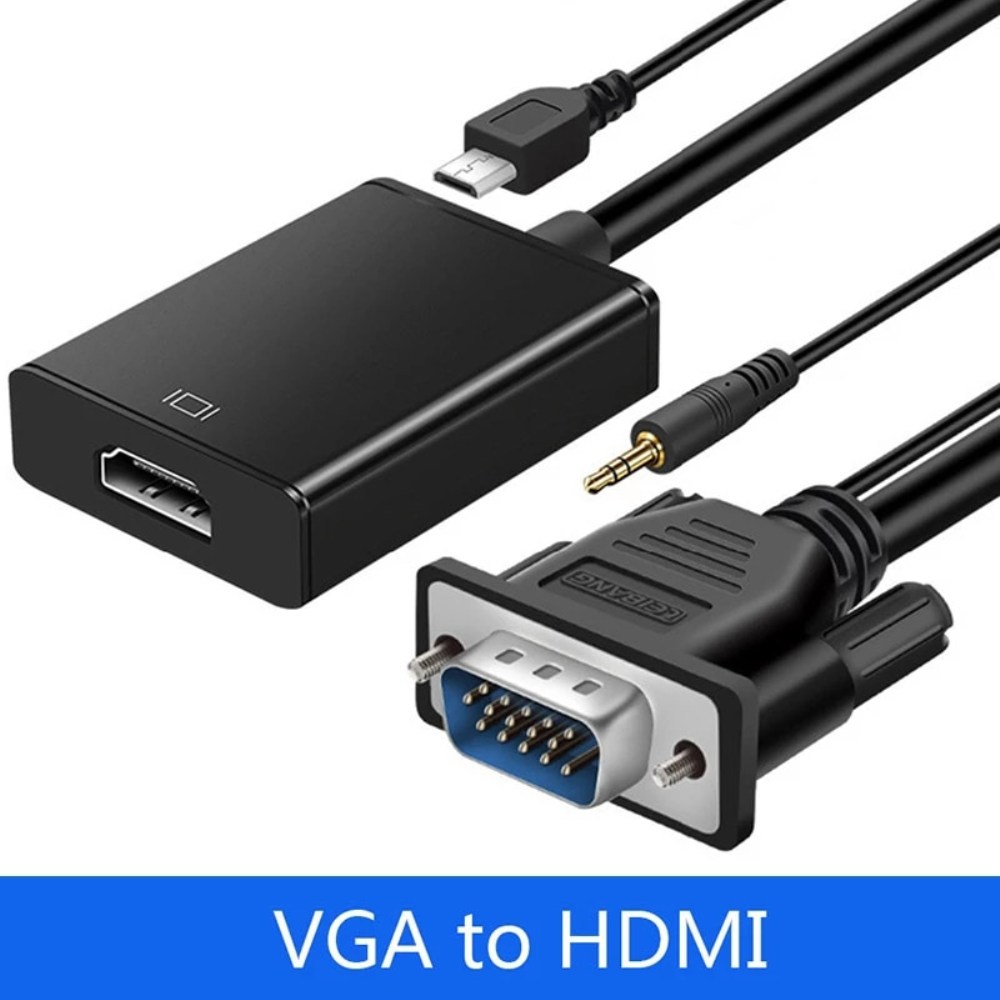
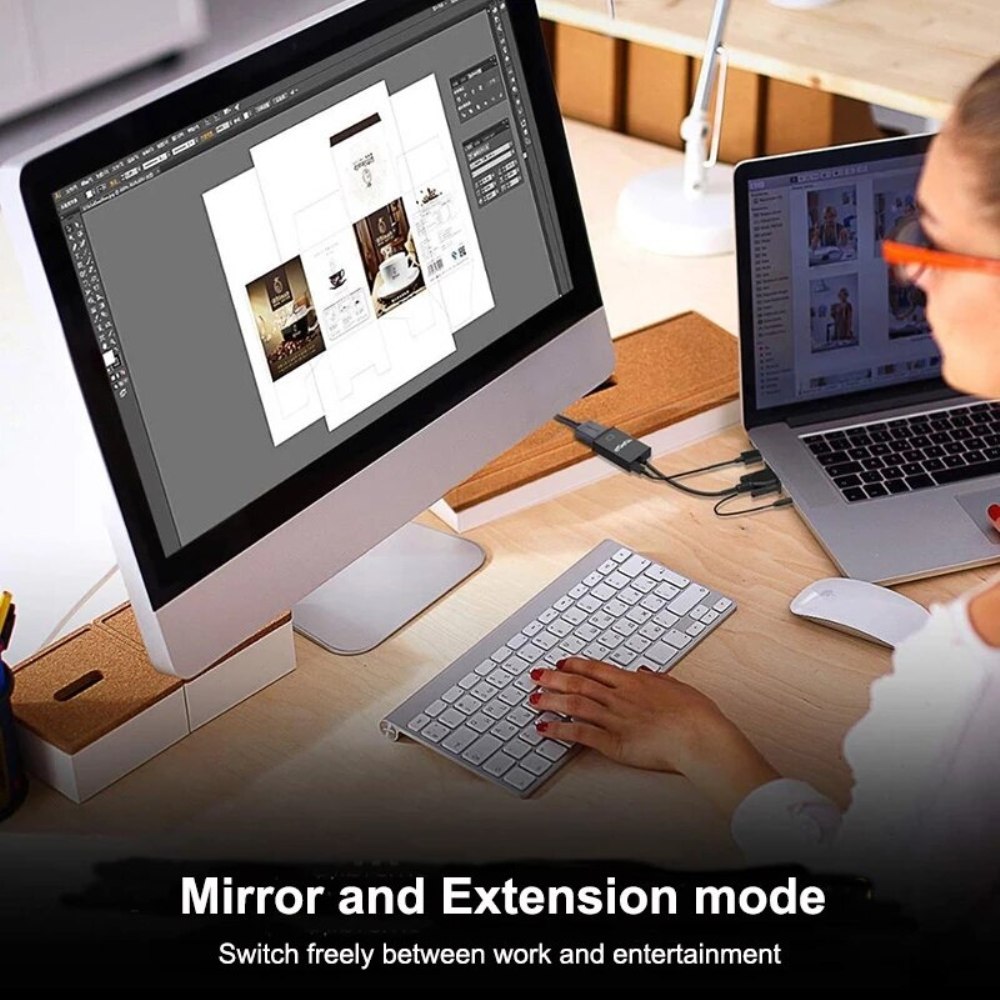
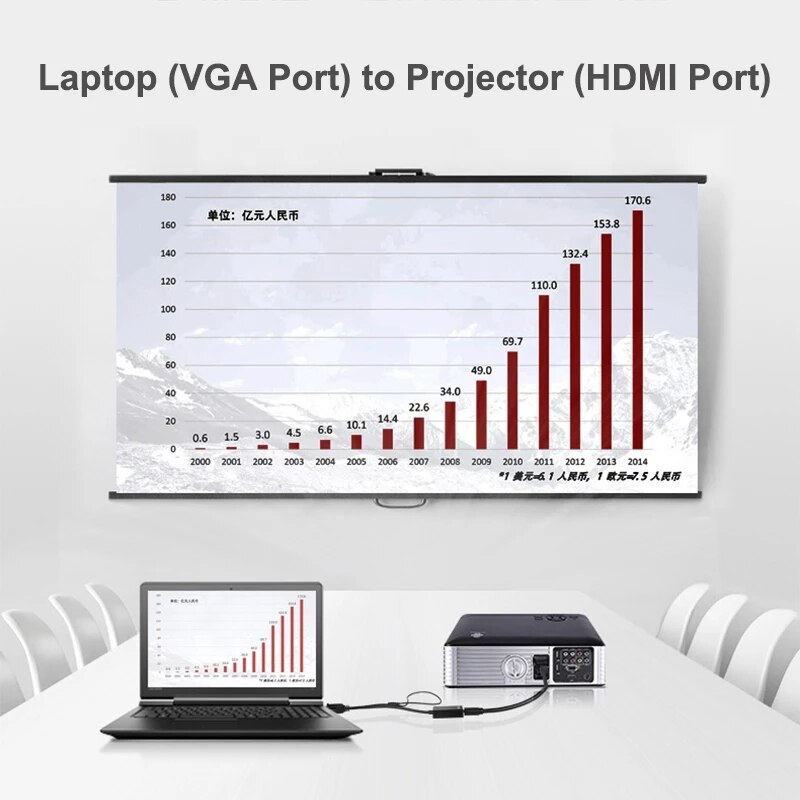
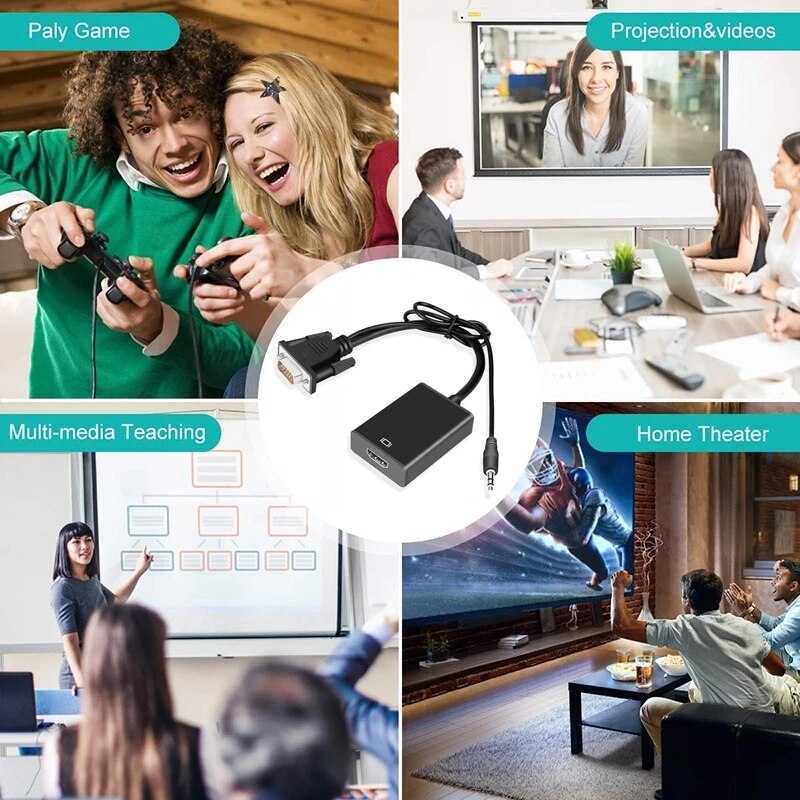
| Content | A VGA to HDMI adapter is a device that allows you to connect a VGA-equipped device, such as a computer or laptop, to an HDMI display, such as a TV or projector. This adapter converts the analog VGA signal from your device into a digital HDMI signal that can be output to the HDMI display.The 1080P VGA to HDMI Adapter is a great way to connect your old VGA devices to newer HDMI displays. It supports resolutions up to 1920x1080 at 60Hz, so you can enjoy your content in full HD. The adapter also includes an audio cable and a USB cable, so you can get both video and audio output from your device.Here are some of the features of the 1080P VGA to HDMI Adapter:Supports resolutions up to 1920x1080 at 60Hz
Includes an audio cable and a USB cable
Plug and play, no drivers required
Compatible with most VGA and HDMI devices
Here are some of the benefits of using a VGA to HDMI adapter:You can connect your old VGA devices to newer HDMI displays
You can enjoy your content in full HD
You can get both video and audio output from your device
It is a simple and easy way to connect your devices
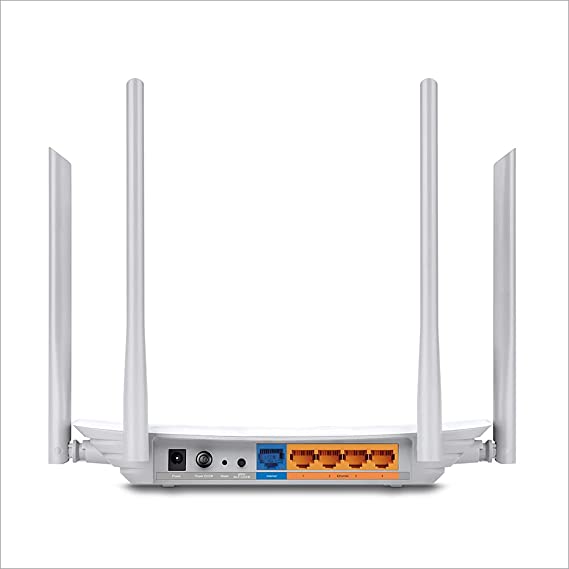
If you are looking for a way to connect your old VGA devices to newer HDMI displays, the 1080P VGA to HDMI Adapter is a great option. It is easy to use and supports resolutions up to 1920x1080 at 60Hz. So what are you waiting for? Order your 1080P VGA to HDMI Adapter today! | TP-Link Archer C50 AC1200 Dual Band Wireless Cable Router, Wi-Fi Speed Up to 867 Mbps/5 GHz + 300 Mbps/2.4 GHz, Supports Parental Control, Guest Wi-Fi, VPN (White)The TP-Link Archer C50 AC1200 Dual Band Wireless Cable Router is a high-speed router that can provide you with seamless HD streaming, online gaming, and other bandwidth-intensive tasks. It supports 802.11ac standard and can simultaneously provide you with 2.4 GHz 300 Mbps and 5GHz 867 Mbps connections. It also has 2 external antennas that provide stable wireless connections and optimal coverage.The Archer C50 also supports Parental Control, Guest Wi-Fi, and VPN. Parental Control allows you to restrict access to certain websites and applications, while Guest Wi-Fi allows you to create a separate Wi-Fi network for guests. VPN allows you to securely connect to a remote network, such as a corporate network or a public Wi-Fi network.Here are some of the features and benefits of the TP-Link Archer C50 AC1200 Dual Band Wireless Cable Router:Supports 802.11ac standard for up to 1200 Mbps wireless speeds
Simultaneous 2.4 GHz 300 Mbps and 5GHz 867 Mbps connections
2 external antennas for stable wireless connections and optimal coverage
Supports Parental Control, Guest Wi-Fi, and VPN
Easy to set up and use
The TP-Link Archer C50 AC1200 Dual Band Wireless Cable Router is a great choice for anyone looking for a high-speed router that can provide seamless HD streaming, online gaming, and other bandwidth-intensive tasks. It is also a good choice for families who want to use parental controls to restrict access to certain websites and applications. | The TP-Link UE300C USB Type-C to RJ45 Gigabit Ethernet Network Adapter is a small, portable adapter that allows you to connect your USB Type-C devices to a wired network. It supports speeds of up to 1000Mbps, making it ideal for streaming HD video, gaming, and transferring large files.The UE300C is easy to use. Simply plug it into your USB Type-C port and connect an Ethernet cable to the other end. The adapter will automatically be detected by your computer and you will be able to connect to the internet.The UE300C is a great option for anyone who wants to add wired connectivity to their USB Type-C devices. It is small, portable, and easy to use. It is also backed by a 2-year warranty.Here are some of the key features of the TP-Link UE300C:Supports speeds of up to 1000Mbps
Plug and play
USB Type-C connector
Foldable and portable design
2-year warranty
Here are some of the benefits of using the TP-Link UE300C:Fast speeds: The UE300C supports speeds of up to 1000Mbps, making it ideal for streaming HD video, gaming, and transferring large files.
Easy to use: The UE300C is easy to use. Simply plug it into your USB Type-C port and connect an Ethernet cable to the other end. The adapter will automatically be detected by your computer and you will be able to connect to the internet.
Portable: The UE300C is small and portable, so you can easily take it with you wherever you go.
Durable: The UE300C is backed by a 2-year warranty.
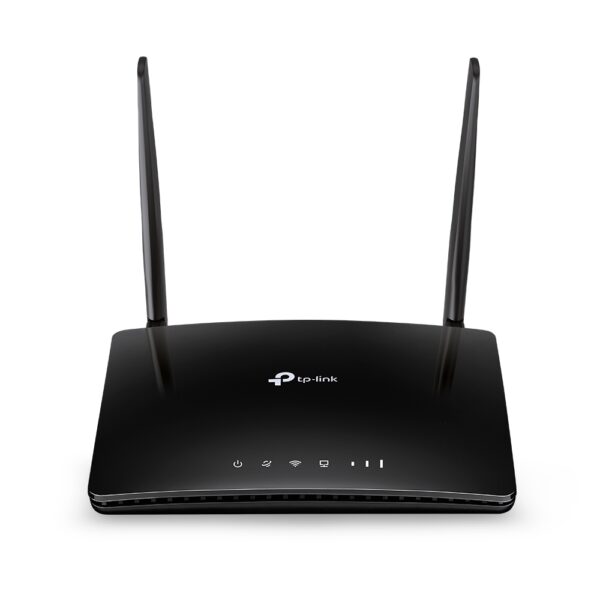
If you are looking for a way to add wired connectivity to your USB Type-C devices, the TP-Link UE300C is a great option. It is small, portable, easy to use | The TP-Link Archer MR400 AC1200 Mbps Dual Band 4G Mobile Wi-Fi is a portable router that allows you to create a Wi-Fi hotspot wherever you go. It supports both the 2.4 GHz and 5 GHz bands, which allows you to connect to devices that only support one of these bands. It also has a SIM slot, so you can use it with a 4G LTE SIM card to get internet access anywhere there is cellular coverage.The Archer MR400 is easy to set up and use. Just insert a SIM card and turn it on, and you'll be able to connect to the internet in minutes. It also has a built-in web interface that allows you to configure its settings, such as the Wi-Fi network name and password.The Archer MR400 is a great option for anyone who needs a portable router that can provide reliable internet access. It's perfect for travelers, students, and anyone else who needs to stay connected on the go.Here are some of the key features of the TP-Link Archer MR400:Supports both the 2.4 GHz and 5 GHz bands
SIM slot for 4G LTE connectivity
Easy to set up and use
Built-in web interface for configuration
Portable and lightweight
Removable Wi-Fi antennas
Here are some of the benefits of using the TP-Link Archer MR400:Stay connected on the go: The Archer MR400 allows you to create a Wi-Fi hotspot wherever you go, so you can stay connected to the internet even when you're not at home or work.
Reliable internet access: The Archer MR400 supports both the 2.4 GHz and 5 GHz bands, which allows you to connect to devices that only support one of these bands. It also has a SIM slot, so you can use it with a 4G LTE SIM card to get internet access anywhere there is cellular coverage.
Easy to set up and use: The Archer MR400 is easy to set up and use. Just insert a SIM card and turn it on, and you'll be able to connect to the internet in minutes. It also has a built-in web interface that allows you to configure its settings, such as the Wi-Fi network name and password.
Portable and lightweight: The Archer MR400 is portable and lightweight, so you can easily take it with you wherever you go.
Removable Wi-Fi antennas: The Archer MR400 has removable Wi-Fi antennas, which allows you to adjust the signal strength and coverage.
If you're looking for a portable router that can provide reliable internet access, the TP-Link Archer MR400 is a great option. It's perfect for travelers, students, and anyone else who needs to stay connected on the go. | The GOBBLER GB-9788-E Mix Note Value Counting Machine Fully Automatic Cash Counter with Fake Note Detection is a high-speed, fully automatic note counting machine that can count up to 1000 notes per minute. It is equipped with a variety of features to ensure accurate counting, including UV, MG, and IR counterfeit detection, as well as a batch counting function. The machine also has a large LCD display that shows the total count, denomination, and serial number of the notes being counted.The GOBBLER GB-9788-E is a versatile machine that can be used in a variety of settings, including banks, retail stores, and casinos. It is also a great choice for businesses that need to count large amounts of cash on a regular basis.Here are some of the key features of the GOBBLER GB-9788-E:Fully automatic operation
UV, MG, and IR counterfeit detection
Batch counting function
Large LCD display
Compact and lightweight design
The GOBBLER GB-9788-E is a reliable and efficient note counting machine that is perfect for businesses of all sizes. It is easy to use and provides accurate results, making it a valuable asset for any business that handles cash.Here are some of the benefits of using the GOBBLER GB-9788-E:Increased efficiency: The GOBBLER GB-9788-E can count up to 1000 notes per minute, which can save you a significant amount of time.
Improved accuracy: The GOBBLER GB-9788-E is equipped with a variety of counterfeit detection features to ensure that your cash is accurate.
Reduced risk of fraud: The GOBBLER GB-9788-E can help to reduce the risk of fraud by detecting counterfeit notes.
Increased security: The GOBBLER GB-9788-E is a secure machine that helps to protect your cash from theft.
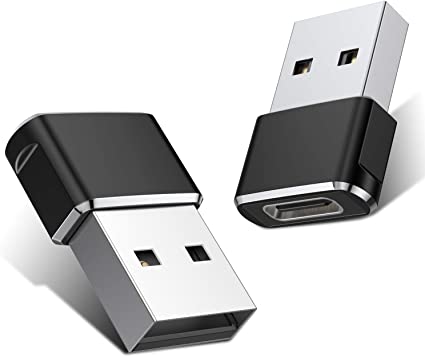
If you are looking for a reliable and efficient note counting machine, the GOBBLER GB-9788-E is a great option. It is easy to use, provides accurate results, and can help to improve your business operations. | A Mini USB C Type C Adapter Plug, Type C Female to USB A Male Charger Charging Cable Adapter Converter is a device that allows you to connect a Mini USB device to a USB Type C port. This can be useful if you have a new device that only has a USB Type C port, but you still have older devices that use Mini USB cables.The adapter is small and lightweight, making it easy to carry with you. It is also made of durable materials, so it can withstand the wear and tear of everyday use.The adapter is compatible with a variety of devices, including:iPhone
Samsung S20 ultra/S21/S10/S8/S9
MacBook Pro
iPad
To use the adapter, simply plug the Mini USB cable into the adapter and then plug the adapter into the USB Type C port.The adapter is a great way to connect your older devices to new devices that have USB Type C ports. It is also a great way to avoid having to buy new cables for all of your devices.Here are some of the benefits of using a Mini USB C Type C Adapter Plug, Type C Female to USB A Male Charger Charging Cable Adapter Converter:Allows you to connect Mini USB devices to USB Type C ports
Small and lightweight
Made of durable materials
Compatible with a variety of devices
Affordable
If you have a Mini USB device and a new device that only has a USB Type C port, then a Mini USB C Type C Adapter Plug, Type C Female to USB A Male Charger Charging Cable Adapter Converter is a great way to connect the two devices. |











Reviews
There are no reviews yet.