| Description | Here are some of the limitations of the Mini HD AV2VGA Video Converter:It does not support VGA to AV conversion.
It may not work with all devices.
The image quality may not be as good as with a native VGA signal.
Overall, the Mini HD AV2VGA Video Converter is a great way to connect older AV devices to a modern VGA monitor or TV. It is easy to use and affordable, and it supports resolutions up to 1080p. However, it is important to note that it does not support VGA to AV conversion, and the image quality may not be as good as with a native VGA signal. | Here are some of the benefits of using the LAPCARE 600VA UPS | Lap LONG-650:Protects your devices from power outages
Affordable
Available in a number of different deals
If you are looking for a UPS to protect your devices from power outages, the LAPCARE 600VA UPS | Lap LONG-650 is a great option. It is affordable and available in a number of different deals. | Here are some of the benefits of using the SanDisk Extreme Portable SSD:Fast transfer speeds
Durable construction
Wide compatibility
Long warranty
Here are some of the drawbacks of the SanDisk Extreme Portable SSD: | The adapter is compatible with a variety of devices, including:iPhone
Samsung S20 ultra/S21/S10/S8/S9
MacBook Pro
iPad
To use the adapter, simply plug the Mini USB cable into the adapter and then plug the adapter into the USB Type C port.The adapter is a great way to connect your older devices to new devices that have USB Type C ports. It is also a great way to avoid having to buy new cables for all of your devices. | Here are some of the key features of the TP-Link Archer MR200:Supports both the 2.4 GHz and 5 GHz bands
SIM slot for 4G LTE connectivity
Easy to set up and use
Built-in web interface for configuration
Portable and lightweight
Here are some of the benefits of using the TP-Link Archer MR200: | Here are some of the benefits of using a VGA to HDMI with Audio Adapter:Allows you to connect VGA devices to HDMI monitors or projectors
Small and lightweight
Made of durable materials
Compatible with a variety of devices
Affordable
If you have a VGA device and a new monitor or projector that only has HDMI ports, then a VGA to HDMI with Audio Adapter is a great way to connect the two devices. |
| Content |
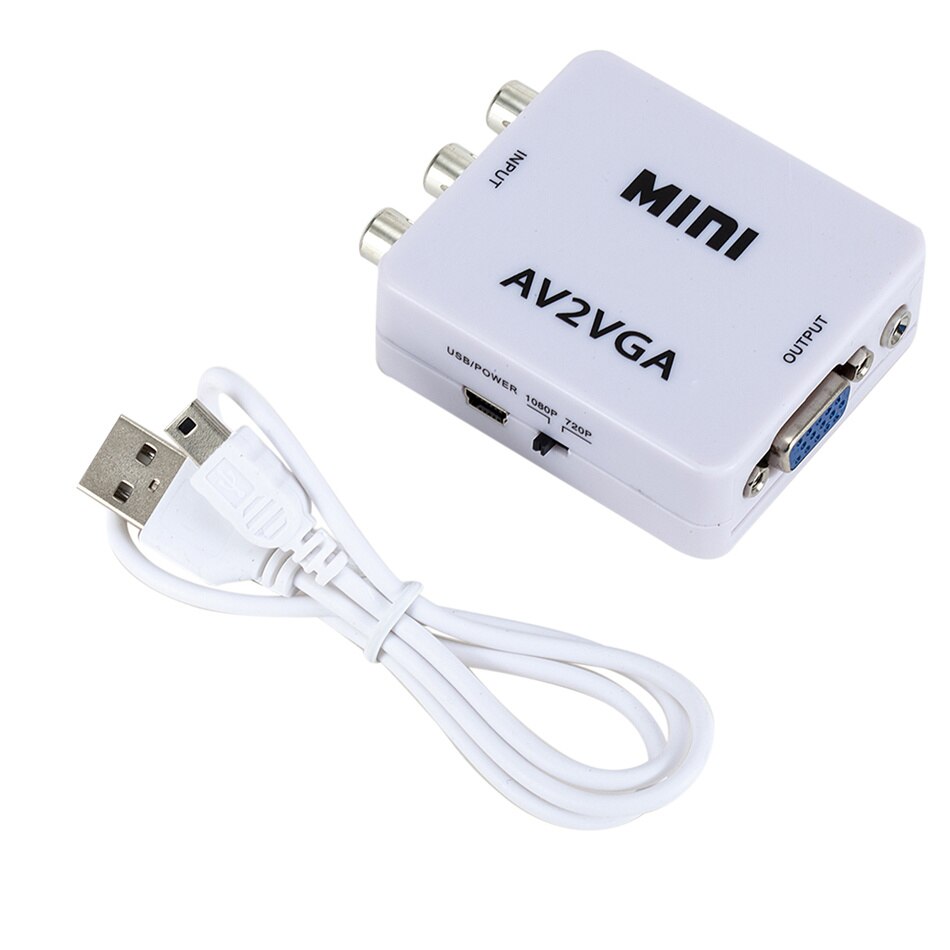
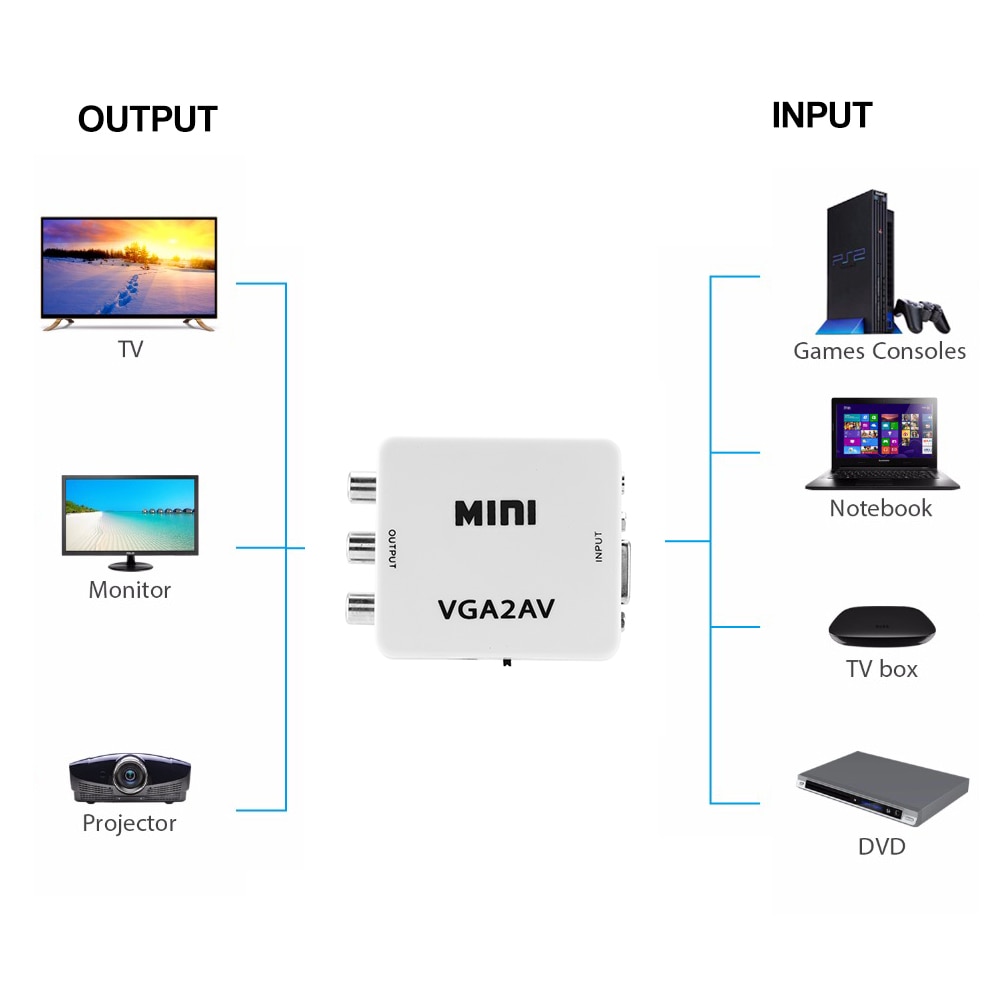
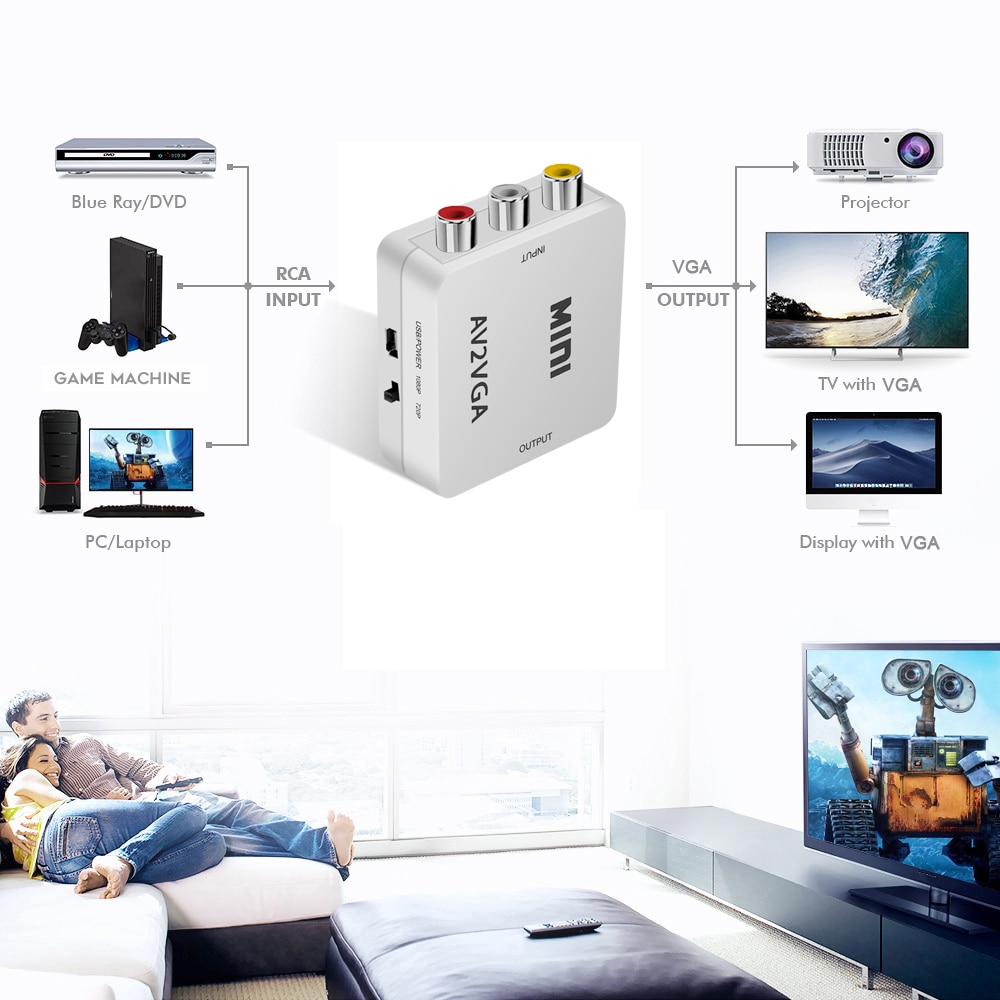
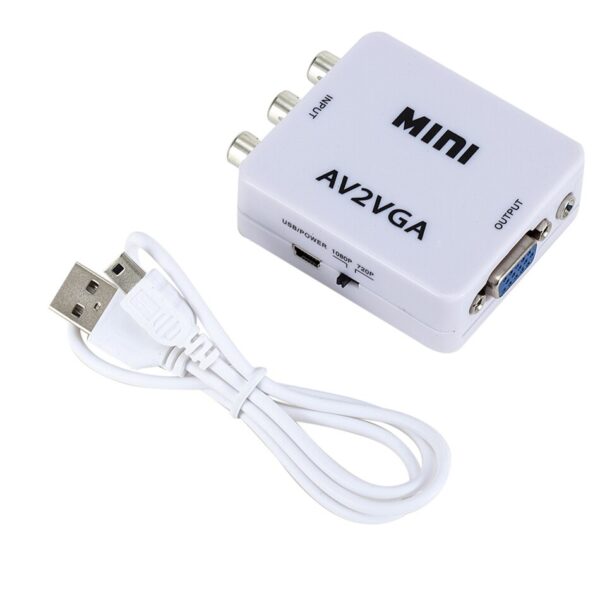
The Mini HD AV2VGA Video Converter is a small, portable device that allows you to convert AV (composite) signals to VGA. This means that you can connect devices that output AV signals, such as old game consoles, VCRs, and DVD players, to a modern VGA monitor or TV. The converter is plug-and-play, so you don't need to install any drivers. It also supports resolutions up to 1080p, so you can enjoy high-quality video output.Here are some of the features of the Mini HD AV2VGA Video Converter:Converts AV (composite) signals to VGA
Supports resolutions up to 1080p
Plug-and-play, no drivers required
Small and portable
Affordable
Here are some of the limitations of the Mini HD AV2VGA Video Converter:It does not support VGA to AV conversion.
It may not work with all devices.
The image quality may not be as good as with a native VGA signal.
Overall, the Mini HD AV2VGA Video Converter is a great way to connect older AV devices to a modern VGA monitor or TV. It is easy to use and affordable, and it supports resolutions up to 1080p. However, it is important to note that it does not support VGA to AV conversion, and the image quality may not be as good as with a native VGA signal.Here are some additional details about the converter:It has a yellow RCA video input, two RCA audio inputs, and a 3.5mm stereo audio output.
It is powered by a USB cable.
It measures approximately 2.5 x 1.5 x 0.5 inches.
I hope this helps!Here are some of the limitations of the Mini HD AV2VGA Video Converter:It does not support VGA to AV conversion.
It may not work with all devices.
The image quality may not be as good as with a native VGA signal.
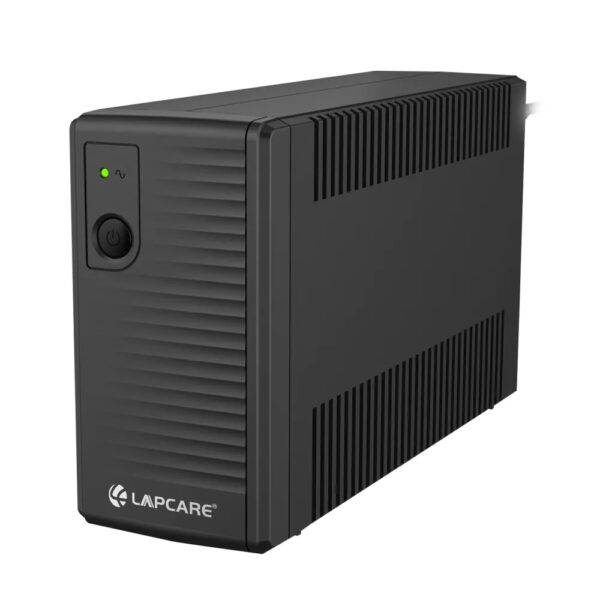
Overall, the Mini HD AV2VGA Video Converter is a great way to connect older AV devices to a modern VGA monitor or TV. It is easy to use and affordable, and it supports resolutions up to 1080p. However, it is important to note that it does not support VGA to AV conversion, and the image quality may not be as good as with a native VGA signal. | The LAPCARE 600VA UPS | Lap LONG-650 is a great option for users who want a reliable and affordable UPS. It has a capacity of 600VA, which is enough to power a small computer or home office. The UPS also has a number of features that make it a good choice for users who want to protect their devices from power outages, including:Automatic voltage regulation (AVR)
Surge protection
Battery backup
Low battery warning
Auto restart
The LAPCARE 600VA UPS | Lap LONG-650 is available in a number of different deals, so you can find one that fits your budget. Here are a few of the deals that are currently available:Amazon: $49.99
Newegg: $54.99
Walmart: $59.99
If you are looking for a reliable and affordable UPS, the LAPCARE 600VA UPS | Lap LONG-650 is a great option. It is available in a number of different deals, so you can find one that fits your budget.Here are some of the benefits of using the LAPCARE 600VA UPS | Lap LONG-650:Protects your devices from power outages
Affordable
Available in a number of different deals
If you are looking for a UPS to protect your devices from power outages, the LAPCARE 600VA UPS | Lap LONG-650 is a great option. It is affordable and available in a number of different deals. | The SanDisk Extreme Portable SSD is a high-performance external solid-state drive (SSD) that is designed for professionals and enthusiasts who need fast and reliable storage. It offers read speeds of up to 1050 MB/s and write speeds of up to 1000 MB/s, making it ideal for transferring large files quickly. The Extreme Portable SSD is also built to be tough, with a durable aluminum enclosure that can withstand drops of up to 2 meters and is water- and dust-resistant. It is also compatible with a wide range of devices, including PCs, Macs, and smartphones.Here are some of the features of the SanDisk Extreme Portable SSD:Up to 1050 MB/s read speeds
Up to 1000 MB/s write speeds
Durable aluminum enclosure
Water- and dust-resistant (IP55)
Compatible with PCs, Macs, and smartphones
5-year warranty
Here are some of the benefits of using the SanDisk Extreme Portable SSD:Fast transfer speeds
Durable construction
Wide compatibility
Long warranty
Here are some of the drawbacks of the SanDisk Extreme Portable SSD:Can be expensive
Not as portable as some other SSDs
Overall, the SanDisk Extreme Portable SSD is a great option for professionals and enthusiasts who need a fast, reliable, and durable external SSD. It offers excellent performance, a durable construction, and a wide compatibility, making it a great choice for a variety of uses.Here are some additional details about the SanDisk Extreme Portable SSD:The Extreme Portable SSD is powered by a USB Type-C connector, which allows it to be used with a wide range of devices.
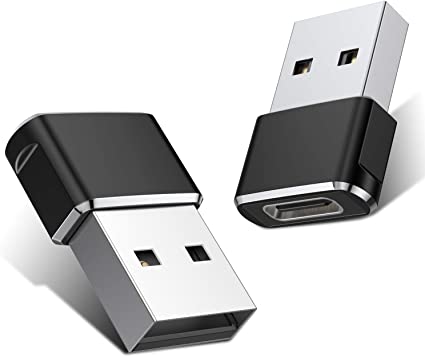
The Extreme Portable SSD is also equipped with a built-in security feature that allows you to encrypt your data using a password. | A Mini USB C Type C Adapter Plug, Type C Female to USB A Male Charger Charging Cable Adapter Converter is a device that allows you to connect a Mini USB device to a USB Type C port. This can be useful if you have a new device that only has a USB Type C port, but you still have older devices that use Mini USB cables.The adapter is small and lightweight, making it easy to carry with you. It is also made of durable materials, so it can withstand the wear and tear of everyday use.The adapter is compatible with a variety of devices, including:iPhone
Samsung S20 ultra/S21/S10/S8/S9
MacBook Pro
iPad
To use the adapter, simply plug the Mini USB cable into the adapter and then plug the adapter into the USB Type C port.The adapter is a great way to connect your older devices to new devices that have USB Type C ports. It is also a great way to avoid having to buy new cables for all of your devices.Here are some of the benefits of using a Mini USB C Type C Adapter Plug, Type C Female to USB A Male Charger Charging Cable Adapter Converter:Allows you to connect Mini USB devices to USB Type C ports
Small and lightweight
Made of durable materials
Compatible with a variety of devices
Affordable
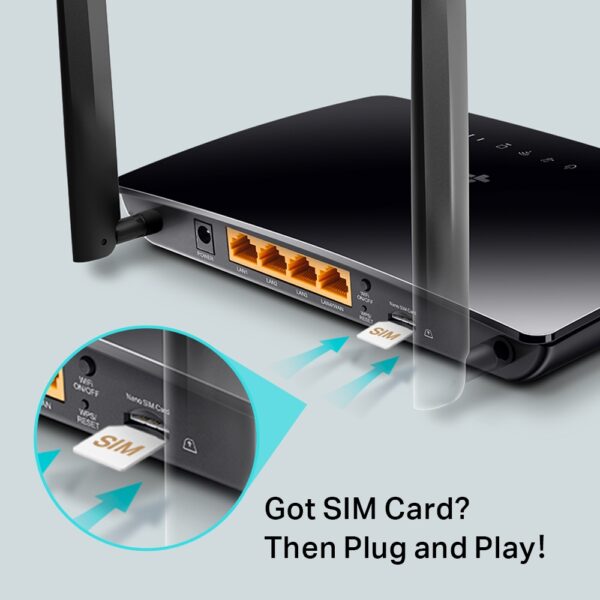
If you have a Mini USB device and a new device that only has a USB Type C port, then a Mini USB C Type C Adapter Plug, Type C Female to USB A Male Charger Charging Cable Adapter Converter is a great way to connect the two devices. | The TP-Link Archer MR200 AC750 2.4GHz 750Mbps Dual Band 4G LTE Mobile Wi-Fi is a portable router that allows you to create a Wi-Fi hotspot wherever you go. It supports both the 2.4 GHz and 5 GHz bands, which allows you to connect to devices that only support one of these bands. It also has a SIM slot, so you can use it with a 4G LTE SIM card to get internet access anywhere there is cellular coverage.The Archer MR200 is easy to set up and use. Just insert a SIM card and turn it on, and you'll be able to connect to the internet in minutes. It also has a built-in web interface that allows you to configure its settings, such as the Wi-Fi network name and password.The Archer MR200 is a great option for anyone who needs a portable router that can provide reliable internet access. It's perfect for travelers, students, and anyone else who needs to stay connected on the go.Here are some of the key features of the TP-Link Archer MR200:Supports both the 2.4 GHz and 5 GHz bands
SIM slot for 4G LTE connectivity
Easy to set up and use
Built-in web interface for configuration
Portable and lightweight
Here are some of the benefits of using the TP-Link Archer MR200:Stay connected on the go: The Archer MR200 allows you to create a Wi-Fi hotspot wherever you go, so you can stay connected to the internet even when you're not at home or work.
Reliable internet access: The Archer MR200 supports both the 2.4 GHz and 5 GHz bands, which allows you to connect to devices that only support one of these bands. It also has a SIM slot, so you can use it with a 4G LTE SIM card to get internet access anywhere there is cellular coverage.
Easy to set up and use: The Archer MR200 is easy to set up and use. Just insert a SIM card and turn it on, and you'll be able to connect to the internet in minutes. It also has a built-in web interface that allows you to configure its settings, such as the Wi-Fi network name and password.
Portable and lightweight: The Archer MR200 is portable and lightweight, so you can easily take it with you wherever you go.
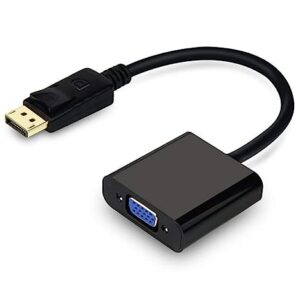
If you're looking for a portable router that can provide reliable internet access, the TP-Link Archer MR200 is a great option. It's perfect for travelers, students, and anyone else who needs to stay connected on the go. | A VGA to HDMI with Audio Adapter is a device that allows you to connect a VGA device to an HDMI monitor or projector. This can be useful if you have a new monitor or projector that only has HDMI ports, but you still have an older device that uses a VGA port.The adapter is small and lightweight, making it easy to carry with you. It is also made of durable materials, so it can withstand the wear and tear of everyday use.The adapter is compatible with a variety of devices, including:Laptops
Computers
Projectors
Monitors
To use the adapter, simply plug the VGA cable into the adapter and then plug the adapter into the HDMI port.The adapter is a great way to connect your older devices to new devices that have HDMI ports. It is also a great way to avoid having to buy new cables for all of your devices.Here are some of the benefits of using a VGA to HDMI with Audio Adapter:Allows you to connect VGA devices to HDMI monitors or projectors
Small and lightweight
Made of durable materials
Compatible with a variety of devices
Affordable
If you have a VGA device and a new monitor or projector that only has HDMI ports, then a VGA to HDMI with Audio Adapter is a great way to connect the two devices.Here are some additional details about the adapter:Supports resolutions up to 1080p
Includes a 3.5mm audio lead for connecting to speakers or headphones
Requires a USB power supply (not included)
The adapter is a great way to connect your older devices to new devices that have HDMI ports. It is also a great way to avoid having to buy new cables for all of your devices. |








Reviews
There are no reviews yet.