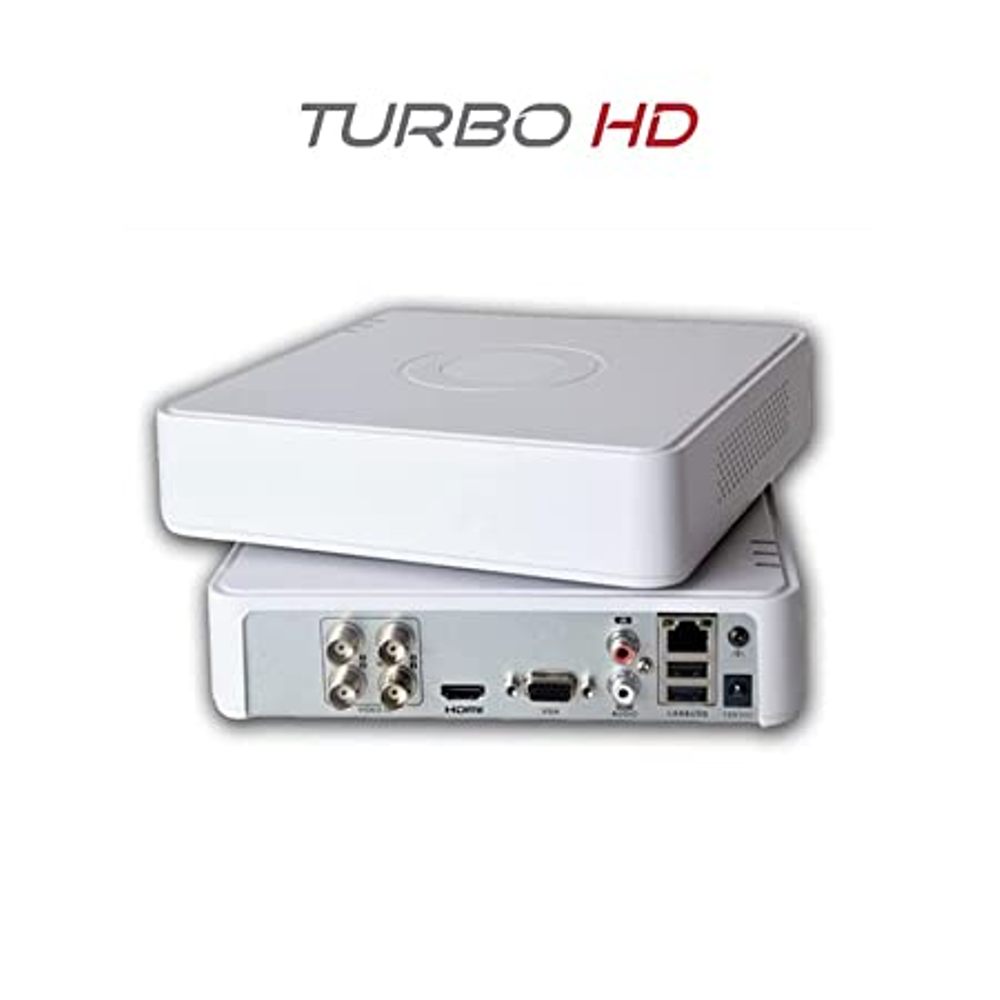
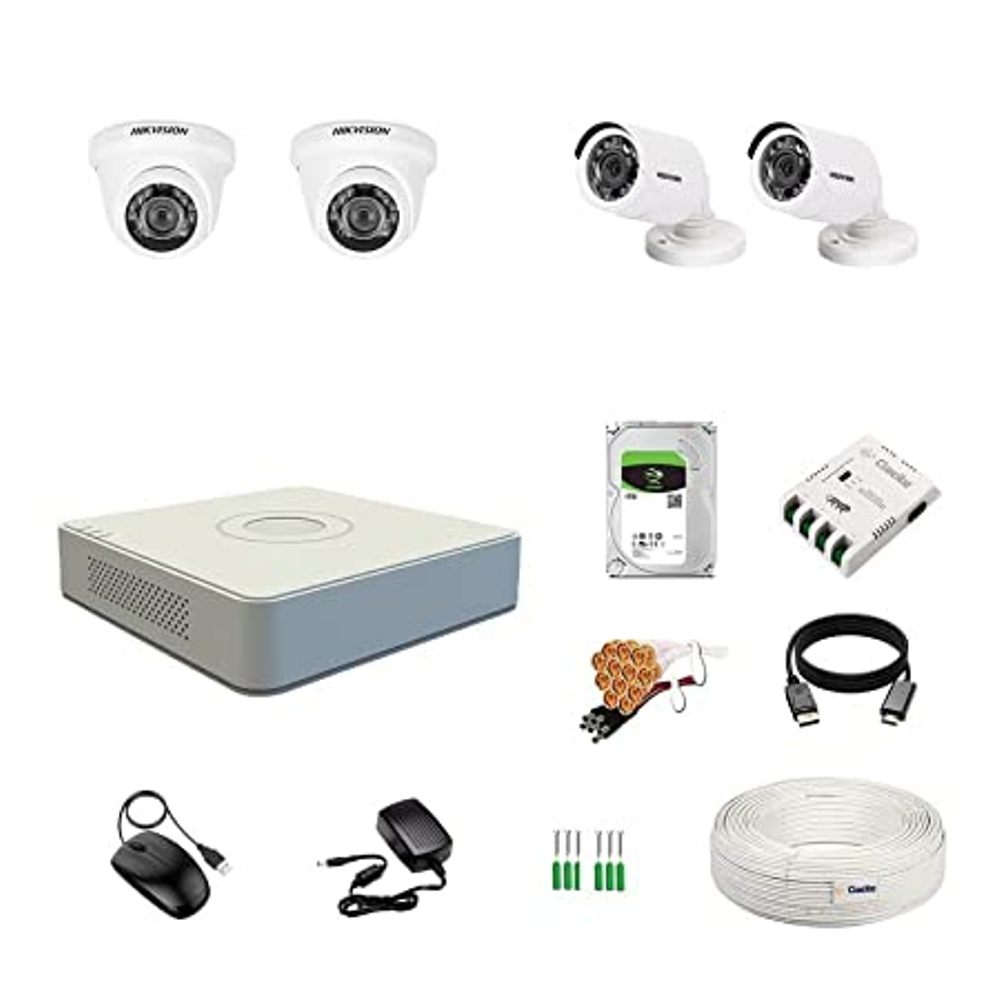
| Description | Here are some of the features of the Hikvision 4 Pcs Bullet Camera, 1TB Hardisk, 4CH DVR, Power Supply, BNC & DC Connector Kit:Four bullet cameras with weatherproof housing and night vision
1TB hard drive for up to 120 hours of video footage
4-channel DVR for viewing and recording footage from all four cameras at the same time
Power supply for the cameras and DVR
BNC & DC connector kit for connecting the cameras to the DVR
Here are some of the benefits of using the Hikvision 4 Pcs Bullet Camera, 1TB Hardisk, 4CH DVR, Power Supply, BNC & DC Connector Kit: | Here are some of the key features of the TP-Link LS1008:8 Gigabit Ethernet ports
Auto MDI/MDIX
Energy-efficient technology
Plug and play
The TP-Link LS1008 is a great choice for anyone looking to expand their wired network. It is easy to use and reliable, and it offers a variety of features that make it a great value for the price. | Here are some of the key features of the GOBBLER GB-9788-E:Fully automatic operation
UV, MG, and IR counterfeit detection
Batch counting function
Large LCD display
Compact and lightweight design
The GOBBLER GB-9788-E is a reliable and efficient note counting machine that is perfect for businesses of all sizes. It is easy to use and provides accurate results, making it a valuable asset for any business that handles cash. | Here are some of the features of the GOBBLER GB-4388-MG:Counting speed of 1000 notes per minute
Counts all old and new notes
Fake note detection
Heavy-duty construction
1 year warranty
The GOBBLER GB-4388-MG is a great choice for any business or office that needs a reliable and efficient note counting machine. It is fast, accurate, and easy to use. The machine also comes with a variety of features that make it a great value for the price. | Here are some of the key features of the TP-Link 300Mbps Wireless N Ceiling Mount Access Point:Supports the 802.11n standard for speeds up to 300Mbps
Ceiling-mounted for easy installation
Includes a free PoE injector
Secure guest network
Centralized management
The TP-Link 300Mbps Wireless N Ceiling Mount Access Point is a great choice for businesses and homes that need a reliable and secure wireless network. It is easy to install and configure, and it offers a variety of features that make it a great value for the price. | Here are some of the benefits of using the TP-Link Omada AC1350 Wireless Ceiling Mount Access Point:Increased coverage: The EAP225 can provide wireless coverage over a large area, making it ideal for businesses and homes with multiple rooms.
Improved security: The EAP225 includes a secure guest network, which allows you to create a separate network for guests that is isolated from your main network. This helps to protect your data from unauthorized access.
Centralized management: The EAP225 can be managed centrally using the TP-Link Omada Controller software. This software allows you to configure and monitor all of your TP-Link devices from a single location.
If you are looking for a reliable and secure wireless network, the TP-Link Omada AC1350 Wireless Ceiling Mount Access Point is a great option. It is easy to install and configure, and it offers a variety of features that make it a great value for the price. |
| Content | The Hikvision 4 Pcs Bullet Camera, 1TB Hardisk, 4CH DVR, Power Supply, BNC & DC Connector Kit is a complete security system that includes everything you need to monitor your home or business. The system includes four bullet cameras, a 1TB hard drive, a 4-channel DVR, a power supply, and a BNC & DC connector kit.The bullet cameras are weatherproof and have a wide viewing angle, so you can monitor a large area. The cameras also have night vision, so you can see clearly in low-light conditions. The 1TB hard drive provides enough storage space for up to 120 hours of video footage. The 4-channel DVR allows you to view and record footage from all four cameras at the same time. The power supply provides power to the cameras and the DVR. The BNC & DC connector kit includes the cables and connectors you need to connect the cameras to the DVR.The Hikvision 4 Pcs Bullet Camera, 1TB Hardisk, 4CH DVR, Power Supply, BNC & DC Connector Kit is a great way to add security to your home or business. The system is easy to install and use, and it provides high-quality video surveillance.Here are some of the features of the Hikvision 4 Pcs Bullet Camera, 1TB Hardisk, 4CH DVR, Power Supply, BNC & DC Connector Kit:Four bullet cameras with weatherproof housing and night vision
1TB hard drive for up to 120 hours of video footage
4-channel DVR for viewing and recording footage from all four cameras at the same time
Power supply for the cameras and DVR
BNC & DC connector kit for connecting the cameras to the DVR
Here are some of the benefits of using the Hikvision 4 Pcs Bullet Camera, 1TB Hardisk, 4CH DVR, Power Supply, BNC & DC Connector Kit:Increased security: The system provides high-quality video surveillance that can help deter crime and protect your property.
Easy to install: The system is easy to install and use, even for beginners.
Affordable: The system is a cost-effective way to add security to your home or business.
If you are looking for a complete security system that is easy to install and use, the Hikvision 4 Pcs Bullet Camera, 1TB Hardisk, 4CH DVR, Power Supply, BNC & DC Connector Kit is a great option |
1
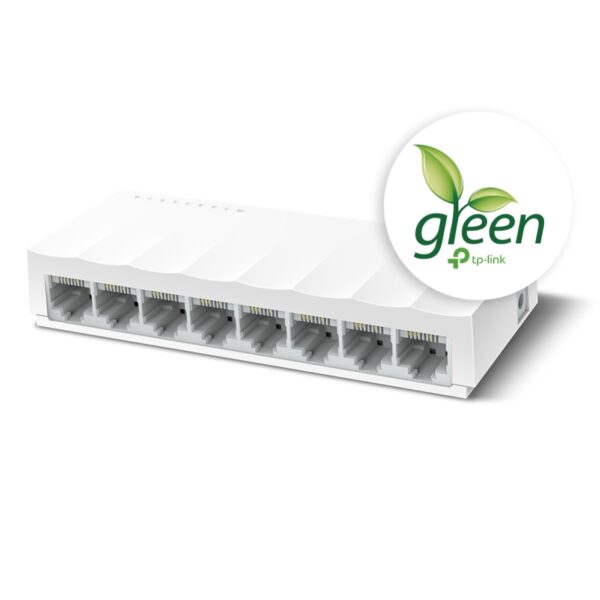
The TP-Link LS1008 is an 8-port 10/100Mbps desktop switch that offers an easy and affordable way to expand your wired network. It is easy to use and reliable, and with all ports supporting Auto-MDI/MDIX, there's no need to worry about the type of cable to use. The LiteWave Series also supports energy-efficient technology, helping you save power and money.Here are some of the key features of the TP-Link LS1008:8 Gigabit Ethernet ports
Auto MDI/MDIX
Energy-efficient technology
Plug and play
The TP-Link LS1008 is a great choice for anyone looking to expand their wired network. It is easy to use and reliable, and it offers a variety of features that make it a great value for the price.Here are some of the benefits of using the TP-Link LS1008:Easy to use: The LS1008 is a plug-and-play device, so there's no need to configure anything. Just connect your devices to the ports and you're good to go.
Reliable: The LS1008 is a reliable device that has been designed to withstand the rigors of everyday use. It is also backed by a 2-year warranty.
Affordable: The LS1008 is an affordable device that offers great value for the price.
If you are looking to expand your wired network, the TP-Link LS1008 is a great option. It is easy to use, reliable, and affordable. | The GOBBLER GB-9788-E Mix Note Value Counting Machine Fully Automatic Cash Counter with Fake Note Detection is a high-speed, fully automatic note counting machine that can count up to 1000 notes per minute. It is equipped with a variety of features to ensure accurate counting, including UV, MG, and IR counterfeit detection, as well as a batch counting function. The machine also has a large LCD display that shows the total count, denomination, and serial number of the notes being counted.The GOBBLER GB-9788-E is a versatile machine that can be used in a variety of settings, including banks, retail stores, and casinos. It is also a great choice for businesses that need to count large amounts of cash on a regular basis.Here are some of the key features of the GOBBLER GB-9788-E:Fully automatic operation
UV, MG, and IR counterfeit detection
Batch counting function
Large LCD display
Compact and lightweight design
The GOBBLER GB-9788-E is a reliable and efficient note counting machine that is perfect for businesses of all sizes. It is easy to use and provides accurate results, making it a valuable asset for any business that handles cash.Here are some of the benefits of using the GOBBLER GB-9788-E:Increased efficiency: The GOBBLER GB-9788-E can count up to 1000 notes per minute, which can save you a significant amount of time.
Improved accuracy: The GOBBLER GB-9788-E is equipped with a variety of counterfeit detection features to ensure that your cash is accurate.
Reduced risk of fraud: The GOBBLER GB-9788-E can help to reduce the risk of fraud by detecting counterfeit notes.
Increased security: The GOBBLER GB-9788-E is a secure machine that helps to protect your cash from theft.
If you are looking for a reliable and efficient note counting machine, the GOBBLER GB-9788-E is a great option. It is easy to use, provides accurate results, and can help to improve your business operations. | The GOBBLER GB-4388-MG is a business-grade note counting machine that is perfect for any business or office. It has a counting speed of 1000 notes per minute, and it can count all old and new notes. The machine also has fake note detection, which makes it impossible to miss any fake notes. The GOBBLER GB-4388-MG is a heavy-duty counter that is built to last. It is made of high-quality materials and it is designed to withstand the rigors of everyday use. The machine also comes with a 1 year warranty, so you can be sure that you are getting a quality product.Here are some of the features of the GOBBLER GB-4388-MG:Counting speed of 1000 notes per minute
Counts all old and new notes
Fake note detection
Heavy-duty construction
1 year warranty
The GOBBLER GB-4388-MG is a great choice for any business or office that needs a reliable and efficient note counting machine. It is fast, accurate, and easy to use. The machine also comes with a variety of features that make it a great value for the price.Here are some of the benefits of using the GOBBLER GB-4388-MG:Save time and money by counting notes quickly and accurately
Protect your business from counterfeit notes
Increase efficiency and productivity by automating the note counting process
Reduce the risk of human error
Enjoy peace of mind knowing that your notes are counted accurately and securely
If you are looking for a reliable and efficient note counting machine, the GOBBLER GB-4388-MG is a great option. It is fast, accurate, and easy to use. The machine also comes with a variety of features that make it a great value for the price. | The TP-Link 300Mbps Wireless N Ceiling Mount Access Point is a ceiling-mounted access point that provides wireless connectivity to a wide area. It supports the 802.11n standard and offers speeds of up to 300Mbps. The EAP110 is easy to install and configure, and it comes with a free PoE injector. It also features a secure guest network and centralized management.Here are some of the key features of the TP-Link 300Mbps Wireless N Ceiling Mount Access Point:Supports the 802.11n standard for speeds up to 300Mbps
Ceiling-mounted for easy installation
Includes a free PoE injector
Secure guest network
Centralized management
The TP-Link 300Mbps Wireless N Ceiling Mount Access Point is a great choice for businesses and homes that need a reliable and secure wireless network. It is easy to install and configure, and it offers a variety of features that make it a great value for the price.Here are some of the benefits of using the TP-Link 300Mbps Wireless N Ceiling Mount Access Point:Increased coverage: The EAP110 can provide wireless coverage over a large area, making it ideal for businesses and homes with multiple rooms.
Improved security: The EAP110 includes a secure guest network, which allows you to create a separate network for guests that is isolated from your main network. This helps to protect your data from unauthorized access.
Centralized management: The EAP110 can be managed centrally using the TP-Link Omada Controller software. This software allows you to configure and monitor all of your TP-Link devices from a single location.
If you are looking for a reliable and secure wireless network, the TP-Link 300Mbps Wireless N Ceiling Mount Access Point is a great option. It is easy to install and configure, and it offers a variety of features that make it a great value for the price. | The TP-Link Omada AC1350 Wireless Ceiling Mount Access Point is a high-performance access point that provides reliable and secure wireless connectivity for businesses and homes. It supports the 802.11ac standard and offers speeds of up to 1350Mbps. The EAP225 is easy to install and configure, and it comes with a free PoE injector. It also features a secure guest network and centralized management.Here are some of the key features of the TP-Link Omada AC1350 Wireless Ceiling Mount Access Point:Supports the 802.11ac standard for speeds up to 1350Mbps
Ceiling-mounted for easy installation
Includes a free PoE injector
Secure guest network
Centralized management
The TP-Link Omada AC1350 Wireless Ceiling Mount Access Point is a great choice for businesses and homes that need a reliable and secure wireless network. It is easy to install and configure, and it offers a variety of features that make it a great value for the price.Here are some of the benefits of using the TP-Link Omada AC1350 Wireless Ceiling Mount Access Point:Increased coverage: The EAP225 can provide wireless coverage over a large area, making it ideal for businesses and homes with multiple rooms.
Improved security: The EAP225 includes a secure guest network, which allows you to create a separate network for guests that is isolated from your main network. This helps to protect your data from unauthorized access.
Centralized management: The EAP225 can be managed centrally using the TP-Link Omada Controller software. This software allows you to configure and monitor all of your TP-Link devices from a single location.
If you are looking for a reliable and secure wireless network, the TP-Link Omada AC1350 Wireless Ceiling Mount Access Point is a great option. It is easy to install and configure, and it offers a variety of features that make it a great value for the price.Here are some additional details about the TP-Link Omada AC1350 Wireless Ceiling Mount Access Point:Dual-band: The EAP225 supports both the 2.4 GHz and 5 GHz bands, which allows you to connect to devices that only support one of these bands.
MU-MIMO: The EAP225 supports MU-MIMO technology, which allows multiple devices to transmit data at the same time, which can improve overall network performance.
Beamforming: The EAP225 supports beamforming technology, which focuses the wireless signal towards devices, which can improve range and reliability.
PoE: The EAP225 supports PoE, which allows you to power the access point using an Ethernet cable.
Guest network: The EAP225 includes a secure guest network, which allows you to create a separate network for guests that is isolated from your main network.
Centralized management: The EAP225 can be managed centrally using the TP-Link Omada Controller software. This software allows you to configure and monitor all of your TP-Link devices from a single location.
I hope this information is helpful. Please let me know if you have any other questions. |






Reviews
There are no reviews yet.