| Description | Here are some of the features of the DP DisplayPort Display Port Source to DVI Sink Monitor HDTV Converter Adapter Cable 0.2M Black:Supports resolutions up to 1920x1200 at 60Hz
Passive adapter, no drivers or software required
Short cable, measuring just 0.2 meters (8 inches)
Compatible with most DP-enabled devices
Plug-and-play
Here are some of the benefits of using the DP DisplayPort Display Port Source to DVI Sink Monitor HDTV Converter Adapter Cable 0.2M Black: | Here are some of the key features of the TP-Link Archer MR400:Supports both the 2.4 GHz and 5 GHz bands
SIM slot for 4G LTE connectivity
Easy to set up and use
Built-in web interface for configuration
Portable and lightweight
Removable Wi-Fi antennas
Here are some of the benefits of using the TP-Link Archer MR400: | Here are some of the benefits of using a CC Pendrive 16 GB:You can easily transfer data between computers and laptops.
You can use it to store important files, such as documents, photos, and videos.
It is a great way to back up your data.
It is a small and portable device that you can take with you wherever you go.
CC Pendrives are a great way to store data and transfer it between computers and laptops. They are small, portable, and easy to use. If you are looking for a way to store your data, a CC Pendrive is a great option.
stolen. | Here are some of the benefits of using the TP-Link Omada AC1350 Wireless Ceiling Mount Access Point:Increased coverage: The EAP225 can provide wireless coverage over a large area, making it ideal for businesses and homes with multiple rooms.
Improved security: The EAP225 includes a secure guest network, which allows you to create a separate network for guests that is isolated from your main network. This helps to protect your data from unauthorized access.
Centralized management: The EAP225 can be managed centrally using the TP-Link Omada Controller software. This software allows you to configure and monitor all of your TP-Link devices from a single location.
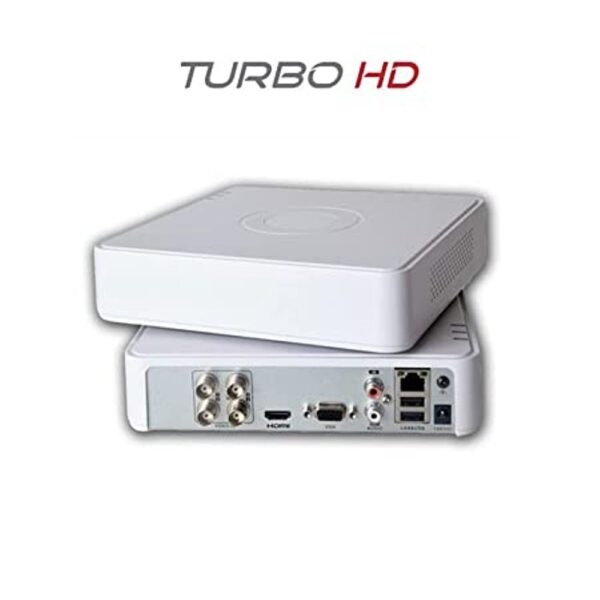
If you are looking for a reliable and secure wireless network, the TP-Link Omada AC1350 Wireless Ceiling Mount Access Point is a great option. It is easy to install and configure, and it offers a variety of features that make it a great value for the price. | Here are some of the features of the Hikvision 4 Pcs Bullet Camera, 1TB Hardisk, 4CH DVR, Power Supply, BNC & DC Connector Kit:Four bullet cameras with weatherproof housing and night vision
1TB hard drive for up to 120 hours of video footage
4-channel DVR for viewing and recording footage from all four cameras at the same time
Power supply for the cameras and DVR
BNC & DC connector kit for connecting the cameras to the DVR
Here are some of the benefits of using the Hikvision 4 Pcs Bullet Camera, 1TB Hardisk, 4CH DVR, Power Supply, BNC & DC Connector Kit: | Here are some of the features of the Logitech H111:Standard 3.5mm audio jack
Compatible with most devices
Adjustable headband
Soft foam ear cups
Rotatable microphone
Clear sound quality
Comfortable fit |
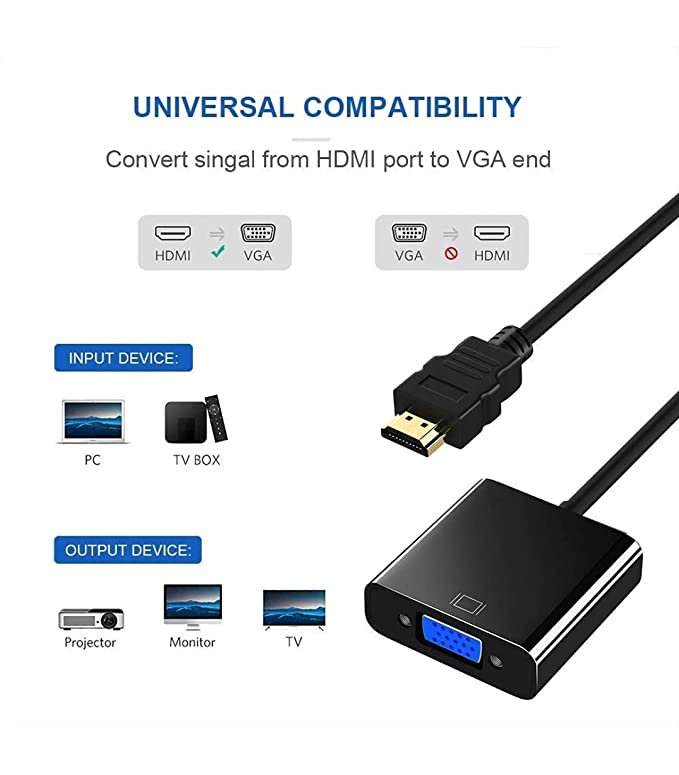
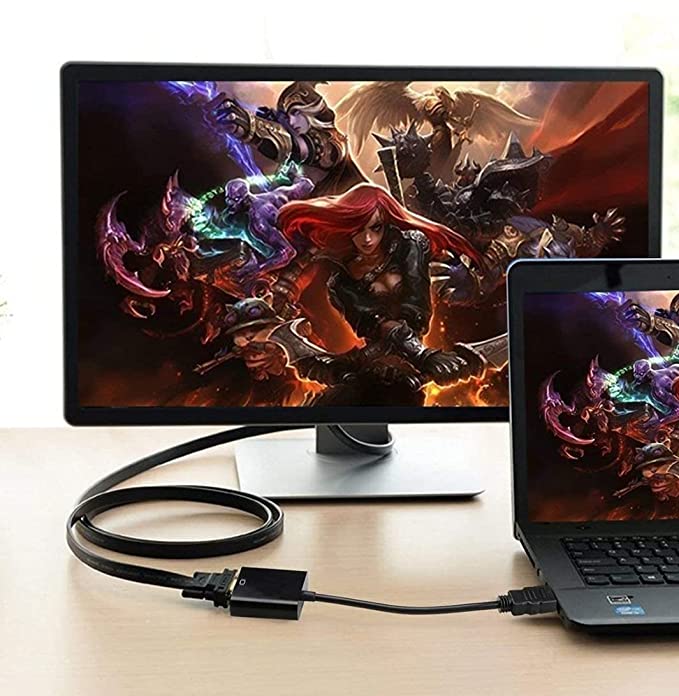
| Content | The DP DisplayPort Display Port Source to DVI Sink Monitor HDTV Converter Adapter Cable 0.2M Black is a passive adapter that allows you to connect a DisplayPort (DP) source to a DVI-D sink. It is a short cable, measuring just 0.2 meters (8 inches), so it is ideal for connecting a laptop or tablet to a monitor or projector that is close by.The adapter supports resolutions up to 1920x1200 at 60Hz, and it is compatible with most DP-enabled devices. It is a plug-and-play device, so there is no need to install any drivers or software.Here are some of the features of the DP DisplayPort Display Port Source to DVI Sink Monitor HDTV Converter Adapter Cable 0.2M Black:Supports resolutions up to 1920x1200 at 60Hz
Passive adapter, no drivers or software required
Short cable, measuring just 0.2 meters (8 inches)
Compatible with most DP-enabled devices
Plug-and-play
Here are some of the benefits of using the DP DisplayPort Display Port Source to DVI Sink Monitor HDTV Converter Adapter Cable 0.2M Black:Allows you to connect a DP source to a DVI-D sink
Supports high resolutions up to 1920x1200 at 60Hz
Is a plug-and-play device, so there is no need to install any drivers or software
Is a short cable, measuring just 0.2 meters (8 inches), so it is ideal for connecting a laptop or tablet to a monitor or projector that is close by
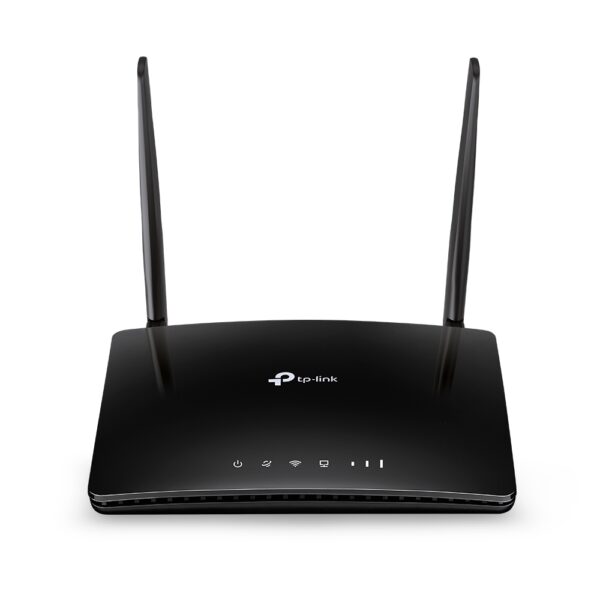
If you are looking for a way to connect a DP source to a DVI-D sink, the DP DisplayPort Display Port Source to DVI Sink Monitor HDTV Converter Adapter Cable 0.2M Black is a great option. It is a short, affordable, and easy-to-use adapter that supports high resolutions. | The TP-Link Archer MR400 AC1200 Mbps Dual Band 4G Mobile Wi-Fi is a portable router that allows you to create a Wi-Fi hotspot wherever you go. It supports both the 2.4 GHz and 5 GHz bands, which allows you to connect to devices that only support one of these bands. It also has a SIM slot, so you can use it with a 4G LTE SIM card to get internet access anywhere there is cellular coverage.The Archer MR400 is easy to set up and use. Just insert a SIM card and turn it on, and you'll be able to connect to the internet in minutes. It also has a built-in web interface that allows you to configure its settings, such as the Wi-Fi network name and password.The Archer MR400 is a great option for anyone who needs a portable router that can provide reliable internet access. It's perfect for travelers, students, and anyone else who needs to stay connected on the go.Here are some of the key features of the TP-Link Archer MR400:Supports both the 2.4 GHz and 5 GHz bands
SIM slot for 4G LTE connectivity
Easy to set up and use
Built-in web interface for configuration
Portable and lightweight
Removable Wi-Fi antennas
Here are some of the benefits of using the TP-Link Archer MR400:Stay connected on the go: The Archer MR400 allows you to create a Wi-Fi hotspot wherever you go, so you can stay connected to the internet even when you're not at home or work.
Reliable internet access: The Archer MR400 supports both the 2.4 GHz and 5 GHz bands, which allows you to connect to devices that only support one of these bands. It also has a SIM slot, so you can use it with a 4G LTE SIM card to get internet access anywhere there is cellular coverage.
Easy to set up and use: The Archer MR400 is easy to set up and use. Just insert a SIM card and turn it on, and you'll be able to connect to the internet in minutes. It also has a built-in web interface that allows you to configure its settings, such as the Wi-Fi network name and password.
Portable and lightweight: The Archer MR400 is portable and lightweight, so you can easily take it with you wherever you go.
Removable Wi-Fi antennas: The Archer MR400 has removable Wi-Fi antennas, which allows you to adjust the signal strength and coverage.
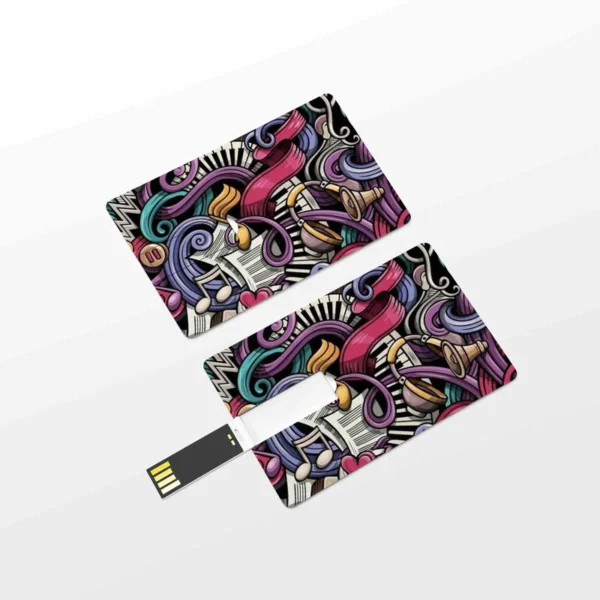
If you're looking for a portable router that can provide reliable internet access, the TP-Link Archer MR400 is a great option. It's perfect for travelers, students, and anyone else who needs to stay connected on the go. | A CC Pendrive 16 GB is a USB flash drive that has a capacity of 16 gigabytes. It is a small, portable device that can be used to store data, such as files, music, videos, and photos. CC Pendrives are available in a variety of colors and designs, and they are compatible with most computers and laptops.Here are some of the features of a CC Pendrive 16 GB:Small and portable
High capacity
Compatible with most computers and laptops
Available in a variety of colors and designs
Durable
Easy to use
Here are some of the benefits of using a CC Pendrive 16 GB:You can easily transfer data between computers and laptops.
You can use it to store important files, such as documents, photos, and videos.
It is a great way to back up your data.
It is a small and portable device that you can take with you wherever you go.
CC Pendrives are a great way to store data and transfer it between computers and laptops. They are small, portable, and easy to use. If you are looking for a way to store your data, a CC Pendrive is a great option.
stolen.
They can be damaged if they are dropped or mishandled.
They can be infected with viruses or malware.
It is important to take precautions to protect your data from loss or damage when using a CC Pendrive. You should always back up your data regularly, and you should be careful not to drop or mishandle your pendrive. You should also scan your pendrive for viruses and malware before using it.Here are some of the drawbacks of using a CC Pendrive 16 GB:They can be easily lost or
Overall, CC Pendrives are a great way to store data and transfer it between computers and laptops. They are small, portable, and easy to use. However, it is important to take precautions to protect your data from loss or damage when using a CC Pendrive. | The TP-Link Omada AC1350 Wireless Ceiling Mount Access Point is a high-performance access point that provides reliable and secure wireless connectivity for businesses and homes. It supports the 802.11ac standard and offers speeds of up to 1350Mbps. The EAP225 is easy to install and configure, and it comes with a free PoE injector. It also features a secure guest network and centralized management.Here are some of the key features of the TP-Link Omada AC1350 Wireless Ceiling Mount Access Point:Supports the 802.11ac standard for speeds up to 1350Mbps
Ceiling-mounted for easy installation
Includes a free PoE injector
Secure guest network
Centralized management
The TP-Link Omada AC1350 Wireless Ceiling Mount Access Point is a great choice for businesses and homes that need a reliable and secure wireless network. It is easy to install and configure, and it offers a variety of features that make it a great value for the price.Here are some of the benefits of using the TP-Link Omada AC1350 Wireless Ceiling Mount Access Point:Increased coverage: The EAP225 can provide wireless coverage over a large area, making it ideal for businesses and homes with multiple rooms.
Improved security: The EAP225 includes a secure guest network, which allows you to create a separate network for guests that is isolated from your main network. This helps to protect your data from unauthorized access.
Centralized management: The EAP225 can be managed centrally using the TP-Link Omada Controller software. This software allows you to configure and monitor all of your TP-Link devices from a single location.
If you are looking for a reliable and secure wireless network, the TP-Link Omada AC1350 Wireless Ceiling Mount Access Point is a great option. It is easy to install and configure, and it offers a variety of features that make it a great value for the price.Here are some additional details about the TP-Link Omada AC1350 Wireless Ceiling Mount Access Point:Dual-band: The EAP225 supports both the 2.4 GHz and 5 GHz bands, which allows you to connect to devices that only support one of these bands.
MU-MIMO: The EAP225 supports MU-MIMO technology, which allows multiple devices to transmit data at the same time, which can improve overall network performance.
Beamforming: The EAP225 supports beamforming technology, which focuses the wireless signal towards devices, which can improve range and reliability.
PoE: The EAP225 supports PoE, which allows you to power the access point using an Ethernet cable.
Guest network: The EAP225 includes a secure guest network, which allows you to create a separate network for guests that is isolated from your main network.
Centralized management: The EAP225 can be managed centrally using the TP-Link Omada Controller software. This software allows you to configure and monitor all of your TP-Link devices from a single location.
I hope this information is helpful. Please let me know if you have any other questions. | The Hikvision 4 Pcs Bullet Camera, 1TB Hardisk, 4CH DVR, Power Supply, BNC & DC Connector Kit is a complete security system that includes everything you need to monitor your home or business. The system includes four bullet cameras, a 1TB hard drive, a 4-channel DVR, a power supply, and a BNC & DC connector kit.The bullet cameras are weatherproof and have a wide viewing angle, so you can monitor a large area. The cameras also have night vision, so you can see clearly in low-light conditions. The 1TB hard drive provides enough storage space for up to 120 hours of video footage. The 4-channel DVR allows you to view and record footage from all four cameras at the same time. The power supply provides power to the cameras and the DVR. The BNC & DC connector kit includes the cables and connectors you need to connect the cameras to the DVR.The Hikvision 4 Pcs Bullet Camera, 1TB Hardisk, 4CH DVR, Power Supply, BNC & DC Connector Kit is a great way to add security to your home or business. The system is easy to install and use, and it provides high-quality video surveillance.Here are some of the features of the Hikvision 4 Pcs Bullet Camera, 1TB Hardisk, 4CH DVR, Power Supply, BNC & DC Connector Kit:Four bullet cameras with weatherproof housing and night vision
1TB hard drive for up to 120 hours of video footage
4-channel DVR for viewing and recording footage from all four cameras at the same time
Power supply for the cameras and DVR
BNC & DC connector kit for connecting the cameras to the DVR
Here are some of the benefits of using the Hikvision 4 Pcs Bullet Camera, 1TB Hardisk, 4CH DVR, Power Supply, BNC & DC Connector Kit:Increased security: The system provides high-quality video surveillance that can help deter crime and protect your property.
Easy to install: The system is easy to install and use, even for beginners.
Affordable: The system is a cost-effective way to add security to your home or business.
If you are looking for a complete security system that is easy to install and use, the Hikvision 4 Pcs Bullet Camera, 1TB Hardisk, 4CH DVR, Power Supply, BNC & DC Connector Kit is a great option | The Logitech H111 is a wired on-ear headset with a microphone. It is a simple and affordable headset that is perfect for making calls, listening to music, or watching videos. The headset has a standard 3.5mm audio jack and is compatible with most devices, including computers, smartphones, and tablets.The H111 has a sturdy yet lightweight design. The headband is adjustable to fit most head sizes, and the ear cups are made of soft foam for a comfortable fit. The microphone is located on the left ear cup and can be rotated to the right side if desired.The H111 produces clear sound with good bass response. The microphone is also clear and picks up sound well. The headset is comfortable to wear for long periods of time.Overall, the Logitech H111 is a great value for the price. It is a simple and affordable headset that delivers good sound quality and a comfortable fit.Here are some of the features of the Logitech H111:Standard 3.5mm audio jack
Compatible with most devices
Adjustable headband
Soft foam ear cups
Rotatable microphone
Clear sound quality
Comfortable fit
Here are some of the benefits of using the Logitech H111:Affordable
Easy to use
Comfortable to wear
Good sound quality
Clear microphone
Here are some of the drawbacks of the Logitech H111:Not noise-canceling
Not wireless
Not high-end sound quality
Overall, the Logitech H111 is a great value for the price. It is a simple and affordable headset that delivers good sound quality and a comfortable fit. If you are looking for a basic headset for making calls, listening to music, or watching videos, the Logitech H111 is a great option. |















Reviews
There are no reviews yet.