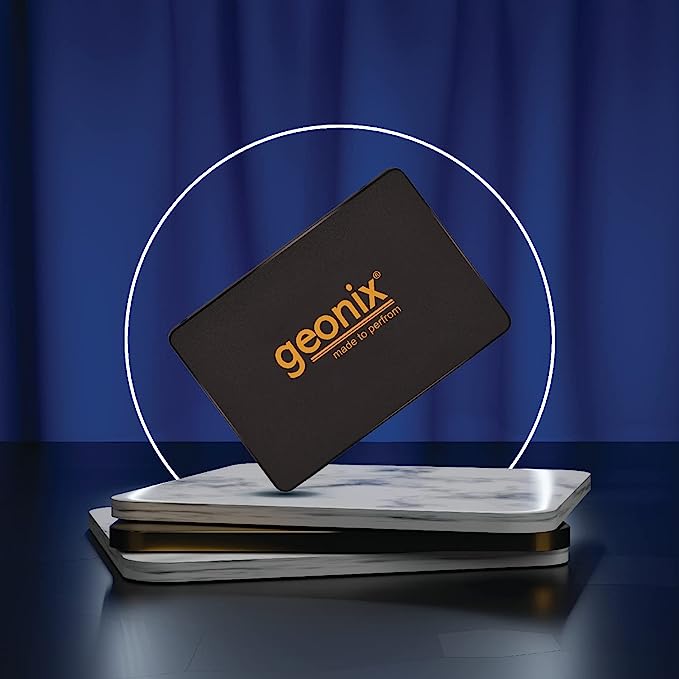
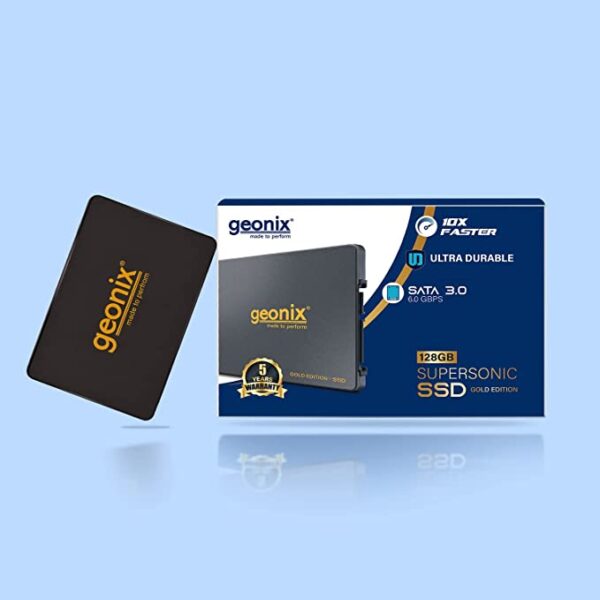
| Description | Here are some of the pros and cons of the Geonix SATA 2.5" 256GB Internal Solid State Drive/SSD:Pros:Fast speeds
Long lifespan
5-year warranty
Compatible with PCs and laptops
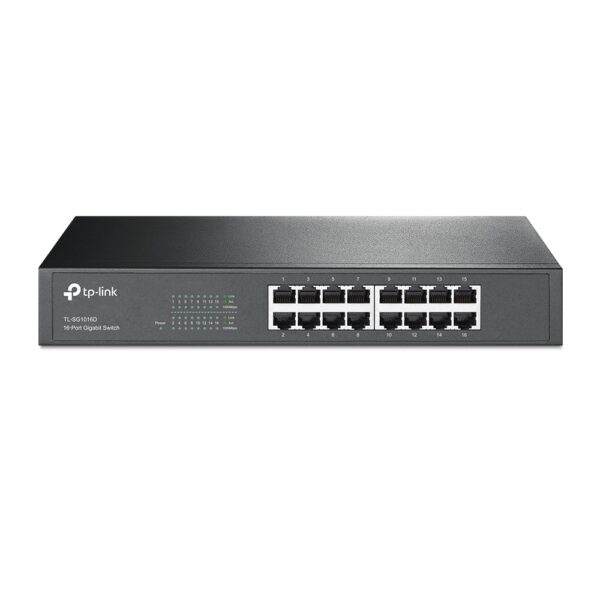
Cons: | Some of the key features of the TL-SG1016D include:16 Gigabit Ethernet ports
Auto MDI/MDIX and Auto Negotiation
MAC Address self-learning
Plug and Play
Energy-efficient design
The TL-SG1016D is easy to set up and use. Just connect the switch to your router or modem and then connect your devices to the switch's ports. The switch will automatically configure itself and start working. | Here are some of the benefits of using a CC Pendrive 16 GB:You can easily transfer data between computers and laptops.
You can use it to store important files, such as documents, photos, and videos.
It is a great way to back up your data.
It is a small and portable device that you can take with you wherever you go.
CC Pendrives are a great way to store data and transfer it between computers and laptops. They are small, portable, and easy to use. If you are looking for a way to store your data, a CC Pendrive is a great option.
stolen. | Here are some of the features of the Logitech H111:Standard 3.5mm audio jack
Compatible with most devices
Adjustable headband
Soft foam ear cups
Rotatable microphone
Clear sound quality
Comfortable fit | Here are some of the key features of the TP-Link LS1008:8 Gigabit Ethernet ports
Auto MDI/MDIX
Energy-efficient technology
Plug and play
The TP-Link LS1008 is a great choice for anyone looking to expand their wired network. It is easy to use and reliable, and it offers a variety of features that make it a great value for the price. | Here are some of the benefits of using the SanDisk Extreme Portable SSD:Fast transfer speeds
Durable construction
Wide compatibility
Long warranty
Here are some of the drawbacks of the SanDisk Extreme Portable SSD: |
| Content | he Geonix SATA 2.5" 256GB Internal Solid State Drive/SSD is a high-performance storage device that offers read/write speeds of up to 570/500 MB/s. It is compatible with both PCs and laptops and features a 5-year warranty.The SSD is powered by a quad-channel controller that provides efficient data transfer. It is also equipped with 3D NAND flash memory, which offers a longer lifespan and better performance than traditional NAND flash memory.The Geonix SATA 2.5" 256GB Internal Solid State Drive/SSD is a great choice for users who want to improve the performance of their computer. It is also a good option for users who want a reliable and durable storage device.Here are some of the key features of the Geonix SATA 2.5" 256GB Internal Solid State Drive/SSD:SATA III interface with 6Gb/s transfer speed
Read/write speeds of up to 570/500 MB/s
Quad-channel controller for efficient data transfer
3D NAND flash memory for longer lifespan and better performance
5-year warranty
If you are looking for a high-performance and reliable solid state drive, the Geonix SATA 2.5" 256GB Internal Solid State Drive/SSD is a great option. It offers fast speeds, a long lifespan, and a 5-year warranty.Here are some of the pros and cons of the Geonix SATA 2.5" 256GB Internal Solid State Drive/SSD:Pros:Fast speeds
Long lifespan
5-year warranty
Compatible with PCs and laptops
Cons:No NVMe support
Not as fast as some other NVMe SSDs
Overall, the Geonix SATA 2.5" 256GB Internal Solid State Drive/SSD is a great choice for users who want a high-performance and reliable solid state drive. It offers fast speeds, a long lifespan, and a 5-year warranty. However, it does not support NVMe, so if you are looking for the absolute fastest speeds, you may want to consider a different SSD. | The TP-Link TL-SG1016D is a 16-port Gigabit Ethernet switch that is designed for small to medium-sized businesses. It offers a variety of features that make it a great choice for businesses that need to expand their network capacity.Some of the key features of the TL-SG1016D include:16 Gigabit Ethernet ports
Auto MDI/MDIX and Auto Negotiation
MAC Address self-learning
Plug and Play
Energy-efficient design
The TL-SG1016D is easy to set up and use. Just connect the switch to your router or modem and then connect your devices to the switch's ports. The switch will automatically configure itself and start working.The TL-SG1016D is a great choice for businesses that need to expand their network capacity. It is easy to set up and use, and it offers a variety of features that make it a reliable and affordable solution.Here are some of the benefits of using the TP-Link TL-SG1016D:Easy to set up and use: The TL-SG1016D is easy to set up and use. Just connect the switch to your router or modem and then connect your devices to the switch's ports. The switch will automatically configure itself and start working.
Reliable: The TL-SG1016D is a reliable switch that has been designed to withstand the rigors of everyday use. It is also backed by a 3-year warranty.
Affordable: The TL-SG1016D is an affordable switch that offers great value for the price.
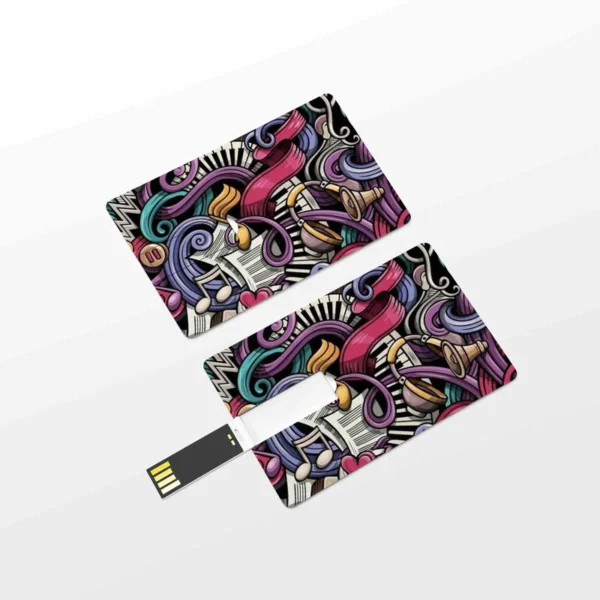
If you are looking for a reliable and affordable switch to expand your network capacity, the TP-Link TL-SG1016D is a great option. | A CC Pendrive 16 GB is a USB flash drive that has a capacity of 16 gigabytes. It is a small, portable device that can be used to store data, such as files, music, videos, and photos. CC Pendrives are available in a variety of colors and designs, and they are compatible with most computers and laptops.Here are some of the features of a CC Pendrive 16 GB:Small and portable
High capacity
Compatible with most computers and laptops
Available in a variety of colors and designs
Durable
Easy to use
Here are some of the benefits of using a CC Pendrive 16 GB:You can easily transfer data between computers and laptops.
You can use it to store important files, such as documents, photos, and videos.
It is a great way to back up your data.
It is a small and portable device that you can take with you wherever you go.
CC Pendrives are a great way to store data and transfer it between computers and laptops. They are small, portable, and easy to use. If you are looking for a way to store your data, a CC Pendrive is a great option.
stolen.
They can be damaged if they are dropped or mishandled.
They can be infected with viruses or malware.
It is important to take precautions to protect your data from loss or damage when using a CC Pendrive. You should always back up your data regularly, and you should be careful not to drop or mishandle your pendrive. You should also scan your pendrive for viruses and malware before using it.Here are some of the drawbacks of using a CC Pendrive 16 GB:They can be easily lost or
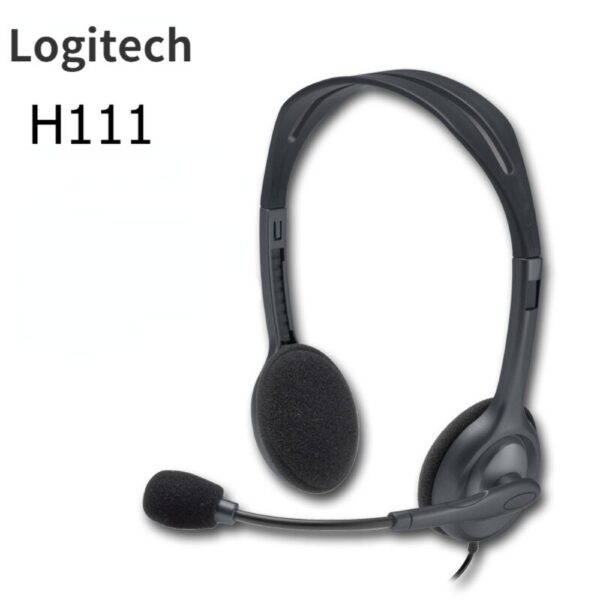
Overall, CC Pendrives are a great way to store data and transfer it between computers and laptops. They are small, portable, and easy to use. However, it is important to take precautions to protect your data from loss or damage when using a CC Pendrive. | The Logitech H111 is a wired on-ear headset with a microphone. It is a simple and affordable headset that is perfect for making calls, listening to music, or watching videos. The headset has a standard 3.5mm audio jack and is compatible with most devices, including computers, smartphones, and tablets.The H111 has a sturdy yet lightweight design. The headband is adjustable to fit most head sizes, and the ear cups are made of soft foam for a comfortable fit. The microphone is located on the left ear cup and can be rotated to the right side if desired.The H111 produces clear sound with good bass response. The microphone is also clear and picks up sound well. The headset is comfortable to wear for long periods of time.Overall, the Logitech H111 is a great value for the price. It is a simple and affordable headset that delivers good sound quality and a comfortable fit.Here are some of the features of the Logitech H111:Standard 3.5mm audio jack
Compatible with most devices
Adjustable headband
Soft foam ear cups
Rotatable microphone
Clear sound quality
Comfortable fit
Here are some of the benefits of using the Logitech H111:Affordable
Easy to use
Comfortable to wear
Good sound quality
Clear microphone
Here are some of the drawbacks of the Logitech H111:Not noise-canceling
Not wireless
Not high-end sound quality
Overall, the Logitech H111 is a great value for the price. It is a simple and affordable headset that delivers good sound quality and a comfortable fit. If you are looking for a basic headset for making calls, listening to music, or watching videos, the Logitech H111 is a great option. |
1
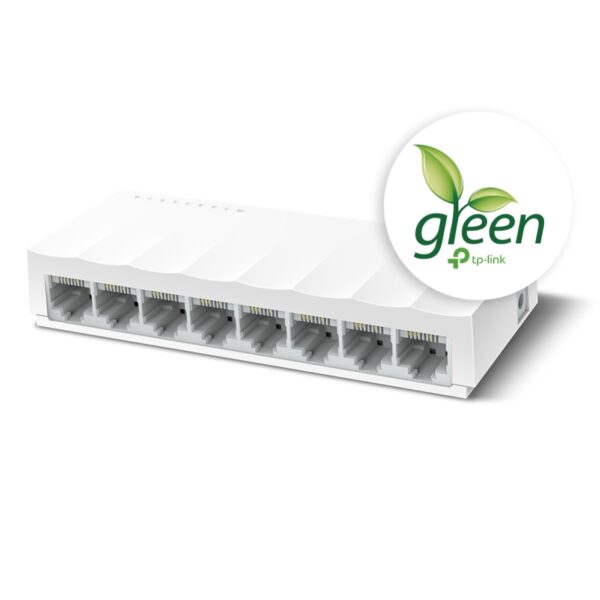
The TP-Link LS1008 is an 8-port 10/100Mbps desktop switch that offers an easy and affordable way to expand your wired network. It is easy to use and reliable, and with all ports supporting Auto-MDI/MDIX, there's no need to worry about the type of cable to use. The LiteWave Series also supports energy-efficient technology, helping you save power and money.Here are some of the key features of the TP-Link LS1008:8 Gigabit Ethernet ports
Auto MDI/MDIX
Energy-efficient technology
Plug and play
The TP-Link LS1008 is a great choice for anyone looking to expand their wired network. It is easy to use and reliable, and it offers a variety of features that make it a great value for the price.Here are some of the benefits of using the TP-Link LS1008:Easy to use: The LS1008 is a plug-and-play device, so there's no need to configure anything. Just connect your devices to the ports and you're good to go.
Reliable: The LS1008 is a reliable device that has been designed to withstand the rigors of everyday use. It is also backed by a 2-year warranty.
Affordable: The LS1008 is an affordable device that offers great value for the price.
If you are looking to expand your wired network, the TP-Link LS1008 is a great option. It is easy to use, reliable, and affordable. | The SanDisk Extreme Portable SSD is a high-performance external solid-state drive (SSD) that is designed for professionals and enthusiasts who need fast and reliable storage. It offers read speeds of up to 1050 MB/s and write speeds of up to 1000 MB/s, making it ideal for transferring large files quickly. The Extreme Portable SSD is also built to be tough, with a durable aluminum enclosure that can withstand drops of up to 2 meters and is water- and dust-resistant. It is also compatible with a wide range of devices, including PCs, Macs, and smartphones.Here are some of the features of the SanDisk Extreme Portable SSD:Up to 1050 MB/s read speeds
Up to 1000 MB/s write speeds
Durable aluminum enclosure
Water- and dust-resistant (IP55)
Compatible with PCs, Macs, and smartphones
5-year warranty
Here are some of the benefits of using the SanDisk Extreme Portable SSD:Fast transfer speeds
Durable construction
Wide compatibility
Long warranty
Here are some of the drawbacks of the SanDisk Extreme Portable SSD:Can be expensive
Not as portable as some other SSDs
Overall, the SanDisk Extreme Portable SSD is a great option for professionals and enthusiasts who need a fast, reliable, and durable external SSD. It offers excellent performance, a durable construction, and a wide compatibility, making it a great choice for a variety of uses.Here are some additional details about the SanDisk Extreme Portable SSD:The Extreme Portable SSD is powered by a USB Type-C connector, which allows it to be used with a wide range of devices.
The Extreme Portable SSD is also equipped with a built-in security feature that allows you to encrypt your data using a password. |







Reviews
There are no reviews yet.