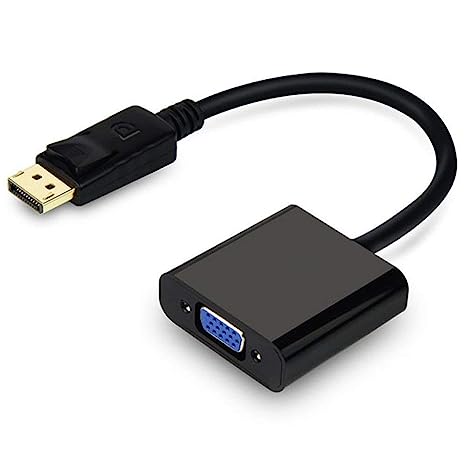
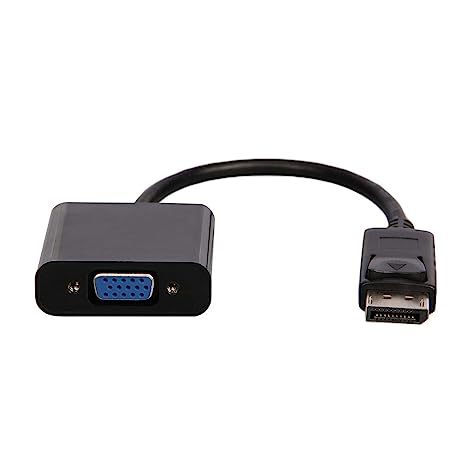
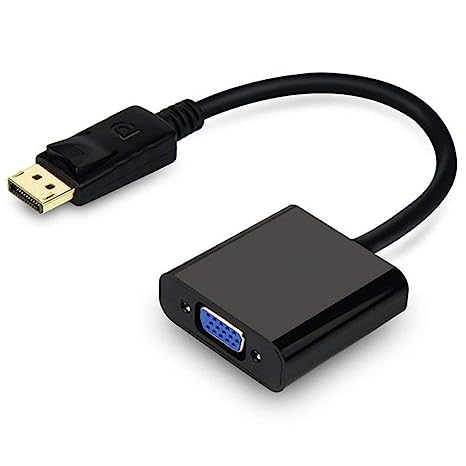
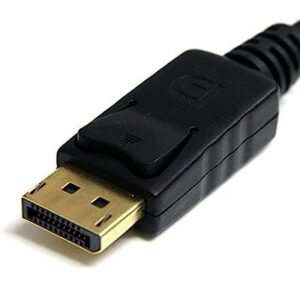
| Description | Here are some of the features of a DisplayPort to VGA converter cable:Allows you to connect a DisplayPort-equipped device to a VGA-enabled display
Supports resolutions up to 1920x1200
Plug-and-play installation
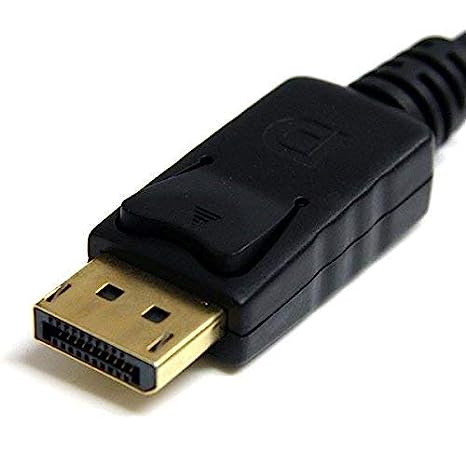
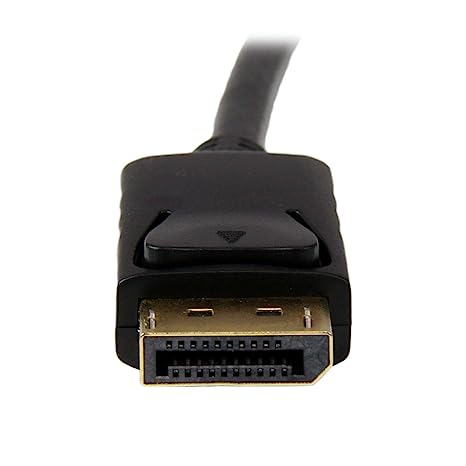
Gold-plated connectors for corrosion resistance
Black color | Here are some of the key features of the TP-Link UE300C:Supports speeds of up to 1000Mbps
Plug and play
USB Type-C connector
Foldable and portable design
2-year warranty
Here are some of the benefits of using the TP-Link UE300C: | Here are some of the things to consider when choosing a DisplayPort to VGA converter cable:The length of the cable.
The resolution and refresh rate that the cable supports.
The color depth that the cable supports.
The price of the cable.
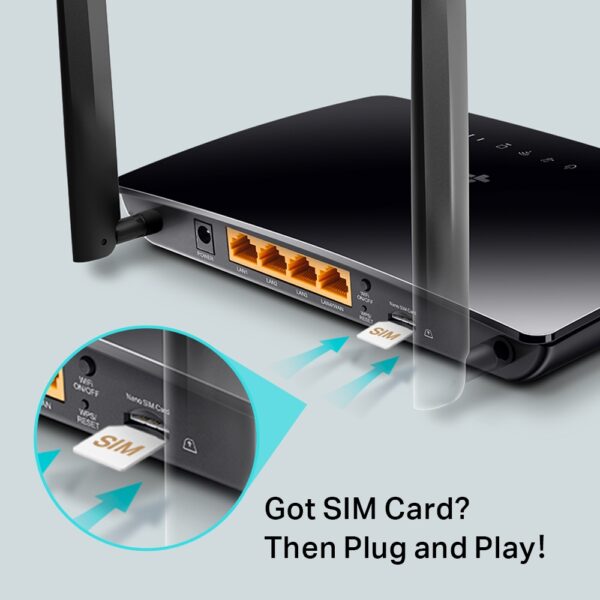
It is important to choose a DisplayPort to VGA converter cable that is compatible with your DisplayPort-equipped device and your VGA-equipped display. It is also important to choose a cable that is the appropriate length for your needs. | Here are some of the key features of the TP-Link Archer MR200:Supports both the 2.4 GHz and 5 GHz bands
SIM slot for 4G LTE connectivity
Easy to set up and use
Built-in web interface for configuration
Portable and lightweight
Here are some of the benefits of using the TP-Link Archer MR200: | Here are some of the features of the Lapcare LPC388A Toner Cartridge:Compatible with HP LaserJet printers
Yields up to 1700 pages
1-year warranty
Here are some of the benefits of using the Lapcare LPC388A Toner Cartridge: | Here are some of the benefits of using a CC Pendrive 16 GB:You can easily transfer data between computers and laptops.
You can use it to store important files, such as documents, photos, and videos.
It is a great way to back up your data.
It is a small and portable device that you can take with you wherever you go.
CC Pendrives are a great way to store data and transfer it between computers and laptops. They are small, portable, and easy to use. If you are looking for a way to store your data, a CC Pendrive is a great option.
stolen. |
| Content | A DisplayPort to VGA converter cable is a device that allows you to connect a DisplayPort-equipped device, such as a laptop or desktop computer, to a VGA-enabled display, such as a monitor or projector. The cable converts the DisplayPort signal to a VGA signal, which is then output by the VGA port on the other end of the cable.Here are some of the features of a DisplayPort to VGA converter cable:Allows you to connect a DisplayPort-equipped device to a VGA-enabled display
Supports resolutions up to 1920x1200
Plug-and-play installation
Gold-plated connectors for corrosion resistance
Black color
Here are some of the benefits of using a DisplayPort to VGA converter cable:It allows you to use your existing VGA display with a DisplayPort-equipped device.
It is a cost-effective way to connect a DisplayPort-equipped device to a VGA display.
It is easy to use, with no drivers or software required.
Here are some of the drawbacks of using a DisplayPort to VGA converter cable:The maximum resolution supported is 1920x1200.
The cable may not be compatible with all DisplayPort-equipped devices.
The cable may not be compatible with all VGA-enabled displays.
Overall, a DisplayPort to VGA converter cable is a useful device that can allow you to connect a DisplayPort-equipped device to a VGA-enabled display. It is a cost-effective and easy-to-use solution, but it is important to be aware of the limitations of the cable. | The TP-Link UE300C USB Type-C to RJ45 Gigabit Ethernet Network Adapter is a small, portable adapter that allows you to connect your USB Type-C devices to a wired network. It supports speeds of up to 1000Mbps, making it ideal for streaming HD video, gaming, and transferring large files.The UE300C is easy to use. Simply plug it into your USB Type-C port and connect an Ethernet cable to the other end. The adapter will automatically be detected by your computer and you will be able to connect to the internet.The UE300C is a great option for anyone who wants to add wired connectivity to their USB Type-C devices. It is small, portable, and easy to use. It is also backed by a 2-year warranty.Here are some of the key features of the TP-Link UE300C:Supports speeds of up to 1000Mbps
Plug and play
USB Type-C connector
Foldable and portable design
2-year warranty
Here are some of the benefits of using the TP-Link UE300C:Fast speeds: The UE300C supports speeds of up to 1000Mbps, making it ideal for streaming HD video, gaming, and transferring large files.
Easy to use: The UE300C is easy to use. Simply plug it into your USB Type-C port and connect an Ethernet cable to the other end. The adapter will automatically be detected by your computer and you will be able to connect to the internet.
Portable: The UE300C is small and portable, so you can easily take it with you wherever you go.
Durable: The UE300C is backed by a 2-year warranty.
If you are looking for a way to add wired connectivity to your USB Type-C devices, the TP-Link UE300C is a great option. It is small, portable, easy to use | A DisplayPort to VGA converter cable is a device that allows you to connect a DisplayPort-equipped device to a VGA-equipped display. DisplayPort is a newer, more advanced video interface than VGA, and it offers a number of advantages, such as higher resolutions, refresh rates, and color depth. However, not all displays support DisplayPort, so a DisplayPort to VGA converter cable can be used to connect a DisplayPort-equipped device to a VGA-equipped display.To use a DisplayPort to VGA converter cable, simply connect one end of the cable to the DisplayPort output port on the source device and the other end of the cable to the VGA input port on the display. Once the cable is connected, the source device and display should automatically detect each other and begin transmitting video and audio signals.DisplayPort to VGA converter cables are available at a variety of prices, so you can find one that fits your budget. If you are looking for a way to connect a DisplayPort-equipped device to a VGA-equipped display, then a DisplayPort to VGA converter cable is a great option.Here are some of the benefits of using a DisplayPort to VGA converter cable:It allows you to connect a DisplayPort-equipped device to a VGA-equipped display.
It supports high-definition video resolutions.
It supports high refresh rates.
It supports high color depth.
It is a relatively inexpensive solution.
If you are looking for a way to connect a DisplayPort-equipped device to a VGA-equipped display, then a DisplayPort to VGA converter cable is a great option.Here are some of the things to consider when choosing a DisplayPort to VGA converter cable:The length of the cable.
The resolution and refresh rate that the cable supports.
The color depth that the cable supports.
The price of the cable.
It is important to choose a DisplayPort to VGA converter cable that is compatible with your DisplayPort-equipped device and your VGA-equipped display. It is also important to choose a cable that is the appropriate length for your needs. | The TP-Link Archer MR200 AC750 2.4GHz 750Mbps Dual Band 4G LTE Mobile Wi-Fi is a portable router that allows you to create a Wi-Fi hotspot wherever you go. It supports both the 2.4 GHz and 5 GHz bands, which allows you to connect to devices that only support one of these bands. It also has a SIM slot, so you can use it with a 4G LTE SIM card to get internet access anywhere there is cellular coverage.The Archer MR200 is easy to set up and use. Just insert a SIM card and turn it on, and you'll be able to connect to the internet in minutes. It also has a built-in web interface that allows you to configure its settings, such as the Wi-Fi network name and password.The Archer MR200 is a great option for anyone who needs a portable router that can provide reliable internet access. It's perfect for travelers, students, and anyone else who needs to stay connected on the go.Here are some of the key features of the TP-Link Archer MR200:Supports both the 2.4 GHz and 5 GHz bands
SIM slot for 4G LTE connectivity
Easy to set up and use
Built-in web interface for configuration
Portable and lightweight
Here are some of the benefits of using the TP-Link Archer MR200:Stay connected on the go: The Archer MR200 allows you to create a Wi-Fi hotspot wherever you go, so you can stay connected to the internet even when you're not at home or work.
Reliable internet access: The Archer MR200 supports both the 2.4 GHz and 5 GHz bands, which allows you to connect to devices that only support one of these bands. It also has a SIM slot, so you can use it with a 4G LTE SIM card to get internet access anywhere there is cellular coverage.
Easy to set up and use: The Archer MR200 is easy to set up and use. Just insert a SIM card and turn it on, and you'll be able to connect to the internet in minutes. It also has a built-in web interface that allows you to configure its settings, such as the Wi-Fi network name and password.
Portable and lightweight: The Archer MR200 is portable and lightweight, so you can easily take it with you wherever you go.
If you're looking for a portable router that can provide reliable internet access, the TP-Link Archer MR200 is a great option. It's perfect for travelers, students, and anyone else who needs to stay connected on the go. | The Lapcare LPC388A Toner Cartridge is a compatible replacement for the HP 88A toner cartridge. It is designed to work with HP LaserJet printers, including the P1002, P1003, P1005, P1006, P1009, P1007, P1008, M1136, M1213nf, M1216, and M1218. The cartridge yields up to 1700 pages, and it is backed by a 1-year warranty.Here are some of the features of the Lapcare LPC388A Toner Cartridge:Compatible with HP LaserJet printers
Yields up to 1700 pages
1-year warranty
Here are some of the benefits of using the Lapcare LPC388A Toner Cartridge:Affordable
High-quality
Easy to install
Backed by a warranty
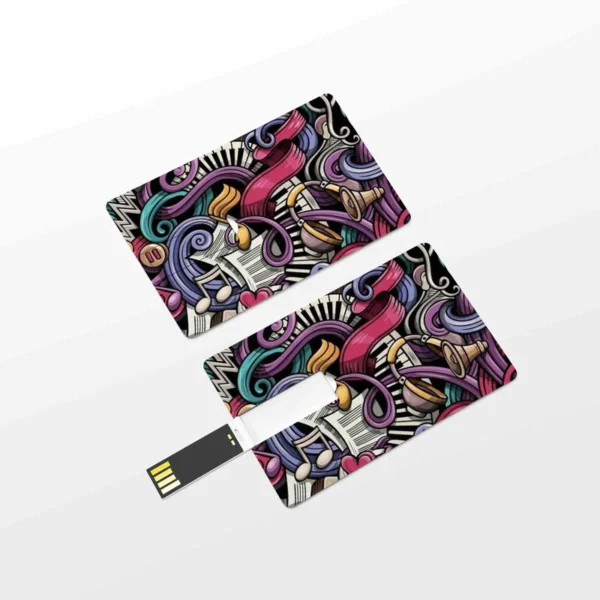
If you are looking for a compatible replacement for the HP 88A toner cartridge, the Lapcare LPC388A Toner Cartridge is a great option. It is affordable, high-quality, and easy to install. | A CC Pendrive 16 GB is a USB flash drive that has a capacity of 16 gigabytes. It is a small, portable device that can be used to store data, such as files, music, videos, and photos. CC Pendrives are available in a variety of colors and designs, and they are compatible with most computers and laptops.Here are some of the features of a CC Pendrive 16 GB:Small and portable
High capacity
Compatible with most computers and laptops
Available in a variety of colors and designs
Durable
Easy to use
Here are some of the benefits of using a CC Pendrive 16 GB:You can easily transfer data between computers and laptops.
You can use it to store important files, such as documents, photos, and videos.
It is a great way to back up your data.
It is a small and portable device that you can take with you wherever you go.
CC Pendrives are a great way to store data and transfer it between computers and laptops. They are small, portable, and easy to use. If you are looking for a way to store your data, a CC Pendrive is a great option.
stolen.
They can be damaged if they are dropped or mishandled.
They can be infected with viruses or malware.
It is important to take precautions to protect your data from loss or damage when using a CC Pendrive. You should always back up your data regularly, and you should be careful not to drop or mishandle your pendrive. You should also scan your pendrive for viruses and malware before using it.Here are some of the drawbacks of using a CC Pendrive 16 GB:They can be easily lost or
Overall, CC Pendrives are a great way to store data and transfer it between computers and laptops. They are small, portable, and easy to use. However, it is important to take precautions to protect your data from loss or damage when using a CC Pendrive. |









Reviews
There are no reviews yet.