| Description | Here are some of the benefits of using the Citizen CL-E331 Barcode Printer:Fast printing speed: This allows you to print labels quickly and efficiently, which can save you time and money.
High-quality printing: The CL-E331 produces sharp, clear labels that are resistant to fading and moisture.
Wide range of label types: This allows you to print labels for a variety of applications, such as shipping, inventory management, and asset tracking.
Built-in cutter: This allows you to easily cut your labels to size.
Easy to use: The CL-E331 is easy to set up and use, even for beginners.
Affordable: The CL-E331 is a great value for the price.
If you are looking for a high-speed, high-quality label printer that is easy to use and affordable, then the Citizen CL-E331 Barcode Printer is a great option. | Here are some of the key features of the Honeywell HF680:2D barcode scanning
Working range of up to 18 inches
Hands-free presentation mode
USB connection
Scan speed of up to 150 scans per second
Resolution of 3 mil
IP65 dust and water resistance
MIL-STD-810G shock and vibration resistance
The Honeywell HF680 is a reliable and versatile barcode scanner that is ideal for a variety of applications. It is easy to use and maintain, and it offers a long lifespan. | Here are some of the key features of the Honeywell Eclipse 5145:Single-line laser scanner
CodeGate technology
USB connection
Scan speed of up to 150 scans per second
Resolution of 3 mil
Working range of up to 12 inches
IP42 dust and water resistance
MIL-STD-810G shock and vibration resistance
The Honeywell Eclipse 5145 is a versatile and reliable barcode scanner that is ideal for a variety of applications. It is easy to use and maintain, and it offers a long lifespan. | Here are some of the key features of the Brother QL-800 Professional Label Printer:High-speed printing: The QL-800 can print labels at a speed of up to 93 labels per minute.
High-quality printing: The QL-800 can print labels at a resolution of up to 600 dpi.
Wide range of label types: The QL-800 can print a variety of label types, including address labels, shipping labels, and barcode labels.
Built-in cutter: The QL-800 features a built-in cutter, so you can easily cut your labels to size.
Easy to use: The QL-800 is easy to use and can be connected to your computer via USB or wirelessly.
The Brother QL-800 Professional Label Printer is a great option for businesses and organizations that need a high-speed, high-quality label printer that is easy to use. It is also a good choice for people who need to print a variety of label types, including address labels, shipping labels, and barcode labels | Here are some of the key features of the TSC DA 310:Direct thermal printing technology: This technology produces high-quality labels that are resistant to fading and moisture.
Print speed of up to 4 ips: This allows you to print labels quickly and efficiently.
Resolution of 300 dpi: This produces sharp, clear labels.
Variety of connectivity options: This includes USB, Ethernet, and Wi-Fi.
Built-in cutter: This allows you to easily cut your labels to size.
User-friendly interface: This makes it easy to set up and use the printer.
One-year warranty: This provides peace of mind knowing that your printer is covered for one year.
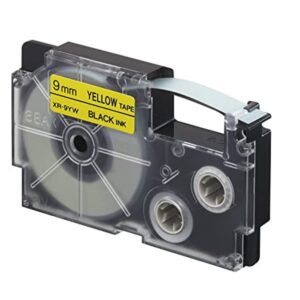
The TSC DA 310 is a great option for small businesses and e-commerce sellers who need a high-quality, affordable label printer. It offers a variety of features that make it ideal for printing shipping labels,. | Here are some of the key features of the Casio KL-820:Compatible with a variety of label tapes
Large, easy-to-read display
QWERTY keyboard
Built-in cutter
High-quality printing
Affordable price
The Casio KL-820 is a great choice for anyone who needs to create and print labels on a regular basis. It is easy to use and produces high-quality labels. The printer is also very affordable, making it a great value for the price. |
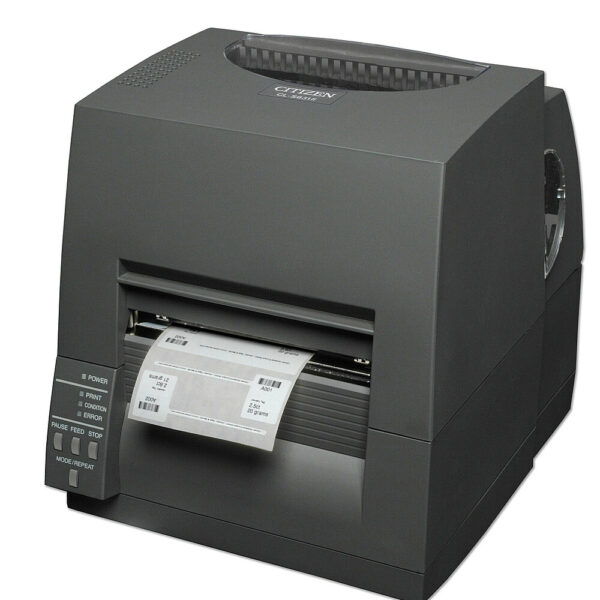
| Content | The Citizen CL-E331 Barcode Printer is a high-speed, high-quality thermal label printer that is perfect for a variety of applications, including shipping, inventory management, and asset tracking. It is easy to use and can be connected to your computer via USB, Ethernet, or Bluetooth. The CL-E331 can print labels up to 4 inches wide and 300 dpi, and it supports a variety of label types, including address labels, shipping labels, and barcode labels. It also features a built-in cutter, so you can easily cut your labels to size.Here are some of the key features of the Citizen CL-E331 Barcode Printer:High-speed printing: The CL-E331 can print labels at a speed of up to 150 labels per minute.
High-quality printing: The CL-E331 can print labels at a resolution of up to 300 dpi.
Wide range of label types: The CL-E331 can print a variety of label types, including address labels, shipping labels, and barcode labels.
Built-in cutter: The CL-E331 features a built-in cutter, so you can easily cut your labels to size.
Easy to use: The CL-E331 is easy to use and can be connected to your computer via USB, Ethernet, or Bluetooth.
The Citizen CL-E331 Barcode Printer is a great option for businesses and organizations that need a high-speed, high-quality label printer that is easy to use. It is also a good choice for people who need to print a variety of label types, including address labels, shipping labels, and barcode labels.Here are some of the benefits of using the Citizen CL-E331 Barcode Printer:Fast printing speed: This allows you to print labels quickly and efficiently, which can save you time and money.
High-quality printing: The CL-E331 produces sharp, clear labels that are resistant to fading and moisture.
Wide range of label types: This allows you to print labels for a variety of applications, such as shipping, inventory management, and asset tracking.
Built-in cutter: This allows you to easily cut your labels to size.
Easy to use: The CL-E331 is easy to set up and use, even for beginners.
Affordable: The CL-E331 is a great value for the price.
If you are looking for a high-speed, high-quality label printer that is easy to use and affordable, then the Citizen CL-E331 Barcode Printer is a great option.Here are some additional details about the printer:Dimensions: 14.6 x 9.7 x 6.3 inches
Weight: 4.4 pounds
Interfaces: USB, Ethernet, Bluetooth
Power supply: 100-240 VAC, 50/60 Hz
Label types: Address labels, shipping labels, barcode labels
Print resolution: 300 dpi
Print speed: 150 labels per minute
Cutter: Built-in
Software: Included
Warranty: 1 year
The Citizen CL-E331 Barcode Printer is a great option for businesses and organizations that need a high-speed, high-quality label printer that is easy to use. It is also a good choice for people who need to print a variety of label types, including address labels, shipping labels, and barcode labels. |
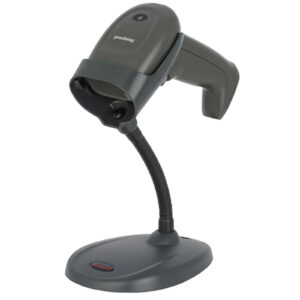
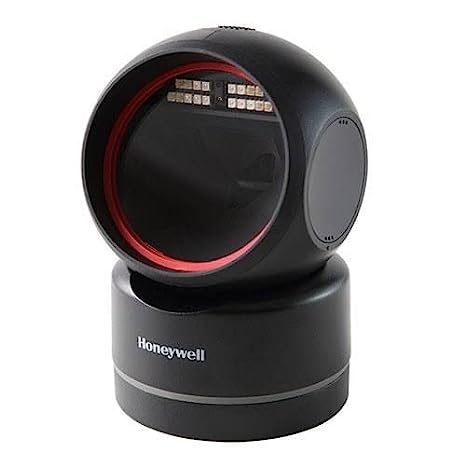
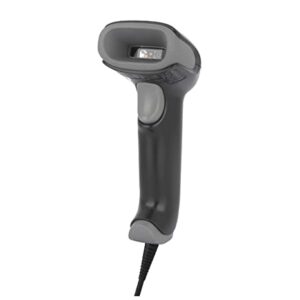
The Honeywell HF680 is a 2D hands-free/presentation scanner that is the perfect blend of affordability, performance, and style. With the HF680, retailers no longer have to compromise their budgets to get scanning performance in a modern design.Here are some of the key features of the Honeywell HF680:2D barcode scanning
Working range of up to 18 inches
Hands-free presentation mode
USB connection
Scan speed of up to 150 scans per second
Resolution of 3 mil
IP65 dust and water resistance
MIL-STD-810G shock and vibration resistance
The Honeywell HF680 is a reliable and versatile barcode scanner that is ideal for a variety of applications. It is easy to use and maintain, and it offers a long lifespan.Here are some of the pros and cons of the Honeywell HF680:Pros:2D barcode scanning
Hands-free presentation mode
USB connection
Fast scan speed
High resolution
Durable and reliable
Affordable price
Cons:Some users have reported that the scanner can be slow to start up
The presentation mode can be difficult to use in some environments
Overall, the Honeywell HF680 is a good value for the price. It is a reliable and versatile barcode scanner that is ideal for a variety of applications.Here are some additional details about the Honeywell HF680:The scanner is powered by a USB connection, so there are no batteries to replace.
The scanner is compatible with a variety of operating systems, including Windows, macOS, and Linux.
The scanner comes with a variety of software features, including EZConfig, which allows you to configure the scanner's settings.
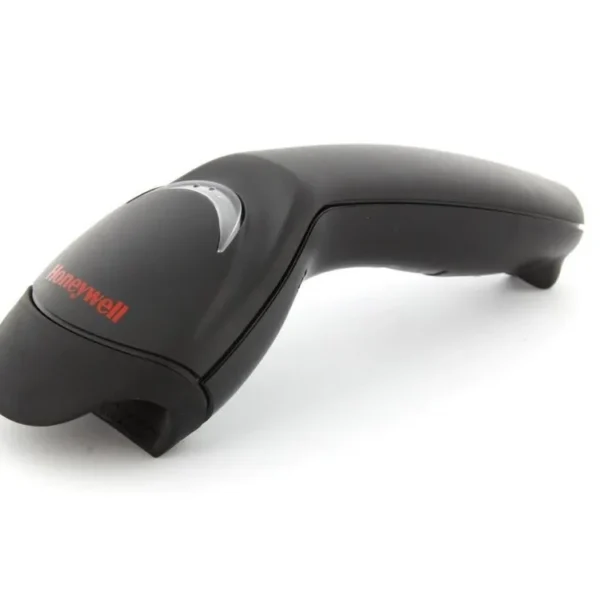
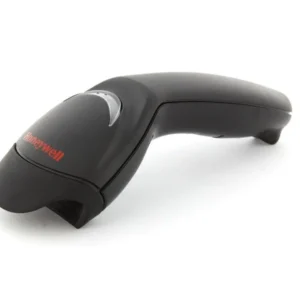
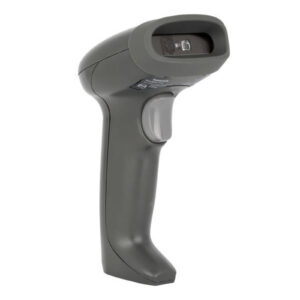
If you are looking for a reliable and affordable barcode scanner, the Honeywell HF680 is a great option. It is easy to use and maintain, and it offers a long lifespan. | The Honeywell MK5145-31A38 Eclipse 5145 is a single-line, hand-held laser scanner with a compact form factor perfect for retail applications. It is equipped with CodeGate technology, which allows the user to easily target the desired barcode and complete data transmission with a simple press of a button. This makes the Eclipse 5145 a perfect selection for menu scanning, point-of-sale, document processing and inventory control.Here are some of the key features of the Honeywell Eclipse 5145:Single-line laser scanner
CodeGate technology
USB connection
Scan speed of up to 150 scans per second
Resolution of 3 mil
Working range of up to 12 inches
IP42 dust and water resistance
MIL-STD-810G shock and vibration resistance
The Honeywell Eclipse 5145 is a versatile and reliable barcode scanner that is ideal for a variety of applications. It is easy to use and maintain, and it offers a long lifespan.Here are some of the pros and cons of the Honeywell Eclipse 5145:Pros:Compact and lightweight design
Easy to use
Durable and reliable
Affordable price
Cons:Only scans 1D barcodes
Not as fast as some other laser scanners
Can be difficult to scan barcodes in poor lighting conditions
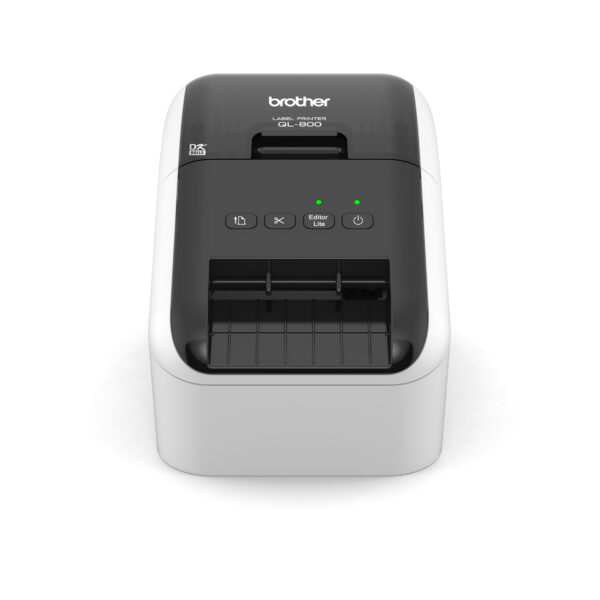
Overall, the Honeywell Eclipse 5145 is a good value for the price. It is a reliable and easy-to-use barcode scanner that is ideal for a variety of applications. | The Brother QL-800 Professional Label Printer is a high-speed, high-quality label printer that is perfect for a variety of applications, including shipping, inventory management, and asset tracking. It is easy to use and can be connected to your computer via USB or wirelessly. The QL-800 can print labels up to 4 inches wide and 600 dpi, and it supports a variety of label types, including address labels, shipping labels, and barcode labels. It also features a built-in cutter, so you can easily cut your labels to size.Here are some of the key features of the Brother QL-800 Professional Label Printer:High-speed printing: The QL-800 can print labels at a speed of up to 93 labels per minute.
High-quality printing: The QL-800 can print labels at a resolution of up to 600 dpi.
Wide range of label types: The QL-800 can print a variety of label types, including address labels, shipping labels, and barcode labels.
Built-in cutter: The QL-800 features a built-in cutter, so you can easily cut your labels to size.
Easy to use: The QL-800 is easy to use and can be connected to your computer via USB or wirelessly.
The Brother QL-800 Professional Label Printer is a great option for businesses and organizations that need a high-speed, high-quality label printer that is easy to use. It is also a good choice for people who need to print a variety of label types, including address labels, shipping labels, and barcode labels.Here are some of the benefits of using the Brother QL-800 Professional Label Printer:Fast printing speed: This allows you to print labels quickly and efficiently, which can save you time and money.
High-quality printing: The QL-800 produces sharp, clear labels that are resistant to fading and moisture.
Wide range of label types: This allows you to print labels for a variety of applications, such as shipping, inventory management, and asset tracking.
Built-in cutter: This allows you to easily cut your labels to size.
Easy to use: The QL-800 is easy to set up and use, even for beginners.
Affordable: The QL-800 is a great value for the price.
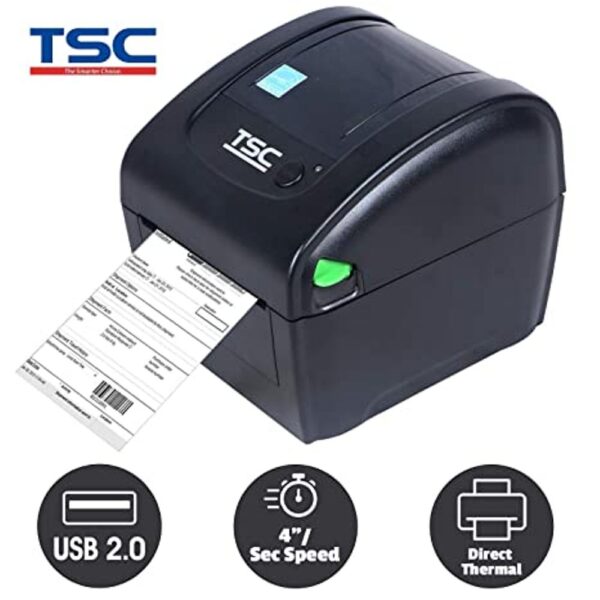
If you are looking for a high-speed, high-quality label printer that is easy to use and affordable, then the Brother QL-800 Professional Label Printer is a great option. | The TSC DA 310 is a desktop direct thermal transfer label printer that offers high-quality printing at a fast speed. It is ideal for small businesses and e-commerce sellers who need to print shipping labels quickly and efficiently. The DA 310 has a print speed of up to 4 ips and a resolution of 300 dpi, which produces sharp, clear labels. It also has a variety of connectivity options, including USB, Ethernet, and Wi-Fi. The DA 310 is backed by a one-year warranty.Here are some of the key features of the TSC DA 310:Direct thermal printing technology: This technology produces high-quality labels that are resistant to fading and moisture.
Print speed of up to 4 ips: This allows you to print labels quickly and efficiently.
Resolution of 300 dpi: This produces sharp, clear labels.
Variety of connectivity options: This includes USB, Ethernet, and Wi-Fi.
Built-in cutter: This allows you to easily cut your labels to size.
User-friendly interface: This makes it easy to set up and use the printer.
One-year warranty: This provides peace of mind knowing that your printer is covered for one year.
The TSC DA 310 is a great option for small businesses and e-commerce sellers who need a high-quality, affordable label printer. It offers a variety of features that make it ideal for printing shipping labels,.Here are some of the benefits of using the TSC DA 310:Fast printing speed: This allows you to print labels quickly and efficiently, which can save you time and money.
High-quality printing: The DA 310 produces sharp, clear labels that are resistant to fading and moisture.
Variety of connectivity options: This makes it easy to connect the printer to your computer or network.
Built-in cutter: This allows you to easily cut your labels to size.
User-friendly interface: This makes it easy to set up and use the printer.
One-year warranty: This provides peace of mind knowing that your printer is covered for one year.
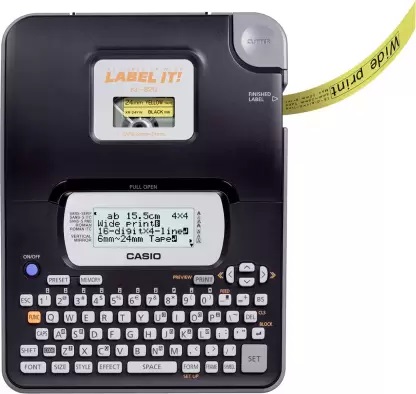
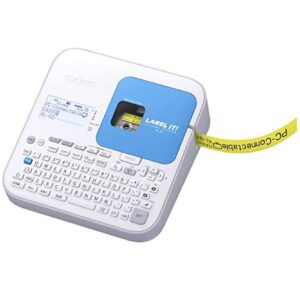
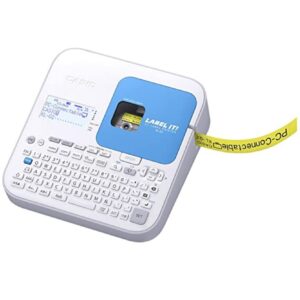
If you are looking for a high-quality, affordable label printer, the TSC DA 310 is a great option. It offers a variety of features that make it ideal for printing shipping labels | The Casio KL-820 Label Printer is a small, portable label printer that is designed for home and office use. It is compatible with a variety of label tapes, including address labels, shipping labels, and product labels. The KL-820 has a large, easy-to-read display and a QWERTY keyboard, making it easy to create and print labels. The printer also has a built-in cutter, so you can easily trim your labels to size.The KL-820 is a great choice for anyone who needs to create and print labels on a regular basis. It is easy to use and produces high-quality labels. The printer is also very affordable, making it a great value for the price.Here are some of the key features of the Casio KL-820:Compatible with a variety of label tapes
Large, easy-to-read display
QWERTY keyboard
Built-in cutter
High-quality printing
Affordable price
The Casio KL-820 is a great choice for anyone who needs to create and print labels on a regular basis. It is easy to use and produces high-quality labels. The printer is also very affordable, making it a great value for the price.Here are some of the benefits of using the Casio KL-820:Increased productivity: The KL-820 can help you save time by automating many of your label printing tasks.
Improved accuracy: The KL-820's large, easy-to-read display and QWERTY keyboard help you to avoid errors.
Enhanced efficiency: The KL-820's built-in cutter can help you to quickly and easily trim your labels to size.
Reduced costs: The KL-820 is a cost-effective solution for anyone who needs to print labels on a regular basis.
If you are looking for a reliable and efficient label printer, the Casio KL-820 is a great choice. |





Reviews
There are no reviews yet.