| Description | Here are some of the benefits of using a CC Pendrive 16 GB:You can easily transfer data between computers and laptops.
You can use it to store important files, such as documents, photos, and videos.
It is a great way to back up your data.
It is a small and portable device that you can take with you wherever you go.
CC Pendrives are a great way to store data and transfer it between computers and laptops. They are small, portable, and easy to use. If you are looking for a way to store your data, a CC Pendrive is a great option.
stolen. | Here are some of the things to consider when choosing a DisplayPort to VGA converter cable:The length of the cable.
The resolution and refresh rate that the cable supports.
The color depth that the cable supports.
The price of the cable.
It is important to choose a DisplayPort to VGA converter cable that is compatible with your DisplayPort-equipped device and your VGA-equipped display. It is also important to choose a cable that is the appropriate length for your needs. | Here are some of the key features of the Exide Powersafe Battery:7 amp-hour capacity
12 volt voltage
Maintenance-free
1-year warranty
The Exide Powersafe Battery is a great option for anyone who is looking for a reliable and affordable UPS backup battery. It is perfect for small to medium-sized UPS systems | Here are some of the benefits of using a USB 3.0 hub:You can connect more devices to your computer.
You can transfer files faster.
You can use your devices more efficiently.
You can save space on your desk.
If you need to connect more devices to your computer, a USB 3.0 hub is a great solution. | Here are some of the key features of the TP-Link LS1008:8 Gigabit Ethernet ports
Auto MDI/MDIX
Energy-efficient technology
Plug and play
The TP-Link LS1008 is a great choice for anyone looking to expand their wired network. It is easy to use and reliable, and it offers a variety of features that make it a great value for the price. | Here are some of the key features of a USB 2.0 High Speed Printer Cable Scanner Cable A Male to B Male for HP, Canon, Etc. GREY:Supports speeds of up to 480 Mbps
Backward compatible with USB 1.1 and USB 1.0 devices
Shielded to protect against interference
Easy to use
Compatible with a wide range of printers and scanners
Here are some of the benefits of using a USB 2.0 High Speed Printer Cable Scanner Cable A Male to B Male for HP, Canon, Etc. GREY: |
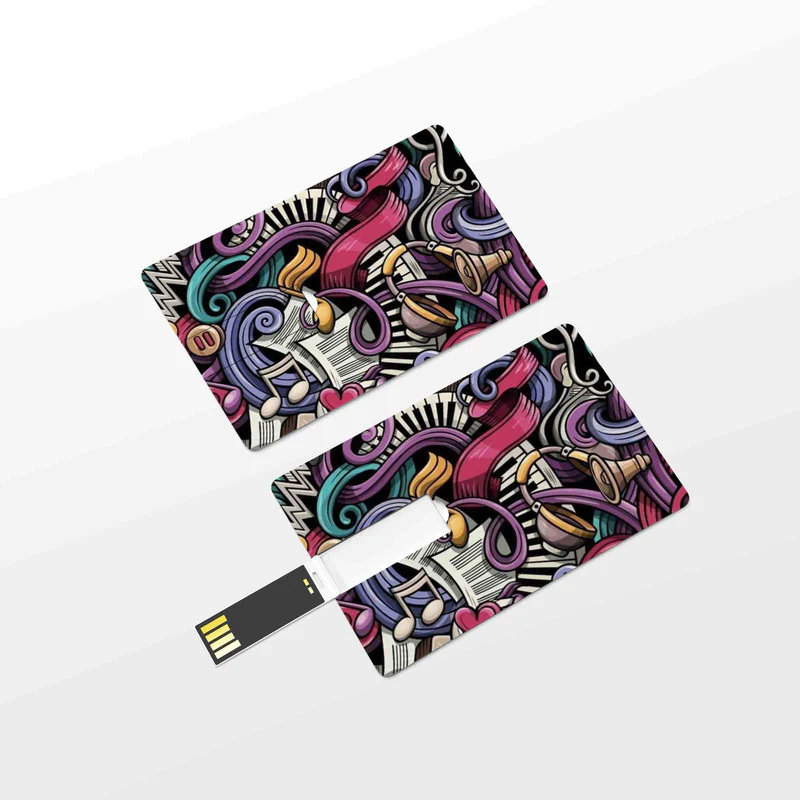
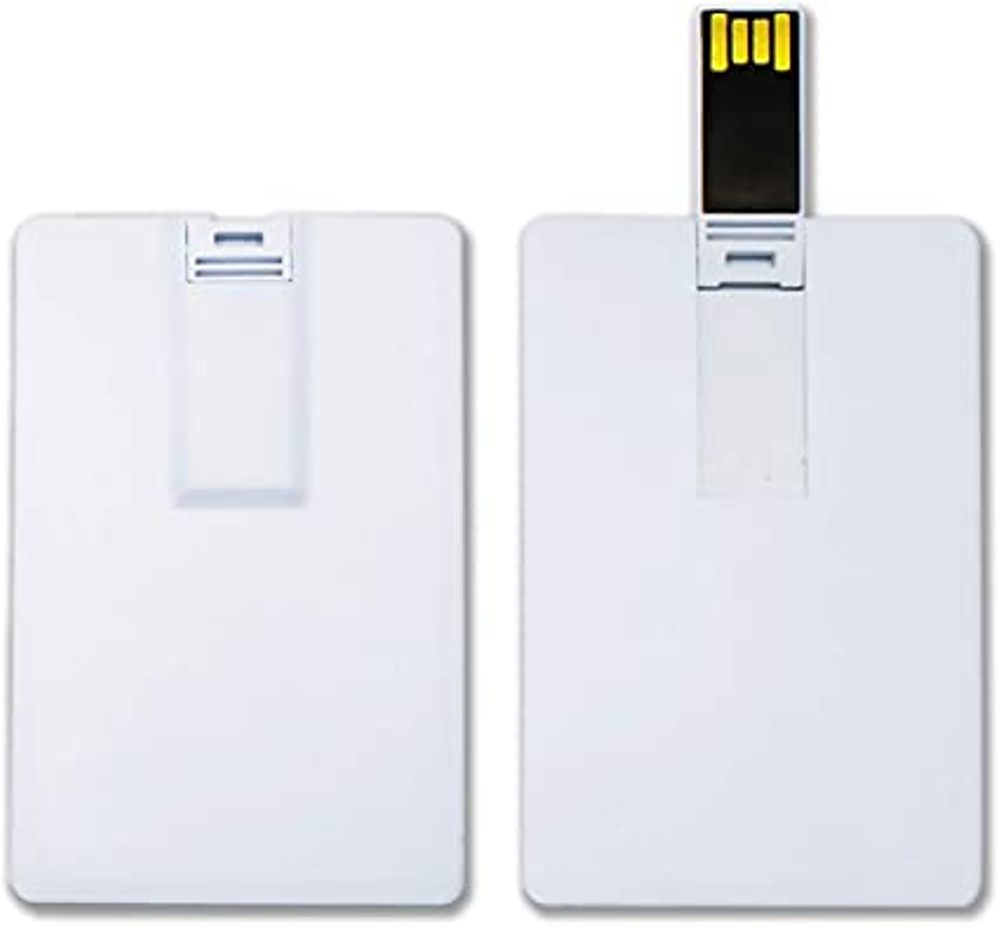
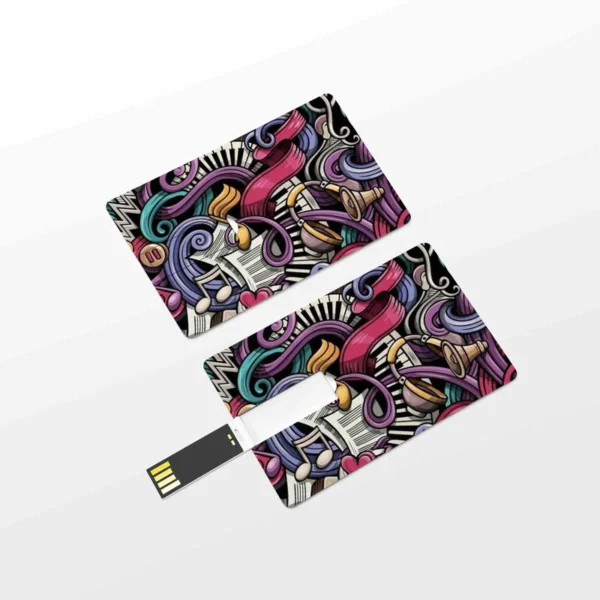
| Content | A CC Pendrive 16 GB is a USB flash drive that has a capacity of 16 gigabytes. It is a small, portable device that can be used to store data, such as files, music, videos, and photos. CC Pendrives are available in a variety of colors and designs, and they are compatible with most computers and laptops.Here are some of the features of a CC Pendrive 16 GB:Small and portable
High capacity
Compatible with most computers and laptops
Available in a variety of colors and designs
Durable
Easy to use
Here are some of the benefits of using a CC Pendrive 16 GB:You can easily transfer data between computers and laptops.
You can use it to store important files, such as documents, photos, and videos.
It is a great way to back up your data.
It is a small and portable device that you can take with you wherever you go.
CC Pendrives are a great way to store data and transfer it between computers and laptops. They are small, portable, and easy to use. If you are looking for a way to store your data, a CC Pendrive is a great option.
stolen.
They can be damaged if they are dropped or mishandled.
They can be infected with viruses or malware.
It is important to take precautions to protect your data from loss or damage when using a CC Pendrive. You should always back up your data regularly, and you should be careful not to drop or mishandle your pendrive. You should also scan your pendrive for viruses and malware before using it.Here are some of the drawbacks of using a CC Pendrive 16 GB:They can be easily lost or
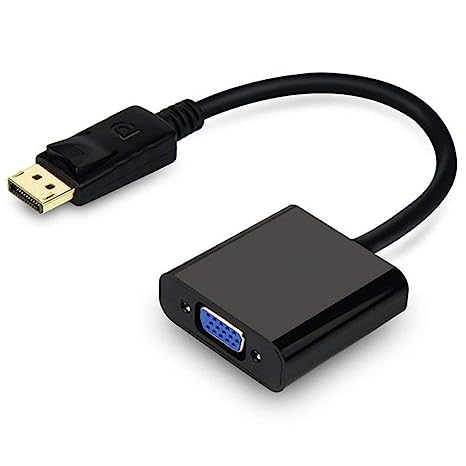
Overall, CC Pendrives are a great way to store data and transfer it between computers and laptops. They are small, portable, and easy to use. However, it is important to take precautions to protect your data from loss or damage when using a CC Pendrive. | A DisplayPort to VGA converter cable is a device that allows you to connect a DisplayPort-equipped device to a VGA-equipped display. DisplayPort is a newer, more advanced video interface than VGA, and it offers a number of advantages, such as higher resolutions, refresh rates, and color depth. However, not all displays support DisplayPort, so a DisplayPort to VGA converter cable can be used to connect a DisplayPort-equipped device to a VGA-equipped display.To use a DisplayPort to VGA converter cable, simply connect one end of the cable to the DisplayPort output port on the source device and the other end of the cable to the VGA input port on the display. Once the cable is connected, the source device and display should automatically detect each other and begin transmitting video and audio signals.DisplayPort to VGA converter cables are available at a variety of prices, so you can find one that fits your budget. If you are looking for a way to connect a DisplayPort-equipped device to a VGA-equipped display, then a DisplayPort to VGA converter cable is a great option.Here are some of the benefits of using a DisplayPort to VGA converter cable:It allows you to connect a DisplayPort-equipped device to a VGA-equipped display.
It supports high-definition video resolutions.
It supports high refresh rates.
It supports high color depth.
It is a relatively inexpensive solution.
If you are looking for a way to connect a DisplayPort-equipped device to a VGA-equipped display, then a DisplayPort to VGA converter cable is a great option.Here are some of the things to consider when choosing a DisplayPort to VGA converter cable:The length of the cable.
The resolution and refresh rate that the cable supports.
The color depth that the cable supports.
The price of the cable.
It is important to choose a DisplayPort to VGA converter cable that is compatible with your DisplayPort-equipped device and your VGA-equipped display. It is also important to choose a cable that is the appropriate length for your needs. | The Exide 12 Volt/ 7 Ah Powersafe Battery (Sealed),Original Replacement To Ups Battery is a sealed lead-acid battery that is designed to provide backup power for uninterruptible power supplies (UPS). It has a capacity of 7 amp-hours and a voltage of 12 volts, making it a good choice for small to medium-sized UPS systems. The battery is also maintenance-free, so you don't have to worry about adding water or acid.The Exide Powersafe Battery is a reliable and affordable option for UPS backup. It is backed by a 1-year warranty, so you can be confident in its performance.Here are some of the key features of the Exide Powersafe Battery:7 amp-hour capacity
12 volt voltage
Maintenance-free
1-year warranty
The Exide Powersafe Battery is a great option for anyone who is looking for a reliable and affordable UPS backup battery. It is perfect for small to medium-sized UPS systems and is backed by a 1-year warranty.Here are some of the benefits of using the Exide Powersafe Battery:Reliable performance: The Exide Powersafe Battery is a reliable and proven battery that is backed by a 1-year warranty.
Affordable price: The Exide Powersafe Battery is an affordable option for UPS backup.
Maintenance-free: The Exide Powersafe Battery is maintenance-free, so you don't have to worry about adding water or acid.
Easy to install: The Exide Powersafe Battery is easy to install and can be replaced quickly and easily.
If you are looking for a reliable, affordable, and easy-to-install UPS backup battery, then the Exide Powersafe Battery is a great option. | The 4 Port USB HUB SuperSpeed 3.0 High-Speed Multiport Slim USB Hub 1 feet Cable Length Adapter and Led Indicator Compatible for Pendrive, Mouse, Keyboards, Mobile, Tablet ( Black ) 08 is a USB 3.0 hub that allows you to connect up to four USB devices to your computer. It has a sleek and slim design that makes it easy to take with you on the go, and it comes with a built-in LED indicator that shows which ports are in use. The hub is compatible with a wide range of devices, including external hard drives, printers, scanners, and more. It also supports data transfer speeds of up to 5Gbps, which means you can transfer large files quickly and easily.Here are some of the key features of the 4 Port USB HUB SuperSpeed 3.0 High-Speed Multiport Slim USB Hub 1 feet Cable Length Adapter and Led Indicator Compatible for Pendrive, Mouse, Keyboards, Mobile, Tablet ( Black ) 08:Supports up to four USB devices
Slim and portable design
Built-in LED indicator
Compatible with a wide range of devices
Data transfer speeds of up to 5Gbps
If you're looking for a high-speed USB 3.0 hub that is easy to use and compatible with a wide range of devices, the 4 Port USB HUB SuperSpeed 3.0 High-Speed Multiport Slim USB Hub 1 feet Cable Length Adapter and Led Indicator Compatible for Pendrive, Mouse, Keyboards, Mobile, Tablet ( Black ) 08 is a great option.Here are some of the benefits of using a USB 3.0 hub:You can connect more devices to your computer.
You can transfer files faster.
You can use your devices more efficiently.
You can save space on your desk.
If you need to connect more devices to your computer, a USB 3.0 hub is a great solution. |
1
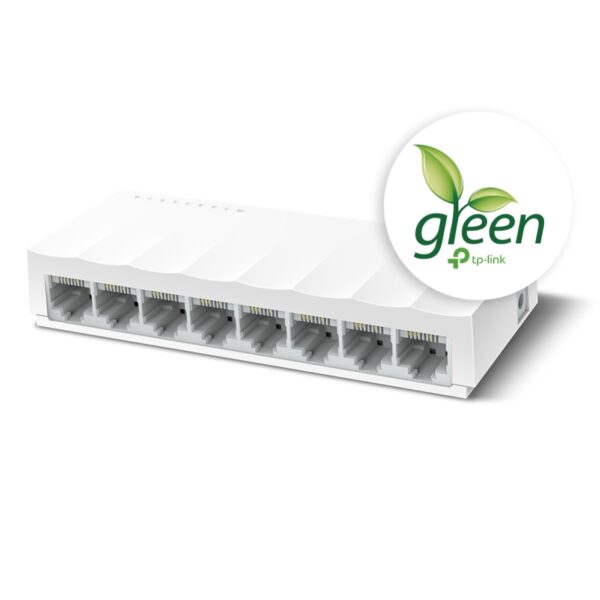
The TP-Link LS1008 is an 8-port 10/100Mbps desktop switch that offers an easy and affordable way to expand your wired network. It is easy to use and reliable, and with all ports supporting Auto-MDI/MDIX, there's no need to worry about the type of cable to use. The LiteWave Series also supports energy-efficient technology, helping you save power and money.Here are some of the key features of the TP-Link LS1008:8 Gigabit Ethernet ports
Auto MDI/MDIX
Energy-efficient technology
Plug and play
The TP-Link LS1008 is a great choice for anyone looking to expand their wired network. It is easy to use and reliable, and it offers a variety of features that make it a great value for the price.Here are some of the benefits of using the TP-Link LS1008:Easy to use: The LS1008 is a plug-and-play device, so there's no need to configure anything. Just connect your devices to the ports and you're good to go.
Reliable: The LS1008 is a reliable device that has been designed to withstand the rigors of everyday use. It is also backed by a 2-year warranty.
Affordable: The LS1008 is an affordable device that offers great value for the price.
If you are looking to expand your wired network, the TP-Link LS1008 is a great option. It is easy to use, reliable, and affordable. | A USB 2.0 High Speed Printer Cable Scanner Cable A Male to B Male for HP, Canon, Etc. GREY is a type of cable that is used to connect printers and scanners to computers. It is a high-speed cable that can transfer data at speeds of up to 480 Mbps. The cable is also backward compatible with USB 1.1 and USB 1.0 devices.The cable is made of high-quality materials and is designed to last. It is also shielded to protect against interference. The cable is easy to use and can be plugged in and unplugged without any difficulty.The cable is compatible with a wide range of printers and scanners. It is also compatible with a variety of computers, including Windows, Mac, and Linux computers.The cable is a great way to connect your printer or scanner to your computer. It is a high-quality cable that is easy to use and compatible with a wide range of devices.Here are some of the key features of a USB 2.0 High Speed Printer Cable Scanner Cable A Male to B Male for HP, Canon, Etc. GREY:Supports speeds of up to 480 Mbps
Backward compatible with USB 1.1 and USB 1.0 devices
Shielded to protect against interference
Easy to use
Compatible with a wide range of printers and scanners
Here are some of the benefits of using a USB 2.0 High Speed Printer Cable Scanner Cable A Male to B Male for HP, Canon, Etc. GREY:Fast speeds: The cable supports speeds of up to 480 Mbps, which allows you to transfer data quickly and easily.
Backward compatibility: The cable is backward compatible with USB 1.1 and USB 1.0 devices, so you can use it with older devices.
Shielding: The cable is shielded to protect against interference, which can help to improve the quality of your data transfer.
Easy to use: The cable is easy to use and can be plugged in and unplugged without any difficulty.
Compatibility: The cable is compatible with a wide range of printers and scanners, so you can use it with most devices.
If you are looking for a high-quality cable to connect your printer or scanner to your computer, a USB 2.0 High Speed Printer Cable Scanner Cable A Male to B Male for HP, Canon, Etc. GREY is a great option. It is a fast, backward compatible, shielded, easy to use, and compatible cable that is perfect for most users. |








Reviews
There are no reviews yet.