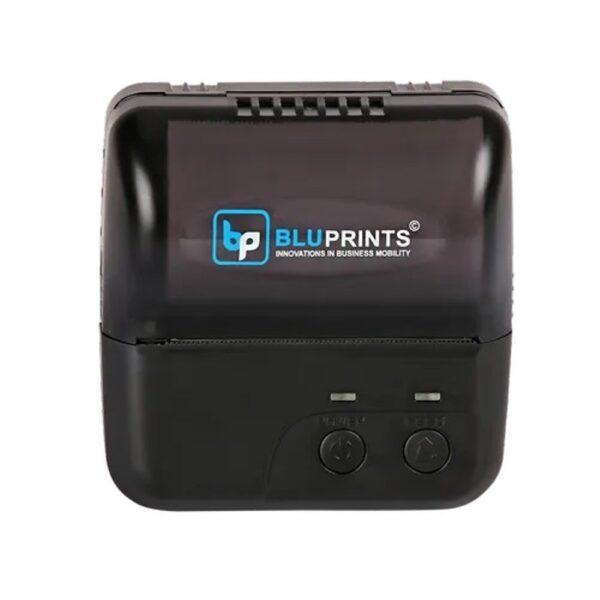
| Description | If you are looking for a reliable and affordable way to print receipts, shipping labels, and other documents, then the Blue Print Thermal Printer is a good option. The printer is easy to use and can be connected to a variety of devices. | Here are some of the key features of the Honeywell Eclipse 5145:Single-line laser scanner
CodeGate technology
USB connection
Scan speed of up to 150 scans per second
Resolution of 3 mil
Working range of up to 12 inches
IP42 dust and water resistance
MIL-STD-810G shock and vibration resistance
The Honeywell Eclipse 5145 is a versatile and reliable barcode scanner that is ideal for a variety of applications. It is easy to use and maintain, and it offers a long lifespan. | Here are some of the key features of the Epson TM-T82 Thermal Receipt Printer:Direct thermal printing
Print speed of up to 150mm/sec
Large paper capacity of up to 80mm
Compatible with a variety of operating systems
Supports a variety of receipt formats
Reliable and affordable
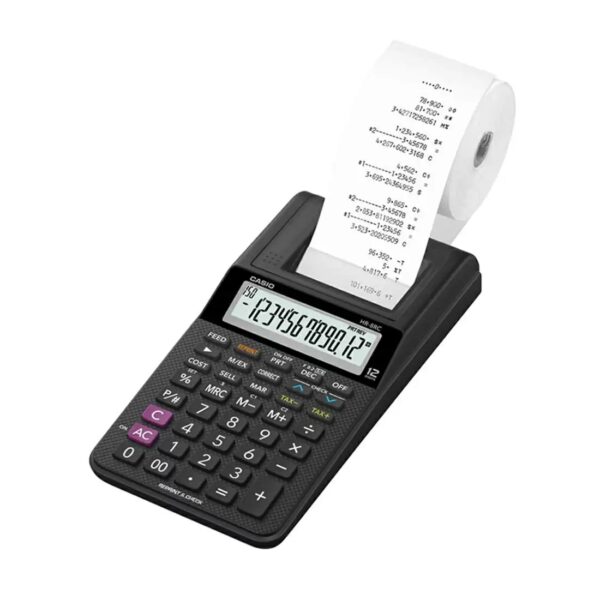
Here are some of the benefits of using the Epson TM-T82 Thermal Receipt Printer: | Here are some additional details about the Casio HR-8RC-BK:Dimensions: 239 x 102 x 81.6 mm
Weight: 345 g
Display: 12 digits
Power supply: AA batteries (4)
Memory: Independent memory
Functions: Reprint/after print, cost/sell/margin, tax and exchange | Here are some of the key features of the Honeywell Voyager Extreme Performance 1470g:Powerful laser scanner
Long working range (up to 21 inches)
Dust-proof and water-resistant
Drop-resistant
USB connection
Scan speed of up to 200 scans per second
Resolution of 3 mil
IP65 dust and water resistance
MIL-STD-810G shock and vibration resistance
The Honeywell Voyager Extreme Performance 1470g is a reliable and versatile barcode scanner that is ideal for a variety of applications. It is easy to use and maintain, and it offers a long lifespan. | Here are some additional details about the Casio KL-G2:Print speed: 20mm/sec
Print resolution: 200 dpi
Compatible tape widths: 6mm, 9mm, 12mm, 18mm, 24mm
Maximum print width: 16mm
Maximum printed lines: 3
Battery life: Up to 100 labels on alkaline batteries
Dimensions: 170 x 110 x 55mm
Weight: 450g |
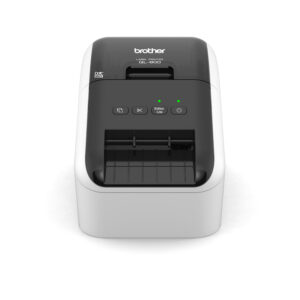
| Content | The Blue Print Thermal Printer is a small, lightweight printer that is designed to print receipts, shipping labels, and other documents. The printer uses thermal printing technology, which means that it does not require ink or toner. This makes the printer more affordable to operate and also helps to reduce environmental impact.The Blue Print Thermal Printer is easy to use. It connects to a computer or mobile device via USB or Bluetooth. Once connected, the printer can be used to print documents directly from the device. The printer also has a built-in memory, which allows it to store documents for later printing.The Blue Print Thermal Printer is a reliable and affordable option for businesses and individuals who need to print receipts, shipping labels, and other documents. The printer is easy to use and can be connected to a variety of devices.Here are some of the features of the Blue Print Thermal Printer:Thermal printing technology
Easy to use
Connects to a computer or mobile device via USB or Bluetooth
Built-in memory
Reliable and affordable
Here are some of the benefits of using a Blue Print Thermal Printer:Affordable to operate
Reduces environmental impact
Easy to use
Connects to a variety of devices
Reliable and affordable
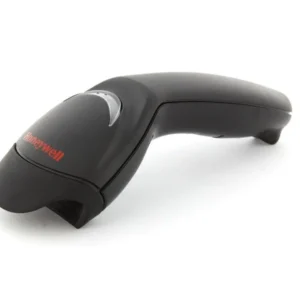
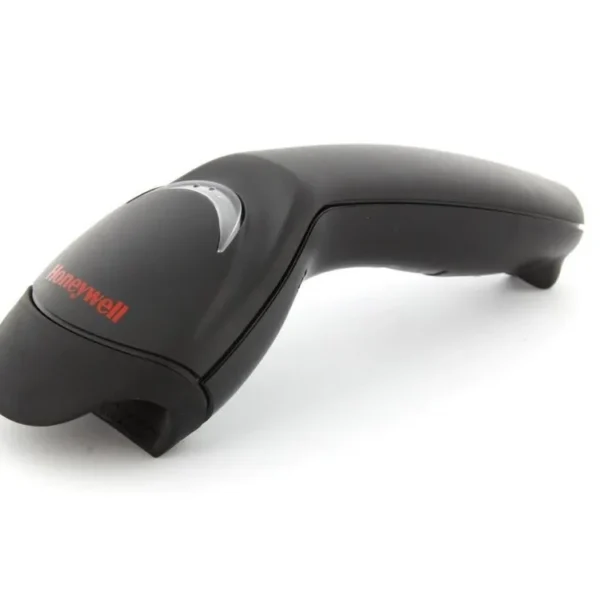
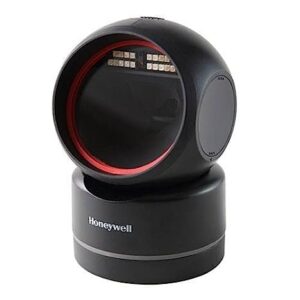
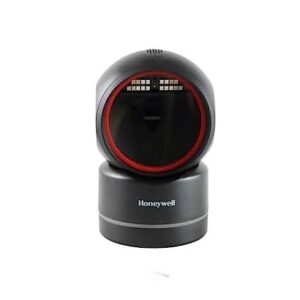
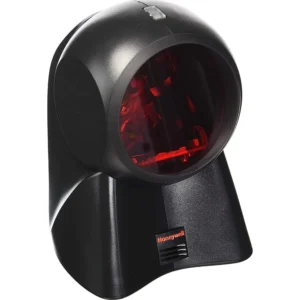
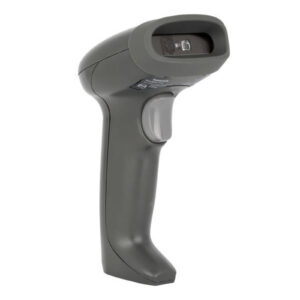
If you are looking for a reliable and affordable way to print receipts, shipping labels, and other documents, then the Blue Print Thermal Printer is a good option. The printer is easy to use and can be connected to a variety of devices. | The Honeywell MK5145-31A38 Eclipse 5145 is a single-line, hand-held laser scanner with a compact form factor perfect for retail applications. It is equipped with CodeGate technology, which allows the user to easily target the desired barcode and complete data transmission with a simple press of a button. This makes the Eclipse 5145 a perfect selection for menu scanning, point-of-sale, document processing and inventory control.Here are some of the key features of the Honeywell Eclipse 5145:Single-line laser scanner
CodeGate technology
USB connection
Scan speed of up to 150 scans per second
Resolution of 3 mil
Working range of up to 12 inches
IP42 dust and water resistance
MIL-STD-810G shock and vibration resistance
The Honeywell Eclipse 5145 is a versatile and reliable barcode scanner that is ideal for a variety of applications. It is easy to use and maintain, and it offers a long lifespan.Here are some of the pros and cons of the Honeywell Eclipse 5145:Pros:Compact and lightweight design
Easy to use
Durable and reliable
Affordable price
Cons:Only scans 1D barcodes
Not as fast as some other laser scanners
Can be difficult to scan barcodes in poor lighting conditions
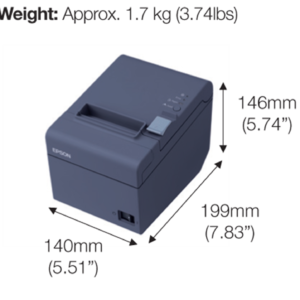
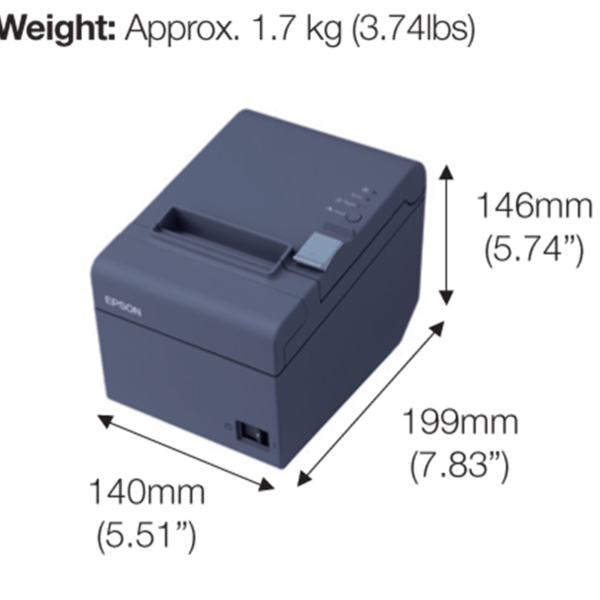
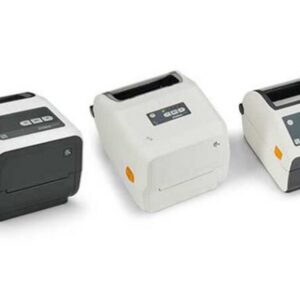
Overall, the Honeywell Eclipse 5145 is a good value for the price. It is a reliable and easy-to-use barcode scanner that is ideal for a variety of applications. | The Epson TM-T82 Thermal Receipt Printer is a small, lightweight printer that is designed to be used in a variety of settings, including retail, hospitality, and healthcare. It is a direct thermal printer, which means that it does not require ink or toner. Instead, it uses heat to create images on thermal receipt paper. This makes it a more cost-effective option than inkjet or laser printers.The TM-T82 has a print speed of up to 150mm/sec, which means that it can print receipts quickly and efficiently. It also has a large paper capacity of up to 80mm, so you can print multiple receipts without having to reload the paper.The TM-T82 is compatible with a variety of operating systems, including Windows, Mac OS X, and Linux. It also supports a variety of receipt formats, including standard receipt formats, custom receipt formats, and even barcodes.The TM-T82 is a reliable and affordable thermal receipt printer that is perfect for a variety of businesses. It is easy to use and maintain, and it produces high-quality receipts that are sure to impress your customers.Here are some of the key features of the Epson TM-T82 Thermal Receipt Printer:Direct thermal printing
Print speed of up to 150mm/sec
Large paper capacity of up to 80mm
Compatible with a variety of operating systems
Supports a variety of receipt formats
Reliable and affordable
Here are some of the benefits of using the Epson TM-T82 Thermal Receipt Printer:Cost-effective: Direct thermal printing does not require ink or toner, which can save you money on consumables.
Fast: The TM-T82 can print receipts quickly and efficiently, which can help you improve customer service.
Versatile: The TM-T82 is compatible with a variety of operating systems and receipt formats, so you can use it in a variety of settings.
Reliable: The TM-T82 is a reliable printer that is built to last.
Affordable: The TM-T82 is an affordable option for businesses of all sizes.
If you are looking for a reliable and affordable thermal receipt printer, the Epson TM-T82 is a great option. It is easy to use and maintain, and it produces high-quality receipts that are sure to impress your customers. | The Casio HR-8RC-BK 150 Steps Check & Correct Printing Calculator with Reprint Feature is a compact and portable calculator that is perfect for everyday use. It features a 12-digit display, a reprint/after print function, and a cost/sell/margin function. The HR-8RC-BK also has a tax and exchange function, making it ideal for small businesses and individuals who need to calculate taxes and exchange currencies.Here are some of the key features of the Casio HR-8RC-BK:12-digit display: The large, easy-to-read display makes it easy to see your calculations.
Reprint/after print function: This function allows you to print multiple copies of your calculations or print them later even in print off mode.
Cost/sell/margin function: This function allows you to calculate the cost, selling price, or margin of profit on an item.
Tax and exchange function: This function allows you to calculate taxes and exchange currencies.
The Casio HR-8RC-BK is a great choice for anyone who needs a compact and portable calculator with a variety of features. It is perfect for everyday use, small businesses, and individuals who need to calculate taxes and exchange currencies.Here are some additional details about the Casio HR-8RC-BK:Dimensions: 239 x 102 x 81.6 mm
Weight: 345 g
Display: 12 digits
Power supply: AA batteries (4)
Memory: Independent memory
Functions: Reprint/after print, cost/sell/margin, tax and exchangeThe Casio HR-8RC-BK is a great value for the price. It is a compact and portable calculator with a variety of features that make it perfect for everyday use |
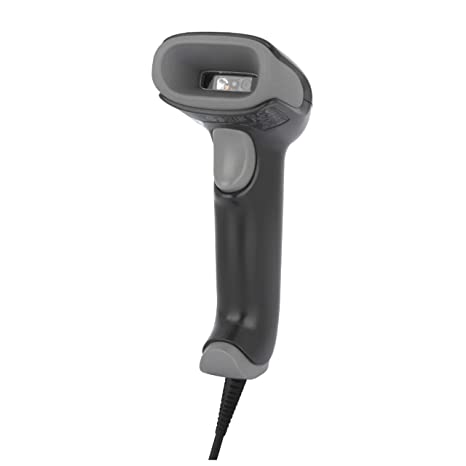
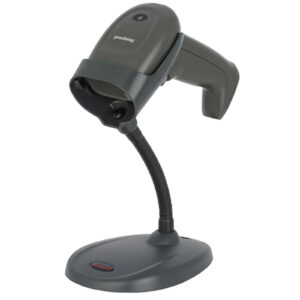
The Honeywell Voyager Extreme Performance 1470g is a rugged, high-performance barcode scanner that is designed for use in demanding retail and industrial environments. It features a powerful laser scanner that can read 1D and 2D barcodes from up to 21 inches away, even in poor lighting conditions. The scanner is also dust-proof and water-resistant, making it ideal for use in harsh environments.Here are some of the key features of the Honeywell Voyager Extreme Performance 1470g:Powerful laser scanner
Long working range (up to 21 inches)
Dust-proof and water-resistant
Drop-resistant
USB connection
Scan speed of up to 200 scans per second
Resolution of 3 mil
IP65 dust and water resistance
MIL-STD-810G shock and vibration resistance
The Honeywell Voyager Extreme Performance 1470g is a reliable and versatile barcode scanner that is ideal for a variety of applications. It is easy to use and maintain, and it offers a long lifespan.Here are some of the pros and cons of the Honeywell Voyager Extreme Performance 1470g:Pros:Powerful laser scanner
Long working range
Dust-proof and water-resistant
Drop-resistant
USB connection
Fast scan speed
High resolution
Durable and reliable
Cons:Can be difficult to scan barcodes in very low light conditions
Some users have reported that the scanner can be slow to start up
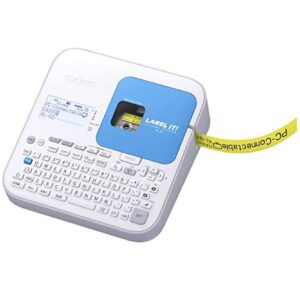
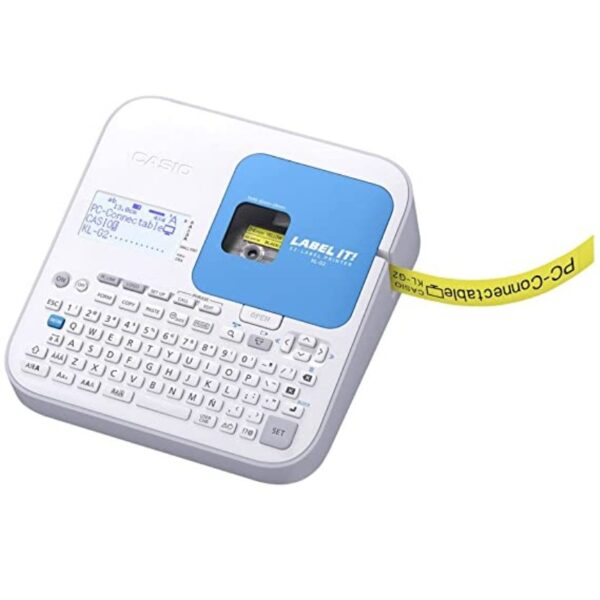
Overall, the Honeywell Voyager Extreme Performance 1470g is a good value for the price. It is a reliable and versatile barcode scanner that is ideal for a variety of applications.Here is a link to the product page for the Honeywell Voyager Extreme Performance 1470g: https://sps.honeywell.com/us/en/products/productivity/barcode-scanners/general-purpose-handheld/voyager-xp-1470g-general-duty-scannerI hope this helps! Let me know if you have any other questions. | The Casio KL-G2 is a label printer that is designed to be easy to use and efficient. It has a number of features that make it a good choice for both personal and business use.Some of the key features of the Casio KL-G2 include:A large, backlit LCD display that makes it easy to see what you are doing, even in low light conditions.
A QWERTY keyboard that makes it easy to type quickly and accurately.
A variety of fonts and styles to choose from, so you can create labels that look just the way you want them.
A built-in cutter that automatically cuts your labels to size.
A USB connection that allows you to connect the printer to your computer and print labels from a variety of sources.
The Casio KL-G2 is a versatile label printer that can be used for a variety of tasks, including:Creating labels for files, folders, and CDs.
Creating labels for products and inventory.
Creating labels for shipping and mailing.
Creating labels for home and office organization.
Creating labels for crafts and hobbies.
The Casio KL-G2 is a reliable and affordable label printer that is a good choice for both personal and business use.Here are some additional details about the Casio KL-G2:Print speed: 20mm/sec
Print resolution: 200 dpi
Compatible tape widths: 6mm, 9mm, 12mm, 18mm, 24mm
Maximum print width: 16mm
Maximum printed lines: 3
Battery life: Up to 100 labels on alkaline batteries
Dimensions: 170 x 110 x 55mm
Weight: 450g
The Casio KL-G2 is available in a variety of colors, including black, white, and blue. It is also available in a variety of bundles, including a bundle with a carrying case and a bundle with a variety of label tapes. |









Reviews
There are no reviews yet.