| Description | Long length gives you plenty of flexibility when connecting your printer or scanner to your computer.
High-quality materials and construction make the cable durable and long-lasting.
Easy to use, simply plug one end of the cable into your printer or scanner and the other end into your computer's USB port.
Supports data transfer rates up to 480 Mbps, which means that you can transfer files to and from your printer or scanner quickly and easily.
Compatible with most major printer brands and operating systems.
Overall, the 3 Meter USB Printer Cable is a great choice for anyone who needs a long, high-quality USB printer cable. It is compatible with most printers and scanners, and it is easy to use and reliable. | Here are some of the benefits of using the LAPCARE 600VA UPS | Lap LONG-650:Protects your devices from power outages
Affordable
Available in a number of different deals
If you are looking for a UPS to protect your devices from power outages, the LAPCARE 600VA UPS | Lap LONG-650 is a great option. It is affordable and available in a number of different deals. | Here are some of the things to consider when choosing a DisplayPort to VGA converter cable:The length of the cable.
The resolution and refresh rate that the cable supports.
The color depth that the cable supports.
The price of the cable.
It is important to choose a DisplayPort to VGA converter cable that is compatible with your DisplayPort-equipped device and your VGA-equipped display. It is also important to choose a cable that is the appropriate length for your needs. | Here are some of the benefits of using a USB to DB9 RS-232 adapter cable:Allows you to connect older devices to your computer
Easy to use
Relatively inexpensive
Can be used with a variety of devices
If you are looking for a way to connect an older device to your computer, a USB to DB9 RS-232 adapter cable is a great option. It is easy to use and can be used with a variety of devices. | Here are some of the key features of the TP-Link LS1008:8 Gigabit Ethernet ports
Auto MDI/MDIX
Energy-efficient technology
Plug and play
The TP-Link LS1008 is a great choice for anyone looking to expand their wired network. It is easy to use and reliable, and it offers a variety of features that make it a great value for the price. | Here are some of the features of the USB to VGA adapter:Supports resolutions up to 1920x1080
Plug and play installation
Compatible with Windows 7/8/8.1/10
Gold-plated connectors for corrosion resistance
Durable construction for long life
Here are some of the benefits of using a USB to VGA adapter: |
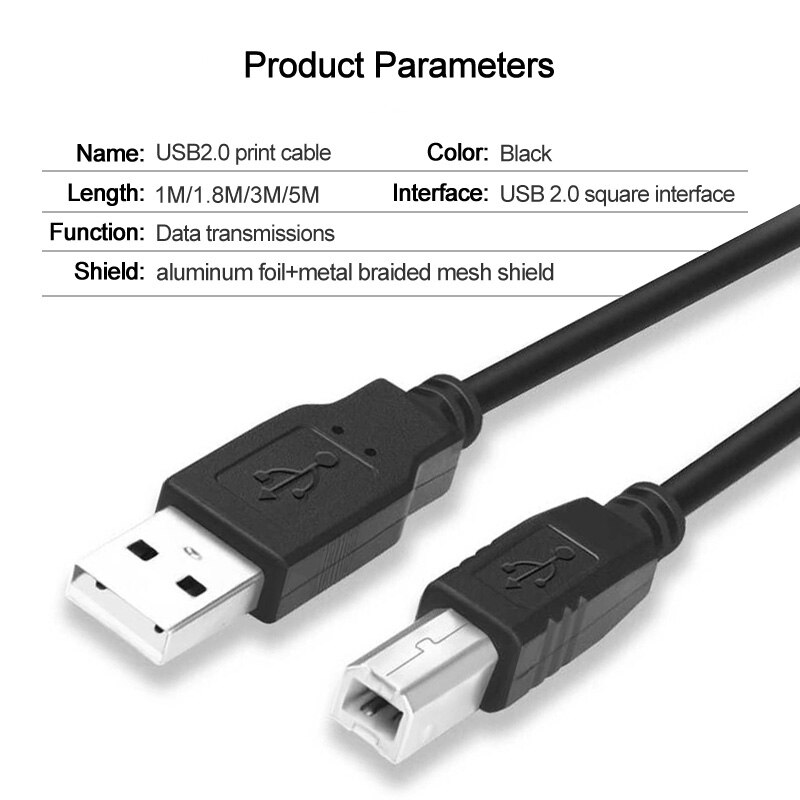
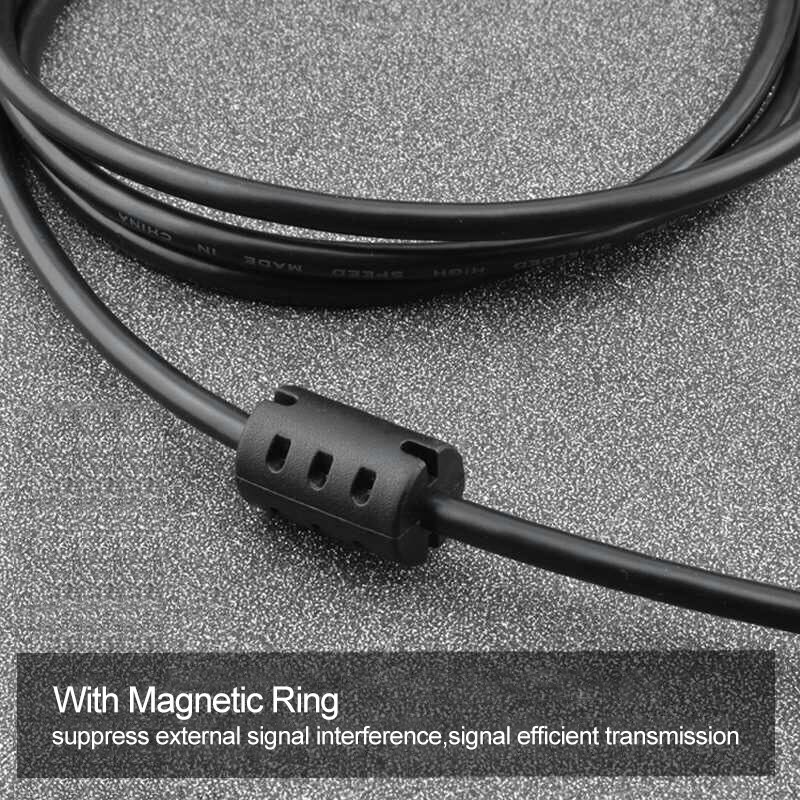
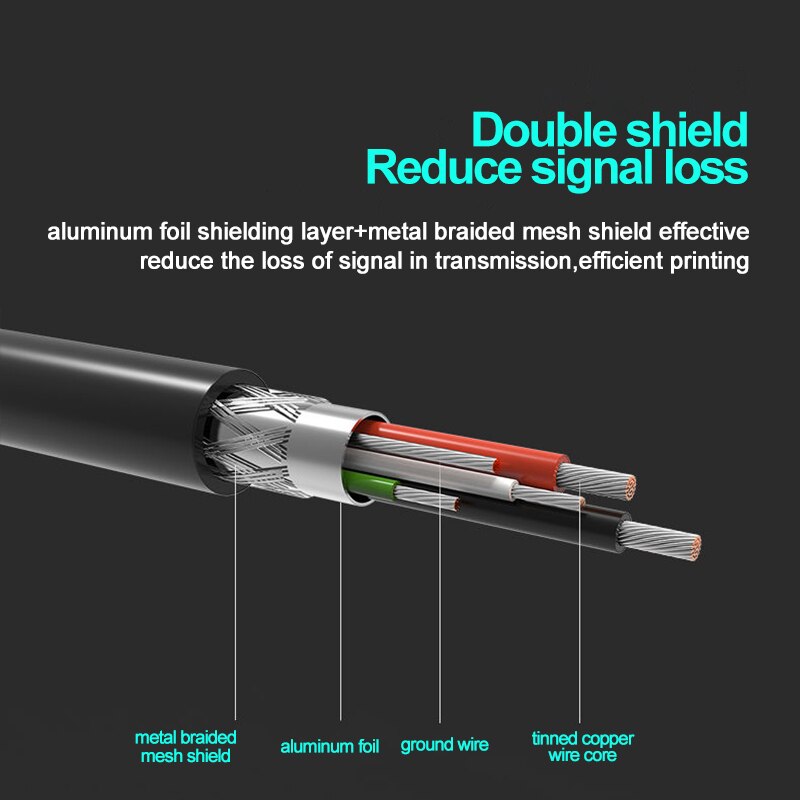
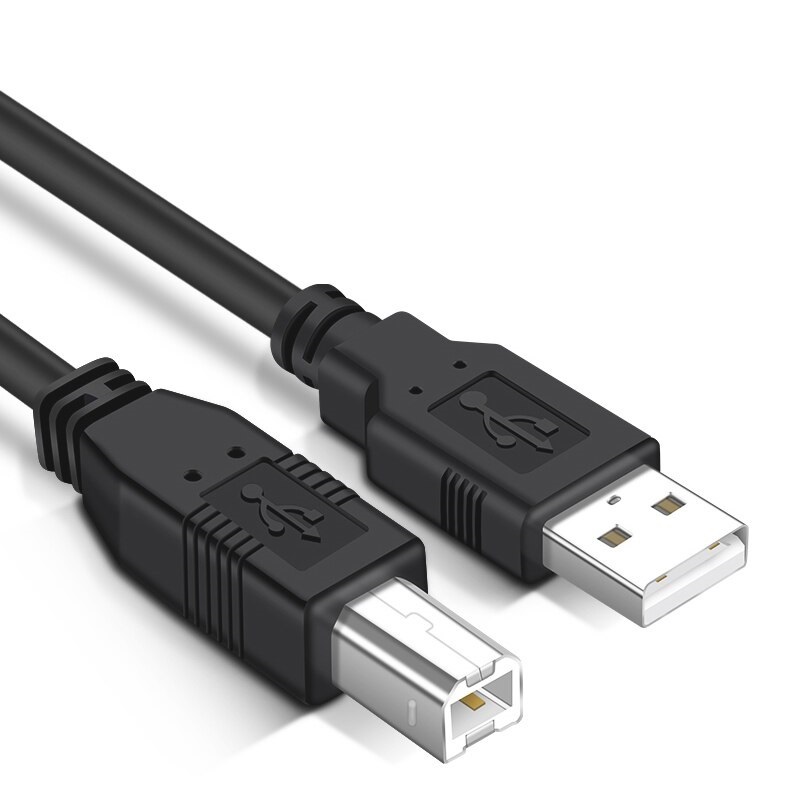
| Content | 3 Meter USB Printer Cable is a high-quality USB 2.0 cable that is compatible with most printers and scanners. The cable is 3 meters long, which gives you plenty of flexibility when connecting your printer or scanner to your computer.The cable is made of high-quality materials and is built to last. It is also very easy to use, simply plug one end of the cable into your printer or scanner and the other end into your computer's USB port.
The cable supports data transfer rates up to 480 Mbps, which means that you can transfer files to and from your printer or scanner quickly and easily.
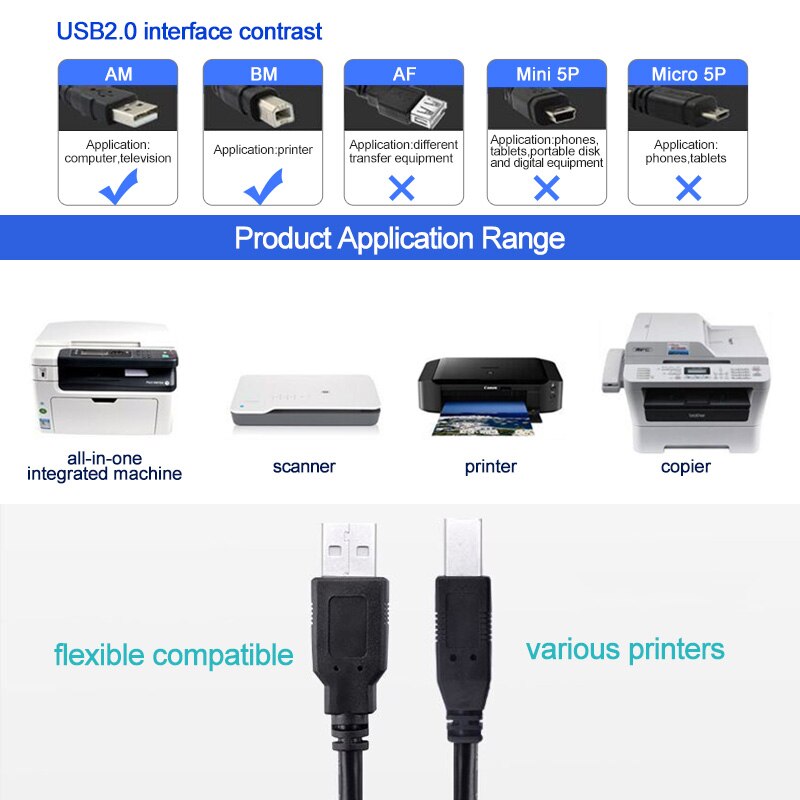
The cable is compatible with most major printer brands, including Brother, Dell, HP, Epson, Canon, and Xerox.
The cable is also compatible with most operating systems, including Windows, Mac OS, and Linux.
Here are some of the benefits of using a 3 Meter USB Printer Cable:Long length gives you plenty of flexibility when connecting your printer or scanner to your computer.
High-quality materials and construction make the cable durable and long-lasting.
Easy to use, simply plug one end of the cable into your printer or scanner and the other end into your computer's USB port.
Supports data transfer rates up to 480 Mbps, which means that you can transfer files to and from your printer or scanner quickly and easily.
Compatible with most major printer brands and operating systems.
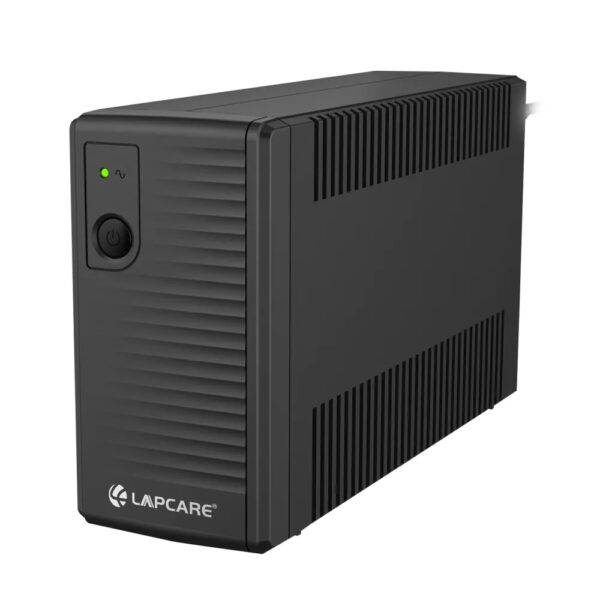
Overall, the 3 Meter USB Printer Cable is a great choice for anyone who needs a long, high-quality USB printer cable. It is compatible with most printers and scanners, and it is easy to use and reliable. | The LAPCARE 600VA UPS | Lap LONG-650 is a great option for users who want a reliable and affordable UPS. It has a capacity of 600VA, which is enough to power a small computer or home office. The UPS also has a number of features that make it a good choice for users who want to protect their devices from power outages, including:Automatic voltage regulation (AVR)
Surge protection
Battery backup
Low battery warning
Auto restart
The LAPCARE 600VA UPS | Lap LONG-650 is available in a number of different deals, so you can find one that fits your budget. Here are a few of the deals that are currently available:Amazon: $49.99
Newegg: $54.99
Walmart: $59.99
If you are looking for a reliable and affordable UPS, the LAPCARE 600VA UPS | Lap LONG-650 is a great option. It is available in a number of different deals, so you can find one that fits your budget.Here are some of the benefits of using the LAPCARE 600VA UPS | Lap LONG-650:Protects your devices from power outages
Affordable
Available in a number of different deals
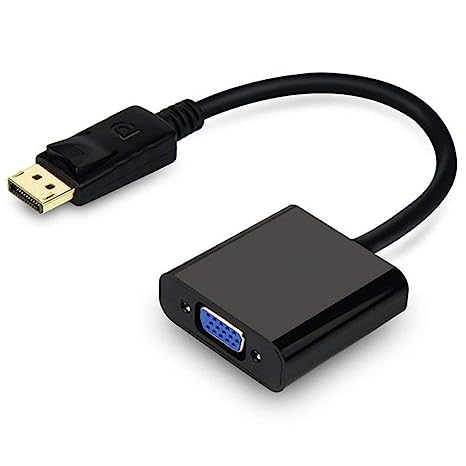
If you are looking for a UPS to protect your devices from power outages, the LAPCARE 600VA UPS | Lap LONG-650 is a great option. It is affordable and available in a number of different deals. | A DisplayPort to VGA converter cable is a device that allows you to connect a DisplayPort-equipped device to a VGA-equipped display. DisplayPort is a newer, more advanced video interface than VGA, and it offers a number of advantages, such as higher resolutions, refresh rates, and color depth. However, not all displays support DisplayPort, so a DisplayPort to VGA converter cable can be used to connect a DisplayPort-equipped device to a VGA-equipped display.To use a DisplayPort to VGA converter cable, simply connect one end of the cable to the DisplayPort output port on the source device and the other end of the cable to the VGA input port on the display. Once the cable is connected, the source device and display should automatically detect each other and begin transmitting video and audio signals.DisplayPort to VGA converter cables are available at a variety of prices, so you can find one that fits your budget. If you are looking for a way to connect a DisplayPort-equipped device to a VGA-equipped display, then a DisplayPort to VGA converter cable is a great option.Here are some of the benefits of using a DisplayPort to VGA converter cable:It allows you to connect a DisplayPort-equipped device to a VGA-equipped display.
It supports high-definition video resolutions.
It supports high refresh rates.
It supports high color depth.
It is a relatively inexpensive solution.
If you are looking for a way to connect a DisplayPort-equipped device to a VGA-equipped display, then a DisplayPort to VGA converter cable is a great option.Here are some of the things to consider when choosing a DisplayPort to VGA converter cable:The length of the cable.
The resolution and refresh rate that the cable supports.
The color depth that the cable supports.
The price of the cable.
It is important to choose a DisplayPort to VGA converter cable that is compatible with your DisplayPort-equipped device and your VGA-equipped display. It is also important to choose a cable that is the appropriate length for your needs. | A USB to DB9 RS-232 adapter cable is a type of cable that allows you to connect a USB device to a serial port. Serial ports are older ports that were used for connecting devices such as modems, printers, and scanners. USB ports are the newer standard for connecting devices, and they are much faster than serial ports.If you have a device that only has a serial port, you can use a USB to DB9 RS-232 adapter cable to connect it to your computer. The cable will have a USB connector on one end and a DB9 connector on the other end. The DB9 connector will fit into the serial port on your device, and the USB connector will plug into your computer.Once the cable is connected, you should be able to use your device as normal. However, you may need to install drivers for the device before it will work properly. Drivers are software that tells your computer how to communicate with the device. You can usually find drivers for your device on the manufacturer's website.USB to DB9 RS-232 adapter cables are a great way to connect older devices to your computer. They are relatively inexpensive and easy to use. If you have a device that only has a serial port, I recommend using a USB to DB9 RS-232 adapter cable to connect it to your computer.Here are some of the benefits of using a USB to DB9 RS-232 adapter cable:Allows you to connect older devices to your computer
Easy to use
Relatively inexpensive
Can be used with a variety of devices
If you are looking for a way to connect an older device to your computer, a USB to DB9 RS-232 adapter cable is a great option. It is easy to use and can be used with a variety of devices. |
1
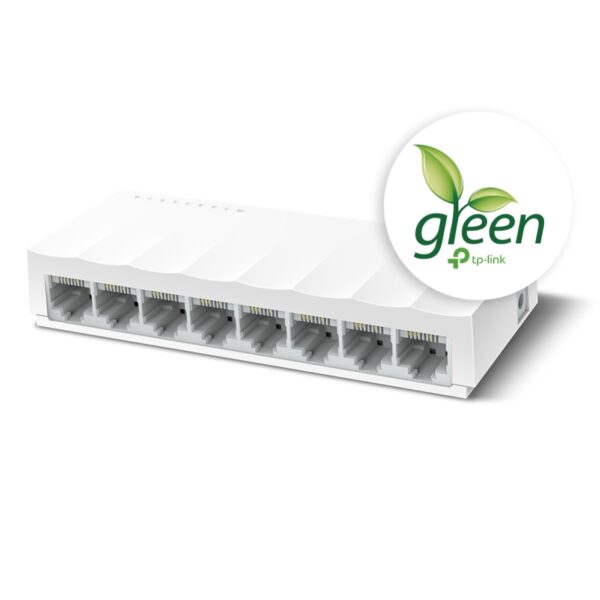
The TP-Link LS1008 is an 8-port 10/100Mbps desktop switch that offers an easy and affordable way to expand your wired network. It is easy to use and reliable, and with all ports supporting Auto-MDI/MDIX, there's no need to worry about the type of cable to use. The LiteWave Series also supports energy-efficient technology, helping you save power and money.Here are some of the key features of the TP-Link LS1008:8 Gigabit Ethernet ports
Auto MDI/MDIX
Energy-efficient technology
Plug and play
The TP-Link LS1008 is a great choice for anyone looking to expand their wired network. It is easy to use and reliable, and it offers a variety of features that make it a great value for the price.Here are some of the benefits of using the TP-Link LS1008:Easy to use: The LS1008 is a plug-and-play device, so there's no need to configure anything. Just connect your devices to the ports and you're good to go.
Reliable: The LS1008 is a reliable device that has been designed to withstand the rigors of everyday use. It is also backed by a 2-year warranty.
Affordable: The LS1008 is an affordable device that offers great value for the price.
If you are looking to expand your wired network, the TP-Link LS1008 is a great option. It is easy to use, reliable, and affordable. | A USB to VGA adapter is a device that allows you to connect a VGA monitor or projector to a computer that does not have a VGA port. The adapter converts the digital signal from the computer to an analog signal that can be displayed on the VGA device.The USB to VGA adapter is a simple device that is easy to use. To use the adapter, simply connect the adapter to the USB port on your computer and then connect the VGA cable from the adapter to the VGA port on your monitor or projector. Once the adapter is connected, you should be able to see the image from your computer on the VGA device.The USB to VGA adapter is a great way to add a second monitor to your computer or to connect a projector to your computer for presentations. The adapter is also a great way to use an older VGA monitor or projector with a newer computer that does not have a VGA port.Here are some of the features of the USB to VGA adapter:Supports resolutions up to 1920x1080
Plug and play installation
Compatible with Windows 7/8/8.1/10
Gold-plated connectors for corrosion resistance
Durable construction for long life
Here are some of the benefits of using a USB to VGA adapter:Allows you to connect a VGA monitor or projector to a computer that does not have a VGA port
Easy to use
Affordable
Compatible with a wide range of computers and monitors
Durable construction
If you are looking for a way to connect a VGA monitor or projector to your computer, then the USB to VGA adapter is a great option. The adapter is easy to use, affordable, and compatible with a wide range of computers and monitors. |










Reviews
There are no reviews yet.