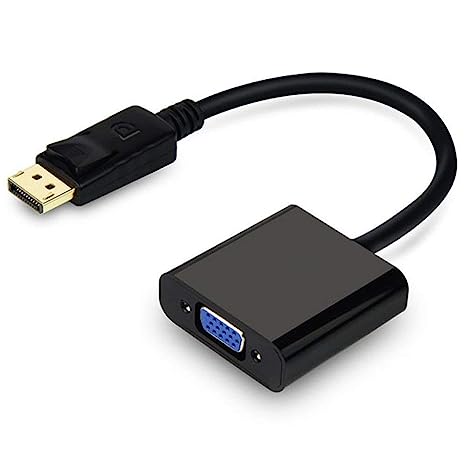
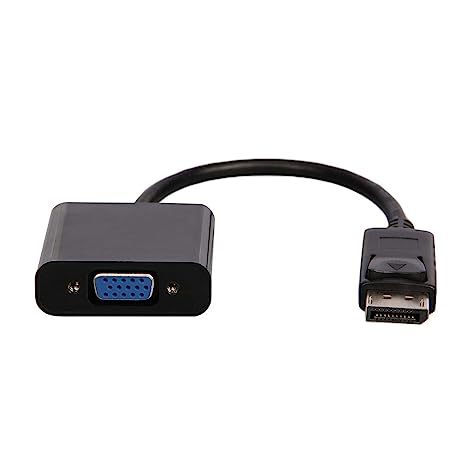
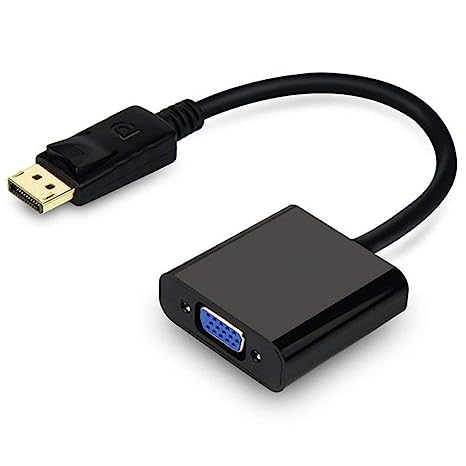
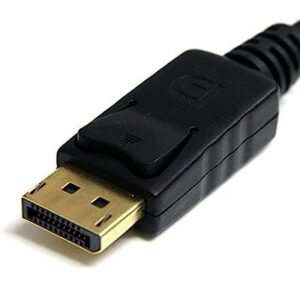
| Description | Here are some of the features of a DisplayPort to VGA converter cable:Allows you to connect a DisplayPort-equipped device to a VGA-enabled display
Supports resolutions up to 1920x1200
Plug-and-play installation
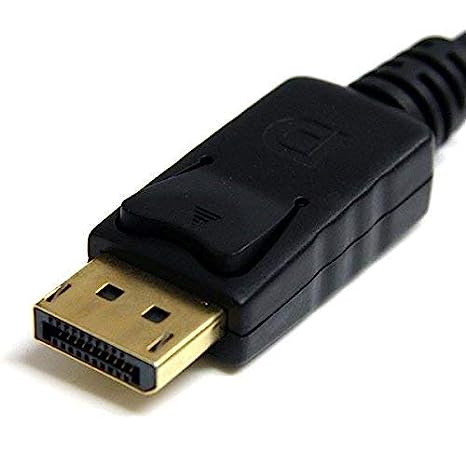
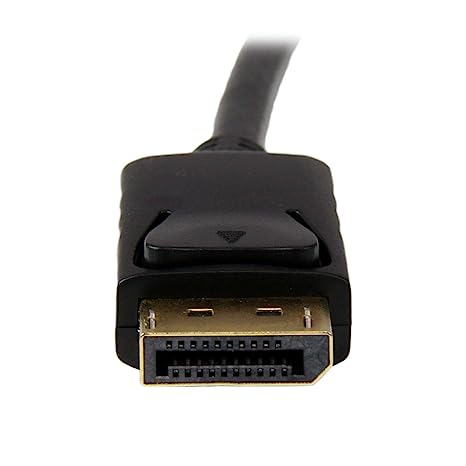
Gold-plated connectors for corrosion resistance
Black color | Here are some of the things to consider when choosing a DisplayPort to VGA converter cable:The length of the cable.
The resolution and refresh rate that the cable supports.
The color depth that the cable supports.
The price of the cable.
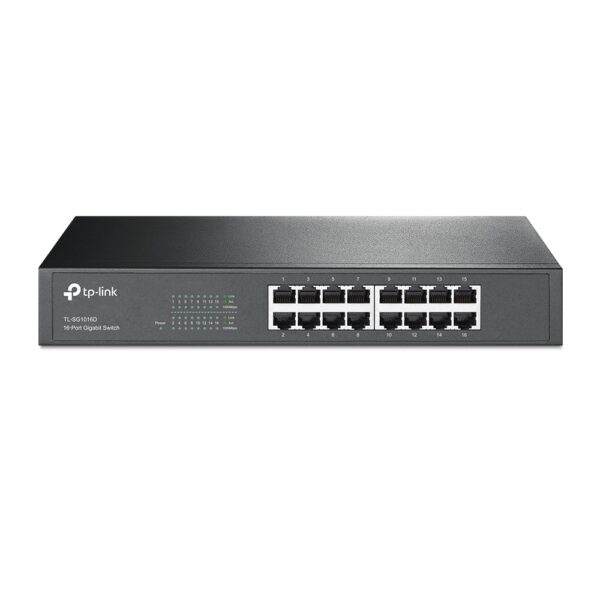
It is important to choose a DisplayPort to VGA converter cable that is compatible with your DisplayPort-equipped device and your VGA-equipped display. It is also important to choose a cable that is the appropriate length for your needs. | Some of the key features of the TL-SG1016D include:16 Gigabit Ethernet ports
Auto MDI/MDIX and Auto Negotiation
MAC Address self-learning
Plug and Play
Energy-efficient design
The TL-SG1016D is easy to set up and use. Just connect the switch to your router or modem and then connect your devices to the switch's ports. The switch will automatically configure itself and start working. | Here are some of the key features of the GOBBLER GB-9788-E:Fully automatic operation
UV, MG, and IR counterfeit detection
Batch counting function
Large LCD display
Compact and lightweight design
The GOBBLER GB-9788-E is a reliable and efficient note counting machine that is perfect for businesses of all sizes. It is easy to use and provides accurate results, making it a valuable asset for any business that handles cash. | Here are some of the features of the GOBBLER GB-4388-MG:Counting speed of 1000 notes per minute
Counts all old and new notes
Fake note detection
Heavy-duty construction
1 year warranty
The GOBBLER GB-4388-MG is a great choice for any business or office that needs a reliable and efficient note counting machine. It is fast, accurate, and easy to use. The machine also comes with a variety of features that make it a great value for the price. | Here are some of the benefits of using the AmazonBasics Mini DisplayPort (Thunderbolt) to VGA Adapter:Affordable
Easy to use
Compatible with a wide range of devices
Supports high resolutions
Here are some of the drawbacks of the AmazonBasics Mini DisplayPort (Thunderbolt) to VGA Adapter: |
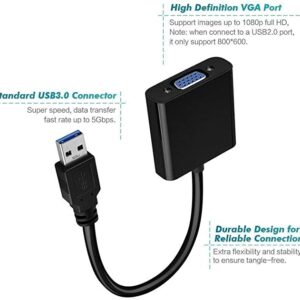
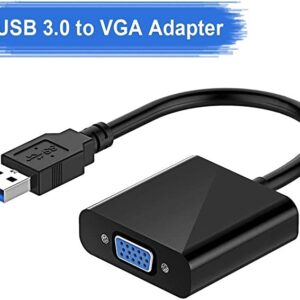
| Content | A DisplayPort to VGA converter cable is a device that allows you to connect a DisplayPort-equipped device, such as a laptop or desktop computer, to a VGA-enabled display, such as a monitor or projector. The cable converts the DisplayPort signal to a VGA signal, which is then output by the VGA port on the other end of the cable.Here are some of the features of a DisplayPort to VGA converter cable:Allows you to connect a DisplayPort-equipped device to a VGA-enabled display
Supports resolutions up to 1920x1200
Plug-and-play installation
Gold-plated connectors for corrosion resistance
Black color
Here are some of the benefits of using a DisplayPort to VGA converter cable:It allows you to use your existing VGA display with a DisplayPort-equipped device.
It is a cost-effective way to connect a DisplayPort-equipped device to a VGA display.
It is easy to use, with no drivers or software required.
Here are some of the drawbacks of using a DisplayPort to VGA converter cable:The maximum resolution supported is 1920x1200.
The cable may not be compatible with all DisplayPort-equipped devices.
The cable may not be compatible with all VGA-enabled displays.
Overall, a DisplayPort to VGA converter cable is a useful device that can allow you to connect a DisplayPort-equipped device to a VGA-enabled display. It is a cost-effective and easy-to-use solution, but it is important to be aware of the limitations of the cable. | A DisplayPort to VGA converter cable is a device that allows you to connect a DisplayPort-equipped device to a VGA-equipped display. DisplayPort is a newer, more advanced video interface than VGA, and it offers a number of advantages, such as higher resolutions, refresh rates, and color depth. However, not all displays support DisplayPort, so a DisplayPort to VGA converter cable can be used to connect a DisplayPort-equipped device to a VGA-equipped display.To use a DisplayPort to VGA converter cable, simply connect one end of the cable to the DisplayPort output port on the source device and the other end of the cable to the VGA input port on the display. Once the cable is connected, the source device and display should automatically detect each other and begin transmitting video and audio signals.DisplayPort to VGA converter cables are available at a variety of prices, so you can find one that fits your budget. If you are looking for a way to connect a DisplayPort-equipped device to a VGA-equipped display, then a DisplayPort to VGA converter cable is a great option.Here are some of the benefits of using a DisplayPort to VGA converter cable:It allows you to connect a DisplayPort-equipped device to a VGA-equipped display.
It supports high-definition video resolutions.
It supports high refresh rates.
It supports high color depth.
It is a relatively inexpensive solution.
If you are looking for a way to connect a DisplayPort-equipped device to a VGA-equipped display, then a DisplayPort to VGA converter cable is a great option.Here are some of the things to consider when choosing a DisplayPort to VGA converter cable:The length of the cable.
The resolution and refresh rate that the cable supports.
The color depth that the cable supports.
The price of the cable.
It is important to choose a DisplayPort to VGA converter cable that is compatible with your DisplayPort-equipped device and your VGA-equipped display. It is also important to choose a cable that is the appropriate length for your needs. | The TP-Link TL-SG1016D is a 16-port Gigabit Ethernet switch that is designed for small to medium-sized businesses. It offers a variety of features that make it a great choice for businesses that need to expand their network capacity.Some of the key features of the TL-SG1016D include:16 Gigabit Ethernet ports
Auto MDI/MDIX and Auto Negotiation
MAC Address self-learning
Plug and Play
Energy-efficient design
The TL-SG1016D is easy to set up and use. Just connect the switch to your router or modem and then connect your devices to the switch's ports. The switch will automatically configure itself and start working.The TL-SG1016D is a great choice for businesses that need to expand their network capacity. It is easy to set up and use, and it offers a variety of features that make it a reliable and affordable solution.Here are some of the benefits of using the TP-Link TL-SG1016D:Easy to set up and use: The TL-SG1016D is easy to set up and use. Just connect the switch to your router or modem and then connect your devices to the switch's ports. The switch will automatically configure itself and start working.
Reliable: The TL-SG1016D is a reliable switch that has been designed to withstand the rigors of everyday use. It is also backed by a 3-year warranty.
Affordable: The TL-SG1016D is an affordable switch that offers great value for the price.
If you are looking for a reliable and affordable switch to expand your network capacity, the TP-Link TL-SG1016D is a great option. | The GOBBLER GB-9788-E Mix Note Value Counting Machine Fully Automatic Cash Counter with Fake Note Detection is a high-speed, fully automatic note counting machine that can count up to 1000 notes per minute. It is equipped with a variety of features to ensure accurate counting, including UV, MG, and IR counterfeit detection, as well as a batch counting function. The machine also has a large LCD display that shows the total count, denomination, and serial number of the notes being counted.The GOBBLER GB-9788-E is a versatile machine that can be used in a variety of settings, including banks, retail stores, and casinos. It is also a great choice for businesses that need to count large amounts of cash on a regular basis.Here are some of the key features of the GOBBLER GB-9788-E:Fully automatic operation
UV, MG, and IR counterfeit detection
Batch counting function
Large LCD display
Compact and lightweight design
The GOBBLER GB-9788-E is a reliable and efficient note counting machine that is perfect for businesses of all sizes. It is easy to use and provides accurate results, making it a valuable asset for any business that handles cash.Here are some of the benefits of using the GOBBLER GB-9788-E:Increased efficiency: The GOBBLER GB-9788-E can count up to 1000 notes per minute, which can save you a significant amount of time.
Improved accuracy: The GOBBLER GB-9788-E is equipped with a variety of counterfeit detection features to ensure that your cash is accurate.
Reduced risk of fraud: The GOBBLER GB-9788-E can help to reduce the risk of fraud by detecting counterfeit notes.
Increased security: The GOBBLER GB-9788-E is a secure machine that helps to protect your cash from theft.
If you are looking for a reliable and efficient note counting machine, the GOBBLER GB-9788-E is a great option. It is easy to use, provides accurate results, and can help to improve your business operations. | The GOBBLER GB-4388-MG is a business-grade note counting machine that is perfect for any business or office. It has a counting speed of 1000 notes per minute, and it can count all old and new notes. The machine also has fake note detection, which makes it impossible to miss any fake notes. The GOBBLER GB-4388-MG is a heavy-duty counter that is built to last. It is made of high-quality materials and it is designed to withstand the rigors of everyday use. The machine also comes with a 1 year warranty, so you can be sure that you are getting a quality product.Here are some of the features of the GOBBLER GB-4388-MG:Counting speed of 1000 notes per minute
Counts all old and new notes
Fake note detection
Heavy-duty construction
1 year warranty
The GOBBLER GB-4388-MG is a great choice for any business or office that needs a reliable and efficient note counting machine. It is fast, accurate, and easy to use. The machine also comes with a variety of features that make it a great value for the price.Here are some of the benefits of using the GOBBLER GB-4388-MG:Save time and money by counting notes quickly and accurately
Protect your business from counterfeit notes
Increase efficiency and productivity by automating the note counting process
Reduce the risk of human error
Enjoy peace of mind knowing that your notes are counted accurately and securely
If you are looking for a reliable and efficient note counting machine, the GOBBLER GB-4388-MG is a great option. It is fast, accurate, and easy to use. The machine also comes with a variety of features that make it a great value for the price. | The AmazonBasics Mini DisplayPort (Thunderbolt) to VGA Adapter is a simple and affordable way to connect your computer to a VGA monitor or projector. The adapter is small and lightweight, making it easy to carry with you. It also supports resolutions up to 1920x1200, so you can enjoy high-quality images on your display.The AmazonBasics Mini DisplayPort (Thunderbolt) to VGA Adapter is compatible with most computers that have a Mini DisplayPort or Thunderbolt port. It is also compatible with a wide range of VGA monitors and projectors. The adapter is easy to use. Simply connect it to your computer and your VGA display, and you will be ready to start using your computer on your display.The AmazonBasics Mini DisplayPort (Thunderbolt) to VGA Adapter is a great value for the price. It is a simple and affordable way to connect your computer to a VGA monitor or projector. The adapter is small and lightweight, making it easy to carry with you. It also supports resolutions up to 1920x1200, so you can enjoy high-quality images on your display.Here are some of the features of the AmazonBasics Mini DisplayPort (Thunderbolt) to VGA Adapter:Supports resolutions up to 1920x1200
Compatible with most computers with a Mini DisplayPort or Thunderbolt port
Compatible with a wide range of VGA monitors and projectors
Small and lightweight
Easy to use
Here are some of the benefits of using the AmazonBasics Mini DisplayPort (Thunderbolt) to VGA Adapter:Affordable
Easy to use
Compatible with a wide range of devices
Supports high resolutions
Here are some of the drawbacks of the AmazonBasics Mini DisplayPort (Thunderbolt) to VGA Adapter:Not compatible with all Mini DisplayPort or Thunderbolt ports
May not support all resolutions on all devices
Overall, the AmazonBasics Mini DisplayPort (Thunderbolt) to VGA Adapter is a great value for the price. It is a simple and affordable way to connect your computer to a VGA monitor or projector. The adapter is small and lightweight, making it easy to carry with you. It also supports resolutions up to 1920x1200, so you can enjoy high-quality images on your display. |








Reviews
There are no reviews yet.