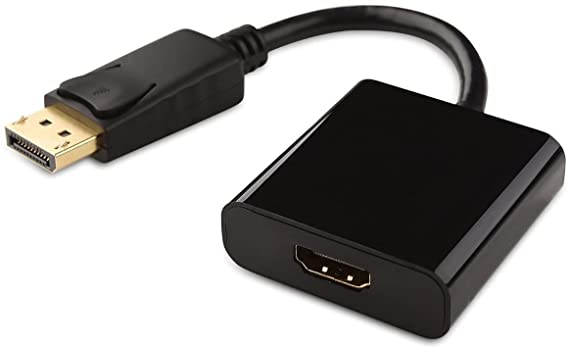
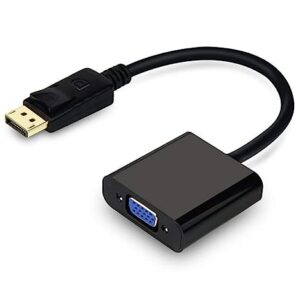
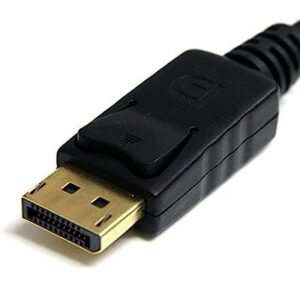
| Description | Here are some of the benefits of using a DisplayPort to HDMI adapter:It allows you to connect a computer with a DisplayPort output to a display with an HDMI input.
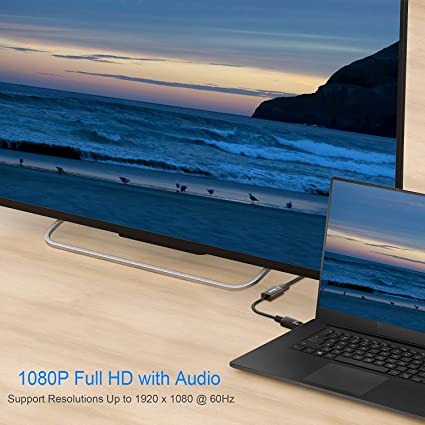
It can support resolutions up to 4K at 60Hz.
It can support high-quality audio.
It is relatively inexpensive.
Here are some of the drawbacks of using a DisplayPort to HDMI adapter: | Here are some of the features of the GOBBLER GB-4388-MG:Counting speed of 1000 notes per minute
Counts all old and new notes
Fake note detection
Heavy-duty construction
1 year warranty
The GOBBLER GB-4388-MG is a great choice for any business or office that needs a reliable and efficient note counting machine. It is fast, accurate, and easy to use. The machine also comes with a variety of features that make it a great value for the price. | Here are some of the benefits of using the LAPCARE 600VA UPS | Lap LONG-650:Protects your devices from power outages
Affordable
Available in a number of different deals
If you are looking for a UPS to protect your devices from power outages, the LAPCARE 600VA UPS | Lap LONG-650 is a great option. It is affordable and available in a number of different deals. | Here are some of the key features of the TP-Link Archer MR200:Supports both the 2.4 GHz and 5 GHz bands
SIM slot for 4G LTE connectivity
Easy to set up and use
Built-in web interface for configuration
Portable and lightweight
Here are some of the benefits of using the TP-Link Archer MR200: | Here are some of the features of the Hikvision 4 Pcs Bullet Camera, 1TB Hardisk, 4CH DVR, Power Supply, BNC & DC Connector Kit:Four bullet cameras with weatherproof housing and night vision
1TB hard drive for up to 120 hours of video footage
4-channel DVR for viewing and recording footage from all four cameras at the same time
Power supply for the cameras and DVR
BNC & DC connector kit for connecting the cameras to the DVR
Here are some of the benefits of using the Hikvision 4 Pcs Bullet Camera, 1TB Hardisk, 4CH DVR, Power Supply, BNC & DC Connector Kit: | Here are some of the features of the Logitech H111:Standard 3.5mm audio jack
Compatible with most devices
Adjustable headband
Soft foam ear cups
Rotatable microphone
Clear sound quality
Comfortable fit |
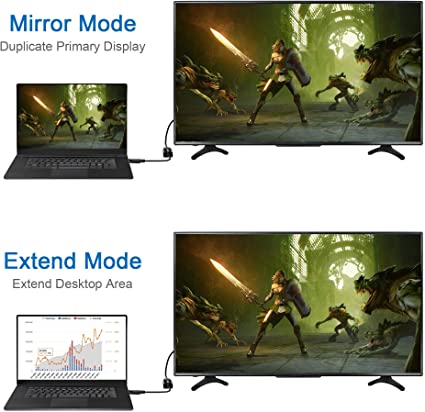
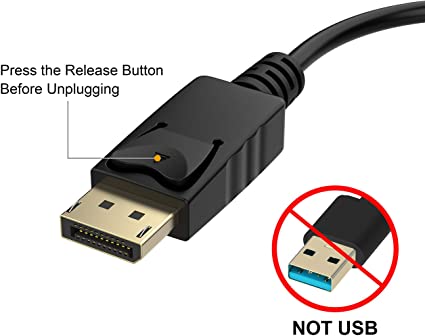
| Content | playPort to HDMI adapter is a device that allows you to connect a computer with a DisplayPort output to a display with an HDMI input. This can be useful if you have a new computer with a DisplayPort output but your old display only has an HDMI input.DisplayPort to HDMI adapters are available in both passive and active versions. Passive adapters are less expensive but they can only support lower resolutions and refresh rates. Active adapters are more expensive but they can support higher resolutions and refresh rates.To use a DisplayPort to HDMI adapter, you will need to connect the DisplayPort end of the adapter to your computer's DisplayPort output. Then, you will need to connect the HDMI end of the adapter to your display's HDMI input. Once the adapter is connected, you should be able to see the output from your computer on your display.Here are some of the benefits of using a DisplayPort to HDMI adapter:It allows you to connect a computer with a DisplayPort output to a display with an HDMI input.
It can support resolutions up to 4K at 60Hz.
It can support high-quality audio.
It is relatively inexpensive.
Here are some of the drawbacks of using a DisplayPort to HDMI adapter:Passive adapters may not support high resolutions or refresh rates.
Active adapters can be more expensive.
The adapter may not be compatible with all displays.
Overall, a DisplayPort to HDMI adapter is a useful device that can allow you to connect a computer with a DisplayPort output to a display with an HDMI input. However, it is important to choose the right adapter for your needs and to make sure that the adapter is compatible with your display.Here are some additional things to keep in mind when using a DisplayPort to HDMI adapter:Make sure that the adapter is compatible with your computer's DisplayPort output and your display's HDMI input.
If you are using a passive adapter, make sure that the adapter supports the resolution and refresh rate that you need.
If you are using an active adapter, make sure that the adapter is powered properly.
If you are having problems with the adapter, try using a different cable. | The GOBBLER GB-4388-MG is a business-grade note counting machine that is perfect for any business or office. It has a counting speed of 1000 notes per minute, and it can count all old and new notes. The machine also has fake note detection, which makes it impossible to miss any fake notes. The GOBBLER GB-4388-MG is a heavy-duty counter that is built to last. It is made of high-quality materials and it is designed to withstand the rigors of everyday use. The machine also comes with a 1 year warranty, so you can be sure that you are getting a quality product.Here are some of the features of the GOBBLER GB-4388-MG:Counting speed of 1000 notes per minute
Counts all old and new notes
Fake note detection
Heavy-duty construction
1 year warranty
The GOBBLER GB-4388-MG is a great choice for any business or office that needs a reliable and efficient note counting machine. It is fast, accurate, and easy to use. The machine also comes with a variety of features that make it a great value for the price.Here are some of the benefits of using the GOBBLER GB-4388-MG:Save time and money by counting notes quickly and accurately
Protect your business from counterfeit notes
Increase efficiency and productivity by automating the note counting process
Reduce the risk of human error
Enjoy peace of mind knowing that your notes are counted accurately and securely
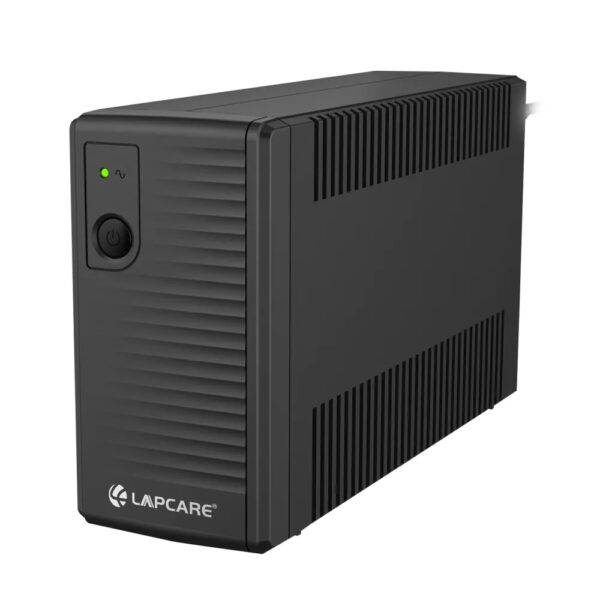
If you are looking for a reliable and efficient note counting machine, the GOBBLER GB-4388-MG is a great option. It is fast, accurate, and easy to use. The machine also comes with a variety of features that make it a great value for the price. | The LAPCARE 600VA UPS | Lap LONG-650 is a great option for users who want a reliable and affordable UPS. It has a capacity of 600VA, which is enough to power a small computer or home office. The UPS also has a number of features that make it a good choice for users who want to protect their devices from power outages, including:Automatic voltage regulation (AVR)
Surge protection
Battery backup
Low battery warning
Auto restart
The LAPCARE 600VA UPS | Lap LONG-650 is available in a number of different deals, so you can find one that fits your budget. Here are a few of the deals that are currently available:Amazon: $49.99
Newegg: $54.99
Walmart: $59.99
If you are looking for a reliable and affordable UPS, the LAPCARE 600VA UPS | Lap LONG-650 is a great option. It is available in a number of different deals, so you can find one that fits your budget.Here are some of the benefits of using the LAPCARE 600VA UPS | Lap LONG-650:Protects your devices from power outages
Affordable
Available in a number of different deals
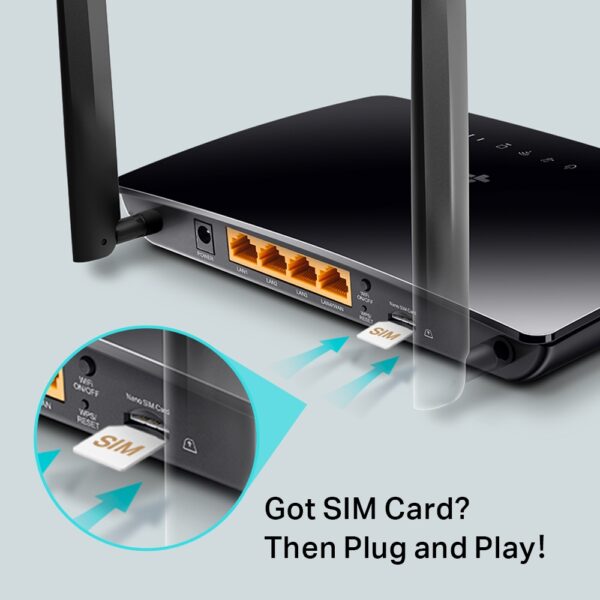
If you are looking for a UPS to protect your devices from power outages, the LAPCARE 600VA UPS | Lap LONG-650 is a great option. It is affordable and available in a number of different deals. | The TP-Link Archer MR200 AC750 2.4GHz 750Mbps Dual Band 4G LTE Mobile Wi-Fi is a portable router that allows you to create a Wi-Fi hotspot wherever you go. It supports both the 2.4 GHz and 5 GHz bands, which allows you to connect to devices that only support one of these bands. It also has a SIM slot, so you can use it with a 4G LTE SIM card to get internet access anywhere there is cellular coverage.The Archer MR200 is easy to set up and use. Just insert a SIM card and turn it on, and you'll be able to connect to the internet in minutes. It also has a built-in web interface that allows you to configure its settings, such as the Wi-Fi network name and password.The Archer MR200 is a great option for anyone who needs a portable router that can provide reliable internet access. It's perfect for travelers, students, and anyone else who needs to stay connected on the go.Here are some of the key features of the TP-Link Archer MR200:Supports both the 2.4 GHz and 5 GHz bands
SIM slot for 4G LTE connectivity
Easy to set up and use
Built-in web interface for configuration
Portable and lightweight
Here are some of the benefits of using the TP-Link Archer MR200:Stay connected on the go: The Archer MR200 allows you to create a Wi-Fi hotspot wherever you go, so you can stay connected to the internet even when you're not at home or work.
Reliable internet access: The Archer MR200 supports both the 2.4 GHz and 5 GHz bands, which allows you to connect to devices that only support one of these bands. It also has a SIM slot, so you can use it with a 4G LTE SIM card to get internet access anywhere there is cellular coverage.
Easy to set up and use: The Archer MR200 is easy to set up and use. Just insert a SIM card and turn it on, and you'll be able to connect to the internet in minutes. It also has a built-in web interface that allows you to configure its settings, such as the Wi-Fi network name and password.
Portable and lightweight: The Archer MR200 is portable and lightweight, so you can easily take it with you wherever you go.
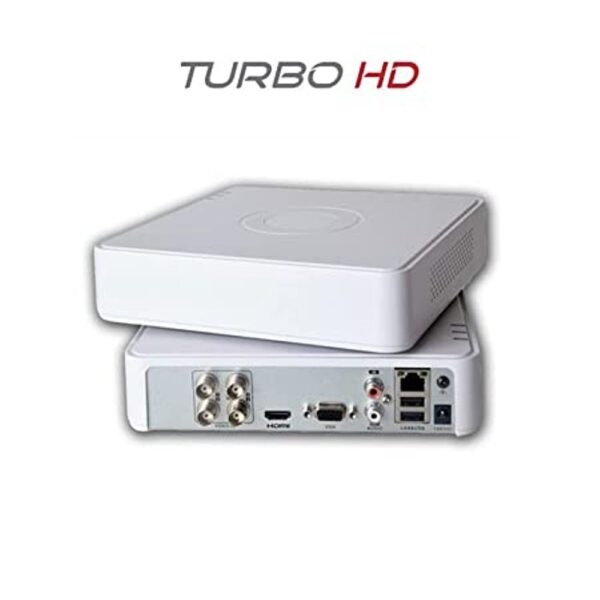
If you're looking for a portable router that can provide reliable internet access, the TP-Link Archer MR200 is a great option. It's perfect for travelers, students, and anyone else who needs to stay connected on the go. | The Hikvision 4 Pcs Bullet Camera, 1TB Hardisk, 4CH DVR, Power Supply, BNC & DC Connector Kit is a complete security system that includes everything you need to monitor your home or business. The system includes four bullet cameras, a 1TB hard drive, a 4-channel DVR, a power supply, and a BNC & DC connector kit.The bullet cameras are weatherproof and have a wide viewing angle, so you can monitor a large area. The cameras also have night vision, so you can see clearly in low-light conditions. The 1TB hard drive provides enough storage space for up to 120 hours of video footage. The 4-channel DVR allows you to view and record footage from all four cameras at the same time. The power supply provides power to the cameras and the DVR. The BNC & DC connector kit includes the cables and connectors you need to connect the cameras to the DVR.The Hikvision 4 Pcs Bullet Camera, 1TB Hardisk, 4CH DVR, Power Supply, BNC & DC Connector Kit is a great way to add security to your home or business. The system is easy to install and use, and it provides high-quality video surveillance.Here are some of the features of the Hikvision 4 Pcs Bullet Camera, 1TB Hardisk, 4CH DVR, Power Supply, BNC & DC Connector Kit:Four bullet cameras with weatherproof housing and night vision
1TB hard drive for up to 120 hours of video footage
4-channel DVR for viewing and recording footage from all four cameras at the same time
Power supply for the cameras and DVR
BNC & DC connector kit for connecting the cameras to the DVR
Here are some of the benefits of using the Hikvision 4 Pcs Bullet Camera, 1TB Hardisk, 4CH DVR, Power Supply, BNC & DC Connector Kit:Increased security: The system provides high-quality video surveillance that can help deter crime and protect your property.
Easy to install: The system is easy to install and use, even for beginners.
Affordable: The system is a cost-effective way to add security to your home or business.
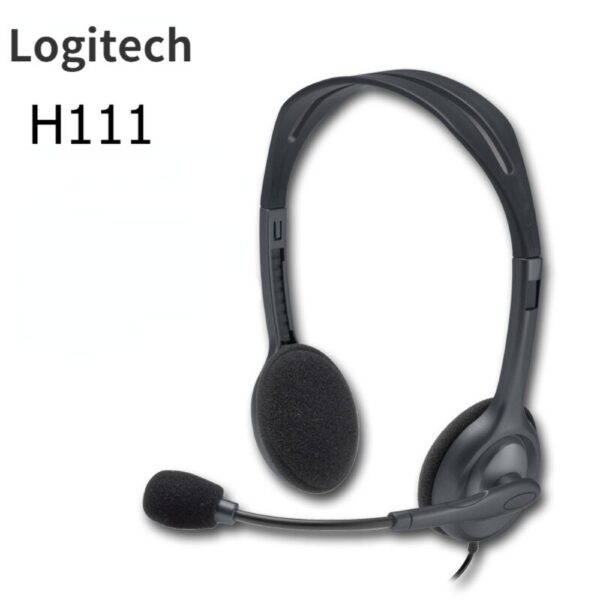
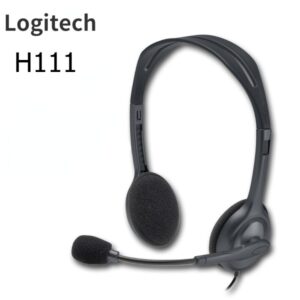
If you are looking for a complete security system that is easy to install and use, the Hikvision 4 Pcs Bullet Camera, 1TB Hardisk, 4CH DVR, Power Supply, BNC & DC Connector Kit is a great option | The Logitech H111 is a wired on-ear headset with a microphone. It is a simple and affordable headset that is perfect for making calls, listening to music, or watching videos. The headset has a standard 3.5mm audio jack and is compatible with most devices, including computers, smartphones, and tablets.The H111 has a sturdy yet lightweight design. The headband is adjustable to fit most head sizes, and the ear cups are made of soft foam for a comfortable fit. The microphone is located on the left ear cup and can be rotated to the right side if desired.The H111 produces clear sound with good bass response. The microphone is also clear and picks up sound well. The headset is comfortable to wear for long periods of time.Overall, the Logitech H111 is a great value for the price. It is a simple and affordable headset that delivers good sound quality and a comfortable fit.Here are some of the features of the Logitech H111:Standard 3.5mm audio jack
Compatible with most devices
Adjustable headband
Soft foam ear cups
Rotatable microphone
Clear sound quality
Comfortable fit
Here are some of the benefits of using the Logitech H111:Affordable
Easy to use
Comfortable to wear
Good sound quality
Clear microphone
Here are some of the drawbacks of the Logitech H111:Not noise-canceling
Not wireless
Not high-end sound quality
Overall, the Logitech H111 is a great value for the price. It is a simple and affordable headset that delivers good sound quality and a comfortable fit. If you are looking for a basic headset for making calls, listening to music, or watching videos, the Logitech H111 is a great option. |






Reviews
There are no reviews yet.