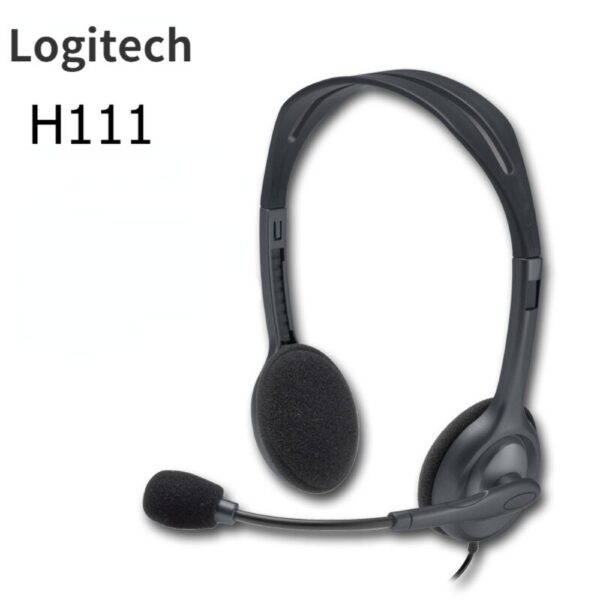
| Description | Here are some of the features of the Logitech H111:Standard 3.5mm audio jack
Compatible with most devices
Adjustable headband
Soft foam ear cups
Rotatable microphone
Clear sound quality
Comfortable fit | The adapter is compatible with a variety of devices, including:iPhone
Samsung S20 ultra/S21/S10/S8/S9
MacBook Pro
iPad
To use the adapter, simply plug the Mini USB cable into the adapter and then plug the adapter into the USB Type C port.The adapter is a great way to connect your older devices to new devices that have USB Type C ports. It is also a great way to avoid having to buy new cables for all of your devices. | Here are some of the benefits of using the LAPCARE 600VA UPS | Lap LONG-650:Protects your devices from power outages
Affordable
Available in a number of different deals
If you are looking for a UPS to protect your devices from power outages, the LAPCARE 600VA UPS | Lap LONG-650 is a great option. It is affordable and available in a number of different deals. | Here are some of the features and benefits of the TP-Link Archer C50 AC1200 Dual Band Wireless Cable Router:Supports 802.11ac standard for up to 1200 Mbps wireless speeds
Simultaneous 2.4 GHz 300 Mbps and 5GHz 867 Mbps connections
2 external antennas for stable wireless connections and optimal coverage
Supports Parental Control, Guest Wi-Fi, and VPN
Easy to set up and use | Here are some of the key features of the TP-Link UE300C:Supports speeds of up to 1000Mbps
Plug and play
USB Type-C connector
Foldable and portable design
2-year warranty
Here are some of the benefits of using the TP-Link UE300C: | Here are some of the benefits of using the SanDisk Extreme Portable SSD:Fast transfer speeds
Durable construction
Wide compatibility
Long warranty
Here are some of the drawbacks of the SanDisk Extreme Portable SSD: |
| Content | The Logitech H111 is a wired on-ear headset with a microphone. It is a simple and affordable headset that is perfect for making calls, listening to music, or watching videos. The headset has a standard 3.5mm audio jack and is compatible with most devices, including computers, smartphones, and tablets.The H111 has a sturdy yet lightweight design. The headband is adjustable to fit most head sizes, and the ear cups are made of soft foam for a comfortable fit. The microphone is located on the left ear cup and can be rotated to the right side if desired.The H111 produces clear sound with good bass response. The microphone is also clear and picks up sound well. The headset is comfortable to wear for long periods of time.Overall, the Logitech H111 is a great value for the price. It is a simple and affordable headset that delivers good sound quality and a comfortable fit.Here are some of the features of the Logitech H111:Standard 3.5mm audio jack
Compatible with most devices
Adjustable headband
Soft foam ear cups
Rotatable microphone
Clear sound quality
Comfortable fit
Here are some of the benefits of using the Logitech H111:Affordable
Easy to use
Comfortable to wear
Good sound quality
Clear microphone
Here are some of the drawbacks of the Logitech H111:Not noise-canceling
Not wireless
Not high-end sound quality
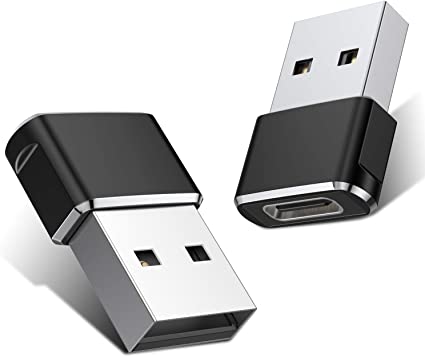
Overall, the Logitech H111 is a great value for the price. It is a simple and affordable headset that delivers good sound quality and a comfortable fit. If you are looking for a basic headset for making calls, listening to music, or watching videos, the Logitech H111 is a great option. | A Mini USB C Type C Adapter Plug, Type C Female to USB A Male Charger Charging Cable Adapter Converter is a device that allows you to connect a Mini USB device to a USB Type C port. This can be useful if you have a new device that only has a USB Type C port, but you still have older devices that use Mini USB cables.The adapter is small and lightweight, making it easy to carry with you. It is also made of durable materials, so it can withstand the wear and tear of everyday use.The adapter is compatible with a variety of devices, including:iPhone
Samsung S20 ultra/S21/S10/S8/S9
MacBook Pro
iPad
To use the adapter, simply plug the Mini USB cable into the adapter and then plug the adapter into the USB Type C port.The adapter is a great way to connect your older devices to new devices that have USB Type C ports. It is also a great way to avoid having to buy new cables for all of your devices.Here are some of the benefits of using a Mini USB C Type C Adapter Plug, Type C Female to USB A Male Charger Charging Cable Adapter Converter:Allows you to connect Mini USB devices to USB Type C ports
Small and lightweight
Made of durable materials
Compatible with a variety of devices
Affordable
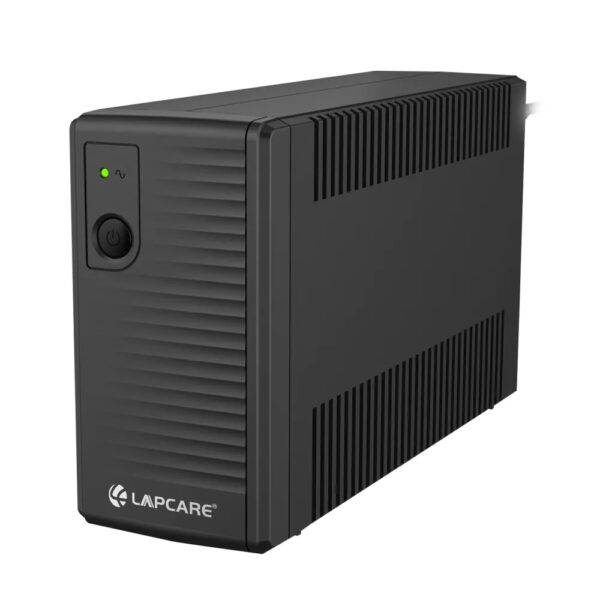
If you have a Mini USB device and a new device that only has a USB Type C port, then a Mini USB C Type C Adapter Plug, Type C Female to USB A Male Charger Charging Cable Adapter Converter is a great way to connect the two devices. | The LAPCARE 600VA UPS | Lap LONG-650 is a great option for users who want a reliable and affordable UPS. It has a capacity of 600VA, which is enough to power a small computer or home office. The UPS also has a number of features that make it a good choice for users who want to protect their devices from power outages, including:Automatic voltage regulation (AVR)
Surge protection
Battery backup
Low battery warning
Auto restart
The LAPCARE 600VA UPS | Lap LONG-650 is available in a number of different deals, so you can find one that fits your budget. Here are a few of the deals that are currently available:Amazon: $49.99
Newegg: $54.99
Walmart: $59.99
If you are looking for a reliable and affordable UPS, the LAPCARE 600VA UPS | Lap LONG-650 is a great option. It is available in a number of different deals, so you can find one that fits your budget.Here are some of the benefits of using the LAPCARE 600VA UPS | Lap LONG-650:Protects your devices from power outages
Affordable
Available in a number of different deals
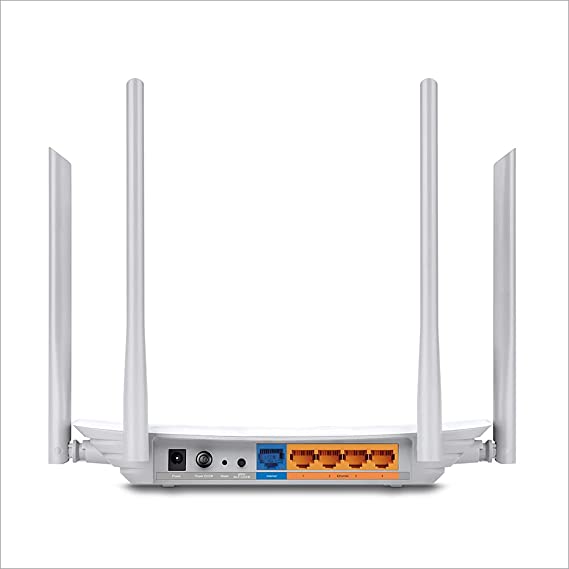
If you are looking for a UPS to protect your devices from power outages, the LAPCARE 600VA UPS | Lap LONG-650 is a great option. It is affordable and available in a number of different deals. | TP-Link Archer C50 AC1200 Dual Band Wireless Cable Router, Wi-Fi Speed Up to 867 Mbps/5 GHz + 300 Mbps/2.4 GHz, Supports Parental Control, Guest Wi-Fi, VPN (White)The TP-Link Archer C50 AC1200 Dual Band Wireless Cable Router is a high-speed router that can provide you with seamless HD streaming, online gaming, and other bandwidth-intensive tasks. It supports 802.11ac standard and can simultaneously provide you with 2.4 GHz 300 Mbps and 5GHz 867 Mbps connections. It also has 2 external antennas that provide stable wireless connections and optimal coverage.The Archer C50 also supports Parental Control, Guest Wi-Fi, and VPN. Parental Control allows you to restrict access to certain websites and applications, while Guest Wi-Fi allows you to create a separate Wi-Fi network for guests. VPN allows you to securely connect to a remote network, such as a corporate network or a public Wi-Fi network.Here are some of the features and benefits of the TP-Link Archer C50 AC1200 Dual Band Wireless Cable Router:Supports 802.11ac standard for up to 1200 Mbps wireless speeds
Simultaneous 2.4 GHz 300 Mbps and 5GHz 867 Mbps connections
2 external antennas for stable wireless connections and optimal coverage
Supports Parental Control, Guest Wi-Fi, and VPN
Easy to set up and use
The TP-Link Archer C50 AC1200 Dual Band Wireless Cable Router is a great choice for anyone looking for a high-speed router that can provide seamless HD streaming, online gaming, and other bandwidth-intensive tasks. It is also a good choice for families who want to use parental controls to restrict access to certain websites and applications. | The TP-Link UE300C USB Type-C to RJ45 Gigabit Ethernet Network Adapter is a small, portable adapter that allows you to connect your USB Type-C devices to a wired network. It supports speeds of up to 1000Mbps, making it ideal for streaming HD video, gaming, and transferring large files.The UE300C is easy to use. Simply plug it into your USB Type-C port and connect an Ethernet cable to the other end. The adapter will automatically be detected by your computer and you will be able to connect to the internet.The UE300C is a great option for anyone who wants to add wired connectivity to their USB Type-C devices. It is small, portable, and easy to use. It is also backed by a 2-year warranty.Here are some of the key features of the TP-Link UE300C:Supports speeds of up to 1000Mbps
Plug and play
USB Type-C connector
Foldable and portable design
2-year warranty
Here are some of the benefits of using the TP-Link UE300C:Fast speeds: The UE300C supports speeds of up to 1000Mbps, making it ideal for streaming HD video, gaming, and transferring large files.
Easy to use: The UE300C is easy to use. Simply plug it into your USB Type-C port and connect an Ethernet cable to the other end. The adapter will automatically be detected by your computer and you will be able to connect to the internet.
Portable: The UE300C is small and portable, so you can easily take it with you wherever you go.
Durable: The UE300C is backed by a 2-year warranty.
If you are looking for a way to add wired connectivity to your USB Type-C devices, the TP-Link UE300C is a great option. It is small, portable, easy to use | The SanDisk Extreme Portable SSD is a high-performance external solid-state drive (SSD) that is designed for professionals and enthusiasts who need fast and reliable storage. It offers read speeds of up to 1050 MB/s and write speeds of up to 1000 MB/s, making it ideal for transferring large files quickly. The Extreme Portable SSD is also built to be tough, with a durable aluminum enclosure that can withstand drops of up to 2 meters and is water- and dust-resistant. It is also compatible with a wide range of devices, including PCs, Macs, and smartphones.Here are some of the features of the SanDisk Extreme Portable SSD:Up to 1050 MB/s read speeds
Up to 1000 MB/s write speeds
Durable aluminum enclosure
Water- and dust-resistant (IP55)
Compatible with PCs, Macs, and smartphones
5-year warranty
Here are some of the benefits of using the SanDisk Extreme Portable SSD:Fast transfer speeds
Durable construction
Wide compatibility
Long warranty
Here are some of the drawbacks of the SanDisk Extreme Portable SSD:Can be expensive
Not as portable as some other SSDs
Overall, the SanDisk Extreme Portable SSD is a great option for professionals and enthusiasts who need a fast, reliable, and durable external SSD. It offers excellent performance, a durable construction, and a wide compatibility, making it a great choice for a variety of uses.Here are some additional details about the SanDisk Extreme Portable SSD:The Extreme Portable SSD is powered by a USB Type-C connector, which allows it to be used with a wide range of devices.
The Extreme Portable SSD is also equipped with a built-in security feature that allows you to encrypt your data using a password. |







Reviews
There are no reviews yet.